ComfyUI Workflows
Browse real AI workflows from Flux, SDXL, Pony, ControlNet, video generation and commercial AI creators.

【WAN】TXT to IMAGE
✨ WAN2.1 — Text to image — Simple WorkflowA clean, all-in-one WAN text-to-image workflow built entirely with the UmeAiRT Toolkit for ComfyUI.Only 10 nodes. No spaghetti wires. Just load your model, write your prompt, and hit generate.⚠️ IMPORTANT — Nodes 2.0 RequiredThis workflow is built for the Nodes 2.0 (Vue) interface of ComfyUI. If you don't enable it, the workflow may have display problems.How to activate Nodes 2.0:Open ComfyUIGo to Settings (⚙️ icon, bottom-left)Find "Use Nodes V2 (Vue)" and toggle it ONRefresh the pageLoad the workflowIf you prefer the classic interface, check out my Legacy version of this workflow instead (link).🎯 FeaturesText-to-Image generationAutomatic download of models in auto versionBuilt-in SeedVR2 upscaler — high-quality tiled upscaling (toggleable on/off) Slower than a classic upscaler, but significantly better qualityFull metadata embedding — your images are saved with all generation parameters, ready for online publishing and remixing3 LoRA slots — with individual on/off toggles and strength control and you can connect as many other lora modules to each other for as many LoRA as you want.📦 Custom Node RequiredOnly one custom node to install:👉 ComfyUI-UmeAiRT-ToolkitInstall via ComfyUI Manager (search "UmeAiRT") or use the UmeAiRT Auto-Installer.The Toolkit packages everything internally — upscaler, face detailer, metadata saver. No other custom nodes needed.📂 Files you need (in manual version)For base versionT2V Model: fp16, fp8In models/diffusion_modelsFor GGUF versionT2V Quant Model: Q8, Q5, Q3In models/diffusion_modelsCommon files :CLIP: umt5_xxl_fp8_e4m3fn_scaled.safetensorsin models/clipVAE: wan_2.1_vae.safetensorsin models/vaeSpeed LoRA: lightx2v_T2V_14B_cfg_step_distill_v2_lora_rank64_bf16.safetensorsin models/lorasANY upscale model:Realistic : RealESRGAN_x4plus.pthAnime : RealESRGAN_x4plus_anime_6B.pthin models/upscale_models

【WAN2.2】TXT to VIDEO
✨ WAN2.2 — Text to video — Simple WorkflowA clean, all-in-one WAN text-to-video workflow built entirely with the UmeAiRT Toolkit for ComfyUI.Only 12 nodes. No spaghetti wires. Just load your model, write your prompt, and hit generate.⚠️ IMPORTANT — Nodes 2.0 RequiredThis workflow is built for the Nodes 2.0 (Vue) interface of ComfyUI. If you don't enable it, the workflow may have display problems.How to activate Nodes 2.0:Open ComfyUIGo to Settings (⚙️ icon, bottom-left)Find "Use Nodes V2 (Vue)" and toggle it ONRefresh the pageLoad the workflowIf you prefer the classic interface, check out my Legacy version of this workflow instead (link).🎯 FeaturesText-to-Image generationAutomatic download of models in auto versionBuilt-in SeedVR2 upscaler — high-quality tiled upscaling (toggleable on/off) Slower than a classic upscaler, but significantly better qualityFull metadata embedding — your images are saved with all generation parameters, ready for online publishing and remixing3 LoRA slots — with individual on/off toggles and strength control and you can connect as many other lora modules to each other for as many LoRA as you want.📦 Custom Node RequiredOnly one custom node to install:👉 ComfyUI-UmeAiRT-ToolkitInstall via ComfyUI Manager (search "UmeAiRT") or use the UmeAiRT Auto-Installer.The Toolkit packages everything internally — upscaler, face detailer, metadata saver. No other custom nodes needed.📂 Files you need (in manual version)For base versionT2V Model : wan2.2_t2v_high_noise_14B_fp8_scaled.safetensors and wan2.2_t2v_low_noise_14B_fp8_scaled.safetensorsIn models/diffusion_modelsFor GGUF versionT2V Quant Model : wan2.2_t2v_high_noise_14B_QX.gguf and wan2.2_t2v_low_noise_14B_QX.ggufIn models/unetFor lightx2V versionlightx2V LoRA : Wan2.2-Lightning_T2V-A14B-4steps-lora_HIGH_fp16.safetensors and Wan2.2-Lightning_T2V-A14B-4steps-lora_LOW_fp16.safetensorsCLIP: umt5_xxl_fp8_e4m3fn_scaled.safetensorsin models/clipVAE: wan_2.1_vae.safetensorsin models/vaeANY upscale model:Realistic : RealESRGAN_x4plus.pthAnime : RealESRGAN_x4plus_anime_6B.pthin models/upscale_models

LongCat Avatar Single-Image Looping Digital Human Workflow
Watch the full video first if you want to understand how this LongCat Avatar workflow works in practice. The video shows how one reference image and one audio track can be turned into a longer talking-avatar video, how loop continuation is handled, and how to launch the workflow online without rebuilding the full ComfyUI environment locally.This ComfyUI workflow is designed for LongCat Avatar single-image looping digital human generation. Its main purpose is to take one character image and one driving audio file, then generate a talking-avatar video that can extend beyond a short first segment through loop-based continuation. Instead of repeatedly creating disconnected talking-head clips, this workflow builds a more continuous production route for long-form avatar narration, virtual hosting, and audio-driven digital human content.The workflow is built around LongCat-Avatar-15_bf16.safetensors as the main avatar model. It also uses LongCat-Avatar-15_dmd_distill_lora_rank128_bf16.safetensors as the DMD acceleration LoRA, WanVideoWrapper generation nodes, WanVideo VAE, WanVideo scheduler, Whisper large v3 encoder, and LongCat Avatar embed extension. The audio is processed through Whisper to extract speech features, allowing the generated avatar to follow the timing, rhythm, and mouth movement of the input voice.The visual side is driven by a single reference image. The image is resized into the target video format, encoded into a WanVideo latent, and used as the identity and appearance anchor for the avatar. This reference image controls the face, clothing, framing, lighting, background, and general visual style. Because the workflow focuses on one image, it is easier to keep the character stable than a multi-shot switching setup.The key node is WanVideoLongCatAvatarExtendEmbeds. It combines the previous latent, audio embeds, reference image latent, frame count, overlap setting, and continuation logic into a LongCat-compatible conditioning structure. The workflow uses a segmented generation design, with a 93-frame segment and 13-frame overlap. The first stage generates the initial speaking segment, then the loop continuation stage uses previous frames and audio progress to extend the video while preserving visual continuity.This is important for digital human production. A normal single-image talking-avatar workflow may work for a short clip, but it often becomes harder to maintain continuity when the audio is longer. This workflow is designed to continue the avatar from the previous generated segment, reducing hard cuts and making the final result easier to use for narration, tutorials, virtual host videos, product explanations, and long audio-driven content.Compared with ordinary image-to-video workflows, this graph is more specialized. A basic I2V pipeline can animate an image, but it does not necessarily follow speech timing or handle long audio well. This LongCat Avatar workflow connects audio feature extraction, image identity preservation, segmented sampling, overlap-based continuation, and final video assembly into one reusable system.This workflow is suitable for AI presenters, virtual anchors, anime hosts, single-character narration, talking character clips, educational explainers, product videos, Bilibili demonstrations, YouTube content, RunningHub showcases, and Civitai workflow publishing.Main features:LongCat Avatar single-image digital human workflowOne image + one audio inputWhisper large v3 speech feature extractionLongCat-Avatar-15 main model routeLongCat Avatar DMD LoRA supportSingle reference image identity preservationImage resizing and WanVideo latent encodingWanVideoLongCatAvatarExtendEmbeds conditioning93-frame segmented generation13-frame overlap for smoother continuationFirst-stage generation plus loop extensionAudio-driven mouth movement and speaking rhythmFinal MP4 output through VHS VideoCombineTrim-to-audio output behavior for cleaner publishingSuggested workflow:Prepare one clean character image first. The face should be visible, the mouth area should not be blocked, and the lighting should be stable. Then prepare a clear audio file with clean speech and limited background noise. Load the image and audio into the workflow, then check the prompt, frame settings, and loop continuation section. Start with a short test to confirm that the identity, lip movement, and camera framing are stable. If the face changes too much, simplify the prompt and keep the motion language gentle. If the speaking movement is too weak, make the avatar behavior more explicit in the prompt. After the first segment works, enable the loop continuation route to generate a longer digital human video aligned with the audio.⚙️ RunningHub WorkflowTry the workflow online right now — no installation required.👉 Workflow: https://www.runninghub.ai/post/2059633182730973185?inviteCode=rh-v1111If the results meet your expectations, you can later deploy it locally for customization.🎁 Fan Benefits: Register to get 1000 points + daily login 100 points — enjoy 4090 performance and 48 GB super power!📺 Bilibili Updates (Mainland China & Asia-Pacific)If you’re in the Asia-Pacific region, you can watch the video below to see the workflow demonstration and creative breakdown.📺 Bilibili Video: https://www.bilibili.com/video/BV1gdG161EYB/☕ Support Me on Ko-fiIf you find my content helpful and want to support future creations, you can buy me a coffee ☕.Every bit of support helps me keep creating — just like a spark that can ignite a blazing flame.👉 Ko-fi: https://ko-fi.com/aiksk💼 Business ContactFor collaboration or inquiries, please contact aiksk95 on WeChat.⚙️打开下方链接即可在线体验,无需安装。👉 工作流: https://www.runninghub.ai/post/2059633182730973185?inviteCode=rh-v1111如果觉得效果理想,你也可以在本地进行自定义部署。🎁 粉丝福利: 注册即送 1000 积分,每日登录 100 积分,畅玩 4090 体验 48 G 超级性能!📺 Bilibili 更新(中国大陆及南亚太地区)如果你在中国大陆或南亚太地区,可以通过下方视频查看该工作流的实测效果与构思讲解。📺 B站视频: https://www.bilibili.com/video/BV1gdG161EYB/我会在 夸克网盘 持续更新模型资源:👉 https://pan.quark.cn/s/20c6f6f8d87b这些资源主要面向本地用户,方便进行创作与学习。

LongCat Avatar Multi-Image Shot-Switching Digital Human Workflow
Watch the full video first if you want to understand how this LongCat Avatar workflow works in practice. The video shows how multiple reference images can be organized into a talking-avatar pipeline, how shot switching and loop extension are handled, and how to launch the workflow online without rebuilding the full ComfyUI environment locally.This ComfyUI workflow is designed for LongCat Avatar multi-image shot-switching digital human generation. Its main purpose is to turn several reference images and one driving audio track into a longer talking-avatar video with controllable visual changes. Instead of using only one image for a single static talking head, this workflow builds a reference image pool and prompt pool so the avatar can switch between different prepared visual states while keeping the talking rhythm and audio-driven mouth movement.The workflow is built around LongCat-Avatar-15_bf16.safetensors as the main avatar model, LongCat-Avatar DMD LoRA as the distilled acceleration layer, WanVideoWrapper generation nodes, WanVideo VAE, Whisper large v3 encoder, LongCat Avatar embed extension, and a segmented sampling / looping structure. The audio is loaded first and passed through Whisper, which extracts speech features for mouth movement and speaking behavior. This makes the workflow suitable for audio-driven digital human videos rather than ordinary silent image-to-video animation.The image side is organized as a multi-reference system. The workflow includes up to ten image input groups. Each image is resized to a unified 1280×720 canvas, then encoded into a LongCat-compatible latent. These images can represent different characters, outfits, backgrounds, camera angles, or visual states. The workflow also includes an image index switch, allowing the user to select which reference image enters the generation path.The prompt side is also modular. The graph contains GPT-5-based reverse prompt generation nodes and a prompt pool. Each image can have a corresponding LongCat talking-avatar prompt describing identity, appearance, scene relationship, camera framing, speaking behavior, lip-sync, subtle head movement, natural facial expression, hand gestures, and continuity locks. This makes the workflow more practical than manually writing every avatar prompt from scratch.The generation structure uses a first-stage render plus loop extension. The first stage generates the opening segment. The loop stage takes the tail frames, converts them back into latent space, and continues the avatar video while preserving continuity. The workflow uses 93-frame segments, 13-frame overlap, automatic audio-duration calculation, and automatic loop-count logic to cover the full audio length. This helps the output stay aligned with the driving audio instead of requiring manual duration calculation.Compared with ordinary single-image digital human workflows, this graph is more suitable for creator production. It can handle multiple avatar references, longer audio, loop-based continuation, shot switching, and prompt-index control in one system. It is useful for AI presenters, virtual anchors, anime hosts, character narration, news-style avatars, educational videos, product explanations, Bilibili demonstrations, YouTube content, RunningHub showcases, and Civitai workflow publishing.Main features:LongCat Avatar multi-image digital human workflowOne audio track drives mouth movement and speaking rhythmWhisper large v3 speech feature extractionLongCat-Avatar-15 main model routeLongCat Avatar DMD LoRA supportUp to ten reference image input groupsUnified 1280×720 image resizing and latent encodingImage index switching for multi-shot avatar controlGPT-5 reverse prompt pool for avatar descriptionsPrompt index switching for different visual states93-frame segment generation with 13-frame overlapAutomatic loop count based on audio durationFirst-stage generation plus loop continuationFinal video output through VHS VideoCombineSuggested workflow:Prepare a clean driving audio file first. The speech should be clear, stable, and not buried under loud background music. Then prepare several reference images for the avatar. Keep each image visually readable, with a clear face, stable lighting, and a mouth area that is not blocked. Load the images into the reference image pool, then check the image index and prompt index settings. Start with one image and one prompt first to confirm that the mouth movement, identity, and camera framing are stable. After the first test works, add more image references and switch between them through the image pool. Use automatic loop mode when you want the workflow to cover the full audio length. If continuity breaks, reduce image variation, lower aggressive motion language, and keep the overlap settings stable.⚙️ RunningHub WorkflowTry the workflow online right now — no installation required.👉 Workflow: https://www.runninghub.ai/post/2059604643877056514?inviteCode=rh-v1111If the results meet your expectations, you can later deploy it locally for customization.🎁 Fan Benefits: Register to get 1000 points + daily login 100 points — enjoy 4090 performance and 48 GB super power!📺 Bilibili Updates (Mainland China & Asia-Pacific)If you’re in the Asia-Pacific region, you can watch the video below to see the workflow demonstration and creative breakdown.📺 Bilibili Video: https://www.bilibili.com/video/BV1gdG161EYB/☕ Support Me on Ko-fiIf you find my content helpful and want to support future creations, you can buy me a coffee ☕.Every bit of support helps me keep creating — just like a spark that can ignite a blazing flame.👉 Ko-fi: https://ko-fi.com/aiksk💼 Business ContactFor collaboration or inquiries, please contact aiksk95 on WeChat.⚙️打开下方链接即可在线体验,无需安装。👉 工作流: https://www.runninghub.ai/post/2059604643877056514?inviteCode=rh-v1111如果觉得效果理想,你也可以在本地进行自定义部署。🎁 粉丝福利: 注册即送 1000 积分,每日登录 100 积分,畅玩 4090 体验 48 G 超级性能!📺 Bilibili 更新(中国大陆及南亚太地区)如果你在中国大陆或南亚太地区,可以通过下方视频查看该工作流的实测效果与构思讲解。📺 B站视频: https://www.bilibili.com/video/BV1gdG161EYB/我会在 夸克网盘 持续更新模型资源:👉 https://pan.quark.cn/s/20c6f6f8d87b这些资源主要面向本地用户,方便进行创作与学习。

Wan 2.2 T2V, I2V, FFLF, lora manager. WanVideoWrapped extension based.
Pretty simple workflow for Wan2.2, mostly about the 14B model (I didn’t try the 5B). Nothing special, just finally completed the workflow for myself, cleared up all the mess, with some potential for upgrades.
Video Outpainting - fast and simple with native Wan VACE 2.2
ComfyUI Wan VACE Video OutpaintingGithubThis is a lightweight, (almost) no custom nodes ComfyUI workflow meant to quickly outpaint a video with Wan VACE and a minimum of fuss. Just load your video and select the new output area.DependenciesMy ComfyUI-Wan-VACE-Prep custom node package, v1.0.16 or later, is required for this workflow. It replaces a large amount of awkward spaghetti workflow math, making this lightweight workflow version possible.In ComfyUI Manager, search for Wan VACE Prep or just load the workflow and then visit the Missing tab in Manager.This is a very lightweight package with no dependencies, so it is highly unlikely to break your system, if that is something you worry about.ComfyUI Nodes 2.0 : The node this workflow relies on has not been tested under ComfyUI's Nodes 2.0 renderer and may or may not work correctly with it. No effort will be spent on ensuring Nodes 2.0 compatibility or stability until Comfy publishes Nodes 2.0 documentation for node developers.Configuration and ModelsYou'll need the Wan VACE model to run the workflow. Select one appropriate for your system below. Aim for a model weight that matches what you use for normal Wan video generation. e.g., If you usually use an fp8 Wan model, try the fp8 VACE model.Wan 2.2 Fun VACEbf16 and fp8GGUFWan 2.1 VACEfp16GGUFKijai’s extracted Fun Vace 2.2 modules, for loading along with standard T2V models. Native use examples here.bf16GGUFChangelogv1.0.0 Initial release.
Wan VACE Clip Joiner - Lightweight Edition
ComfyUI Wan VACE Video Joiner - Lightweight EditionGithubThis workflow uses Wan VACE to smooth out awkward motion transitions between video clips. If you have noisy frames at the start or end of your clips, this technique can also get rid of those.What it DoesThis is a lightweight, (almost) no custom nodes ComfyUI workflow meant to quickly join two videos together with VACE and a minimum of fuss. There are no work files, no looping or batch counters to worry about. Just load your videos and click Run.If you need to automatically join a large number of clips, mitigation of color/brightness artifacts, optimization options, try the full workflow instead.DependenciesMy ComfyUI-Wan-VACE-Prep custom node package is required for this workflow. This is a very lightweight package with no dependencies, so it is highly unlikely to break your system, if that is something you worry about.You may clone the repository or install via ComfyUI Manager. Search for Wan VACE Prep.I have not tested this workflow or the custom node under the Nodes 2.0 UI.Configuration and ModelsYou'll need some combination of these models to run the workflow. As already mentioned, this workflow will not run properly on your system until you configure it properly. You probably already have a Wan video generation workflow that runs well on your system. You need to configure this workflow similarly to your generation workflow. The Sampler subgraph contains KSampler nodes and model loading nodes. Have your way with these until it feels right to you. Enable the sageattention and torch compile nodes if you know your system supports them. Just make sure all the subgraph inputs and outputs are correctly getting and setting data, and crucially, that the diffusion model you load is one of Wan2.2 Fun VACE or Wan2.1 VACE. GGUFs work fine, but non-VACE models do not.Wan 2.2 Fun VACEbf16 and fp8GGUFWan 2.1 VACEfp16GGUFKijai’s extracted Fun Vace 2.2 modules, for loading along with standard T2V models. Native use examples here.bf16GGUFTroubleshootingThe size of tensor a must match the size of tensor b at non-singleton dimension 1 - Check that both dimensions of your input videos are divisible by 16 and change this if they're not. Fun fact: 1080 is not divisible by 16!Brightness/color shift - VACE can sometimes affect the brightness or saturation of the clips it generates. I don't know how to avoid this tendency, I think it's baked into the model, unfortunately. Disabling lightx2v speed loras can help, as can making sure you use the exact same lora(s) and strength in this workflow that you used when generating your clips. Some people have reported success using a color match node before output of the clips in this workflow. I think specific solutions vary by case, though. The most consistent mitigation I have found is to interpolate framerate up to 30 or 60 fps after using this workflow. The interpolation decreases how perceptible the color shift is. The shift is still there, but it's spread out over 60 frames instead over 16, so it doesn't look like a sudden change to our eyes any more.Regarding Framerate - The Wan models are trained at 16 fps, so if your input videos are at some higher rate, you may get sub-optimal results. At the very least, you'll need to increase the number of context and replace frames by whatever factor your framerate is greater than 16 fps in order to achieve the same effect with VACE. I suggest forcing your inputs down to 16 fps for processing with this workflow, then re-interpolating back up to your desired framerate.If you can't make the workflow work, update ComfyUI and try again. If you're not willing to update ComfyUI, I can't help you. We have to be working from the same starting point.Feel free to open an issue on github. This is the most direct way to engage me. If you want a head start, paste your complete console log from a failed run into your issue.Changelogv1.0.4 Minor update, no functionality changes. Custom node update. Expanded and simplified documentation.v1.0.3 Image Batch node fix.I don't quite understand the sequence of events, but since I updated ComfyUI to 0.7.0, the Batch Images node is back to its old static self. The dynamic behavior it had when I released this workflow is gone. I don't think I accidentally used a custom version of that node previously, but that is actually the most likely explanation. Anyway, this is hopefully the end of Prompt outputs failed validation: BatchImagesNode: - Required input is missing: image1 messages.v1.0.2 Core custom node change.The VACE node I began with wasn't quite flexible enough, so I moved to [my own custom node](https://github.com/stuttlepress/ComfyUI-Wan-VACE-Prep) instead.v1.0.0 Initial release.

Wan 2.2 Detailer
This is a pretty simple workflow. Wan 2.2 T2V low noise model makes an awesome post detailer, since it's designed to detail the composition of the high noise model. Just drop your image into the load image node, script the composition of your image in the 'Prompt' text box (or get an LLM to do it for you) and watch Wan level up your image.I've added a few options to help with detailing and scene/character consistency:Wan NAG - direct Wan to the elements of the image you'd like it to focus on.Reactor FaceSwap - for increased character consistency from original image.I've also added directions in workflow for refining your output to increase either consistency or divergence from original image.Enjoy. 😊👌
Wan 2.2 Video-to-Video Tutorial with VACE 2.2! (Beginner Friendly)

Wan2.2+VBVR Precision Logic Reasoning Diagram-to-Video V1
You can click on the link below and try it out directly. If the effect is good, you can deploy it locally https://www.runninghub.cn/post/2025914003163189250/?inviteCode=rh-v1121Fan benefits, register to get 1000 points, daily login 100 points, play 4090! Experience the super power of 48G!B-site video: https://www.bilibili.com/video/BV1bNf1BXEc6Knowledge Planet: https://t.zsxq.com/7F90AGraphic tutorial: https://t.zsxq.com/lNK8vThe workflow is very simple to use, and I have uploaded a tutorial on how to use it on YouTube. You can try it out and follow the tutorial and Civitai's workflow to easily reproduce the results. Thank you. If you have any other questions, please leave a comment in the comment sectionThis tutorial is very important, not watching it will surely lead to a lot of problems! Watch the video tutorial before trying !!!! Very important! Especially a key point at the end!
【WanAnimate】Action transfer-No colour cast 动作迁移-无偏色
There is a detailed tutorial in the video. Please watch it carefully!视频中有详细的教程,请认真查看!
Wan 2.2 Text to Video in ComfyUI With Kijai Wan Video Wrapper
Wan 2.2 Unified Reward Flex Workflow
Hey guys Watch the video to get more information about the workflow and the new Lora

Wan 2.2 Daily Driver Workflow
This workflow is the cleaned-up version of what I generally use when I'm rendering videos with Wan 2.2 or 2.1. It includes most of the options and settings that I most commonly use, so it's obviously tailored to work well with my choices and preferences.If you're an experienced ComfyUI user than I hope you can take away some useful ideas from this template. If you're new to ComfyUI or Wan movie rendering, I've included lots of notes and documentation about the options and features in this workflow, so it may work well for you as a more advanced choice over the basic starter workflows.This workflow is designed with all the functional parts out in the open so you can follow the process and change things around if you want. I often use this workflow when I'm experimenting with new custom nodes or different processes and it works pretty well for that purpose, too.I hope you find this workflow useful, and good luck with your video creation!

Wan 2.2 FP8 T2V Image Only
Wan 2.2 FP8 T2V for Image GenerationI use this because I like how wan 2.2 generates people. I use res3s sampler and Beta57 scheduler. With lightning 4 step lora I usually do 6-8 steps for quality or 4 steps for speed. I usually use the FP8 14B base model, or swap it out depending on what kind of images I want.
Rebels Wan S2V
the basic workflow for Wan 2.2 S2V GGUF models. this does not include the models and will need to be downloaded seperately.
Wan 2.2 GGUF T2V 14B Workflow for ComfyUI (Beginner Friendly)
See the video about how to use the workflowPlease like, share, comment and subscribe
The One-Image Workflow: A Forge-Style Static Design for Wan Image, Z-Image, Qwen-Image, Flux2 & Others
Introducing the One-Image Workflow: A Forge-Style Static Design for Wan 2.1/2.2, Z-Image, Qwen-Image, Flux2 & OthersAuthor: Iory98Tested On: Windows 11, ComfyUI Version: v0.4.0 | Frontend Version: v1.33.13 A full Guide is included inside the Workflow.Introduction & Motivation: No More Noodle Soup!ComfyUI is a powerful platform for AI generation, but its graph-based nature can be intimidating. If you are coming from Forge WebUI or A1111, the transition to managing "noodle soup" workflows often feels like a chore. I always believed a platform should let you focus on creating images, not engineering graphs.I created the One-Image Workflow to solve this. My goal was to build a workflow that functions like a User Interface. By leveraging the latest ComfyUI Subgraph features, I have organized the chaos into a clean, static workspace.Why "One-Image"?This workflow is designed for quality over quantity. Instead of blindly generating 50 images, it provides a structured 3-Stage Pipeline to help you craft the perfect single image: generate a composition, refine it with a model-based Hi-Res Fix, and finally upscale it to 4K using modular tiling.While optimized for Wan 2.1 and Wan 2.2 (Text-to-Image), this workflow is versatile enough to support Qwen-Image, Z-Image, and any model requiring a single text encoder.Key Philosophy: The 3-Stage PipelineThis workflow is not just about generating an image; it is about perfecting it. It follows a modular logic to save you time and VRAM:· Stage 1 - Composition (Low Res): Generate batches of images at lower resolutions (e.g., 1088x1088). This is fast and allows you to cherry-pick the best composition.· Stage 2 - Hi-Res Fix: Take your favorite image and run it through the Hi-Res Fix module to inject details and refine the texture.· Stage 3 - Modular Upscale: Finally, push the resolution to 2K or 4K using the Ultimate SD Upscale module.By separating these stages, you avoid waiting minutes for a 4K generation only to realize the hands are messed up. The "Stacked" Interface: How to NavigateThe most unique feature of this workflow is the Stacked Preview System. To save screen space, I have stacked three different Image Comparer nodes on top of each other. You do not need to move them; you simply Collapse the top one to reveal the one behind it.· Layer 1 (Top) - Current vs Previous – Compares your latest generation with the one before it.Action: Click the minimize icon on the node header to hide this and reveal Layer 2.· Layer 2 (Middle): Hi-Res Fix vs Original – Compares the stage 2 refinement with the base image.Action: Minimize this to reveal Layer 3.· Layer 3 (Bottom): Upscaled vs Original – Compares the final ultra-res output with the input. The Control Panels (Subgraphs)The workflow is divided into 7 color-coded Subgraphs. Think of these as "Tabs" in a web browser. Expand them to change settings, then collapse them to keep your workspace clean.1. Wan_Main_Settings (The Dashboard)· Status: Always Expanded· Function: This is your home screen. It contains the parameters you change 90% of the time:o Prompts: Positive text input.o Generation Data: Seed, Sampler, Scheduler, CFG, and Steps.o Image Size: Set your base resolution here.o Toggle Switches: Quickly enable/disable the Refiner, Hi-Res Fix, or Upscaling stages without disconnecting wires.2. Wan_Model_Loaders (Changes Start Here)· Function: Handles loading your checkpoints.· Dual-Stage Loading: You can load a Main Model (High Noise) for structure and a Refiner Model (Low Noise) for details.· Format Freedom: Supports mixing GGUF and Safetensors. You can even load the GGUF version as Main and Safetensors as Refiner to test quantization differences.3. Wan_Model_Parameters (Advanced Tuning)· Function: Technical settings for the models.· Features:o Model Format Selection: Select model types (GGUF vs. Safetensors).o MagCache Optimization: Settings to manage VRAM usage and speed.o Default LoRA Stack: A bundle of 3 slots for "Always On" LoRAs (like Lightning or Turbo LoRAs).4. Wan_Unified_LoRA_Stack· Function: A centralized LoRA loader.· Logic: Instead of managing separate LoRAs for Main and Refiner models, this stack applies your style LoRAs to both. It supports up to 6 LoRAs. Of course, this Stack can work in tandem with the Default (internal) LoRAs discussed above.· Note: If you need specific LoRAs for only one model, use the external Power LoRA Loaders included in the workflow.5. Wan_NAG_Settings (Negative Prompting)· Function: Manages what you don't want in the image.· Feature: Includes NAG (Normalized Attention Guidance) settings, which often provides better adherence to negative prompts than standard methods. Also handles image filename prefixes and saving paths.6. Wan_HiResFix_Settings (Stage 2)· Function: Refines the image generated in Stage 1.· Recommendation: Use this to scale up your chosen "Draft" image. It uses a re-noising technique to add details that didn't exist in the lower resolution version.7. Wan_Upscaler_Settings (Stage 3)Function: The final polish; upscale the image beyond the model’s resolution capabilities.Module: Uses Ultimate SD Upscale.Logic: This allows for Tiled Upscaling, essential for going to 4K resolutions without running out of VRAM. You can feed either the original image or the Hi-Res Fixed image into this module. Requirements & InstallationTo use this workflow, you must have the ComfyUI Manager installed. When you load the workflow, click "Install Missing Custom Nodes".Key Custom Nodes Used:· rgthree-comfy: For the Mute switches and the Image Comparer nodes.· ComfyUI Impact Pack: For advanced workflow logic.· ComfyUI-Easy-Use: For streamlined parameter handling.· ComfyUI-KJNodes: For UI enhancements.· UltimateSDUpscale: For the Stage 3 upscaling.· ComfyUI-GGUF: Required if using GGUF quantized models.· Was Node Suite: For various I/O tasks. Quick Start Guide1. Load Models: Open the Model_Loaders subgraph and select your Wan 2.1 (or other) checkpoints.2. Set Resolution: In Main_Settings, set a fast preview resolution (e.g., 832x1216 or 1024x1024).3. Prompt: Enter your text in Main_Settings or in the connected Positive Prompt Field.4. Generate: Press Queue Prompt.5. Review: Look at the top Current vs Previous preview.6. Refine (Optional): If you like the seed, turn on "Enable Hi-Res Fix" in Main_Settings and generate again to polish the details. collapse the top preview to see the result.

Character Multi-Angle V3 - Character Consistency - Speed Edition
Character Multi-Angle V3 - Character Consistency - Speed Edition
Bring Still Images to Life Instantly+Wan2.2+Enhanced
Bring Still Images to Life Instantly+Wan2.2+Enhanced (More workflows →https://www.runninghub.ai/user-center/1990547060992716802/webapp?inviteCode=jq8lvwrk)

Wan2.2 Image Refiner
With this model you can create highly refined images using Wan2.2 it is a collection of multiple workflows, in addition of my own work on it, I have tried to make it easy for anyone with basic knowledge with Comfy Ui to be able to modify add and remove any section of the workflow and replace it with quantized alternative to fit your Hardware.The different detailers require separate models that should go in your ComfyUI /models/ultralytics/bbox folder. You can find these files here and here.Inspired by GBRX
Wan 2.2 - T2V - Promt Styler & Batch-Loader - Ultimate SD Upscaler - Interpolation - Last Frame Save - Master 1
Personal Advanced Master T2V Workflow.-Simple Layout-Promt Styler-Promt txt loader -Upscaler-Interpolation
Minimalist T2I Workflow for WAN Video 2.2
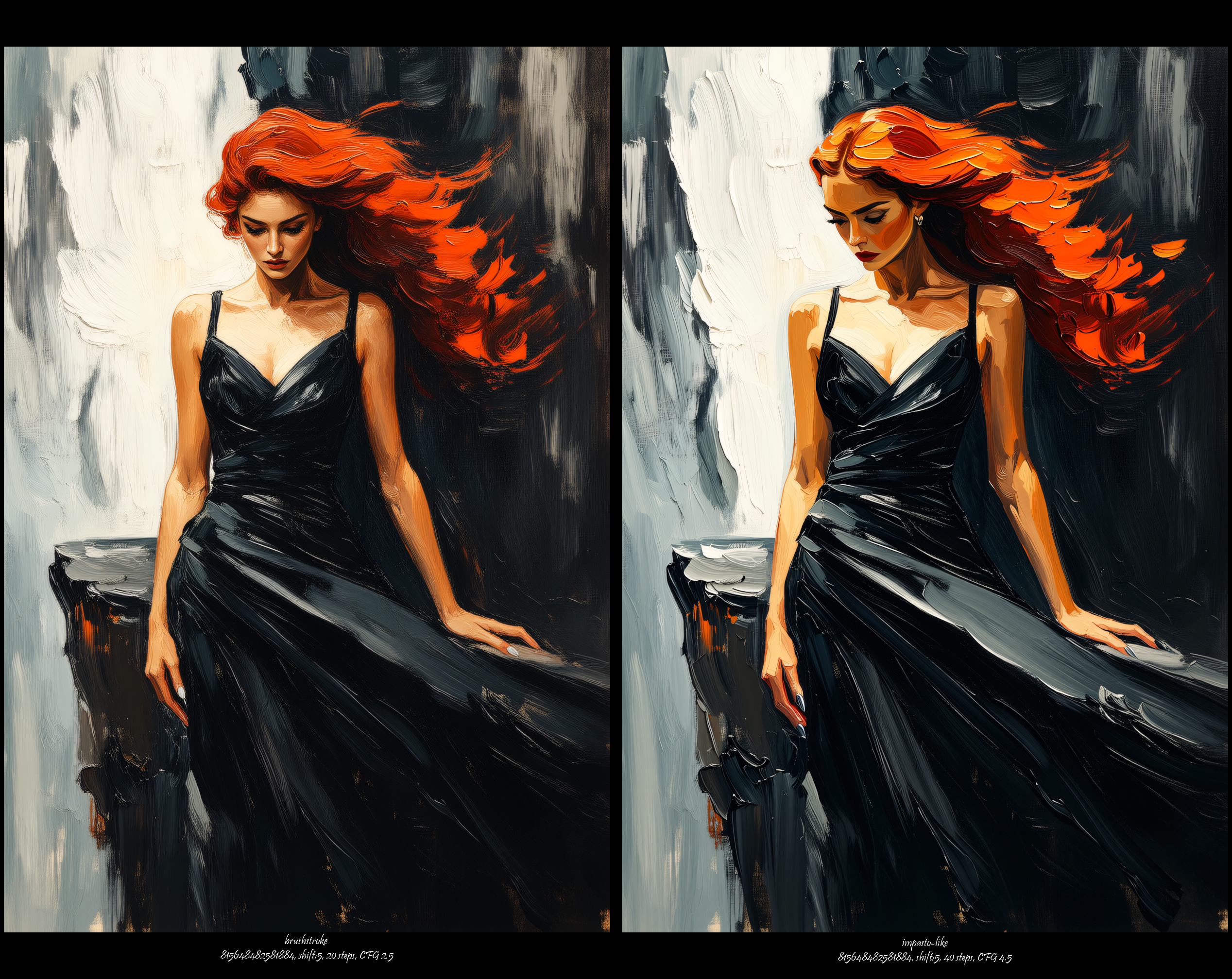
✅ this one → Minimalist T2I Workflow for WAN Video 2.2 (Hugging Face)✅ Minimalist First-Last Frame to Video Workflow for WAN Video 2.2 (Hugging Face)🔜 Minimalist FMLF (First-Middle-Last Frame) + Multi Frame Ref To Video Workflow for WAN Video 2.2 (Coming Soon)🔜 Join Videos (Snippets) – Track Operations, Python Scripting: Be a Storyteller - Seamless Narrative Chain (Coming Soon)Minimalist T2I Workflow for Wan Video 2.2A streamlined text-to-image workflow utilizing WAN Video 2.2's High and Low Noise models (14B fp8) for static image generation. This setup deliberately omits the Lighting LoRAs to focus on the base models' capabilities...Dare to click the image — opens fixed-size copy.... Optimized for evaluating the ability to represent artistic styles, techniques, and compositions, without the complexity of additional conditioning through LoRAs and CNet.Prompting, showcase of different art styles tested with this workflowDare to click — opens Civitai Collection.

Magic-Wan-V2 accelerated tiled ultra-resolution upscaling
This workflow is built to combine the speed of the accelerated Wan 2.2 four-step model with the precision of multi-tile ultra-resolution reconstruction. The image is first processed through Magic Wan 2.0’s writing-realism model, then passed into a tiling pipeline where the picture is cut into sections, upscaled, and decoded tile-by-tile before being reassembled into a single high-resolution image. This approach avoids the usual blurring and texture collapse that happen with direct large-scale upscaling, and instead allows each tile to be optimized locally with much cleaner detail. The result is a fast yet high-clarity workflow that can push images to significantly higher resolutions while still keeping the core structure and style intact.When using this setup, the key is simply choosing a reasonable tile layout—splits like 2×2 or 3×3 typically provide the best balance between clarity and stability. Because each tile is processed independently, giving the model a clear visual direction through the prompt helps maintain consistency across the different regions. The separate pixel-based upscale step also contributes to smoother transitions before tiling begins, and avoids pushing tiles too far outside the model’s comfortable range. Overall, this workflow offers a reliable way to get very large, very clean results quickly, blending accelerated generation with precise tiled reconstruction for high-detail final output.🎥 YouTube Video TutorialWant to know what this workflow actually does and how to start fast?This video explains what the tool is, how to launch the workflow instantly, and shares my core design logic — no local setup, no complicated environment. Everything starts directly on RunningHub, so you can experience it in action first.👉 YouTube Tutorial:https://youtu.be/Eek663BSp3gBefore you begin, I recommend watching the video thoroughly — getting the full context helps you understand the tool faster and avoid common detours。⚙️ RunningHub WorkflowTry the workflow online right now — no installation required.👉 Workflow:https://www.runninghub.ai/post/1991145078443868162/?inviteCode=rh-v1111If the results meet your expectations, you can later deploy it locally for customization.🎁 Fan Benefits:Register to get 1000 points + daily login 100 points — enjoy 4090 performance and 48 GB super power!📺 Bilibili Updates (Mainland China & Asia-Pacific)If you’re in the Asia-Pacific region, you can watch the video below to see the workflow demonstration and creative breakdown.📺 Bilibili Video:https://www.bilibili.com/video/BV1kiyJBvE3r/☕ Support Me on Ko-fiIf you find my content helpful and want to support future creations, you can buy me a coffee ☕。Every bit of support helps me keep creating — just like a spark that can ignite a blazing flame。👉 Ko-fi:https://ko-fi.com/aiksk💼 Business ContactFor collaboration or inquiries, please contact aiksk95 on WeChat。🎥 YouTube 视频教程想了解这个工作流到底是怎样的工具,以及如何快速启动?视频主要介绍 工具定位、快速启动方法 和 我的构筑思路。我们会直接在 RunningHub 上进行演示,让你第一时间看到实际效果。👉 YouTube 教程:https://youtu.be/Eek663BSp3g开始前建议尽量完整地观看视频 —— 把握整体思路会更快上手,也能少走常见弯路。⚙️ 在线体验工作流现在就可以在线体验,无需安装。👉 工作流:https://www.runninghub.ai/post/1991145078443868162/?inviteCode=rh-v1111打开上方链接即可直接运行该工作流,实时查看生成效果。如果觉得效果理想,你也可以在本地进行自定义部署。🎁 粉丝福利:注册即送 1000 积分,每日登录 100 积分,畅玩 4090 体验 48 G 超级性能!📺 Bilibili 更新(中国大陆及南亚太地区)如果你在中国大陆或南亚太地区,可以通过下方视频查看该工作流的实测效果与构思讲解。📺 B站视频:https://www.bilibili.com/video/BV1kiyJBvE3r/我会在 夸克网盘 持续更新模型资源:👉 https://pan.quark.cn/s/20c6f6f8d87b这些资源主要面向本地用户,方便进行创作与学习。

Magic-Wan-V2 accelerated image-to-image
This workflow is designed to let Magic Wan 2.0 handle image-to-image tasks at high speed by combining it with a four-step acceleration model derived from Wan 2.2. The input image is first resized and encoded into the latent space, and then the accelerated model performs reconstruction with minimal sampling steps. This makes the process extremely fast while still allowing the prompt to influence the atmosphere, lighting, and overall direction of the rewritten image. The workflow keeps the structure of a standard img2img pipeline, but the accelerated backbone gives it a much quicker turnaround, making it suitable for rapid style adjustments, fast reinterpretations, and quick visual experiments based on an existing image.To get the best results with this approach, clear prompt direction helps the model maintain coherence, since the compressed sampling path relies more heavily on textual guidance. Adding explicit cues about style, mood, lighting, or material texture can significantly improve the stability of the output. Because the model is optimized for speed, the reconstruction focuses on broad visual consistency rather than micro-level detail, so this workflow is ideal for quickly exploring variations of a source image. Once you find a direction you like, you can move to a slower high-quality workflow for refinement, while this accelerated version remains a fast and efficient way to iterate through creative options.🎥 YouTube Video TutorialWant to know what this workflow actually does and how to start fast? This video explains what the tool is, how to launch the workflow instantly, and shares my core design logic — no local setup, no complicated environment. Everything starts directly on RunningHub, so you can experience it in action first.👉 YouTube Tutorial: https://youtu.be/Eek663BSp3gBefore you begin, I recommend watching the video thoroughly — getting the full context helps you understand the tool faster and avoid common detours。⚙️ RunningHub WorkflowTry the workflow online right now — no installation required.👉 Workflow: https://www.runninghub.ai/post/1991143691563696129/?inviteCode=rh-v1111If the results meet your expectations, you can later deploy it locally for customization.🎁 Fan Benefits: Register to get 1000 points + daily login 100 points — enjoy 4090 performance and 48 GB super power!📺 Bilibili Updates (Mainland China & Asia-Pacific)If you’re in the Asia-Pacific region, you can watch the video below to see the workflow demonstration and creative breakdown.📺 Bilibili Video: https://www.bilibili.com/video/BV1kiyJBvE3r/☕ Support Me on Ko-fiIf you find my content helpful and want to support future creations, you can buy me a coffee ☕。 Every bit of support helps me keep creating — just like a spark that can ignite a blazing flame。👉 Ko-fi: https://ko-fi.com/aiksk💼 Business ContactFor collaboration or inquiries, please contact aiksk95 on WeChat。🎥 YouTube 视频教程想了解这个工作流到底是怎样的工具,以及如何快速启动? 视频主要介绍 工具定位、快速启动方法 和 我的构筑思路。 我们会直接在 RunningHub 上进行演示,让你第一时间看到实际效果。👉 YouTube 教程: https://youtu.be/Eek663BSp3g开始前建议尽量完整地观看视频 —— 把握整体思路会更快上手,也能少走常见弯路。⚙️ 在线体验工作流现在就可以在线体验,无需安装。👉 工作流: https://www.runninghub.ai/post/1991143691563696129/?inviteCode=rh-v1111打开上方链接即可直接运行该工作流,实时查看生成效果。 如果觉得效果理想,你也可以在本地进行自定义部署。🎁 粉丝福利: 注册即送 1000 积分,每日登录 100 积分,畅玩 4090 体验 48 G 超级性能!📺 Bilibili 更新(中国大陆及南亚太地区)如果你在中国大陆或南亚太地区,可以通过下方视频查看该工作流的实测效果与构思讲解。📺 B站视频: https://www.bilibili.com/video/BV1kiyJBvE3r/我会在 夸克网盘 持续更新模型资源: 👉 https://pan.quark.cn/s/20c6f6f8d87b这些资源主要面向本地用户,方便进行创作与学习。

Magic-Wan-V2 accelerated text-to-image
This workflow combines the realistic rendering capability of Magic Wan 2.0 with a four-step acceleration model derived from Wan 2.2, allowing text-to-image generation to run at significantly higher speed. The accelerated model compresses the usual multi-step sampling process into a short convergence path, giving you near-instant results while preserving the core characteristics of the Magic Wan aesthetic. The pipeline itself remains the same—prompt encoding, latent generation, and VAE decoding—so the workflow still behaves like a standard text-to-image process, just much faster. It’s most suitable for rapid ideation, quick composition testing, and fast turnaround scenarios where you need usable results without waiting for long inference times.When working with this accelerated setup, providing clear and direct prompts helps the model maintain structure and realism despite the reduced sampling steps. Because the acceleration model emphasizes speed over micro-detail, adding precise cues about lighting, material textures, scene layout, or subject posture can noticeably improve stability. The step count is already minimized, and keeping it at or slightly above the default ensures a balance between responsiveness and visual consistency. Overall, this workflow functions as a fast exploratory mode—ideal for quickly iterating through concepts—after which you can switch to a full-quality, non-accelerated pipeline for final rendering if needed.🎥 YouTube Video TutorialWant to know what this workflow actually does and how to start fast? This video explains what the tool is, how to launch the workflow instantly, and shares my core design logic — no local setup, no complicated environment. Everything starts directly on RunningHub, so you can experience it in action first.👉 YouTube Tutorial: https://youtu.be/Eek663BSp3gBefore you begin, I recommend watching the video thoroughly — getting the full context helps you understand the tool faster and avoid common detours。⚙️ RunningHub WorkflowTry the workflow online right now — no installation required.👉 Workflow: https://www.runninghub.ai/post/1991141173844639745/?inviteCode=rh-v1111If the results meet your expectations, you can later deploy it locally for customization.🎁 Fan Benefits: Register to get 1000 points + daily login 100 points — enjoy 4090 performance and 48 GB super power!📺 Bilibili Updates (Mainland China & Asia-Pacific)If you’re in the Asia-Pacific region, you can watch the video below to see the workflow demonstration and creative breakdown.📺 Bilibili Video: https://www.bilibili.com/video/BV1kiyJBvE3r/☕ Support Me on Ko-fiIf you find my content helpful and want to support future creations, you can buy me a coffee ☕。 Every bit of support helps me keep creating — just like a spark that can ignite a blazing flame。👉 Ko-fi: https://ko-fi.com/aiksk💼 Business ContactFor collaboration or inquiries, please contact aiksk95 on WeChat。🎥 YouTube 视频教程想了解这个工作流到底是怎样的工具,以及如何快速启动? 视频主要介绍 工具定位、快速启动方法 和 我的构筑思路。 我们会直接在 RunningHub 上进行演示,让你第一时间看到实际效果。👉 YouTube 教程: https://youtu.be/Eek663BSp3g开始前建议尽量完整地观看视频 —— 把握整体思路会更快上手,也能少走常见弯路。⚙️ 在线体验工作流现在就可以在线体验,无需安装。👉 工作流: https://www.runninghub.ai/post/1991141173844639745/?inviteCode=rh-v1111打开上方链接即可直接运行该工作流,实时查看生成效果。 如果觉得效果理想,你也可以在本地进行自定义部署。🎁 粉丝福利: 注册即送 1000 积分,每日登录 100 积分,畅玩 4090 体验 48 G 超级性能!📺 Bilibili 更新(中国大陆及南亚太地区)如果你在中国大陆或南亚太地区,可以通过下方视频查看该工作流的实测效果与构思讲解。📺 B站视频: https://www.bilibili.com/video/BV1kiyJBvE3r/我会在 夸克网盘 持续更新模型资源: 👉 https://pan.quark.cn/s/20c6f6f8d87b这些资源主要面向本地用户,方便进行创作与学习。

Magic-Wan-V2 image-to-image
This workflow is built around Magic Wan 2.0, a realism-oriented model that handles detail refinement, texture consistency, and lighting reconstruction particularly well when working from an input image. The structure here takes an uploaded image, resizes it to a clean working resolution, encodes it into latent space through the Wan VAE, and then lets the model re-interpret that content under the guidance of your prompt. Everything is arranged so that you can drop in an image, add the direction you want, and immediately generate a refined or re-styled result without having to manage the more technical components of the pipeline.When using it, a few practical points help the output stay stable and high-quality. Keeping moderate to slightly higher steps maintains good fidelity without drifting away from the original input. Denoise levels are especially important in image-to-image: lower values help preserve structure, while higher ones push stronger changes—so treating denoise as the “strength slider” gives you more control. If you’re planning to upscale afterwards, the same low-denoise approach keeps consistency across details. And as with the text-to-image workflow, acceleration LoRAs aren’t recommended since they noticeably weaken realism. Overall, it’s a straightforward process: adjust denoise based on how much transformation you want, set your prompt direction, and the workflow handles the rest for a balanced, high-quality reconstruction.🎥 YouTube Video TutorialWant to know what this workflow actually does and how to start fast?This video explains what the tool is, how to launch the workflow instantly, and shares my core design logic — no local setup, no complicated environment. Everything starts directly on RunningHub, so you can experience it in action first.👉 YouTube Tutorial:https://youtu.be/Eek663BSp3gBefore you begin, I recommend watching the video thoroughly — getting the full context helps you understand the tool faster and avoid common detours.⚙️ RunningHub WorkflowTry the workflow online right now — no installation required.👉 Workflow:https://www.runninghub.ai/post/1991113183234732033/?inviteCode=rh-v1111If the results meet your expectations, you can later deploy it locally for customization.🎁 Fan Benefits:Register to get 1000 points + daily login 100 points — enjoy 4090 performance and 48 GB super power!📺 Bilibili Updates (Mainland China & Asia-Pacific)If you’re in the Asia-Pacific region, you can watch the video below to see the workflow demonstration and creative breakdown.📺 Bilibili Video:https://www.bilibili.com/video/BV1kiyJBvE3r/☕ Support Me on Ko-fiIf you find my content helpful and want to support future creations, you can buy me a coffee ☕.Every bit of support helps me keep creating — just like a spark that can ignite a blazing flame.👉 Ko-fi:https://ko-fi.com/aiksk💼 Business ContactFor collaboration or inquiries, please contact aiksk95 on WeChat.🎥 YouTube 视频教程想了解这个工作流到底是怎样的工具,以及如何快速启动?视频主要介绍 工具定位、快速启动方法 和 我的构筑思路。我们会直接在 RunningHub 上进行演示,让你第一时间看到实际效果。👉 YouTube 教程:https://youtu.be/Eek663BSp3g开始前建议尽量完整地观看视频 —— 把握整体思路会更快上手,也能少走常见弯路。⚙️ 在线体验工作流现在就可以在线体验,无需安装。👉 工作流:https://www.runninghub.ai/post/1991113183234732033/?inviteCode=rh-v1111打开上方链接即可直接运行该工作流,实时查看生成效果。如果觉得效果理想,你也可以在本地进行自定义部署。🎁 粉丝福利:注册即送 1000 积分,每日登录 100 积分,畅玩 4090 体验 48 G 超级性能!📺 Bilibili 更新(中国大陆及南亚太地区)如果你在中国大陆或南亚太地区,可以通过下方视频查看该工作流的实测效果与构思讲解。📺 B站视频:https://www.bilibili.com/video/BV1kiyJBvE3r/我会在 夸克网盘 持续更新模型资源:👉 https://pan.quark.cn/s/20c6f6f8d87b这些资源主要面向本地用户,方便进行创作与学习。

Magic-Wan-V2 text-to-image
Magic Wan 2.0 is a realism-oriented generation model that focuses on natural skin texture, lighting accuracy, and fine surface details. Its output tends to be clean, stable, and close to real photographic aesthetics. The workflow I assembled is a fully ready-to-use text-to-image chain, so the prompt goes in and the system handles the encoding and generation without requiring you to build or rearrange nodes. It’s designed to keep the pipeline consistent and reliable, making it suitable for portraits, real-world scenes, and any kind of detail-heavy realistic imagery.For practical use, there are a few simple but very effective tips. Using slightly higher steps gives noticeably better stability and richer detail—around the low-20s is a good balance unless you’re intentionally optimizing for speed. This model also benefits a lot from tile-based upscaling; a 2×2 split when generating 4K results keeps the texture much cleaner and avoids smearing. The denoise value shouldn’t be set too high, especially during upscaling—around 0.2 to 0.3 is already very reactive and usually enough. And even though turbo or “4-step” acceleration LoRAs can speed up generation, they significantly damage realism, so they’re not recommended for this workflow. Overall, it’s a straightforward setup that still delivers high-quality, realistic images without much effort.🎥 YouTube Video TutorialWant to know what this workflow actually does and how to start fast? This video explains what the tool is, how to launch the workflow instantly, and shares my core design logic — no local setup, no complicated environment. Everything starts directly on RunningHub, so you can experience it in action first.👉 YouTube Tutorial: https://youtu.be/Eek663BSp3gBefore you begin, I recommend watching the video thoroughly — getting the full context helps you understand the tool faster and avoid common detours.⚙️ RunningHub WorkflowTry the workflow online right now — no installation required.👉 Workflow: https://www.runninghub.ai/post/1990870633426919425/?inviteCode=rh-v1111If the results meet your expectations, you can later deploy it locally for customization.🎁 Fan Benefits: Register to get 1000 points + daily login 100 points — enjoy 4090 performance and 48 GB super power!📺 Bilibili Updates (Mainland China & Asia-Pacific)If you’re in the Asia-Pacific region, you can watch the video below to see the workflow demonstration and creative breakdown.📺 Bilibili Video: https://www.bilibili.com/video/BV1kiyJBvE3r/☕ Support Me on Ko-fiIf you find my content helpful and want to support future creations, you can buy me a coffee ☕. Every bit of support helps me keep creating — just like a spark that can ignite a blazing flame.👉 Ko-fi: https://ko-fi.com/aiksk💼 Business ContactFor collaboration or inquiries, please contact aiksk95 on WeChat.🎥 YouTube 视频教程想了解这个工作流到底是怎样的工具,以及如何快速启动? 视频主要介绍 工具定位、快速启动方法 和 我的构筑思路。 我们会直接在 RunningHub 上进行演示,让你第一时间看到实际效果。👉 YouTube 教程: https://youtu.be/Eek663BSp3g开始前建议尽量完整地观看视频 —— 把握整体思路会更快上手,也能少走常见弯路。⚙️ 在线体验工作流现在就可以在线体验,无需安装。👉 工作流: https://www.runninghub.ai/post/1990870633426919425/?inviteCode=rh-v1111打开上方链接即可直接运行该工作流,实时查看生成效果。 如果觉得效果理想,你也可以在本地进行自定义部署。🎁 粉丝福利: 注册即送 1000 积分,每日登录 100 积分,畅玩 4090 体验 48 G 超级性能!📺 Bilibili 更新(中国大陆及南亚太地区)如果你在中国大陆或南亚太地区,可以通过下方视频查看该工作流的实测效果与构思讲解。📺 B站视频: https://www.bilibili.com/video/BV1kiyJBvE3r/我会在 夸克网盘 持续更新模型资源: 👉 https://pan.quark.cn/s/20c6f6f8d87b这些资源主要面向本地用户,方便进行创作与学习。

Magic-Wan-V2 tiled ultra-resolution upscaling
This workflow is designed specifically to handle ultra-resolution upscaling using a tiled reconstruction method. Instead of enlarging the entire image at once—which often leads to smearing, blurred textures, or broken details—it splits the picture into multiple tiles, enhances each tile independently, and then reassembles them with precise positional data. Magic Wan 2.0 provides the underlying reconstruction ability, while the tile cutting, tile decoding, and tile assembly steps ensure that each section is processed with higher local clarity. The result is an image that keeps the original structure intact but gains significantly sharper textures, more stable edges, and overall a much cleaner high-resolution appearance.Using the workflow effectively mainly comes down to a few intuitive points. Choosing a reasonable tile count—like a 2×2 or 3×3 split—usually delivers the clearest result without causing visible seams. Lower denoise values help maintain detail consistency between tiles and prevent the model from over-rewriting local regions, especially at very large output sizes. Pre-scaling the image slightly before tiling can improve texture richness, but overscaling will only introduce unnecessary variability. As long as the tiles stay within a size the model handles well, the workflow will take care of the rest, producing an image that is noticeably sharper and more detailed while still preserving the original content and lighting.🎥 YouTube Video TutorialWant to know what this workflow actually does and how to start fast?This video explains what the tool is, how to launch the workflow instantly, and shares my core design logic — no local setup, no complicated environment. Everything starts directly on RunningHub, so you can experience it in action first.👉 YouTube Tutorial:https://youtu.be/Eek663BSp3gBefore you begin, I recommend watching the video thoroughly — getting the full context helps you understand the tool faster and avoid common detours.⚙️ RunningHub WorkflowTry the workflow online right now — no installation required.👉 Workflow:https://www.runninghub.ai/post/1991113618789892098/?inviteCode=rh-v1111If the results meet your expectations, you can later deploy it locally for customization.🎁 Fan Benefits:Register to get 1000 points + daily login 100 points — enjoy 4090 performance and 48 GB super power!📺 Bilibili Updates (Mainland China & Asia-Pacific)If you’re in the Asia-Pacific region, you can watch the video below to see the workflow demonstration and creative breakdown.📺 Bilibili Video:https://www.bilibili.com/video/BV1kiyJBvE3r/☕ Support Me on Ko-fiIf you find my content helpful and want to support future creations, you can buy me a coffee ☕.Every bit of support helps me keep creating — just like a spark that can ignite a blazing flame.👉 Ko-fi:https://ko-fi.com/aiksk💼 Business ContactFor collaboration or inquiries, please contact aiksk95 on WeChat.🎥 YouTube 视频教程想了解这个工作流到底是怎样的工具,以及如何快速启动?视频主要介绍 工具定位、快速启动方法 和 我的构筑思路。我们会直接在 RunningHub 上进行演示,让你第一时间看到实际效果。👉 YouTube 教程:https://youtu.be/Eek663BSp3g开始前建议尽量完整地观看视频 —— 把握整体思路会更快上手,也能少走常见弯路。⚙️ 在线体验工作流现在就可以在线体验,无需安装。👉 工作流:https://www.runninghub.ai/post/1991113618789892098/?inviteCode=rh-v1111打开上方链接即可直接运行该工作流,实时查看生成效果。如果觉得效果理想,你也可以在本地进行自定义部署。🎁 粉丝福利:注册即送 1000 积分,每日登录 100 积分,畅玩 4090 体验 48 G 超级性能!📺 Bilibili 更新(中国大陆及南亚太地区)如果你在中国大陆或南亚太地区,可以通过下方视频查看该工作流的实测效果与构思讲解。📺 B站视频:https://www.bilibili.com/video/BV1kiyJBvE3r/我会在 夸克网盘 持续更新模型资源:👉 https://pan.quark.cn/s/20c6f6f8d87b这些资源主要面向本地用户,方便进行创作与学习。
Text-to-Video - High Dynamic Range - smoothmix
wan2.2 text-to-video workflow, dynamic effects are great!Usage:1. Fill in the prompt words, video width, video height, video durationYou can click on 【Test Effect】, and if you're satisfied with the result, you can download the workflow to deploy locally!

FSampler acceleration for Wan2.2, Krea, and Qwen
🎥 YouTube Video TutorialWant to know what this workflow actually does and how to start fast?This video explains what the tool is, how to launch the workflow instantly, and shares my core design logic — no local setup, no complicated environment. Everything starts directly on RunningHub, so you can experience it in action first.👉 YouTube Tutorial:https://youtu.be/4MXsqE1uYL4Before you begin, I recommend watching the video thoroughly — getting the full context helps you understand the tool faster and avoid common detours.⚙️ RunningHub WorkflowTry the workflow online right now — no installation required.👉 Workflow:https://www.runninghub.ai/post/1979165535332110337/?inviteCode=rh-v1111If the results meet your expectations, you can later deploy it locally for customization.🎁 Fan Benefits:Register to get 1000 points + daily login 100 points — enjoy 4090 performance and 48 GB super power!📺 Bilibili Updates (Mainland China & Asia-Pacific)If you’re in the Asia-Pacific region, you can watch the video below to see the workflow demonstration and creative breakdown.📺 Bilibili Video:https://www.bilibili.com/video/BV1RoWxzkEoc/☕ Support Me on Ko-fiIf you find my content helpful and want to support future creations, you can buy me a coffee ☕.Every bit of support helps me keep creating — just like a spark that can ignite a blazing flame.👉 Ko-fi:https://ko-fi.com/aiksk💼 Business ContactFor collaboration or inquiries, please contact aiksk95 on WeChat.🎥 YouTube 视频教程想了解这个工作流到底是怎样的工具,以及如何快速启动?视频主要介绍 工具定位、快速启动方法 和 我的构筑思路。我们会直接在 RunningHub 上进行演示,让你第一时间看到实际效果。👉 YouTube 教程:https://youtu.be/4MXsqE1uYL4开始前建议尽量完整地观看视频 —— 把握整体思路会更快上手,也能少走常见弯路。⚙️ 在线体验工作流现在就可以在线体验,无需安装。👉 工作流:https://www.runninghub.ai/post/1979165535332110337/?inviteCode=rh-v1111打开上方链接即可直接运行该工作流,实时查看生成效果。如果觉得效果理想,你也可以在本地进行自定义部署。🎁 粉丝福利:注册即送 1000 积分,每日登录 100 积分,畅玩 4090 体验 48 G 超级性能!📺 Bilibili 更新(中国大陆及南亚太地区)如果你在中国大陆或南亚太地区,可以通过下方视频查看该工作流的实测效果与构思讲解。📺 B站视频:https://www.bilibili.com/video/BV1RoWxzkEoc/我会在 夸克网盘 持续更新模型资源:👉 https://pan.quark.cn/s/20c6f6f8d87b这些资源主要面向本地用户,方便进行创作与学习。
Wan2.2 text-to-video ultra cost-effective acceleration V5
🎥 YouTube Video TutorialWant to know what this workflow actually does and how to start fast?This video explains what the tool is, how to launch the workflow instantly, and shares my core design logic — no local setup, no complicated environment. Everything starts directly on RunningHub, so you can experience it in action first.👉 YouTube Tutorial:https://youtu.be/i6eIPJprlqABefore you begin, I recommend watching the video thoroughly — getting the full context helps you understand the tool faster and avoid common detours.⚙️ RunningHub WorkflowTry the workflow online right now — no installation required.👉 Workflow:https://www.runninghub.ai/post/1978410048823169026/?inviteCode=rh-v1111If the results meet your expectations, you can later deploy it locally for customization.🎁 Fan Benefits:Register to get 1000 points + daily login 100 points — enjoy 4090 performance and 48 GB super power!📺 Bilibili Updates (Mainland China & Asia-Pacific)If you’re in the Asia-Pacific region, you can watch the video below to see the workflow demonstration and creative breakdown.📺 Bilibili Video:https://www.bilibili.com/video/BV1RcWBzzENh/☕ Support Me on Ko-fiIf you find my content helpful and want to support future creations, you can buy me a coffee ☕.Every bit of support helps me keep creating — just like a spark that can ignite a blazing flame.👉 Ko-fi:https://ko-fi.com/aiksk💼 Business ContactFor collaboration or inquiries, please contact aiksk95 on WeChat.🎥 YouTube 视频教程想了解这个工作流到底是怎样的工具,以及如何快速启动?视频主要介绍 工具定位、快速启动方法 和 我的构筑思路。我们会直接在 RunningHub 上进行演示,让你第一时间看到实际效果。👉 YouTube 教程:https://youtu.be/i6eIPJprlqA开始前建议尽量完整地观看视频 —— 把握整体思路会更快上手,也能少走常见弯路。⚙️ 在线体验工作流现在就可以在线体验,无需安装。👉 工作流:https://www.runninghub.ai/post/1978410048823169026/?inviteCode=rh-v1111打开上方链接即可直接运行该工作流,实时查看生成效果。如果觉得效果理想,你也可以在本地进行自定义部署。🎁 粉丝福利:注册即送 1000 积分,每日登录 100 积分,畅玩 4090 体验 48 G 超级性能!📺 Bilibili 更新(中国大陆及南亚太地区)如果你在中国大陆或南亚太地区,可以通过下方视频查看该工作流的实测效果与构思讲解。📺 B站视频:https://www.bilibili.com/video/BV1RcWBzzENh/我会在 夸克网盘 持续更新模型资源:👉 https://pan.quark.cn/s/20c6f6f8d87b这些资源主要面向本地用户,方便进行创作与学习。
Wan2.2 text-to-video ultra cost-effective acceleration V5 + lynx
🎥 YouTube Video TutorialWant to know what this workflow actually does and how to start fast?This video explains what the tool is, how to launch the workflow instantly, and shares my core design logic — no local setup, no complicated environment. Everything starts directly on RunningHub, so you can experience it in action first.👉 YouTube Tutorial:https://youtu.be/i6eIPJprlqABefore you begin, I recommend watching the video thoroughly — getting the full context helps you understand the tool faster and avoid common detours.⚙️ RunningHub WorkflowTry the workflow online right now — no installation required.👉 Workflow:https://www.runninghub.ai/post/1978411441667592194/?inviteCode=rh-v1111If the results meet your expectations, you can later deploy it locally for customization.🎁 Fan Benefits:Register to get 1000 points + daily login 100 points — enjoy 4090 performance and 48 GB super power!📺 Bilibili Updates (Mainland China & Asia-Pacific)If you’re in the Asia-Pacific region, you can watch the video below to see the workflow demonstration and creative breakdown.📺 Bilibili Video:https://www.bilibili.com/video/BV1RcWBzzENh/☕ Support Me on Ko-fiIf you find my content helpful and want to support future creations, you can buy me a coffee ☕.Every bit of support helps me keep creating — just like a spark that can ignite a blazing flame.👉 Ko-fi:https://ko-fi.com/aiksk💼 Business ContactFor collaboration or inquiries, please contact aiksk95 on WeChat.🎥 YouTube 视频教程想了解这个工作流到底是怎样的工具,以及如何快速启动?视频主要介绍 工具定位、快速启动方法 和 我的构筑思路。我们会直接在 RunningHub 上进行演示,让你第一时间看到实际效果。👉 YouTube 教程:https://youtu.be/i6eIPJprlqA开始前建议尽量完整地观看视频 —— 把握整体思路会更快上手,也能少走常见弯路。⚙️ 在线体验工作流现在就可以在线体验,无需安装。👉 工作流:https://www.runninghub.ai/post/1978411441667592194/?inviteCode=rh-v1111打开上方链接即可直接运行该工作流,实时查看生成效果。如果觉得效果理想,你也可以在本地进行自定义部署。🎁 粉丝福利:注册即送 1000 积分,每日登录 100 积分,畅玩 4090 体验 48 G 超级性能!📺 Bilibili 更新(中国大陆及南亚太地区)如果你在中国大陆或南亚太地区,可以通过下方视频查看该工作流的实测效果与构思讲解。📺 B站视频:https://www.bilibili.com/video/BV1RcWBzzENh/我会在 夸克网盘 持续更新模型资源:👉 https://pan.quark.cn/s/20c6f6f8d87b这些资源主要面向本地用户,方便进行创作与学习。
Wan2.2 text-to-video ultra cost-effective acceleration V3
🎥 YouTube Video TutorialWant to know what this workflow actually does and how to start fast?This video explains what the tool is, how to launch the workflow instantly, and shares my core design logic — no local setup, no complicated environment. Everything starts directly on RunningHub, so you can experience it in action first.👉 YouTube Tutorial:https://youtu.be/PtH-aYfu7W4Before you begin, I recommend watching the video thoroughly — getting the full context helps you understand the tool faster and avoid common detours.⚙️ RunningHub WorkflowTry the workflow online right now — no installation required.👉 Workflow:https://www.runninghub.ai/post/1973095113876484098/?inviteCode=rh-v1111If the results meet your expectations, you can later deploy it locally for customization.🎁 Fan Benefits:Register to get 1000 points + daily login 100 points — enjoy 4090 performance and 48 GB super power!📺 Bilibili Updates (Mainland China & Asia-Pacific)If you’re in the Asia-Pacific region, you can watch the video below to see the workflow demonstration and creative breakdown.📺 Bilibili Video:https://www.bilibili.com/video/BV1gkHHzSEtH/☕ Support Me on Ko-fiIf you find my content helpful and want to support future creations, you can buy me a coffee ☕.Every bit of support helps me keep creating — just like a spark that can ignite a blazing flame.👉 Ko-fi:https://ko-fi.com/aiksk💼 Business ContactFor collaboration or inquiries, please contact aiksk95 on WeChat.🎥 YouTube 视频教程想了解这个工作流到底是怎样的工具,以及如何快速启动?视频主要介绍 工具定位、快速启动方法 和 我的构筑思路。我们会直接在 RunningHub 上进行演示,让你第一时间看到实际效果。👉 YouTube 教程:https://youtu.be/PtH-aYfu7W4开始前建议尽量完整地观看视频 —— 把握整体思路会更快上手,也能少走常见弯路。⚙️ 在线体验工作流现在就可以在线体验,无需安装。👉 工作流:https://www.runninghub.ai/post/1973095113876484098/?inviteCode=rh-v1111打开上方链接即可直接运行该工作流,实时查看生成效果。如果觉得效果理想,你也可以在本地进行自定义部署。🎁 粉丝福利:注册即送 1000 积分,每日登录 100 积分,畅玩 4090 体验 48 G 超级性能!📺 Bilibili 更新(中国大陆及南亚太地区)如果你在中国大陆或南亚太地区,可以通过下方视频查看该工作流的实测效果与构思讲解。📺 B站视频:https://www.bilibili.com/video/BV1gkHHzSEtH/我会在 夸克网盘 持续更新模型资源:👉 https://pan.quark.cn/s/20c6f6f8d87b这些资源主要面向本地用户,方便进行创作与学习。
Mega-v3-AllInOne four-image first & last frames
🎥 YouTube Video TutorialWant to know what this workflow actually does and how to start fast?This video explains what the tool is, how to launch the workflow instantly, and shares my core design logic — no local setup, no complicated environment. Everything starts directly on RunningHub, so you can experience it in action first.👉 YouTube Tutorial:https://youtu.be/f3ulGZhi0tcBefore you begin, I recommend watching the video thoroughly — getting the full context helps you understand the tool faster and avoid common detours.⚙️ RunningHub WorkflowTry the workflow online right now — no installation required.👉 Workflow:https://www.runninghub.ai/post/1971242674084859905/?inviteCode=rh-v1111If the results meet your expectations, you can later deploy it locally for customization.🎁 Fan Benefits:Register to get 1000 points + daily login 100 points — enjoy 4090 performance and 48 GB super power!📺 Bilibili Updates (Mainland China & Asia-Pacific)If you’re in the Asia-Pacific region, you can watch the video below to see the workflow demonstration and creative breakdown.📺 Bilibili Video:https://www.bilibili.com/video/BV1GUnhzCECd/☕ Support Me on Ko-fiIf you find my content helpful and want to support future creations, you can buy me a coffee ☕.Every bit of support helps me keep creating — just like a spark that can ignite a blazing flame.👉 Ko-fi:https://ko-fi.com/aiksk💼 Business ContactFor collaboration or inquiries, please contact aiksk95 on WeChat.🎥 YouTube 视频教程想了解这个工作流到底是怎样的工具,以及如何快速启动?视频主要介绍 工具定位、快速启动方法 和 我的构筑思路。我们会直接在 RunningHub 上进行演示,让你第一时间看到实际效果。👉 YouTube 教程:https://youtu.be/f3ulGZhi0tc开始前建议尽量完整地观看视频 —— 把握整体思路会更快上手,也能少走常见弯路。⚙️ 在线体验工作流现在就可以在线体验,无需安装。👉 工作流:https://www.runninghub.ai/post/1971242674084859905/?inviteCode=rh-v1111打开上方链接即可直接运行该工作流,实时查看生成效果。如果觉得效果理想,你也可以在本地进行自定义部署。🎁 粉丝福利:注册即送 1000 积分,每日登录 100 积分,畅玩 4090 体验 48 G 超级性能!📺 Bilibili 更新(中国大陆及南亚太地区)如果你在中国大陆或南亚太地区,可以通过下方视频查看该工作流的实测效果与构思讲解。📺 B站视频:https://www.bilibili.com/video/BV1GUnhzCECd/我会在 夸克网盘 持续更新模型资源:👉 https://pan.quark.cn/s/20c6f6f8d87b这些资源主要面向本地用户,方便进行创作与学习。
Mega-v3-AllInOne six-image first & last frames
🎥 YouTube Video TutorialWant to know what this workflow actually does and how to start fast? This video explains what the tool is, how to launch the workflow instantly, and shares my core design logic — no local setup, no complicated environment. Everything starts directly on RunningHub, so you can experience it in action first.👉 YouTube Tutorial: https://youtu.be/f3ulGZhi0tcBefore you begin, I recommend watching the video thoroughly — getting the full context helps you understand the tool faster and avoid common detours.⚙️ RunningHub WorkflowTry the workflow online right now — no installation required.👉 Workflow: https://www.runninghub.ai/post/1971236337447845889/?inviteCode=rh-v1111If the results meet your expectations, you can later deploy it locally for customization.🎁 Fan Benefits: Register to get 1000 points + daily login 100 points — enjoy 4090 performance and 48 GB super power!📺 Bilibili Updates (Mainland China & Asia-Pacific)If you’re in the Asia-Pacific region, you can watch the video below to see the workflow demonstration and creative breakdown.📺 Bilibili Video: https://www.bilibili.com/video/BV1GUnhzCECd/☕ Support Me on Ko-fiIf you find my content helpful and want to support future creations, you can buy me a coffee ☕. Every bit of support helps me keep creating — just like a spark that can ignite a blazing flame.👉 Ko-fi: https://ko-fi.com/aiksk💼 Business ContactFor collaboration or inquiries, please contact aiksk95 on WeChat.🎥 YouTube 视频教程📝 主题:All-in-One 模型的多图首尾帧工作流分享,Mega-V3 更新:4 步极速生成限制去除 & 更多 2.2 权重支持想了解这个工作流到底是怎样的工具,以及如何快速启动?视频主要介绍 工具定位、快速启动方法 和 我的构筑思路。我们会直接在 RunningHub 上进行演示,让你第一时间看到实际效果。👉 YouTube 教程: https://youtu.be/f3ulGZhi0tc开始前建议尽量完整地观看视频 —— 把握整体思路会更快上手,也能少走常见弯路。⚙️ 在线体验工作流现在就可以在线体验,无需安装。👉 工作流: https://www.runninghub.ai/post/1971236337447845889/?inviteCode=rh-v1111打开上方链接即可直接运行该工作流,实时查看生成效果。如果觉得效果理想,你也可以在本地进行自定义部署。🎁 粉丝福利: 注册即送 1000 积分,每日登录 100 积分,畅玩 4090 体验 48 G 超级性能!📺 Bilibili 更新(中国大陆及南亚太地区)如果你在中国大陆或南亚太地区,可以通过下方视频查看该工作流的实测效果与构思讲解。📺 B站视频: https://www.bilibili.com/video/BV1GUnhzCECd/我会在 夸克网盘 持续更新模型资源:👉 https://pan.quark.cn/s/20c6f6f8d87b这些资源主要面向本地用户,方便进行创作与学习。
Mega-v3-AllInOne three-image first & last frames
🎥 YouTube Video TutorialWant to know what this workflow actually does and how to start fast? This video explains what the tool is, how to launch the workflow instantly, and shares my core design logic — no local setup, no complicated environment. Everything starts directly on RunningHub, so you can experience it in action first.👉 YouTube Tutorial: https://youtu.be/f3ulGZhi0tcBefore you begin, I recommend watching the video thoroughly — getting the full context helps you understand the tool faster and avoid common detours.⚙️ RunningHub WorkflowTry the workflow online right now — no installation required.👉 Workflow: https://www.runninghub.ai/post/1971152097230102529/?inviteCode=rh-v1111If the results meet your expectations, you can later deploy it locally for customization.🎁 Fan Benefits: Register to get 1000 points + daily login 100 points — enjoy 4090 performance and 48 GB super power!📺 Bilibili Updates (Mainland China & Asia-Pacific)If you’re in the Asia-Pacific region, you can watch the video below to see the workflow demonstration and creative breakdown.📺 Bilibili Video: https://www.bilibili.com/video/BV1GUnhzCECd/☕ Support Me on Ko-fiIf you find my content helpful and want to support future creations, you can buy me a coffee ☕. Every bit of support helps me keep creating — just like a spark that can ignite a blazing flame.👉 Ko-fi: https://ko-fi.com/aiksk💼 Business ContactFor collaboration or inquiries, please contact aiksk95 on WeChat.🎥 YouTube 视频教程📝 主题:All-in-One 模型的多图首尾帧工作流分享,Mega-V3 更新:4 步极速生成限制去除 & 更多 2.2 权重支持想了解这个工作流到底是怎样的工具,以及如何快速启动?视频主要介绍 工具定位、快速启动方法 和 我的构筑思路。我们会直接在 RunningHub 上进行演示,让你第一时间看到实际效果。👉 YouTube 教程: https://youtu.be/f3ulGZhi0tc开始前建议尽量完整地观看视频 —— 把握整体思路会更快上手,也能少走常见弯路。⚙️ 在线体验工作流现在就可以在线体验,无需安装。👉 工作流: https://www.runninghub.ai/post/1971152097230102529/?inviteCode=rh-v1111打开上方链接即可直接运行该工作流,实时查看生成效果。如果觉得效果理想,你也可以在本地进行自定义部署。🎁 粉丝福利: 注册即送 1000 积分,每日登录 100 积分,畅玩 4090 体验 48 G 超级性能!📺 Bilibili 更新(中国大陆及南亚太地区)如果你在中国大陆或南亚太地区,可以通过下方视频查看该工作流的实测效果与构思讲解。📺 B站视频: https://www.bilibili.com/video/BV1GUnhzCECd/我会在 夸克网盘 持续更新模型资源:👉 https://pan.quark.cn/s/20c6f6f8d87b这些资源主要面向本地用户,方便进行创作与学习。
Wan-Animate character replacement
🎥 YouTube Video TutorialWant to know what this workflow actually does and how to start fast? This video explains what the tool is, how to launch the workflow instantly, and shares my core design logic — no local setup, no complicated environment. Everything starts directly on RunningHub, so you can experience it in action first.👉 YouTube Tutorial: https://youtu.be/-ESL3eavz5EBefore you begin, I recommend watching the video thoroughly — getting the full context helps you understand the tool faster and avoid common detours.⚙️ RunningHub WorkflowTry the workflow online right now — no installation required.👉 Workflow: https://www.runninghub.ai/post/1969435322595635201/?inviteCode=rh-v1111If the results meet your expectations, you can later deploy it locally for customization.🎁 Fan Benefits: Register to get 1000 points + daily login 100 points — enjoy 4090 performance and 48 GB super power!📺 Bilibili Updates (Mainland China & Asia-Pacific)If you’re in the Asia-Pacific region, you can watch the video below to see the workflow demonstration and creative breakdown.📺 Bilibili Video: https://www.bilibili.com/video/BV1GiWFzwEUp/☕ Support Me on Ko-fiIf you find my content helpful and want to support future creations, you can buy me a coffee ☕. Every bit of support helps me keep creating — just like a spark that can ignite a blazing flame.👉 Ko-fi: https://ko-fi.com/aiksk💼 Business ContactFor collaboration or inquiries, please contact aiksk95 on WeChat.🎥 YouTube 视频教程📝 主题:Wan-Animate 开源升级:角色替换与角色动画、光影色调融合支持、面部神态控制、ComfyUI 实现想了解这个工作流到底是怎样的工具,以及如何快速启动?视频主要介绍 工具定位、快速启动方法 和 我的构筑思路。我们会直接在 RunningHub 上进行演示,让你第一时间看到实际效果。👉 YouTube 教程: https://youtu.be/-ESL3eavz5E开始前建议尽量完整地观看视频 —— 把握整体思路 会更快上手,也能少走常见弯路。⚙️ 在线体验工作流现在就可以在线体验,无需安装。👉 工作流: https://www.runninghub.ai/post/1969435322595635201/?inviteCode=rh-v1111打开上方链接即可直接运行该工作流,实时查看生成效果。如果觉得效果理想,你也可以在本地进行自定义部署。🎁 粉丝福利: 注册即送 1000 积分,每日登录 100 积分,畅玩 4090 体验 48 G 超级性能!📺 Bilibili 更新(中国大陆及南亚太地区)如果你在中国大陆或南亚太地区,可以通过下方视频查看该工作流的实测效果与构思讲解。📺 B站视频: https://www.bilibili.com/video/BV1GiWFzwEUp/我会在 夸克网盘 持续更新模型资源:👉 https://pan.quark.cn/s/20c6f6f8d87b这些资源主要面向本地用户,方便进行创作与学习。
humo single-image reference + dubbing
🎥 YouTube Video TutorialWant to know what this workflow actually does and how to start fast? This video explains what the tool is, how to launch the workflow instantly, and shares my core design logic — no local setup, no complicated environment. Everything starts directly on RunningHub, so you can experience it in action first.👉 YouTube Tutorial: https://youtu.be/zUUU_nXq3LABefore you begin, I recommend watching the video thoroughly — getting the full context helps you understand the tool faster and avoid common detours.⚙️ RunningHub WorkflowTry the workflow online right now — no installation required.👉 Workflow: https://www.runninghub.ai/post/1968279752563937282/?inviteCode=rh-v1111If the results meet your expectations, you can later deploy it locally for customization.🎁 Fan Benefits: Register to get 1000 points + daily login 100 points — enjoy 4090 performance and 48 GB super power!📺 Bilibili Updates (Mainland China & Asia-Pacific)If you’re in the Asia-Pacific region, you can watch the video below to see the workflow demonstration and creative breakdown.📺 Bilibili Video: https://www.bilibili.com/video/BV1WoptztEEa/☕ Support Me on Ko-fiIf you find my content helpful and want to support future creations, you can buy me a coffee ☕. Every bit of support helps me keep creating — just like a spark that can ignite a blazing flame.👉 Ko-fi: https://ko-fi.com/aiksk💼 Business ContactFor collaboration or inquiries, please contact aiksk95 on WeChat.🎥 YouTube 视频教程📝 主题:AllInOne-Wan2.2 的 VACE 合并模型 MEGA 更新,多功能整合 & 视频一致性提升 & NSFW 支持想了解这个工作流到底是怎样的工具,以及如何快速启动?视频主要介绍 工具定位、快速启动方法 和 我的构筑思路。我们会直接在 RunningHub 上进行演示,让你第一时间看到实际效果。👉 YouTube 教程: https://youtu.be/zUUU_nXq3LA开始前建议尽量完整地观看视频 —— 把握整体思路会更快上手,也能少走常见弯路。⚙️ 在线体验工作流现在就可以在线体验,无需安装。👉 工作流: https://www.runninghub.ai/post/1968279752563937282/?inviteCode=rh-v1111打开上方链接即可直接运行该工作流,实时查看生成效果。如果觉得效果理想,你也可以在本地进行自定义部署。🎁 粉丝福利: 注册即送 1000 累积分,每日登录 100 累积分,畅玩 4090 体验 48 G 超级性能!📺 Bilibili 更新(中国大陆及南亚太地区)如果你在中国大陆或南亚太地区,可以通过下方视频查看该工作流的实测效果与构思讲解。📺 B站视频: https://www.bilibili.com/video/BV1WoptztEEa/我会在 夸克网盘 持续更新模型资源:👉 https://pan.quark.cn/s/20c6f6f8d87b这些资源主要面向本地用户,方便进行创作与学习。
humo dual-image reference
🎥 YouTube Video TutorialWant to know what this workflow actually does and how to start fast? This video explains what the tool is, how to launch the workflow instantly, and shares my core design logic — no local setup, no complicated environment. Everything starts directly on RunningHub, so you can experience it in action first.👉 YouTube Tutorial: https://youtu.be/zUUU_nXq3LABefore you begin, I recommend watching the video thoroughly — getting the full context helps you understand the tool faster and avoid common detours.⚙️ RunningHub WorkflowTry the workflow online right now — no installation required.👉 Workflow: https://www.runninghub.ai/post/1968180863945027585/?inviteCode=rh-v1111If the results meet your expectations, you can later deploy it locally for customization.🎁 Fan Benefits: Register to get 1000 points + daily login 100 points — enjoy 4090 performance and 48 GB super power!📺 Bilibili Updates (Mainland China & Asia-Pacific)If you’re in the Asia-Pacific region, you can watch the video below to see the workflow demonstration and creative breakdown.📺 Bilibili Video: https://www.bilibili.com/video/BV1WoptztEEa/☕ Support Me on Ko-fiIf you find my content helpful and want to support future creations, you can buy me a coffee ☕. Every bit of support helps me keep creating — just like a spark that can ignite a blazing flame.👉 Ko-fi: https://ko-fi.com/aiksk💼 Business ContactFor collaboration or inquiries, please contact aiksk95 on WeChat.🎥 YouTube 视频教程📝 主题:AllInOne-Wan2.2 的 VACE 合并模型 MEGA 更新,多功能整合 & 视频一致性提升 & NSFW 支持想了解这个工作流到底是怎样的工具,以及如何快速启动?视频主要介绍 工具定位、快速启动方法 和 我的构筑思路。我们会直接在 RunningHub 上进行演示,让你第一时间看到实际效果。👉 YouTube 教程: https://youtu.be/zUUU_nXq3LA开始前建议尽量完整地观看视频 —— 把握整体思路会更快上手,也能少 走常见弯路。⚙️ 在线体验工作流现在就可以在线体验,无需安装。👉 工作流: https://www.runninghub.ai/post/1968180863945027585/?inviteCode=rh-v1111打开上方链接即可直接运行该工作流,实时查看生成效果。如果觉得效果理想,你也可以在本地进行自定义部署。🎁 粉丝福利: 注册即送 1000 累积分,每日登录 100 累积分,畅玩 4090 体验 48 G 超级性能!📺 Bilibili 更新(中国大陆及南亚太地区)如果你在中国大陆或南亚太地区,可以通过下方视频查看该工作流的实测效果与构思讲解。📺 B站视频: https://www.bilibili.com/video/BV1WoptztEEa/我会在 夸克网盘 持续更新模型资源:👉 https://pan.quark.cn/s/20c6f6f8d87b这些资源主要面向本地用户,方便进行创作与学习。

MEGA Merge-WAN2.2-AllInOne dual-image reference
🎥 YouTube Video TutorialWant to know what this workflow actually does and how to start fast? This video explains what the tool is, how to launch the workflow instantly, and shares my core design logic — no local setup, no complicated environment. Everything starts directly on RunningHub, so you can experience it in action first.👉 YouTube Tutorial: https://youtu.be/zUUU_nXq3LABefore you begin, I recommend watching the video thoroughly — getting the full context helps you understand the tool faster and avoid common detours.⚙️ RunningHub WorkflowTry the workflow online right now — no installation required.👉 Workflow: https://www.runninghub.ai/post/1968254465616826370/?inviteCode=rh-v1111If the results meet your expectations, you can later deploy it locally for customization.🎁 Fan Benefits: Register to get 1000 points + daily login 100 points — enjoy 4090 performance and 48 GB super power!📺 Bilibili Updates (Mainland China & Asia-Pacific)If you’re in the Asia-Pacific region, you can watch the video below to see the workflow demonstration and creative breakdown.📺 Bilibili Video: https://www.bilibili.com/video/BV1WoptztEEa/☕ Support Me on Ko-fiIf you find my content helpful and want to support future creations, you can buy me a coffee ☕. Every bit of support helps me keep creating — just like a spark that can ignite a blazing flame.👉 Ko-fi: https://ko-fi.com/aiksk💼 Business ContactFor collaboration or inquiries, please contact aiksk95 on WeChat.🎥 YouTube 视频教程📝 主题:AllInOne-Wan2.2 的 VACE 合并模型 MEGA 更新,多功能整合 & 视频一致性提升 & NSFW 支持想了解这个工作流到底是怎样的工具,以及如何快速启动?视频主要介绍 工具定位、快速启动方法 和 我的构筑思路。我们会直接在 RunningHub 上进行演示,让你第一时间看到实际效果。👉 YouTube 教程: https://youtu.be/zUUU_nXq3LA开始前建议尽量完整地观看视频 —— 把握整体思路会更快上手,也能少走常见弯路。⚙️ 在线体验工作流现在就可以在线体验,无需安装。👉 工作流: https://www.runninghub.ai/post/1968254465616826370/?inviteCode=rh-v1111打开上方链接即可直接运行该工作流,实时查看生成效果。如果觉得效果理想,你也可以在本地进行自定义部署。🎁 粉丝福利: 注册即送 1000 累积分,每日登录 100 累积分,畅玩 4090 体验 48 G 超级性能!📺 Bilibili 更新(中国大陆及南亚太地区)如果你在中国大陆或南亚太地区,可以通过下方视频查看该工作流的实测效果与构思讲解。📺 B站视频: https://www.bilibili.com/video/BV1WoptztEEa/我会在 夸克网盘 持续更新模型资源:👉 https://pan.quark.cn/s/20c6f6f8d87b这些资源主要面向本地用户,方便进行创作与学习。
Nano_Banana + IndexTTS-2.0 + InfiniteTalk digital avatar livestream selling
🎥 YouTube Video TutorialWant to know what this workflow actually does and how to start fast? This video explains what the tool is, how to launch the workflow instantly, and shares my core design logic — no local setup, no complicated environment. Everything starts directly on RunningHub, so you can experience it in action first.👉 YouTube Tutorial: https://youtu.be/zUUU_nXq3LABefore you begin, I recommend watching the video thoroughly — getting the full context helps you understand the tool faster and avoid common detours.⚙️ RunningHub WorkflowTry the workflow online right now — no installation required.👉 Workflow: https://www.runninghub.ai/post/1968265294475079681/?inviteCode=rh-v1111If the results meet your expectations, you can later deploy it locally for customization.🎁 Fan Benefits: Register to get 1000 points + daily login 100 points — enjoy 4090 performance and 48 GB super power!📺 Bilibili Updates (Mainland China & Asia-Pacific)If you’re in the Asia-Pacific region, you can watch the video below to see the workflow demonstration and creative breakdown.📺 Bilibili Video: https://www.bilibili.com/video/BV1WoptztEEa/☕ Support Me on Ko-fiIf you find my content helpful and want to support future creations, you can buy me a coffee ☕. Every bit of support helps me keep creating — just like a spark that can ignite a blazing flame.👉 Ko-fi: https://ko-fi.com/aiksk💼 Business ContactFor collaboration or inquiries, please contact aiksk95 on WeChat.🎥 YouTube 视频教程📝 主题:AllInOne-Wan2.2 的 VACE 合并模型 MEGA 更新,多功能整合 & 视频一致性提升 & NSFW 支持想了解这个工作流到底是怎样的工具,以及如何快速启动?视频主要介绍 工具定位、快速启动方法 和 我的构筑思路。我们会直接在 RunningHub 上进行演示,让你第一时间看到实际效果。👉 YouTube 教程: https://youtu.be/zUUU_nXq3LA开始前建议尽量完整地观看视频 —— 把握整体思路会更快上手,也能少走常见弯路。⚙️ 在线体验工作流现在就可以在线体验,无需安装。👉 工作流: https://www.runninghub.ai/post/1968265294475079681/?inviteCode=rh-v1111打开上方链接即可直接运行该工作流,实时查看生成效果。如果觉得效果理想,你也可以在本地进行自定义部署。🎁 粉丝福利: 注册即送 1000 累积分,每日登录 100 累积分,畅玩 4090 体验 48 G 超级性能!📺 Bilibili 更新(中国大陆及南亚太地区)如果你在中国大陆或南亚太地区,可以通过下方视频查看该工作流的实测效果 与构思讲解。📺 B站视频: https://www.bilibili.com/video/BV1WoptztEEa/我会在 夸克网盘 持续更新模型资源:👉 https://pan.quark.cn/s/20c6f6f8d87b这些资源主要面向本地用户,方便进行创作与学习。
Wan 2.2-Fun-VACE text-to-video
🎥 YouTube Video TutorialWant to know what this workflow actually does and how to start fast? This video explains what the tool is, how to launch the workflow instantly, and shares my core design logic — no local setup, no complicated environment. Everything starts directly on RunningHub, so you can experience it in action first.👉 YouTube Tutorial: https://youtu.be/zUUU_nXq3LABefore you begin, I recommend watching the video thoroughly — getting the full context helps you understand the tool faster and avoid common detours.⚙️ RunningHub WorkflowTry the workflow online right now — no installation required.👉 Workflow: https://www.runninghub.ai/post/1967648604473233410/?inviteCode=rh-v1111If the results meet your expectations, you can later deploy it locally for customization.🎁 Fan Benefits: Register to get 1000 points + daily login 100 points — enjoy 4090 performance and 48 GB super power!📺 Bilibili Updates (Mainland China & Asia-Pacific)If you’re in the Asia-Pacific region, you can watch the video below to see the workflow demonstration and creative breakdown.📺 Bilibili Video: https://www.bilibili.com/video/BV1WoptztEEa/☕ Support Me on Ko-fiIf you find my content helpful and want to support future creations, you can buy me a coffee ☕. Every bit of support helps me keep creating — just like a spark that can ignite a blazing flame.👉 Ko-fi: https://ko-fi.com/aiksk💼 Business ContactFor collaboration or inquiries, please contact aiksk95 on WeChat.🎥 YouTube 视频教程📝 主题:AllInOne-Wan2.2 的 VACE 合并模型 MEGA 更新,多功能整合 & 视频一致性提升 & NSFW 支持想了解这个工作流到底是怎样的工具,以及如何快速启动?视频主要介绍 工具定位、快速启动方法 和 我的构筑思路。我们会直接在 RunningHub 上进行演示,让你第一时间看到实际效果。👉 YouTube 教程: https://youtu.be/zUUU_nXq3LA开始前建议尽量完整地观看视频 —— 把握整体思路会更快上手,也能少走常见弯路。⚙️ 在线体验工作流现在就可以在线体验,无需安装。👉 工作流: https://www.runninghub.ai/post/1967648604473233410/?inviteCode=rh-v1111打开上方链接即可直接运行该工作流,实时查看生成效果。如果觉得效果理想,你也可以在本地进行自定义部署。🎁 粉丝福利: 注册即送 1000 累积分,每日登录 100 累积分,畅玩 4090 体验 48 G 超级性能!📺 Bilibili 更新(中国大陆及南亚太地区)如果你在中国大陆或南亚太地区,可以通过下方视频查看该工作流的实测效果与构思讲解。📺 B站视频: https://www.bilibili.com/video/BV1WoptztEEa/我会在 夸克网盘 持续更新模型资源:👉 https://pan.quark.cn/s/20c6f6f8d87b这些资源主要面向本地用户,方便进行创作与学习。
MEGA Merge-WAN2.2-AllInOne image-to-video
🎥 YouTube Video TutorialWant to know what this workflow actually does and how to start fast? This video explains what the tool is, how to launch the workflow instantly, and shares my core design logic — no local setup, no complicated environment. Everything starts directly on RunningHub, so you can experience it in action first.👉 YouTube Tutorial: https://youtu.be/zUUU_nXq3LABefore you begin, I recommend watching the video thoroughly — getting the full context helps you understand the tool faster and avoid common detours.⚙️ RunningHub WorkflowTry the workflow online right now — no installation required.👉 Workflow: https://www.runninghub.ai/post/1968252013240832002/?inviteCode=rh-v1111If the results meet your expectations, you can later deploy it locally for customization.🎁 Fan Benefits: Register to get 1000 points + daily login 100 points — enjoy 4090 performance and 48 GB super power!📺 Bilibili Updates (Mainland China & Asia-Pacific)If you’re in the Asia-Pacific region, you can watch the video below to see the workflow demonstration and creative breakdown.📺 Bilibili Video: https://www.bilibili.com/video/BV1WoptztEEa/☕ Support Me on Ko-fiIf you find my content helpful and want to support future creations, you can buy me a coffee ☕. Every bit of support helps me keep creating — just like a spark that can ignite a blazing flame.👉 Ko-fi: https://ko-fi.com/aiksk💼 Business ContactFor collaboration or inquiries, please contact aiksk95 on WeChat.🎥 YouTube 视频教程📝 主题:AllInOne-Wan2.2 的 VACE 合并模型 MEGA 更新,多功能整合 & 视频一致性提升 & NSFW 支持想了解这个工作流到底是怎样的工具,以及如何快速启动?视频主要介绍 工具定位、快速启动方法 和 我的构筑思路。我们会直接在 RunningHub 上进行演示,让你第一时间看到实际效果。👉 YouTube 教程: https://youtu.be/zUUU_nXq3LA开始前建议尽量完整地观看视频 —— 把握整体思路会更快上手,也能少走常见弯路。⚙️ 在线体验工作流现在就可以在线体验,无需安装。👉 工作流: https://www.runninghub.ai/post/1968252013240832002/?inviteCode=rh-v1111打开上方链接即可直接运行该工作流,实时查看生成效果。如果觉得效果理想,你也可以在本地进行自定义部署。🎁 粉丝福利: 注册即送 1000 累积分,每日登录 100 累积分,畅玩 4090 体验 48 G 超级性能!📺 Bilibili 更新(中国大陆及南亚太地区)如果你在中国大陆或南亚太地区,可以通过下方视频查看该工作流的实测效果与构思讲解。📺 B站视频: https://www.bilibili.com/video/BV1WoptztEEa/我会在 夸克网盘 持续更新模型资源:👉 https://pan.quark.cn/s/20c6f6f8d87b这些资源主要面向本地用户,方便进行创作与学习。
MEGA Merge-WAN2.2-AllInOne pose-video guidance + reference
🎥 YouTube Video TutorialWant to know what this workflow actually does and how to start fast? This video explains what the tool is, how to launch the workflow instantly, and shares my core design logic — no local setup, no complicated environment. Everything starts directly on RunningHub, so you can experience it in action first.👉 YouTube Tutorial: https://youtu.be/zUUU_nXq3LABefore you begin, I recommend watching the video thoroughly — getting the full context helps you understand the tool faster and avoid common detours.⚙️ RunningHub WorkflowTry the workflow online right now — no installation required.👉 Workflow: https://www.runninghub.ai/post/1968251354269536257/?inviteCode=rh-v1111If the results meet your expectations, you can later deploy it locally for customization.🎁 Fan Benefits: Register to get 1000 points + daily login 100 points — enjoy 4090 performance and 48 GB super power!📺 Bilibili Updates (Mainland China & Asia-Pacific)If you’re in the Asia-Pacific region, you can watch the video below to see the workflow demonstration and creative breakdown.📺 Bilibili Video: https://www.bilibili.com/video/BV1WoptztEEa/☕ Support Me on Ko-fiIf you find my content helpful and want to support future creations, you can buy me a coffee ☕. Every bit of support helps me keep creating — just like a spark that can ignite a blazing flame.👉 Ko-fi: https://ko-fi.com/aiksk💼 Business ContactFor collaboration or inquiries, please contact aiksk95 on WeChat.🎥 YouTube 视频教程📝 主题:AllInOne-Wan2.2 的 VACE 合并模型 MEGA 更新,多功能整合 & 视频一致性提升 & NSFW 支持想了解这个工作流到底是怎样的工具,以及如何快速启动?视频主要介绍 工具定位、快速启动方法 和 我的构筑思路。我们会直接在 RunningHub 上进行演示,让你第一时间看到实际效果。👉 YouTube 教程: https://youtu.be/zUUU_nXq3LA开始前建议尽量完整地观看视频 —— 把握整体思路会更快上手,也能少走常见弯路。⚙️ 在线体验工作流现在就可以在线体验,无需安装。👉 工作流: https://www.runninghub.ai/post/1968251354269536257/?inviteCode=rh-v1111打开上方链接即可直接运行该工作流,实时查看生成效果。如果觉得效果理想,你也可以在本地进行自定义部署。🎁 粉丝福利: 注册即送 1000 累积分,每日登录 100 累积分,畅玩 4090 体验 48 G 超级性能!📺 Bilibili 更新(中国大陆及南亚太地区)如果你在中国大陆或南亚太地区,可以通过下方视频查看该工作流的实测效果与构思讲解。📺 B站视频: https://www.bilibili.com/video/BV1WoptztEEa/我会在 夸克网盘 持续更新模型资源:👉 https://pan.quark.cn/s/20c6f6f8d87b这些资源主要面向本地用户,方便进行创作与学习。
MEGA Merge-WAN2.2-AllInOne reference editing with subject replacement
🎥 YouTube Video TutorialWant to know what this workflow actually does and how to start fast? This video explains what the tool is, how to launch the workflow instantly, and shares my core design logic — no local setup, no complicated environment. Everything starts directly on RunningHub, so you can experience it in action first.👉 YouTube Tutorial: https://youtu.be/zUUU_nXq3LABefore you begin, I recommend watching the video thoroughly — getting the full context helps you understand the tool faster and avoid common detours.⚙️ RunningHub WorkflowTry the workflow online right now — no installation required.👉 Workflow: https://www.runninghub.ai/post/1968252590028926977/?inviteCode=rh-v1111If the results meet your expectations, you can later deploy it locally for customization.🎁 Fan Benefits: Register to get 1000 points + daily login 100 points — enjoy 4090 performance and 48 GB super power!📺 Bilibili Updates (Mainland China & Asia-Pacific)If you’re in the Asia-Pacific region, you can watch the video below to see the workflow demonstration and creative breakdown.📺 Bilibili Video: https://www.bilibili.com/video/BV1WoptztEEa/☕ Support Me on Ko-fiIf you find my content helpful and want to support future creations, you can buy me a coffee ☕. Every bit of support helps me keep creating — just like a spark that can ignite a blazing flame.👉 Ko-fi: https://ko-fi.com/aiksk💼 Business ContactFor collaboration or inquiries, please contact aiksk95 on WeChat.🎥 YouTube 视频教程📝 主题:AllInOne-Wan2.2 的 VACE 合并模型 MEGA 更新,多功能整合 & 视频一致性提升 & NSFW 支持想了解这个工作流到底是怎样的工具,以及如何快速启动?视频主要介绍 工具定位、快速启动方法 和 我的构筑思路。我们会直接在 RunningHub 上进行演示,让你第一时间看到实际效果。👉 YouTube 教程: https://youtu.be/zUUU_nXq3LA开始前建议尽量完整地观看视频 —— 把握整体思路会更快上手,也能少走常见弯路。⚙️ 在线体验工作流现在就可以在线体验,无需安装。👉 工作流: https://www.runninghub.ai/post/1968252590028926977/?inviteCode=rh-v1111打开上方链接即可直接运行该工作流,实时查看生成效果。如果觉得效果理想,你也可以在本地进行自定义部署。🎁 粉丝福利: 注册即送 1000 累积分,每日登录 100 累积分,畅玩 4090 体验 48 G 超级性能!📺 Bilibili 更新(中国大陆及南亚太地区)如果你在中国大陆或南亚太地区,可以通过下方视频查看该工作流的实测效果与构思讲解。📺 B站视频: https://www.bilibili.com/video/BV1WoptztEEa/我会在 夸克网盘 持续更新模型资源:👉 https://pan.quark.cn/s/20c6f6f8d87b这些资源主要面向本地用户,方便进行创作 与学习。
MEGA Merge-WAN2.2-AllInOne first & last frames
🎥 YouTube Video TutorialWant to know what this workflow actually does and how to start fast? This video explains what the tool is, how to launch the workflow instantly, and shares my core design logic — no local setup, no complicated environment. Everything starts directly on RunningHub, so you can experience it in action first.👉 YouTube Tutorial: https://youtu.be/zUUU_nXq3LABefore you begin, I recommend watching the video thoroughly — getting the full context helps you understand the tool faster and avoid common detours.⚙️ RunningHub WorkflowTry the workflow online right now — no installation required.👉 Workflow: https://www.runninghub.ai/post/1968252973186994178/?inviteCode=rh-v1111If the results meet your expectations, you can later deploy it locally for customization.🎁 Fan Benefits: Register to get 1000 points + daily login 100 points — enjoy 4090 performance and 48 GB super power!📺 Bilibili Updates (Mainland China & Asia-Pacific)If you’re in the Asia-Pacific region, you can watch the video below to see the workflow demonstration and creative breakdown.📺 Bilibili Video: https://www.bilibili.com/video/BV1WoptztEEa/☕ Support Me on Ko-fiIf you find my content helpful and want to support future creations, you can buy me a coffee ☕. Every bit of support helps me keep creating — just like a spark that can ignite a blazing flame.👉 Ko-fi: https://ko-fi.com/aiksk💼 Business ContactFor collaboration or inquiries, please contact aiksk95 on WeChat.🎥 YouTube 视频教程📝 主题:AllInOne-Wan2.2 的 VACE 合并模型 MEGA 更新,多功能整合 & 视频一致性提升 & NSFW 支持想了解这个工作流到底是怎样的工具,以及如何快速启动?视频主要介绍 工具定位、快速启动方法 和 我的构筑思路。我们会直接在 RunningHub 上进行演示,让你第一时间看到实际效果。👉 YouTube 教程: https://youtu.be/zUUU_nXq3LA开始前建议尽量完整地观看视频 —— 把握整体思路会更快上手,也能少走常见弯路。⚙️ 在线体验工作流现在就可以在线体验,无需安装。👉 工作流: https://www.runninghub.ai/post/1968252973186994178/?inviteCode=rh-v1111打开上方链接即可直接运行该工作流,实时查看生成效果。如果觉得效果理想,你也可以在本地进行自定义部署。🎁 粉丝福利: 注册即送 1000 累积分,每日登录 100 累积分,畅玩 4090 体验 48 G 超级性能!📺 Bilibili 更新(中国大陆及南亚太地区)如果你在中国大陆或南亚太地区,可以通过下方视频查看该工作流的实测效果与构思讲解。📺 B站视频: https://www.bilibili.com/video/BV1WoptztEEa/我会在 夸克网盘 持续更新模型资源:👉 https://pan.quark.cn/s/20c6f6f8d87b这些资源主要面向本地用户,方便进行创作与学习。
MEGA Merge-WAN2.2-AllInOne pose-video guidance + reference
🎥 YouTube Video TutorialWant to know what this workflow actually does and how to start fast? This video explains what the tool is, how to launch the workflow instantly, and shares my core design logic — no local setup, no complicated environment. Everything starts directly on RunningHub, so you can experience it in action first.👉 YouTube Tutorial: https://youtu.be/zUUU_nXq3LABefore you begin, I recommend watching the video thoroughly — getting the full context helps you understand the tool faster and avoid common detours.⚙️ RunningHub WorkflowTry the workflow online right now — no installation required.👉 Workflow: https://www.runninghub.ai/post/1968251354269536257/?inviteCode=rh-v1111If the results meet your expectations, you can later deploy it locally for customization.🎁 Fan Benefits: Register to get 1000 points + daily login 100 points — enjoy 4090 performance and 48 GB super power!📺 Bilibili Updates (Mainland China & Asia-Pacific)If you’re in the Asia-Pacific region, you can watch the video below to see the workflow demonstration and creative breakdown.📺 Bilibili Video: https://www.bilibili.com/video/BV1WoptztEEa/☕ Support Me on Ko-fiIf you find my content helpful and want to support future creations, you can buy me a coffee ☕. Every bit of support helps me keep creating — just like a spark that can ignite a blazing flame.👉 Ko-fi: https://ko-fi.com/aiksk💼 Business ContactFor collaboration or inquiries, please contact aiksk95 on WeChat.🎥 YouTube 视频教程📝 主题:AllInOne-Wan2.2 的 VACE 合并模型 MEGA 更新,多功能整合 & 视频一致性提升 & NSFW 支持想了解这个工作流到底是怎样的工具,以及如何快速启动?视频主要介绍 工具定位、快速启动方法 和 我的构筑思路。我们会直接在 RunningHub 上进行演示,让你第一时间看到实际效果。👉 YouTube 教程: https://youtu.be/zUUU_nXq3LA开始前建议尽量完整地观看视频 —— 把握整体思路会更快上手,也能少走常见弯路。⚙️ 在线体验工作流现在就可以在线体验,无需安装。👉 工作流: https://www.runninghub.ai/post/1968251354269536257/?inviteCode=rh-v1111打开上方链接即可直接运行该工作流,实时查看生成效果。如果觉得效果理想,你也可以在本地进行自定义部署。🎁 粉丝福利: 注册即送 1000 累积分,每日登录 100 累积分,畅玩 4090 体验 48 G 超级性能!📺 Bilibili 更新(中国大陆及南亚太地区)如果你在中国大陆或南亚太地区,可以通过下方视频查看该工作流的实测效果与构思讲解。📺 B站视频: https://www.bilibili.com/video/BV1WoptztEEa/我会在 夸克网盘 持续更新模型资源:👉 https://pan.quark.cn/s/20c6f6f8d87b这些资源主要面向本地用户,方便进行创作与学习。
Wan 2.2-Fun-VACE first & last frames
🎥 YouTube Video TutorialWant to know what this workflow actually does and how to start fast? This video explains what the tool is, how to launch the workflow instantly, and shares my core design logic — no local setup, no complicated environment. Everything starts directly on RunningHub, so you can experience it in action first.👉 YouTube Tutorial: https://youtu.be/DTWBirwqJNQBefore you begin, I recommend watching the video thoroughly — getting the full context helps you understand the tool faster and avoid common detours.⚙️ RunningHub WorkflowTry the workflow online right now — no installation required.👉 Workflow: https://www.runninghub.ai/post/1967630045374287873/?inviteCode=rh-v1111If the results meet your expectations, you can later deploy it locally for customization.🎁 Fan Benefits: Register to get 1000 points + daily login 100 points — enjoy 4090 performance and 48 GB super power!📺 Bilibili Updates (Mainland China & Asia-Pacific)If you’re in the Asia-Pacific region, you can watch the video below to see the workflow demonstration and creative breakdown.📺 Bilibili Video: https://www.bilibili.com/video/BV19VpBzqEBi/☕ Support Me on Ko-fiIf you find my content helpful and want to support future creations, you can buy me a coffee ☕. Every bit of support helps me keep creating — just like a spark that can ignite a blazing flame.👉 Ko-fi: https://ko-fi.com/aiksk💼 Business ContactFor collaboration or inquiries, please contact aiksk95 on WeChat.🎥 YouTube 视频教程📝 主题:Fun-VACE + PUSA 的无倒放视频延长、Fun-VACE 原生流程测试、Wan2.2 奖励 LoRA 更新想了解这个工作流到底是怎样的工具,以及如何快速启动? 视频主要介绍 工具定位、快速启动方法 和 我的构筑思路。 我们会直接在 RunningHub 上进行演示,让你第一时间看到实际效果。👉 YouTube 教程: https://youtu.be/DTWBirwqJNQ开始前建议尽量完整地观看视频 —— 把握整体思路会更快上手,也能少走常见弯路。⚙️ 在线体验工作流现在就可以在线体验,无需安装。👉 工作流: https://www.runninghub.ai/post/1967630045374287873/?inviteCode=rh-v1111打开上方链接即可直接运行该工作流,实时查看生成效果。 如果觉得效果理想,你也可以在本地进行自定义部署。🎁 粉丝福利: 注册即送 1000 累积分,每日登录 100 累积分,畅玩 4090 体验 48 G 超级性能!📺 Bilibili 更新(中国大陆及南亚太地区)如果你在中国大陆或南亚太地区,可以通过下方视频查看该工作流的实测效果与构思讲解。📺 B站视频: https://www.bilibili.com/video/BV19VpBzqEBi/我会在 夸克网盘 持续更新模型资源:👉 https://pan.quark.cn/s/20c6f6f8d87b这些资源主要面向本地用户,方便进行创作与学习。
Wan 2.2-Fun-VACE text-to-video
🎥 YouTube Video TutorialWant to know what this workflow actually does and how to start fast? This video explains what the tool is, how to launch the workflow instantly, and shares my core design logic — no local setup, no complicated environment. Everything starts directly on RunningHub, so you can experience it in action first.👉 YouTube Tutorial: https://youtu.be/DTWBirwqJNQBefore you begin, I recommend watching the video thoroughly — getting the full context helps you understand the tool faster and avoid common detours.⚙️ RunningHub WorkflowTry the workflow online right now — no installation required.👉 Workflow: https://www.runninghub.ai/post/1967648604473233410/?inviteCode=rh-v1111If the results meet your expectations, you can later deploy it locally for customization.🎁 Fan Benefits: Register to get 1000 points + daily login 100 points — enjoy 4090 performance and 48 GB super power!📺 Bilibili Updates (Mainland China & Asia-Pacific)If you’re in the Asia-Pacific region, you can watch the video below to see the workflow demonstration and creative breakdown.📺 Bilibili Video: https://www.bilibili.com/video/BV19VpBzqEBi/☕ Support Me on Ko-fiIf you find my content helpful and want to support future creations, you can buy me a coffee ☕. Every bit of support helps me keep creating — just like a spark that can ignite a blazing flame.👉 Ko-fi: https://ko-fi.com/aiksk💼 Business ContactFor collaboration or inquiries, please contact aiksk95 on WeChat.🎥 YouTube 视频教程📝 主题:Fun-VACE + PUSA 的无倒放视频延长、Fun-VACE 原生流程测试、Wan2.2 奖励 LoRA 更新想了解这个工作流到底是怎样的工具,以及如何快速启动? 视频主要介绍 工具定位、快速启动方法 和 我的构筑思路。 我们会直接在 RunningHub 上进行演示,让你第一时间看到实际效果。👉 YouTube 教程: https://youtu.be/DTWBirwqJNQ开始前建议尽量完整地观看视频 —— 把握整体思路会更快上手,也能少走常见弯路。⚙️ 在线体验工作流现在就可以在线体验,无需安装。👉 工作流: https://www.runninghub.ai/post/1967648604473233410/?inviteCode=rh-v1111打开上方链接即可直接运行该工作流,实时查看生成效果。 如果觉得效果理想,你也可以在本地进行自定义部署。🎁 粉丝福利: 注册即送 1000 累积分,每日登录 100 累积分,畅玩 4090 体验 48 G 超级性能!📺 Bilibili 更新(中国大陆及南亚太地区)如果你在中国大陆或南亚太地区,可以通过下方视频查看该工作流的实测效果与构思讲解。📺 B站视频: https://www.bilibili.com/video/BV19VpBzqEBi/我会在 夸克网盘 持续更新模型资源:👉 https://pan.quark.cn/s/20c6f6f8d87b这些资源主要面向本地用户,方便进行创作与学习。
Wan 2.2-Fun-VACE image-to-video
🎥 YouTube Video TutorialWant to know what this workflow actually does and how to start fast? This video explains what the tool is, how to launch the workflow instantly, and shares my core design logic — no local setup, no complicated environment. Everything starts directly on RunningHub, so you can experience it in action first.👉 YouTube Tutorial: https://youtu.be/DTWBirwqJNQBefore you begin, I recommend watching the video thoroughly — getting the full context helps you understand the tool faster and avoid common detours.⚙️ RunningHub WorkflowTry the workflow online right now — no installation required.👉 Workflow: https://www.runninghub.ai/post/1967620116848545793/?inviteCode=rh-v1111If the results meet your expectations, you can later deploy it locally for customization.🎁 Fan Benefits: Register to get 1000 points + daily login 100 points — enjoy 4090 performance and 48 GB super power!📺 Bilibili Updates (Mainland China & Asia-Pacific)If you’re in the Asia-Pacific region, you can watch the video below to see the workflow demonstration and creative breakdown.📺 Bilibili Video: https://www.bilibili.com/video/BV19VpBzqEBi/☕ Support Me on Ko-fiIf you find my content helpful and want to support future creations, you can buy me a coffee ☕. Every bit of support helps me keep creating — just like a spark that can ignite a blazing flame.👉 Ko-fi: https://ko-fi.com/aiksk💼 Business ContactFor collaboration or inquiries, please contact aiksk95 on WeChat.🎥 YouTube 视频教程📝 主题:Fun-VACE + PUSA 的无倒放视频延长、Fun-VACE 原生流程测试、Wan2.2 奖励 LoRA 更新想了解这个工作流到底是怎样的工具,以及如何快速启动? 视频主要介绍 工具定位、快速启动方法 和 我的构筑思路。 我们会直接在 RunningHub 上进行演示,让你第一时间看到实际效果。👉 YouTube 教程: https://youtu.be/DTWBirwqJNQ开始前建议尽量完整地观看视频 —— 把握整体思路会更快上手,也能少走常见弯路。⚙️ 在线体验工作流现在就可以在线体验,无需安装。👉 工作流: https://www.runninghub.ai/post/1967620116848545793/?inviteCode=rh-v1111打开上方链接即可直接运行该工作流,实时查看生成效果。 如果觉得效果理想,你也可以在本地进行自定义部署。🎁 粉丝福利: 注册即送 1000 累积分,每日登录 100 累积分,畅玩 4090 体验 48 G 超级性能!📺 Bilibili 更新(中国大陆及南亚太地区)如果你在中国大陆或南亚太地区,可以通过下方视频查看该工作流的实测效果与构思讲解。📺 B站视频: https://www.bilibili.com/video/BV19VpBzqEBi/我会在 夸克网盘 持续更新模型资源:👉 https://pan.quark.cn/s/20c6f6f8d87b这些资源主要面向本地用户,方便进行创作与学习。
Wan 2.2-Fun-VACE pose-video guidance + reference unbeatable control
🎥 YouTube Video TutorialWant to know what this workflow actually does and how to start fast? This video explains what the tool is, how to launch the workflow instantly, and shares my core design logic — no local setup, no complicated environment. Everything starts directly on RunningHub, so you can experience it in action first.👉 YouTube Tutorial: https://youtu.be/DTWBirwqJNQBefore you begin, I recommend watching the video thoroughly — getting the full context helps you understand the tool faster and avoid common detours.⚙️ RunningHub WorkflowTry the workflow online right now — no installation required.👉 Workflow: https://www.runninghub.ai/post/1967578038525390850/?inviteCode=rh-v1111If the results meet your expectations, you can later deploy it locally for customization.🎁 Fan Benefits: Register to get 1000 points + daily login 100 points — enjoy 4090 performance and 48 GB super power!📺 Bilibili Updates (Mainland China & Asia-Pacific)If you’re in the Asia-Pacific region, you can watch the video below to see the workflow demonstration and creative breakdown.📺 Bilibili Video: https://www.bilibili.com/video/BV19VpBzqEBi/☕ Support Me on Ko-fiIf you find my content helpful and want to support future creations, you can buy me a coffee ☕. Every bit of support helps me keep creating — just like a spark that can ignite a blazing flame.👉 Ko-fi: https://ko-fi.com/aiksk💼 Business ContactFor collaboration or inquiries, please contact aiksk95 on WeChat.🎥 YouTube 视频教程📝 主题:Fun-VACE + PUSA 的无倒放视频延长、Fun-VACE 原生流程测试、Wan2.2 奖励 LoRA 更新想了解这个工作流到底是怎样的工具,以及如何快速启动? 视频主要介绍 工具定位、快速启动方法 和 我的构筑思路。 我们会直接在 RunningHub 上进行演示,让你第一时间看到实际效果。👉 YouTube 教程: https://youtu.be/DTWBirwqJNQ开始前建议尽量完整地观看视频 —— 把握整体思路会更快上手,也能少走常见弯路。⚙️ 在线体验工作流现在就可以在线体验,无需安装。👉 工作流: https://www.runninghub.ai/post/1967578038525390850/?inviteCode=rh-v1111打开上方链接即可直接运行该工作流,实时查看生成效果。 如果觉得效果理想,你也可以在本地进行自定义部署。🎁 粉丝福利: 注册即送 1000 累积分,每日登录 100 累积分,畅玩 4090 体验 48 G 超级性能!📺 Bilibili 更新(中国大陆及南亚太地区)如果你在中国大陆或南亚太地区,可以通过下方视频查看该工作流的实测效果与构思讲解。📺 B站视频: https://www.bilibili.com/video/BV19VpBzqEBi/我会在 夸克网盘 持续更新模型资源:👉 https://pan.quark.cn/s/20c6f6f8d87b这些资源主要面向本地用户,方便进行创作与学习。
PUSA + VACE video extension
🎥 YouTube Video TutorialWant to know what this workflow actually does and how to start fast? This video explains what the tool is, how to launch the workflow instantly, and shares my core design logic — no local setup, no complicated environment. Everything starts directly on RunningHub, so you can experience it in action first.👉 YouTube Tutorial: https://youtu.be/DTWBirwqJNQBefore you begin, I recommend watching the video thoroughly — getting the full context helps you understand the tool faster and avoid common detours.⚙️ RunningHub WorkflowTry the workflow online right now — no installation required.👉 Workflow: https://www.runninghub.ai/post/1967482692935749633/?inviteCode=rh-v1111If the results meet your expectations, you can later deploy it locally for customization.🎁 Fan Benefits: Register to get 1000 points + daily login 100 points — enjoy 4090 performance and 48 GB super power!📺 Bilibili Updates (Mainland China & Asia-Pacific)If you’re in the Asia-Pacific region, you can watch the video below to see the workflow demonstration and creative breakdown.📺 Bilibili Video: https://www.bilibili.com/video/BV19VpBzqEBi/☕ Support Me on Ko-fiIf you find my content helpful and want to support future creations, you can buy me a coffee ☕. Every bit of support helps me keep creating — just like a spark that can ignite a blazing flame.👉 Ko-fi: https://ko-fi.com/aiksk💼 Business ContactFor collaboration or inquiries, please contact aiksk95 on WeChat.🎥 YouTube 视频教程📝 主题:Fun-VACE + PUSA 的无倒放视频延长、Fun-VACE 原生流程测试、Wan2.2 奖励 LoRA 更新想了解这个工作流到底是怎样的工具,以及如何快速启动? 视频主要介绍 工具定位、快速启动方法 和 我的构筑思路。 我们会直接在 RunningHub 上进行演示,让你第一时间看到实际效果。👉 YouTube 教程: https://youtu.be/DTWBirwqJNQ开始前建议尽量完整地观看视频 —— 把握整体思路会更快上手,也能少走常见弯路。⚙️ 在线体验工作流现在就可以在线体验,无需安装。👉 工作流: https://www.runninghub.ai/post/1967482692935749633/?inviteCode=rh-v1111打开上方链接即可直接运行该工作流,实时查看生成效果。 如果觉得效果理想,你也可以在本地进行自定义部署。🎁 粉丝福利: 注册即送 1000 累积分,每日登录 100 累积分,畅玩 4090 体验 48 G 超级性能!📺 Bilibili 更新(中国大陆及南亚太地区)如果你在中国大陆或南亚太地区,可以通过下方视频查看该工作流的实测效果与构思讲解。📺 B站视频: https://www.bilibili.com/video/BV19VpBzqEBi/我会在 夸克网盘 持续更新模型资源:👉 https://pan.quark.cn/s/20c6f6f8d87b这些资源主要面向本地用户,方便进行创作与学习。
Wan 2.2-Fun-VACE redraw with 8-frame overlapping loop, pose-guided control + reference
🎥 YouTube Video TutorialWant to know what this workflow actually does and how to start fast? This video explains what the tool is, how to launch the workflow instantly, and shares my core design logic — no local setup, no complicated environment. Everything starts directly on RunningHub, so you can experience it in action first.👉 YouTube Tutorial: https://youtu.be/qX0N0DgZYAkBefore you begin, I recommend watching the video thoroughly — getting the full context helps you understand the tool faster and avoid common detours.⚙️ RunningHub WorkflowTry the workflow online right now — no installation required.👉 Workflow: https://www.runninghub.ai/post/1967140300189786113/?inviteCode=rh-v1111If the results meet your expectations, you can later deploy it locally for customization.🎁 Fan Benefits: Register to get 1000 points + daily login 100 points — enjoy 4090 performance and 48 GB super power!📺 Bilibili Updates (Mainland China & Asia-Pacific)If you’re in the Asia-Pacific region, you can watch the video below to see the workflow demonstration and creative breakdown.📺 Bilibili Video: https://www.bilibili.com/video/BV1NNpczEE3Q/☕ Support Me on Ko-fiIf you find my content helpful and want to support future creations, you can buy me a coffee ☕. Every bit of support helps me keep creating — just like a spark that can ignite a blazing flame.👉 Ko-fi: https://ko-fi.com/aiksk💼 Business ContactFor collaboration or inquiries, please contact aiksk95 on WeChat.🎥 YouTube 视频教程📝 主题:超绝 LoRA,Kontext 图像融合增强工作流更新,光影完美,开源免费方案媲美 NanoBanana想了解这个工作流到底是怎样的工具,以及如何快速启动? 视频主要介绍 工具定位、快速启动方法 和 我的构筑思路。 我们会直接在 RunningHub 上进行演示,让你第一时间看到实际效果。👉 YouTube 教程: https://youtu.be/qX0N0DgZYAk开始前建议尽量完整地观看视频 —— 把握整体思路会更快上手,也能少走常见弯路。⚙️ 在线体验工作流现在就可以在线体验,无需安装。👉 工作流: https://www.runninghub.ai/post/1967140300189786113/?inviteCode=rh-v1111打开上方链接即可直接运行该工作流,实时查看生成效果。 如果觉得效果理想,你也可以在本地进行自定义部署。🎁 粉丝福利: 注册即送 1000 累积分,每日登录 100 累积分,畅玩 4090 体验 48 G 超级性能!📺 Bilibili 更新(中国大陆及南亚太地区)如果你在中国大陆或南亚太地区,可以通过下方视频查看该工作流的实测效果与构思讲解。📺 B站视频: https://www.bilibili.com/video/BV1NNpczEE3Q/我会在 夸克网盘 持续更新模型资源:👉 https://pan.quark.cn/s/20c6f6f8d87b这些资源主要面向本地用户,方便进行创作与学习。
Wan 2.2-Fun-VACE redraw with 8-frame overlapping loop, depth-guided control + reference
🎥 YouTube Video TutorialWant to know what this workflow actually does and how to start fast? This video explains what the tool is, how to launch the workflow instantly, and shares my core design logic — no local setup, no complicated environment. Everything starts directly on RunningHub, so you can experience it in action first.👉 YouTube Tutorial: https://youtu.be/qX0N0DgZYAkBefore you begin, I recommend watching the video thoroughly — getting the full context helps you understand the tool faster and avoid common detours.⚙️ RunningHub WorkflowTry the workflow online right now — no installation required.👉 Workflow: https://www.runninghub.ai/post/1967169915356581890/?inviteCode=rh-v1111If the results meet your expectations, you can later deploy it locally for customization.🎁 Fan Benefits: Register to get 1000 points + daily login 100 points — enjoy 4090 performance and 48 GB super power!📺 Bilibili Updates (Mainland China & Asia-Pacific)If you’re in the Asia-Pacific region, you can watch the video below to see the workflow demonstration and creative breakdown.📺 Bilibili Video: https://www.bilibili.com/video/BV1NNpczEE3Q/☕ Support Me on Ko-fiIf you find my content helpful and want to support future creations, you can buy me a coffee ☕. Every bit of support helps me keep creating — just like a spark that can ignite a blazing flame.👉 Ko-fi: https://ko-fi.com/aiksk💼 Business ContactFor collaboration or inquiries, please contact aiksk95 on WeChat.🎥 YouTube 视频教程📝 主题:超绝 LoRA,Kontext 图像融合增强工作流更新,光影完美,开源免费方案媲美 NanoBanana想了解这个工作流到底是怎样的工具,以及如何快速启动? 视频主要介绍 工具定位、快速启动方法 和 我的构筑思路。 我们会直接在 RunningHub 上进行演示,让你第一时间看到实际效果。👉 YouTube 教程: https://youtu.be/qX0N0DgZYAk开始前建议尽量完整地观看视频 —— 把握整体思路会更快上手,也能少走常见弯路。⚙️ 在线体验工作流现在就可以在线体验,无需安装。👉 工作流: https://www.runninghub.ai/post/1967169915356581890/?inviteCode=rh-v1111打开上方链接即可直接运行该工作流,实时查看生成效果。 如果觉得效果理想,你也可以在本地进行自定义部署。🎁 粉丝福利: 注册即送 1000 累积分,每日登录 100 累积分,畅玩 4090 体验 48 G 超级性能!📺 Bilibili 更新(中国大陆及南亚太地区)如果你在中国大陆或南亚太地区,可以通过下方视频查看该工作流的实测效果与构思讲解。📺 B站视频: https://www.bilibili.com/video/BV1NNpczEE3Q/我会在 夸克网盘 持续更新模型资源:👉 https://pan.quark.cn/s/20c6f6f8d87b这些资源主要面向本地用户,方便进行创作与学习。
Wan2.2 text-to-video ultra cost-effective acceleration V2
🎥 YouTube Video TutorialWant to know what this workflow actually does and how to start fast? This video explains what the tool is, how to launch the workflow instantly, and shares my core design logic — no local setup, no complicated environment. Everything starts directly on RunningHub, so you can experience it in action first.👉 YouTube Tutorial: https://youtu.be/jCcJqw-VORYBefore you begin, I recommend watching the video thoroughly — getting the full context helps you understand the tool faster and avoid common detours.⚙️ RunningHub WorkflowTry the workflow online right now — no installation required.👉 Workflow: https://www.runninghub.ai/post/1965038292615970818/?inviteCode=rh-v1111If the results meet your expectations, you can later deploy it locally for customization.🎁 Fan Benefits: Register to get 1000 points + daily login 100 points — enjoy 4090 performance and 48 GB super power!📺 Bilibili Updates (Mainland China & Asia-Pacific)If you’re in the Asia-Pacific region, you can watch the video below to see the workflow demonstration and creative breakdown.📺 Bilibili Video: https://www.bilibili.com/video/BV1vyaZznEFk/☕ Support Me on Ko-fiIf you find my content helpful and want to support future creations, you can buy me a coffee ☕. Every bit of support helps me keep creating — just like a spark that can ignite a blazing flame.👉 Ko-fi: https://ko-fi.com/aiksk💼 Business ContactFor collaboration or inquiries, please contact aiksk95 on WeChat.🎥 YouTube 视频教程📝 主题:双截棍 Nunchaku-1.0 更新,极其激进 3GB 显存运行 Qwen-Image、Pusa-Wan2.2 的视频延长、WanVideoScheduler 节点更新想了解这个工作流到底是怎样的工具,以及如何快速启动? 视频主要介绍 工具定位、快速启动方法 和 我的构筑思路。 我们会直接在 RunningHub 上进行演示,让你第一时间看到实际效果。👉 YouTube 教程: https://youtu.be/jCcJqw-VORY开始前建议尽量完整地观看视频 —— 把握整体思路会更快上手,也能少走常见弯路。⚙️ 在线体验工作流现在就可以在线体验,无需安装。👉 工作流: https://www.runninghub.ai/post/1965038292615970818/?inviteCode=rh-v1111打开上方链接即可直接运行该工作流,实时查看生成效果。 如果觉得效果理想,你也可以在本地进行自定义部署。🎁 粉丝福利: 注册即送 1000 累积分,每日登录 100 累积分,畅玩 4090 体验 48 G 超级性能!📺 Bilibili 更新(中国大陆及南亚太地区)如果你在中国大陆或南亚太地区,可以通过下方视频查看该工作流的实测效果与构思讲解。📺 B站视频: https://www.bilibili.com/video/BV1vyaZznEFk/我会在 夸克网盘 持续更新模型资源:👉 https://pan.quark.cn/s/20c6f6f8d87b这些资源主要面向本地用户,方便进行创作与学习。
WAN2.2-AllInOne reference editing
🎥 YouTube Video TutorialWant to know what this workflow actually does and how to start fast? This video explains what the tool is, how to launch the workflow instantly, and shares my core design logic — no local setup, no complicated environment. Everything starts directly on RunningHub, so you can experience it in action first.👉 YouTube Tutorial: https://youtu.be/ehbergttCqABefore you begin, I recommend watching the video thoroughly — getting the full context helps you understand the tool faster and avoid common detours.⚙️ RunningHub WorkflowTry the workflow online right now — no installation required.👉 Workflow: https://www.runninghub.ai/post/1963894519111700482/?inviteCode=rh-v1111If the results meet your expectations, you can later deploy it locally for customization.🎁 Fan Benefits: Register to get 1000 points + daily login 100 points — enjoy 4090 performance and 48 GB super power!📺 Bilibili Updates (Mainland China & Asia-Pacific)If you’re in the Asia-Pacific region, you can watch the video below to see the workflow demonstration and creative breakdown.📺 Bilibili Video: https://www.bilibili.com/video/BV1uuYTzKECf/☕ Support Me on Ko-fiIf you find my content helpful and want to support future creations, you can buy me a coffee ☕. Every bit of support helps me keep creating — just like a spark that can ignite a blazing flame.👉 Ko-fi: https://ko-fi.com/aiksk💼 Business ContactFor collaboration or inquiries, please contact aiksk95 on WeChat.🎥 YouTube 视频教程📝 主题:WAN2.2-AllInOne 的 VACE 体系兼容测试,更优结果生成?infiniteTalk 等七大工作流分享想了解这个工作流到底是怎样的工具,以及如何快速启动? 视频主要介绍 工具定位、快速启动方法 和 我的构筑思路。 我们会直接在 RunningHub 上进行演示,让你第一时间看到实际效果。👉 YouTube 教程: https://youtu.be/ehbergttCqA开始前建议尽量完整地观看视频 —— 把握整体思路会更快上手,也能少走常见弯路。⚙️ 在线体验工作流现在就可以在线体验,无需安装。👉 工作流: https://www.runninghub.ai/post/1963894519111700482/?inviteCode=rh-v1111打开上方链接即可直接运行该工作流,实时查看生成效果。 如果觉得效果理想,你也可以在本地进行自定义部署。🎁 粉丝福利: 注册即送 1000 积分,每日登录 100 积分,畅玩 4090 体验 48 G 超级性能!📺 Bilibili 更新(中国大陆及南亚太地区)如果你在中国大陆或南亚太地区,可以通过下方视频查看该工作流的实测效果与构思讲解。📺 B站视频: https://www.bilibili.com/video/BV1uuYTzKECf/我会在 夸克网盘 持续更新模型资源:👉 https://pan.quark.cn/s/20c6f6f8d87b这些资源主要面向本地用户,方便进行创作与学习。
WAN2.2-AllInOne first & last frames
🎥 YouTube Video TutorialWant to know what this workflow actually does and how to start fast? This video explains what the tool is, how to launch the workflow instantly, and shares my core design logic — no local setup, no complicated environment. Everything starts directly on RunningHub, so you can experience it in action first.👉 YouTube Tutorial: https://youtu.be/ehbergttCqABefore you begin, I recommend watching the video thoroughly — getting the full context helps you understand the tool faster and avoid common detours.⚙️ RunningHub WorkflowTry the workflow online right now — no installation required.👉 Workflow: https://www.runninghub.ai/post/1963907661271224322/?inviteCode=rh-v1111If the results meet your expectations, you can later deploy it locally for customization.🎁 Fan Benefits: Register to get 1000 points + daily login 100 points — enjoy 4090 performance and 48 GB super power!📺 Bilibili Updates (Mainland China & Asia-Pacific)If you’re in the Asia-Pacific region, you can watch the video below to see the workflow demonstration and creative breakdown.📺 Bilibili Video: https://www.bilibili.com/video/BV1uuYTzKECf/☕ Support Me on Ko-fiIf you find my content helpful and want to support future creations, you can buy me a coffee ☕. Every bit of support helps me keep creating — just like a spark that can ignite a blazing flame.👉 Ko-fi: https://ko-fi.com/aiksk💼 Business ContactFor collaboration or inquiries, please contact aiksk95 on WeChat.🎥 YouTube 视频教程📝 主题:WAN2.2-AllInOne 的 VACE 体系兼容测试,更优结果生成?infiniteTalk 等七大工作流分享想了解这个工作流到底是怎样的工具,以及如何快速启动? 视频主要介绍 工具定位、快速启动方法 和 我的构筑思路。 我们会直接在 RunningHub 上进行演示,让你第一时间看到实际效果。👉 YouTube 教程: https://youtu.be/ehbergttCqA开始前建议尽量完整地观看视频 —— 把握整体思路会更快上手,也能少走常见弯路。⚙️ 在线体验工作流现在就可以在线体验,无需安装。👉 工作流: https://www.runninghub.ai/post/1963907661271224322/?inviteCode=rh-v1111打开上方链接即可直接运行该工作流,实时查看生成效果。 如果觉得效果理想,你也可以在本地进行自定义部署。🎁 粉丝福利: 注册即送 1000 积分,每日登录 100 积分,畅玩 4090 体验 48 G 超级性能!📺 Bilibili 更新(中国大陆及南亚太地区)如果你在中国大陆或南亚太地区,可以通过下方视频查看该工作流的实测效果与构思讲解。📺 B站视频: https://www.bilibili.com/video/BV1uuYTzKECf/我会在 夸克网盘 持续更新模型资源:👉 https://pan.quark.cn/s/20c6f6f8d87b这些资源主要面向本地用户,方便进行创作与学习。
WAN2.2-AllInOne single-image reference
🎥 YouTube Video TutorialWant to know what this workflow actually does and how to start fast? This video explains what the tool is, how to launch the workflow instantly, and shares my core design logic — no local setup, no complicated environment. Everything starts directly on RunningHub, so you can experience it in action first.👉 YouTube Tutorial: https://youtu.be/ehbergttCqABefore you begin, I recommend watching the video thoroughly — getting the full context helps you understand the tool faster and avoid common detours.⚙️ RunningHub WorkflowTry the workflow online right now — no installation required.👉 Workflow: https://www.runninghub.ai/post/1963899418183438337/?inviteCode=rh-v1111If the results meet your expectations, you can later deploy it locally for customization.🎁 Fan Benefits: Register to get 1000 points + daily login 100 points — enjoy 4090 performance and 48 GB super power!📺 Bilibili Updates (Mainland China & Asia-Pacific)If you’re in the Asia-Pacific region, you can watch the video below to see the workflow demonstration and creative breakdown.📺 Bilibili Video: https://www.bilibili.com/video/BV1uuYTzKECf/☕ Support Me on Ko-fiIf you find my content helpful and want to support future creations, you can buy me a coffee ☕. Every bit of support helps me keep creating — just like a spark that can ignite a blazing flame.👉 Ko-fi: https://ko-fi.com/aiksk💼 Business ContactFor collaboration or inquiries, please contact aiksk95 on WeChat.🎥 YouTube 视频教程📝 主题:WAN2.2-AllInOne 的 VACE 体系兼容测试,更优结果生成?infiniteTalk 等七大工作流分享想了解这个工作流到底是怎样的工具,以及如何快速启动? 视频主要介绍 工具定位、快速启动方法 和 我的构筑思路。 我们会直接在 RunningHub 上进行演示,让你第一时间看到实际效果。👉 YouTube 教程: https://youtu.be/ehbergttCqA开始前建议尽量完整地观看视频 —— 把握整体思路会更快上手,也能少走常见弯路。⚙️ 在线体验工作流现在就可以在线体验,无需安装。👉 工作流: https://www.runninghub.ai/post/1963899418183438337/?inviteCode=rh-v1111打开上方链接即可直接运行该工作流,实时查看生成效果。 如果觉得效果理想,你也可以在本地进行自定义部署。🎁 粉丝福利: 注册即送 1000 积分,每日登录 100 积分,畅玩 4090 体验 48 G 超级性能!📺 Bilibili 更新(中国大陆及南亚太地区)如果你在中国大陆或南亚太地区,可以通过下方视频查看该工作流的实测效果与构思讲解。📺 B站视频: https://www.bilibili.com/video/BV1uuYTzKECf/我会在 夸克网盘 持续更新模型资源:👉 https://pan.quark.cn/s/20c6f6f8d87b这些资源主要面向本地用户,方便进行创作与学习。
WAN2.2-AllInOne video extension
🎥 YouTube Video TutorialWant to know what this workflow actually does and how to start fast? This video explains what the tool is, how to launch the workflow instantly, and shares my core design logic — no local setup, no complicated environment. Everything starts directly on RunningHub, so you can experience it in action first.👉 YouTube Tutorial: https://youtu.be/ehbergttCqABefore you begin, I recommend watching the video thoroughly — getting the full context helps you understand the tool faster and avoid common detours.⚙️ RunningHub WorkflowTry the workflow online right now — no installation required.👉 Workflow: https://www.runninghub.ai/post/1963909570361966594/?inviteCode=rh-v1111If the results meet your expectations, you can later deploy it locally for customization.🎁 Fan Benefits: Register to get 1000 points + daily login 100 points — enjoy 4090 performance and 48 GB super power!📺 Bilibili Updates (Mainland China & Asia-Pacific)If you’re in the Asia-Pacific region, you can watch the video below to see the workflow demonstration and creative breakdown.📺 Bilibili Video: https://www.bilibili.com/video/BV1uuYTzKECf/☕ Support Me on Ko-fiIf you find my content helpful and want to support future creations, you can buy me a coffee ☕. Every bit of support helps me keep creating — just like a spark that can ignite a blazing flame.👉 Ko-fi: https://ko-fi.com/aiksk💼 Business ContactFor collaboration or inquiries, please contact aiksk95 on WeChat.🎥 YouTube 视频教程📝 主题:WAN2.2-AllInOne 的 VACE 体系兼容测试,更优结果生成?infiniteTalk 等七大工作流分享想了解这个工作流到底是怎样的工具,以及如何快速启动? 视频主要介绍 工具定位、快速启动方法 和 我的构筑思路。 我们会直接在 RunningHub 上进行演示,让你第一时间看到实际效果。👉 YouTube 教程: https://youtu.be/ehbergttCqA开始前建议尽量完整地观看视频 —— 把握整体思路会更快上手,也能少走常见弯路。⚙️ 在线体验工作流现在就可以在线体验,无需安装。👉 工作流: https://www.runninghub.ai/post/1963909570361966594/?inviteCode=rh-v1111打开上方链接即可直接运行该工作流,实时查看生成效果。 如果觉得效果理想,你也可以在本地进行自定义部署。🎁 粉丝福利: 注册即送 1000 积分,每日登录 100 积分,畅玩 4090 体验 48 G 超级性能!📺 Bilibili 更新(中国大陆及南亚太地区)如果你在中国大陆或南亚太地区,可以通过下方视频查看该工作流的实测效果与构思讲解。📺 B站视频: https://www.bilibili.com/video/BV1uuYTzKECf/我会在 夸克网盘 持续更新模型资源:👉 https://pan.quark.cn/s/20c6f6f8d87b这些资源主要面向本地用户,方便进行创作与学习。