ComfyUI Workflows
Browse real AI workflows from Flux, SDXL, Pony, ControlNet, video generation and commercial AI creators.
LipSync (Extend Loop)
ComfyUI WorkflowMaking this workflow possible required adding several new nodes, so you'll need Eclipse 3.5.17 or later. Please update Eclipse before loading the workflow.In its current setup, the workflow uses the audio duration you've configured to automatically calculate the required number of loops. To enter the loop_count manually in the Smart Folder node, simply switch the dual-switch from 2 to 1 (behind the Smart Folder Node).
Wan2.2 Animate + SAM3 - 1 minute long videos
Apr-10-25 hotfix:Made some changes to the workflow to improve quality, see the "About this version" section for details.This workflow implements SAM3 for character masking.It uses looping to process long videos, and while it can theoretically generate infinitely long videos, in practice it is limited by VRAM and processing time.It supports both Wan Animate modes: character animation and character swap.It has been tested on 1-minute, 480p videos using an RTX 4090 with 64GB of RAM, though it supports 360p, 720p and 1080p resolutions too. My tests suggest you can generate up to 20 seconds at 1080p with an RTX 4090 using a video batch size of 80 frames (if you have the patience and the time for it).Features:Character animation:Full reference image animation using a video reference.Character swap:Insert a character in-place in a video using high quality segmentation with SAM3.Face swap:Possible using "face" as "CHARACTER ISOLATION DESCRIPTION", but don't expect miracles. You can achieve better results by face swamping the face separately using some edit model like Flux Klein or Qwen edit and then use that new edited image as your Character Reference Image using the character animation feature. Detailed instructions are contained within the workflow itself:- Yellow nodes are input and configuration nodes you can change to suit your needs.- Red nodes are instructions and helpful notes
Dream ID-Omni Workflow Audio + Video (Single & Multiple People)
Hey i have made a video on this new model if you guys want to check it out and get to know more about this model and all the links are in the description of the video
![[AI Digital Human] Super Easy Lip-Sync Digital Human Workflow – Anyone Can Do It!](https://image.civitai.com/xG1nkqKTMzGDvpLrqFT7WA/c42df071-26a9-4416-ae6c-5c28850b796a/original=true/122559332.jpeg)
[AI Digital Human] Super Easy Lip-Sync Digital Human Workflow – Anyone Can Do It!
Here to try those workflows online and free downloading:工作流:AA--数字人唱歌说话InfiniteTalk对口型图生视频体验地址:https://www.runninghub.ai/post/2006334086171860994/?inviteCode=rh-v1401# [AI Digital Human] Infinite Talk Lip-Sync Workflow – Easy & Open Source## OverviewThis workflow brings your static images to life using the open-source Infinite Talk model. It generates audio-driven lip-sync videos from a single portrait photo and any audio clip (speech or singing). Perfect for creating digital humans, talking avatars, or even song covers – all with minimal effort.## Key Features- 🆓 Completely free & open-source – powered by [Infinite Talk](https://github.com/your-link-here)- 🎤 Audio-driven lip sync – just provide an image and audio, the model matches mouth movements perfectly- ⚡ Easy to use – simple prompt (e.g., "person talking to camera") and default 25fps setting- 🔧 Flexible duration – automatically calculates total frames based on audio; adds a safety margin (extra 1 second / 25 frames) to ensure the full audio is spoken- 🖼️ High-res output – built-in upscaling option to enhance 540p results to crisp, clear videos- 🔁 Multi‑scene support – combine with other workflows (e.g., Z image, Qianwen 2511 editing, Qianwen TTS) to create multi‑shot digital human videos with consistent characters## How It Works1. Upload your portrait image and audio file (WAV/MP3).2. Write a simple prompt – keep it straightforward (e.g., "person talking to camera"). Complex camera movements are not supported.3. Set frames – default 25fps is recommended. The workflow automatically adds an extra 25 frames to avoid audio truncation.4. Run the workflow. The core sampling node processes four inputs: - Model loader (adjust block swap if VRAM is low) - Text embeddings (understanding the prompt & video dimensions) - CLIP text (positive/negative prompts – use generic negatives) - Audio embeddings (the uploaded audio, optionally truncated)5. Output a lip-synced video. If you need higher resolution, feed the result into the included upscaler.## Important Notes & Limitations- ⏱️ Single‑clip duration – avoid generating videos longer than 1 minute in one go, otherwise color shift/artifacts may appear.- 🎵 Audio length – for optimal results, keep audio under 60 seconds when running on cloud platforms (e.g., RunPod). On a local machine you can run longer sessions.- 🧠 VRAM / memory – if you're running locally, increase your virtual memory and adjust the "block swap" in the model loader if you run out of VRAM.- 🖼️ Source image quality – for best final clarity, start with a high‑resolution, clean portrait. The upscaler works better with good originals.## Advanced Usage: Multi‑Scene Digital HumanTo create a more engaging video with multiple angles or scenes of the same character:1. Generate a character image (e.g., with Z image).2. Use a storyboard workflow to get scene descriptions.3. Edit the original image with Qianwen 2511 (or similar) to create consistent character variations.4. Clone a voice using Qianwen TTS (keep it ~1 minute for best naturalness).5. Run each image through this lip‑sync workflow.6. Upscale and combine the clips.The result is a professional‑looking lip‑sync video with seamless transitions and ultra‑clear visuals.## Tagsdigital human, lip sync, infinite talk, audio-driven, talking avatar, comfyui, workflow, open source, video generation, face animation---Get started now – it's literally "有手就会" (anyone can do it)!
Wan2.1 InfiniteTalk V2V Lipsync (GGUF) workflows
Important NoticeOptimized to work with the latest version of ComfyUI (v0.18.1 + Frontend 1.42.8).OverviewThis workflow uses Wan2.1 InfiniteTalk to perform native V2V lip sync.Even if the input video is long, the workflow will automatically repeat the extension process as needed.What This Workflow DoesUsing the automatic segmentation feature of Florence2Run + SAM2, a face mask is generated and then re-rendered with InfiniteTalk.This keeps motion outside the face faithful to the original video, while maintaining facial consistency and applying accurate lip sync.NotesIf you encounter the following error:RuntimeError: Input type (float) and bias type (struct c10::Half) should be the sameplease change the audio_encoder from:wav2vec2-chinese-base_fp16.safetensorstowav2vec2-chinese-base_fp32.safetensorsYou can download it from the same location as the fp16 version.Depending on the original video's frame count, the output may be rounded down, resulting in the video being 1–3 frames shorter.The length is calculated from the latent frame count n using the formula:(n - 1) * 4 + 1Because of this rule, it is not possible to generate more frames than exist in the source video.For example, if the final chunk has 14 frames remaining, the selectable lengths would be 13 or 17.However, since frames 15–17 do not exist in the source video, they cannot be generated.As a result, the length is rounded down.If anyone has a good idea to improve this limitation, suggestions are welcome.
Wan2.x Inpaint-Detailer(+Upscale+Frame Interpolation) (GGUF) workflows
Important NoticeOptimized to work with the latest version of ComfyUI (v0.18.1 + Frontend 1.42.8).OverviewThis workflow uses the powerful segmentation capabilities of SAM3 to enable video inpainting, detail enhancement, upscaling (RTX Video or FlashVSR), and frame interpolation on generated videos.Wan videos generated at 480p often lose fine details in small areas such as faces and hands. By enlarging and re-rendering these regions, this workflow restores and enhances those details.Core Features• InpaintingSelect a specific area of the video and re-render it based on a reference image.You can modify elements such as hair color or clothing.Prepare the reference image in advance by editing the original first frame using tools like Qwen-Image-Edit or Flux.2 klein.• Detail EnhancementSelect part of the video and re-render it using a process similar to hires.fix to improve fine details.• UpscalingUpscales the video using FlashVSR.• Frame InterpolationInterpolates frames to produce smoother motion.NotesVideo generation and editing are not perfect.Depending on the video content and the selected area, results may vary — some cases work very well, while others may not produce ideal results.

(Voice Cloning) Infinite+Talk High Dynamic + Qwen+TTS Lip-Sync Digital Human Fully Automated Edition V1
You can click on the link below and try it out directly. If the effect is good, you can deploy it locally https://www.runninghub.cn/post/2017276416928260097/?inviteCode=rh-v1121Fan benefits, register to get 1000 points, daily login 100 points, play 4090! Experience the super power of 48G!B-site video: https://www.bilibili.com/video/BV1ez6nBmEyZKnowledge Planet: https://t.zsxq.com/7F90AGraphic tutorial: https://t.zsxq.com/lNK8vThe workflow is very simple to use, and I have uploaded a tutorial on how to use it on YouTube. You can try it out and follow the tutorial and Civitai's workflow to easily reproduce the results. Thank you. If you have any other questions, please leave a comment in the comment sectionThis tutorial is very important, not watching it will surely lead to a lot of problems! Watch the video tutorial before trying !!!! Very important! Especially a key point at the end!

(Sound Design) Infinite+Talk High Dynamic+Qwen+TTS Audio-Visual Synchronization Digital Human Fully Automated Edition V1
You can click on the link below and try it out directly. If the effect is good, you can deploy it locally https://www.runninghub.cn/post/2017275905328029697/?inviteCode=rh-v1121Fan benefits, register to get 1000 points, daily login 100 points, play 4090! Experience the super power of 48G!B-site video: https://www.bilibili.com/video/BV1ez6nBmEyZKnowledge Planet: https://t.zsxq.com/7F90AGraphic tutorial: https://t.zsxq.com/lNK8vThe workflow is very simple to use, and I have uploaded a tutorial on how to use it on YouTube. You can try it out and follow the tutorial and Civitai's workflow to easily reproduce the results. Thank you. If you have any other questions, please leave a comment in the comment sectionThis tutorial is very important, not watching it will surely lead to a lot of problems! Watch the video tutorial before trying !!!! Very important! Especially a key point at the end!

(Custom Voice) Infinite+Talk High Dynamic + Qwen + TTS Lip-Sync Digital Human Fully Automated Edition V1
You can click on the link below and try it out directly. If the effect is good, you can deploy it locally https://www.runninghub.cn/post/2017275219941003265/?inviteCode=rh-v1121Fan benefits, register to get 1000 points, daily login 100 points, play 4090! Experience the super power of 48G!B-site video: https://www.bilibili.com/video/BV1ez6nBmEyZKnowledge Planet: https://t.zsxq.com/7F90AGraphic tutorial: https://t.zsxq.com/lNK8vThe workflow is very simple to use, and I have uploaded a tutorial on how to use it on YouTube. You can try it out and follow the tutorial and Civitai's workflow to easily reproduce the results. Thank you. If you have any other questions, please leave a comment in the comment sectionThis tutorial is very important, not watching it will surely lead to a lot of problems! Watch the video tutorial before trying !!!! Very important! Especially a key point at the end!

Cross-modal Qwen3 + TTS + Infinite + Talk Facial Reference V2V Digital Human V1
You can click on the link below and try it out directly. If the effect is good, you can deploy it locally https://www.runninghub.cn/post/2017494205395898369/?inviteCode=rh-v1121Fan benefits, register to get 1000 points, daily login 100 points, play 4090! Experience the super power of 48G!B-site video: https://www.bilibili.com/video/BV1ez6nBmEyZKnowledge Planet: https://t.zsxq.com/7F90AGraphic tutorial: https://t.zsxq.com/lNK8vThe workflow is very simple to use, and I have uploaded a tutorial on how to use it on YouTube. You can try it out and follow the tutorial and Civitai's workflow to easily reproduce the results. Thank you. If you have any other questions, please leave a comment in the comment sectionThis tutorial is very important, not watching it will surely lead to a lot of problems! Watch the video tutorial before trying !!!! Very important! Especially a key point at the end!

Multi-Reference Cross-Modal Audio-Visual Synchronization Face Reference Image-to-Video Generation V1 (Fully Automated Edition)
You can click on the link below and try it out directly. If the effect is good, you can deploy it locally https://www.runninghub.cn/post/2017489851356028929/?inviteCode=rh-v1121Fan benefits, register to get 1000 points, daily login 100 points, play 4090! Experience the super power of 48G!B-site video: https://www.bilibili.com/video/BV1ez6nBmEyZKnowledge Planet: https://t.zsxq.com/7F90AGraphic tutorial: https://t.zsxq.com/lNK8vThe workflow is very simple to use, and I have uploaded a tutorial on how to use it on YouTube. You can try it out and follow the tutorial and Civitai's workflow to easily reproduce the results. Thank you. If you have any other questions, please leave a comment in the comment sectionThis tutorial is very important, not watching it will surely lead to a lot of problems! Watch the video tutorial before trying !!!! Very important! Especially a key point at the end!

Red-Z+image+Distilled+Base Accelerated Version Text-to-Image V1
You can click on the link below and try it out directly. If the effect is good, you can deploy it locally https://www.runninghub.cn/post/2018000841084506113/?inviteCode=rh-v1121Fan benefits, register to get 1000 points, daily login 100 points, play 4090! Experience the super power of 48G!B-site video: https://www.bilibili.com/video/BV1TQ68BhEM7Knowledge Planet: https://t.zsxq.com/7F90AGraphic tutorial: https://t.zsxq.com/lNK8vThe workflow is very simple to use, and I have uploaded a tutorial on how to use it on YouTube. You can try it out and follow the tutorial and Civitai's workflow to easily reproduce the results. Thank you. If you have any other questions, please leave a comment in the comment sectionThis tutorial is very important, not watching it will surely lead to a lot of problems! Watch the video tutorial before trying !!!! Very important! Especially a key point at the end!

Super+Z-image+3.0 Text-to-Image
You can click on the link below and try it out directly. If the effect is good, you can deploy it locally https://www.runninghub.cn/post/2018000830837825538/?inviteCode=rh-v1121Fan benefits, register to get 1000 points, daily login 100 points, play 4090! Experience the super power of 48G!B-site video: https://www.bilibili.com/video/BV1TQ68BhEM7Knowledge Planet: https://t.zsxq.com/7F90AGraphic tutorial: https://t.zsxq.com/lNK8vThe workflow is very simple to use, and I have uploaded a tutorial on how to use it on YouTube. You can try it out and follow the tutorial and Civitai's workflow to easily reproduce the results. Thank you. If you have any other questions, please leave a comment in the comment sectionThis tutorial is very important, not watching it will surely lead to a lot of problems! Watch the video tutorial before trying !!!! Very important! Especially a key point at the end!

Ltx-2 Ultimate Image-to-Video AI Prompt Generator Unlimited Length Edition V1 (Face Stabilization Version)
You can click on the link below and try it out directly. If the effect is good, you can deploy it locally https://www.runninghub.cn/post/2018000841084506113/?inviteCode=rh-v1121Fan benefits, register to get 1000 points, daily login 100 points, play 4090! Experience the super power of 48G!B-site video: https://www.bilibili.com/video/BV1RvFMzhE8cKnowledge Planet: https://t.zsxq.com/7F90AGraphic tutorial: https://t.zsxq.com/lNK8vThe workflow is very simple to use, and I have uploaded a tutorial on how to use it on YouTube. You can try it out and follow the tutorial and Civitai's workflow to easily reproduce the results. Thank you. If you have any other questions, please leave a comment in the comment sectionThis tutorial is very important, not watching it will surely lead to a lot of problems! Watch the video tutorial before trying !!!! Very important! Especially a key point at the end!

Ltx2 Auto Prompt Image-to-Video Generator V1 (Face-Stabilized SFW Edition)
You can click on the link below and try it out directly. If the effect is good, you can deploy it locally https://www.runninghub.cn/post/2018362245423570945/?inviteCode=rh-v1121Fan benefits, register to get 1000 points, daily login 100 points, play 4090! Experience the super power of 48G!B-site video: https://www.bilibili.com/video/BV1RvFMzhE8cKnowledge Planet: https://t.zsxq.com/7F90AGraphic tutorial: https://t.zsxq.com/lNK8vThe workflow is very simple to use, and I have uploaded a tutorial on how to use it on YouTube. You can try it out and follow the tutorial and Civitai's workflow to easily reproduce the results. Thank you. If you have any other questions, please leave a comment in the comment sectionThis tutorial is very important, not watching it will surely lead to a lot of problems! Watch the video tutorial before trying !!!! Very important! Especially a key point at the end!

(KJ Edition - Grouped Actions) Infinite+Talk Unlimited Duration Dynamic Enhanced Edition V1
You can click on the link below and try it out directly. If the effect is good, you can deploy it locally https://www.runninghub.cn/post/2018971911878873089/?inviteCode=rh-v1121Fan benefits, register to get 1000 points, daily login 100 points, play 4090! Experience the super power of 48G!B-site video: https://www.bilibili.com/video/BV1i3fZBTEQZKnowledge Planet: https://t.zsxq.com/7F90AGraphic tutorial: https://t.zsxq.com/lNK8vThe workflow is very simple to use, and I have uploaded a tutorial on how to use it on YouTube. You can try it out and follow the tutorial and Civitai's workflow to easily reproduce the results. Thank you. If you have any other questions, please leave a comment in the comment sectionThis tutorial is very important, not watching it will surely lead to a lot of problems! Watch the video tutorial before trying !!!! Very important! Especially a key point at the end!

(Official Version - Loop) Infinite+Talk Unlimited Duration Accelerated Edition Dual Digital Human V1
You can click on the link below and try it out directly. If the effect is good, you can deploy it locallyhttps://www.runninghub.cn/post/2018749675796434945/?inviteCode=rh-v1121 Fan benefits, register to get 1000 points, daily login 100 points, play 4090! Experience the super power of 48G!B-site video: https://www.bilibili.com/video/BV1i3fZBTEQZKnowledge Planet: https://t.zsxq.com/7F90AGraphic tutorial: https://t.zsxq.com/lNK8vThe workflow is very simple to use, and I have uploaded a tutorial on how to use it on YouTube. You can try it out and follow the tutorial and Civitai's workflow to easily reproduce the results. Thank you. If you have any other questions, please leave a comment in the comment sectionThis tutorial is very important, not watching it will surely lead to a lot of problems! Watch the video tutorial before trying !!!! Very important! Especially a key point at the end!

(Official Version - Loop) Infinite+Talk Action List Unlimited Duration Accelerated Edition Single-Player Digital Human V1
You can click on the link below and try it out directly. If the effect is good, you can deploy it locallyhttps://www.runninghub.cn/post/2018734533960540162/?inviteCode=rh-v1121 Fan benefits, register to get 1000 points, daily login 100 points, play 4090! Experience the super power of 48G!B-site video: https://www.bilibili.com/video/BV1i3fZBTEQZKnowledge Planet: https://t.zsxq.com/7F90AGraphic tutorial: https://t.zsxq.com/lNK8vThe workflow is very simple to use, and I have uploaded a tutorial on how to use it on YouTube. You can try it out and follow the tutorial and Civitai's workflow to easily reproduce the results. Thank you. If you have any other questions, please leave a comment in the comment sectionThis tutorial is very important, not watching it will surely lead to a lot of problems! Watch the video tutorial before trying !!!! Very important! Especially a key point at the end!
(Infinite Duration Segmented Action) Wan2.2 Version Infinite+Talk Image-to-Video Digital Human
You can click on the link below and try it out directly. If the effect is good, you can deploy it locally https://www.runninghub.cn/post/2018664165719674881/?inviteCode=rh-v1121Fan benefits, register to get 1000 points, daily login 100 points, play 4090! Experience the super power of 48G!B-site video: https://www.bilibili.com/video/BV1i3fZBTEQZKnowledge Planet: https://t.zsxq.com/7F90AGraphic tutorial: https://t.zsxq.com/lNK8vThe workflow is very simple to use, and I have uploaded a tutorial on how to use it on YouTube. You can try it out and follow the tutorial and Civitai's workflow to easily reproduce the results. Thank you. If you have any other questions, please leave a comment in the comment sectionThis tutorial is very important, not watching it will surely lead to a lot of problems! Watch the video tutorial before trying !!!! Very important! Especially a key point at the end!

FlashTalk Steady-State Digital Human V1 (Adaptive Proportional Edition)
You can click on the link below and try it out directly. If the effect is good, you can deploy it locally https://www.runninghub.cn/post/2018669346142294017/?inviteCode=rh-v1121Fan benefits, register to get 1000 points, daily login 100 points, play 4090! Experience the super power of 48G!B-site video: https://www.bilibili.com/video/BV1i3fZBTEQZKnowledge Planet: https://t.zsxq.com/7F90AGraphic tutorial: https://t.zsxq.com/lNK8vThe workflow is very simple to use, and I have uploaded a tutorial on how to use it on YouTube. You can try it out and follow the tutorial and Civitai's workflow to easily reproduce the results. Thank you. If you have any other questions, please leave a comment in the comment sectionThis tutorial is very important, not watching it will surely lead to a lot of problems! Watch the video tutorial before trying !!!! Very important! Especially a key point at the end!

Wan2.2 Version Infinite+Talk Image-to-Video Unlimited Digital Human
You can click on the link below and try it out directly. If the effect is good, you can deploy it locallyhttps://www.runninghub.cn/post/2018549596951154689/?inviteCode=rh-v1121 Fan benefits, register to get 1000 points, daily login 100 points, play 4090! Experience the super power of 48G!B-site video: https://www.bilibili.com/video/BV1i3fZBTEQZKnowledge Planet: https://t.zsxq.com/7F90AGraphic tutorial: https://t.zsxq.com/lNK8vThe workflow is very simple to use, and I have uploaded a tutorial on how to use it on YouTube. You can try it out and follow the tutorial and Civitai's workflow to easily reproduce the results. Thank you. If you have any other questions, please leave a comment in the comment sectionThis tutorial is very important, not watching it will surely lead to a lot of problems! Watch the video tutorial before trying !!!! Very important! Especially a key point at the end!

InfiniteTalk+2.1+2.2 Hybrid High-Dynamic Image Video Digital Human V1
You can click on the link below and try it out directly. If the effect is good, you can deploy it locally https://www.runninghub.cn/post/2016740203737653250/?inviteCode=rh-v1121Fan benefits, register to get 1000 points, daily login 100 points, play 4090! Experience the super power of 48G!B-site video: https://www.bilibili.com/video/BV12S6zBXEAL/Knowledge Planet: https://t.zsxq.com/7F90AGraphic tutorial: https://t.zsxq.com/lNK8vThe workflow is very simple to use, and I have uploaded a tutorial on how to use it on YouTube. You can try it out and follow the tutorial and Civitai's workflow to easily reproduce the results. Thank you. If you have any other questions, please leave a comment in the comment sectionThis tutorial is very important, not watching it will surely lead to a lot of problems! Watch the video tutorial before trying !!!! Very important! Especially a key point at the end!

Local Version sxxx2 Audio-Visual Synchronization MOVA Image-to-Video Converter V2 (HD Edition)
You can click on the link below and try it out directly. If the effect is good, you can deploy it locally https://www.runninghub.cn/post/2017228982122455041/?inviteCode=rh-v1121Fan benefits, register to get 1000 points, daily login 100 points, play 4090! Experience the super power of 48G!B-site video: https://www.bilibili.com/video/BV12S6zBXEAL/Knowledge Planet: https://t.zsxq.com/7F90AGraphic tutorial: https://t.zsxq.com/lNK8vThe workflow is very simple to use, and I have uploaded a tutorial on how to use it on YouTube. You can try it out and follow the tutorial and Civitai's workflow to easily reproduce the results. Thank you. If you have any other questions, please leave a comment in the comment sectionThis tutorial is very important, not watching it will surely lead to a lot of problems! Watch the video tutorial before trying !!!! Very important! Especially a key point at the end!
Friendly InfiniteTalk Pure
Welcome to my 💫🎶 Friendly InfiniteTalk Pure!✨ Less mess, more magicYou've probably already heard about the high quality lipsync model InfiniteTalk that works with Kijai WanVideoWrapper. But this is the special one! InfiniteTalk Pure based on new native ComfyUI nodes with better optimization. I've made the workflow with friendly UI and additional perfomance optimizations using MultiGPU and new Kijai Chunk FeedForward node.🚀 Don't forget to update ComfyUI and nodes in the workflow for better performance!💻 System requirements:Minimum system requirements for 540p:RTX 3000-s, 8GB+ VRAM, 45GB+ RAM, 8-core processor, SSD, latest ComfyUI🚀 Low VRAM optional optimization:For systems with low VRAM use --reserve-vram ComfyUI parameter in run_nvidia_gpu.bat: --reserve-vram 4 (or other number in GB).📌 Detailed tips and links in the workflow✨ Workflow features:Extremely user-friendly interfaceMaximum performance and optimization from 8GB of VRAMConvenient one-click mode switchingGeneration time setting by audio cropDetailed tips and links to all necessary modelsManual random seed for complete control over generationsInterpolation module for the smooth video🤗🙏🏼 Thanks to MeiGen-AI and kijaiOriginal repo — GitHub

(Facial Reference) InfiniteTalk+ Video V2V Lip-Syncing
You can click on the link below and try it out directly. If the effect is good, you can deploy it locally https://www.runninghub.cn/post/2015752297149632514/?inviteCode=rh-v1121Fan benefits, register to get 1000 points, daily login 100 points, play 4090! Experience the super power of 48G!B-site video: https://www.bilibili.com/video/BV1zrzRBnEDGKnowledge Planet: https://t.zsxq.com/7F90AGraphic tutorial: https://t.zsxq.com/lNK8vThe workflow is very simple to use, and I have uploaded a tutorial on how to use it on YouTube. You can try it out and follow the tutorial and Civitai's workflow to easily reproduce the results. Thank you. If you have any other questions, please leave a comment in the comment sectionThis tutorial is very important, not watching it will surely lead to a lot of problems! Watch the video tutorial before trying !!!! Very important! Especially a key point at the end!

Infinite+Talk End-to-End Frame Digital Human V1
You can click on the link below and try it out directly. If the effect is good, you can deploy it locally https://www.runninghub.cn/post/2015752366074634241/?inviteCode=rh-v1121Fan benefits, register to get 1000 points, daily login 100 points, play 4090! Experience the super power of 48G!B-site video: https://www.bilibili.com/video/BV1zrzRBnEDGKnowledge Planet: https://t.zsxq.com/7F90AGraphic tutorial: https://t.zsxq.com/lNK8vThe workflow is very simple to use, and I have uploaded a tutorial on how to use it on YouTube. You can try it out and follow the tutorial and Civitai's workflow to easily reproduce the results. Thank you. If you have any other questions, please leave a comment in the comment sectionThis tutorial is very important, not watching it will surely lead to a lot of problems! Watch the video tutorial before trying !!!! Very important! Especially a key point at the end!

Follow T8 for the Zhenzhen Edition V1 (Infinite+Talk Digital Human with Start/End Frames)
You can click on the link below and try it out directly. If the effect is good, you can deploy it locally https://www.runninghub.cn/post/2016520007626268673/?inviteCode=rh-v1121Fan benefits, register to get 1000 points, daily login 100 points, play 4090! Experience the super power of 48G!B-site video: https://www.bilibili.com/video/BV1zrzRBnEDGKnowledge Planet: https://t.zsxq.com/7F90AGraphic tutorial: https://t.zsxq.com/lNK8vThe workflow is very simple to use, and I have uploaded a tutorial on how to use it on YouTube. You can try it out and follow the tutorial and Civitai's workflow to easily reproduce the results. Thank you. If you have any other questions, please leave a comment in the comment sectionThis tutorial is very important, not watching it will surely lead to a lot of problems! Watch the video tutorial before trying !!!! Very important! Especially a key point at the end!

(Xiao Xiang) Infinite+talk Digital Human Dynamic Enhancement High Edition V4 (Lightx2v+Rcm) +
You can click on the link below and try it out directly. If the effect is good, you can deploy it locally https://www.runninghub.cn/post/2016228705206542338/?inviteCode=rh-v1121Fan benefits, register to get 1000 points, daily login 100 points, play 4090! Experience the super power of 48G!B-site video: https://www.bilibili.com/video/BV1o46jBgEf4Knowledge Planet: https://t.zsxq.com/7F90AGraphic tutorial: https://t.zsxq.com/lNK8vThe workflow is very simple to use, and I have uploaded a tutorial on how to use it on YouTube. You can try it out and follow the tutorial and Civitai's workflow to easily reproduce the results. Thank you. If you have any other questions, please leave a comment in the comment sectionThis tutorial is very important, not watching it will surely lead to a lot of problems! Watch the video tutorial before trying !!!! Very important! Especially a key point at the end!

FlashTalk Real-Time Digital Human V1
You can click on the link below and try it out directly. If the effect is good, you can deploy it locally https://www.runninghub.cn/post/2016222816277893122/?inviteCode=rh-v1121Fan benefits, register to get 1000 points, daily login 100 points, play 4090! Experience the super power of 48G!B-site video: https://www.bilibili.com/video/BV1o46jBgEf4Knowledge Planet: https://t.zsxq.com/7F90AGraphic tutorial: https://t.zsxq.com/lNK8vThe workflow is very simple to use, and I have uploaded a tutorial on how to use it on YouTube. You can try it out and follow the tutorial and Civitai's workflow to easily reproduce the results. Thank you. If you have any other questions, please leave a comment in the comment sectionThis tutorial is very important, not watching it will surely lead to a lot of problems! Watch the video tutorial before trying !!!! Very important! Especially a key point at the end!
FIXED! ComfyUI VACE/WAN Ghosting, Extra Limbs, and Broken Faces (Infinite Talk Repair)
How to use it follow the instruction on the videoplease support me by subscribe the channel and like the video

Scail Dual-Person Motion Transfer (720P High-Quality Edition) V2
You can click on the link below and try it out directly. If the effect is good, you can deploy it locallyhttps://www.runninghub.cn/post/2000648605100802049/?inviteCode=rh-v1121Fan benefits, register to get 1000 points, daily login 100 points, play 4090! Experience the super power of 48G!B-site video: https://www.bilibili.com/video/BV1tAq8BWEXC/Knowledge Planet: https://t.zsxq.com/7F90AGraphic tutorial: https://t.zsxq.com/lNK8vThe workflow is very simple to use, and I have uploaded a tutorial on how to use it on YouTube. You can try it out and follow the tutorial and Civitai's workflow to easily reproduce the results. Thank you. If you have any other questions, please leave a comment in the comment sectionThis tutorial is very important, not watching it will surely lead to a lot of problems! Watch the video tutorial before trying !!!! Very important! Especially a key point at the end!

Scail Single-Character Motion Transfer (720P - Uni3c Camera Work Edition) V2
You can click on the link below and try it out directly. If the effect is good, you can deploy it locallyhttps://www.runninghub.cn/post/2000630427444539394/?inviteCode=rh-v1121Fan benefits, register to get 1000 points, daily login 100 points, play 4090! Experience the super power of 48G!B-site video: https://www.bilibili.com/video/BV1tAq8BWEXC/Knowledge Planet: https://t.zsxq.com/7F90AGraphic tutorial: https://t.zsxq.com/lNK8vThe workflow is very simple to use, and I have uploaded a tutorial on how to use it on YouTube. You can try it out and follow the tutorial and Civitai's workflow to easily reproduce the results. Thank you. If you have any other questions, please leave a comment in the comment sectionThis tutorial is very important, not watching it will surely lead to a lot of problems! Watch the video tutorial before trying !!!! Very important! Especially a key point at the end!

Scail Single-Person Motion Transfer (720P High-Quality Edition) V2
You can click on the link below and try it out directly. If the effect is good, you can deploy it locallyhttps://www.runninghub.cn/post/2000617753667137537/?inviteCode=rh-v1121Fan benefits, register to get 1000 points, daily login 100 points, play 4090! Experience the super power of 48G!B-site video: https://www.bilibili.com/video/BV1tAq8BWEXC/Knowledge Planet: https://t.zsxq.com/7F90AGraphic tutorial: https://t.zsxq.com/lNK8vThe workflow is very simple to use, and I have uploaded a tutorial on how to use it on YouTube. You can try it out and follow the tutorial and Civitai's workflow to easily reproduce the results. Thank you. If you have any other questions, please leave a comment in the comment sectionThis tutorial is very important, not watching it will surely lead to a lot of problems! Watch the video tutorial before trying !!!! Very important! Especially a key point at the end!

(Multi-Image Edition) InfiniteTalk: The Circular Digital Human (Music Video)
You can click on the link below and try it out directly. If the effect is good, you can deploy it locallyhttps://www.runninghub.cn/post/1999823638662610945/?inviteCode=rh-v1121Fan benefits, register to get 1000 points, daily login 100 points, play 4090! Experience the super power of 48G!B-site video: https://www.bilibili.com/video/BV1LrmoBBE8U/Knowledge Planet: https://t.zsxq.com/7F90AGraphic tutorial: https://t.zsxq.com/lNK8vThe workflow is very simple to use, and I have uploaded a tutorial on how to use it on YouTube. You can try it out and follow the tutorial and Civitai's workflow to easily reproduce the results. Thank you. If you have any other questions, please leave a comment in the comment sectionThis tutorial is very important, not watching it will surely lead to a lot of problems! Watch the video tutorial before trying !!!! Very important! Especially a key point at the end!
Wan-Move latent trajectory-guided video generation
This workflow introduces the Wan-Move model, using latent trajectory guidance for video generation. It allows precise control over the movement in video creation by defining trajectory paths in a 3D space. This model is SOTA-level in its accuracy and fine-grained control, ensuring that even when movements are not perfect, the results remain consistent and functional.The system includes tools for adjusting movement speed and controlling interpolation between points on the path. You can create a smooth video sequence by inputting trajectory coordinates, which dictate the motion's flow, such as speed, acceleration, and direction. The model can handle complex animations like characters following a path or creating abstract visual effects (e.g., spinning planets or characters moving through space).The trajectory control also extends to scenes requiring extended video generation, enabling infinite loops or precise adjustments to video length, without losing detail or coherence. The model is particularly well-suited for abstract video creation where traditional prompts may not suffice, offering an alternative method of motion control for artistic and cinematic visuals.🎥 YouTube Video TutorialWant to know what this workflow actually does and how to start fast?This video explains what the tool is, how to launch the workflow instantly, and shares my core design logic — no local setup, no complicated environment. Everything starts directly on RunningHub, so you can experience it in action first.👉 YouTube Tutorial:https://youtu.be/xNZBU2seFLUBefore you begin, I recommend watching the video thoroughly — getting the full context helps you understand the tool faster and avoid common detours.⚙️ RunningHub WorkflowTry the workflow online right now — no installation required.👉 Workflow:https://www.runninghub.ai/post/1998898965116542977/?inviteCode=rh-v1111If the results meet your expectations, you can later deploy it locally for customization.🎁 Fan Benefits:Register to get 1000 points + daily login 100 points — enjoy 4090 performance and 48 GB super power!📺 Bilibili Updates (Mainland China & Asia-Pacific)If you’re in the Asia-Pacific region, you can watch the video below to see the workflow demonstration and creative breakdown.📺 Bilibili Video:https://www.bilibili.com/video/BV1NqmgBREqZ/☕ Support Me on Ko-fiIf you find my content helpful and want to support future creations, you can buy me a coffee ☕。Every bit of support helps me keep creating — just like a spark that can ignite a blazing flame。👉 Ko-fi:https://ko-fi.com/aiksk💼 Business ContactFor collaboration or inquiries, please contact aiksk95 on WeChat。🎥 YouTube 视频教程想了解这个工作流到底是怎样的工具,以及如何快速启动?视频主要介绍 工具定位、快速启动方法 和 我的构筑思路。我们会直接在 RunningHub 上进行演示,让你第一时间看到实际效果。👉 YouTube 教程:https://youtu.be/xNZBU2seFLU开始前建议尽量完整地观看视频 —— 把握整体思路会更快上手,也能少走常见弯路。⚙️ 在线体验工作流现在就可以在线体验,无需安装。👉 工作流:https://www.runninghub.ai/post/1998898965116542977/?inviteCode=rh-v1111打开上方链接即可直接运行该工作流,实时查看生成效果。如果觉得效果理想,你也可以在本地进行自定义部署。🎁 粉丝福利:注册即送 1000 积分,每日登录 100 积分,畅玩 4090 体验 48 G 超级性能!📺 Bilibili 更新(中国大陆及南亚太地区)如果你在中国大陆或南亚太地区,可以通过下方视频查看该工作流的实测效果与构思讲解。📺 B站视频:https://www.bilibili.com/video/BV1NqmgBREqZ/我会在 夸克网盘 持续更新模型资源:👉 https://pan.quark.cn/s/20c6f6f8d87b这些资源主要面向本地用户,方便进行创作与学习。
WanAnimate_Newly Optimized Skeletal Binding Edition (More Stable, Better Details)
Bilibili教程: https://www.bilibili.com/video/BV1gc22BwEqp/https://www.runninghub.ai/post/1999863444146974722/?inviteCode=rh-v10414090 free online, various fun and interesting AI applications, T8 daily updates fan benefits, open the link:4090 免费在线,各种好玩有趣的 AI 应用,T8 每日更新粉丝福利,打开链接:overseas:https://www.runninghub.ai/?inviteCode=rh-v1041海外:https://www.runninghub.ai/?inviteCode=rh-v1041Register through the above link to receive 1000RH coins, log in daily and receive an additional 100 coins for free!通过以上链接注册即可获得 1000RH 金币,每天登录并免费获得额外的 100 个金币!For overseas users (not in Chinese Mainland), please change the following address from www.runninghub.cn to www.runninghub.ai, and the rest will remain unchanged, otherwise it will be very stuck! Please be sure to note that this allows for faster Google login and access to overseas servers!海外用户(不在中国大陆),请将以下地址从 www.runninghub.cn 改成 www.runninghub.ai,其余保持不变,否则会很卡!粉丝福利,点击链接https://www.runninghub.ai/?inviteCode=rh-v1041 注册领1000RH币,每天登陆额外领取100币,畅玩4090,还有48G超大显存等你来体验
SteadyDance's Strongest Character Consistency Transfer Workflow
Bilibili教程: https://www.bilibili.com/video/BV1gc22BwEqp/https://www.runninghub.ai/post/1999779350897717249/?inviteCode=rh-v10414090 free online, various fun and interesting AI applications, T8 daily updates fan benefits, open the link:4090 免费在线,各种好玩有趣的 AI 应用,T8 每日更新粉丝福利,打开链接:overseas:https://www.runninghub.ai/?inviteCode=rh-v1041海外:https://www.runninghub.ai/?inviteCode=rh-v1041Register through the above link to receive 1000RH coins, log in daily and receive an additional 100 coins for free!通过以上链接注册即可获得 1000RH 金币,每天登录并免费获得额外的 100 个金币!For overseas users (not in Chinese Mainland), please change the following address from www.runninghub.cn to www.runninghub.ai, and the rest will remain unchanged, otherwise it will be very stuck! Please be sure to note that this allows for faster Google login and access to overseas servers!海外用户(不在中国大陆),请将以下地址从 www.runninghub.cn 改成 www.runninghub.ai,其余保持不变,否则会很卡!粉丝福利,点击链接https://www.runninghub.ai/?inviteCode=rh-v1041 注册领1000RH币,每天登陆额外领取100币,畅玩4090,还有48G超大显存等你来体验

Wanmove+Fill+Nodes Dynamic and Static Trajectory Control V1 (Distorted Art)
You can click on the link below and try it out directly. If the effect is good, you can deploy it locallyhttps://www.runninghub.cn/post/1999117506138828801/?inviteCode=rh-v1121Fan benefits, register to get 1000 points, daily login 100 points, play 4090! Experience the super power of 48G!B-site video: https://www.bilibili.com/video/BV18gm3BwEbj/Knowledge Planet: https://t.zsxq.com/7F90AGraphic tutorial: https://t.zsxq.com/lNK8vThe workflow is very simple to use, and I have uploaded a tutorial on how to use it on YouTube. You can try it out and follow the tutorial and Civitai's workflow to easily reproduce the results. Thank you. If you have any other questions, please leave a comment in the comment sectionThis tutorial is very important, not watching it will surely lead to a lot of problems! Watch the video tutorial before trying !!!! Very important! Especially a key point at the end!

WanAti Super Dynamic Edition V1 (Distorted Art)
You can click on the link below and try it out directly. If the effect is good, you can deploy it locallyhttps://www.runninghub.cn/post/1929052305113432066/?inviteCode=rh-v1121Fan benefits, register to get 1000 points, daily login 100 points, play 4090! Experience the super power of 48G!B-site video: https://www.bilibili.com/video/BV18gm3BwEbj/Knowledge Planet: https://t.zsxq.com/7F90AGraphic tutorial: https://t.zsxq.com/lNK8vThe workflow is very simple to use, and I have uploaded a tutorial on how to use it on YouTube. You can try it out and follow the tutorial and Civitai's workflow to easily reproduce the results. Thank you. If you have any other questions, please leave a comment in the comment sectionThis tutorial is very important, not watching it will surely lead to a lot of problems! Watch the video tutorial before trying !!!! Very important! Especially a key point at the end!

Wanmove Multi-Point Trajectory Motion Guidance Diagram Generation Video V1
You can click on the link below and try it out directly. If the effect is good, you can deploy it locallyhttps://www.runninghub.cn/post/1999110831537258497/?inviteCode=rh-v1121Fan benefits, register to get 1000 points, daily login 100 points, play 4090! Experience the super power of 48G!B-site video: https://www.bilibili.com/video/BV18gm3BwEbj/Knowledge Planet: https://t.zsxq.com/7F90AGraphic tutorial: https://t.zsxq.com/lNK8vThe workflow is very simple to use, and I have uploaded a tutorial on how to use it on YouTube. You can try it out and follow the tutorial and Civitai's workflow to easily reproduce the results. Thank you. If you have any other questions, please leave a comment in the comment sectionThis tutorial is very important, not watching it will surely lead to a lot of problems! Watch the video tutorial before trying !!!! Very important! Especially a key point at the end!

One-To-All+TI2V Action Migration Workflow V1
You can click on the link below and try it out directly. If the effect is good, you can deploy it locallyhttps://www.runninghub.cn/post/1998602211204718594/?inviteCode=rh-v1121Fan benefits, register to get 1000 points, daily login 100 points, play 4090! Experience the super power of 48G!B-site video: https://www.bilibili.com/video/BV12kmxBiEUg/Knowledge Planet: https://t.zsxq.com/7F90AGraphic tutorial: https://t.zsxq.com/lNK8vThe workflow is very simple to use, and I have uploaded a tutorial on how to use it on YouTube. You can try it out and follow the tutorial and Civitai's workflow to easily reproduce the results. Thank you. If you have any other questions, please leave a comment in the comment sectionThis tutorial is very important, not watching it will surely lead to a lot of problems! Watch the video tutorial before trying !!!! Very important! Especially a key point at the end!

SteadyDancer Motion Transfer V1 (Highest Quality Edition - Gaze Fix)
You can click on the link below and try it out directly. If the effect is good, you can deploy it locallyhttps://www.runninghub.cn/post/1998614255215763457/?inviteCode=rh-v1121Fan benefits, register to get 1000 points, daily login 100 points, play 4090! Experience the super power of 48G!B-site video: https://www.bilibili.com/video/BV12kmxBiEUg/Knowledge Planet: https://t.zsxq.com/7F90AGraphic tutorial: https://t.zsxq.com/lNK8vThe workflow is very simple to use, and I have uploaded a tutorial on how to use it on YouTube. You can try it out and follow the tutorial and Civitai's workflow to easily reproduce the results. Thank you. If you have any other questions, please leave a comment in the comment sectionThis tutorial is very important, not watching it will surely lead to a lot of problems! Watch the video tutorial before trying !!!! Very important! Especially a key point at the end!

One-To-All Skeletal Rebinding Animation Migration Stable Version V1 (Ref)
You can click on the link below and try it out directly. If the effect is good, you can deploy it locallyhttps://www.runninghub.cn/post/1998598682582900738/?inviteCode=rh-v1121Fan benefits, register to get 1000 points, daily login 100 points, play 4090! Experience the super power of 48G!B-site video: https://www.bilibili.com/video/BV12kmxBiEUg/Knowledge Planet: https://t.zsxq.com/7F90AGraphic tutorial: https://t.zsxq.com/lNK8vThe workflow is very simple to use, and I have uploaded a tutorial on how to use it on YouTube. You can try it out and follow the tutorial and Civitai's workflow to easily reproduce the results. Thank you. If you have any other questions, please leave a comment in the comment sectionThis tutorial is very important, not watching it will surely lead to a lot of problems! Watch the video tutorial before trying !!!! Very important! Especially a key point at the end!

(Skeletal Adaptive) Wan2.2 + Animate + V2 Model Move Mode Motion Transfer V1
You can click on the link below and try it out directly. If the effect is good, you can deploy it locallyhttps://www.runninghub.cn/post/1998610915446677506/?inviteCode=rh-v1121Fan benefits, register to get 1000 points, daily login 100 points, play 4090! Experience the super power of 48G!B-site video: https://www.bilibili.com/video/BV12kmxBiEUg/Knowledge Planet: https://t.zsxq.com/7F90AGraphic tutorial: https://t.zsxq.com/lNK8vThe workflow is very simple to use, and I have uploaded a tutorial on how to use it on YouTube. You can try it out and follow the tutorial and Civitai's workflow to easily reproduce the results. Thank you. If you have any other questions, please leave a comment in the comment sectionThis tutorial is very important, not watching it will surely lead to a lot of problems! Watch the video tutorial before trying !!!! Very important! Especially a key point at the end!
Make Video Characters Talk & Change Expressions with Wan 2.1 and Infinite Talk (With Interpolation and Upscale)
How to use it, check the videoOriginal workflow from Kijai Workflow: https://github.com/kijai/ComfyUI-WanVideoWrapper/blob/main/example_workflows/wanvideo_InfiniteTalk_V2V_example_02.json
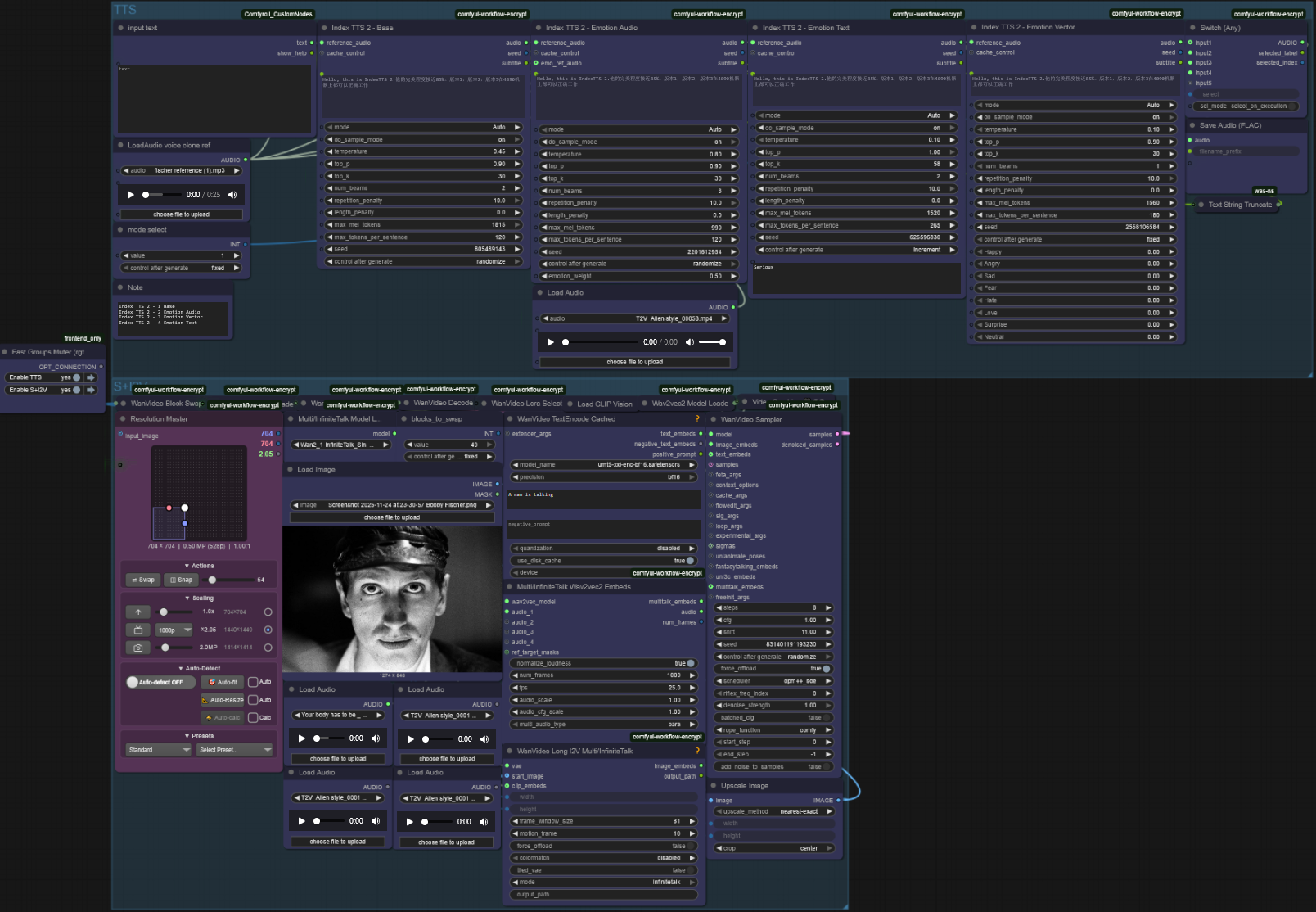
Infinite Talk + Index TTS - Master
Infinite Talk + Index TTS Workflow
Long Video Length in ComfyUI with WAN 2.1! (Stich video)
Support me by watching the video and gave like and commentThis is far from perfect, but you can start experiment from hereif you use non causvid model/lora, it acutally not going to be saturated, but you trade off quality with time

SteadyDancer Motion Transfer V1 (Cartoon Edition)
You can click on the link below and try it out directly. If the effect is good, you can deploy it locallyhttps://www.runninghub.cn/post/1995712878860701698/?inviteCode=rh-v1121Fan benefits, register to get 1000 points, daily login 100 points, play 4090! Experience the super power of 48G!B-site video: https://www.bilibili.com/video/BV112SbB7Eai/Knowledge Planet: https://t.zsxq.com/7F90AGraphic tutorial: https://t.zsxq.com/lNK8vThe workflow is very simple to use, and I have uploaded a tutorial on how to use it on YouTube. You can try it out and follow the tutorial and Civitai's workflow to easily reproduce the results. Thank you. If you have any other questions, please leave a comment in the comment sectionThis tutorial is very important, not watching it will surely lead to a lot of problems! Watch the video tutorial before trying !!!! Very important! Especially a key point at the end!

SteadyDancer Motion Transfer V1 (High-Quality Edition)
You can click on the link below and try it out directly. If the effect is good, you can deploy it locallyhttps://www.runninghub.cn/post/1995693634018217985/?inviteCode=rh-v1121Fan benefits, register to get 1000 points, daily login 100 points, play 4090! Experience the super power of 48G!B-site video: https://www.bilibili.com/video/BV112SbB7Eai/Knowledge Planet: https://t.zsxq.com/7F90AGraphic tutorial: https://t.zsxq.com/lNK8vThe workflow is very simple to use, and I have uploaded a tutorial on how to use it on YouTube. You can try it out and follow the tutorial and Civitai's workflow to easily reproduce the results. Thank you. If you have any other questions, please leave a comment in the comment sectionThis tutorial is very important, not watching it will surely lead to a lot of problems! Watch the video tutorial before trying !!!! Very important! Especially a key point at the end!
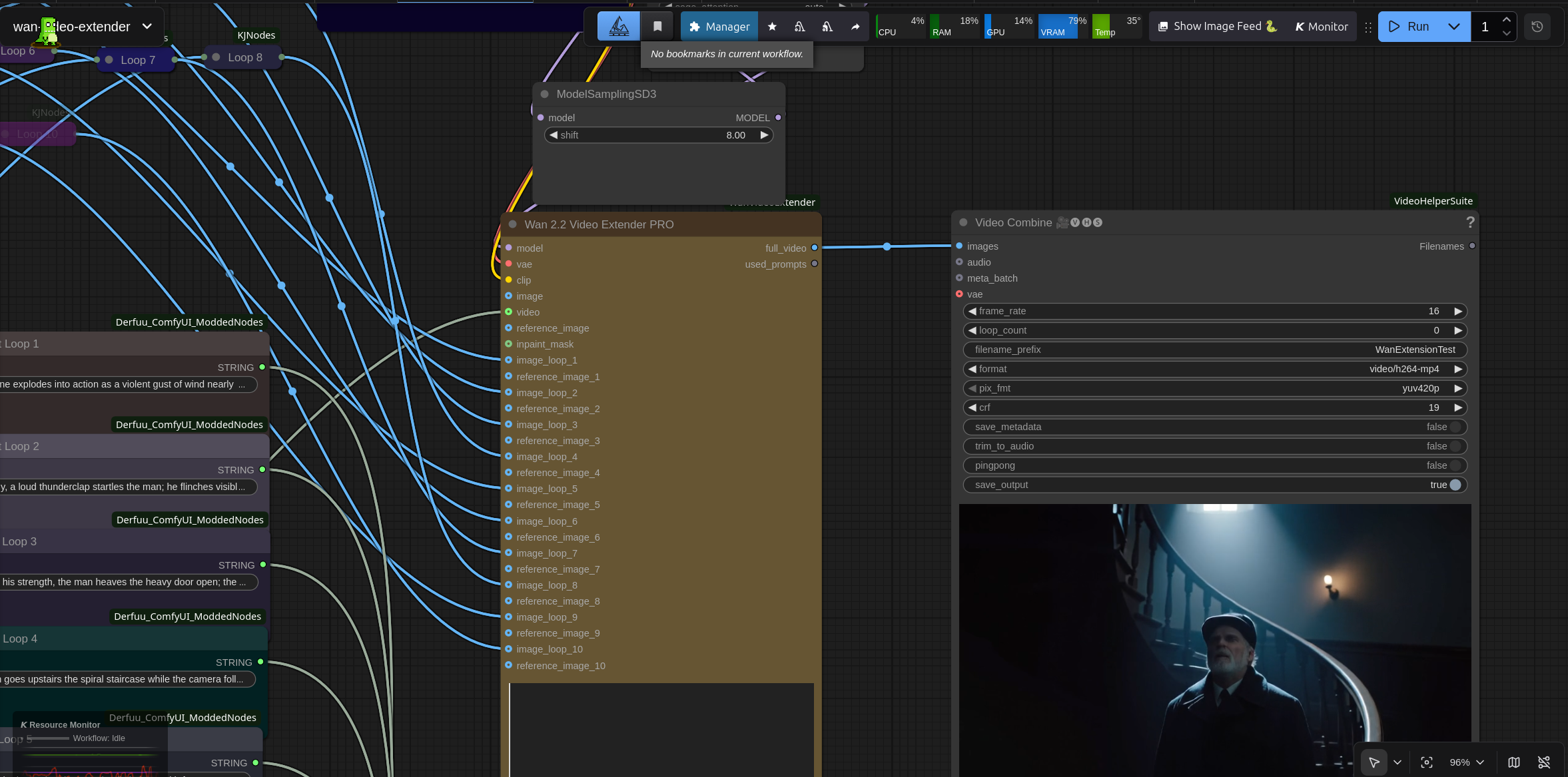
Wan 2.2 Video Extender PRO WAN 2.2 INFINITE EXTENDER | ALL-IN-ONE NODE | NO SPAGHETTI
Generate infinite videos with Wan 2.2 without running out of VRAM.This workflow uses a specialized custom node to handle segment-based generation. It automatically blends loop transitions and manages memory, allowing you to create long-form videos on consumer GPUs.⚠️ REQUIRED CUSTOM NODE You must install this node for the workflow to function: 👉 https://github.com/Granddyser/wan-video-extender (install via ComfyUI Manager or git clone into custom_nodes)🚀 Key FeaturesInfinite Extension: Create videos of any length using up to 10+ sequential loops.Memory Optimization: Uses segment-based storage (disk-swapping) to keep VRAM usage extremely low, even for long videos.Seamless Transitions: Built-in frame overlapping ensures smooth cuts between loops.Full Control: Set unique prompts and reference images for each loop.Input Flexibility: Start from an image, an existing video, or text-only. Included WorkflowsStandard (Native): Best for the Wan 2.2 Rapid/AIO models. Fast and stable.High/Low Noise (Advanced): For users who want to use separate High/Low noise diffusion models and specific VACE modules for maximum quality control. How to useInstall the Wan Video Extender node linked above.Load the workflow.Select your Wan 2.2 Checkpoint (e.g., Wan2.2-14B-Rapid).Write your prompts for the active loops (Loop 1, Loop 2, etc.).(Optional) Load a "Global Reference Image" to keep character consistency.Queue Prompt!
Simple WAN 2.1 Image-to-Video Workflow
How to use workflow, follow the video tutorialplease support me by liking and subscribing my youtube channel / cideo
lynx-VACE ID face-swapped image-to-video
🎥 YouTube Video TutorialWant to know what this workflow actually does and how to start fast?This video explains what the tool is, how to launch the workflow instantly, and shares my core design logic — no local setup, no complicated environment. Everything starts directly on RunningHub, so you can experience it in action first.👉 YouTube Tutorial:https://youtu.be/fqa_6i5eTUABefore you begin, I recommend watching the video thoroughly — getting the full context helps you understand the tool faster and avoid common detours.⚙️ RunningHub WorkflowTry the workflow online right now — no installation required.👉 Workflow:https://www.runninghub.ai/post/1975861887592214529/?inviteCode=rh-v1111If the results meet your expectations, you can later deploy it locally for customization.🎁 Fan Benefits:Register to get 1000 points + daily login 100 points — enjoy 4090 performance and 48 GB super power!📺 Bilibili Updates (Mainland China & Asia-Pacific)If you’re in the Asia-Pacific region, you can watch the video below to see the workflow demonstration and creative breakdown.📺 Bilibili Video:https://www.bilibili.com/video/BV1gBxYzoExQ/☕ Support Me on Ko-fiIf you find my content helpful and want to support future creations, you can buy me a coffee ☕.Every bit of support helps me keep creating — just like a spark that can ignite a blazing flame.👉 Ko-fi:https://ko-fi.com/aiksk💼 Business ContactFor collaboration or inquiries, please contact aiksk95 on WeChat.🎥 YouTube 视频教程想了解这个工作流到底是怎样的工具,以及如何快速启动?视频主要介绍 工具定位、快速启动方法 和 我的构筑思路。我们会直接在 RunningHub 上进行演示,让你第一时间看到实际效果。👉 YouTube 教程:https://youtu.be/fqa_6i5eTUA开始前建议尽量完整地观看视频 —— 把握整体思路会更快上手,也能少走常见弯路。⚙️ 在线体验工作流现在就可以在线体验,无需安装。👉 工作流:https://www.runninghub.ai/post/1975861887592214529/?inviteCode=rh-v1111打开上方链接即可直接运行该工作流,实时查看生成效果。如果觉得效果理想,你也可以在本地进行自定义部署。🎁 粉丝福利:注册即送 1000 积分,每日登录 100 积分,畅玩 4090 体验 48 G 超级性能!📺 Bilibili 更新(中国大陆及南亚太地区)如果你在中国大陆或南亚太地区,可以通过下方视频查看该工作流的实测效果与构思讲解。📺 B站视频:https://www.bilibili.com/video/BV1gBxYzoExQ/我会在 夸克网盘 持续更新模型资源:👉 https://pan.quark.cn/s/20c6f6f8d87b这些资源主要面向本地用户,方便进行创作与学习。
lynx-VACE ID-consistent image-to-video (independent padding images)
🎥 YouTube Video TutorialWant to know what this workflow actually does and how to start fast?This video explains what the tool is, how to launch the workflow instantly, and shares my core design logic — no local setup, no complicated environment. Everything starts directly on RunningHub, so you can experience it in action first.👉 YouTube Tutorial:https://youtu.be/fqa_6i5eTUABefore you begin, I recommend watching the video thoroughly — getting the full context helps you understand the tool faster and avoid common detours.⚙️ RunningHub WorkflowTry the workflow online right now — no installation required.👉 Workflow:https://www.runninghub.ai/post/1975858725598662658/?inviteCode=rh-v1111If the results meet your expectations, you can later deploy it locally for customization.🎁 Fan Benefits:Register to get 1000 points + daily login 100 points — enjoy 4090 performance and 48 GB super power!📺 Bilibili Updates (Mainland China & Asia-Pacific)If you’re in the Asia-Pacific region, you can watch the video below to see the workflow demonstration and creative breakdown.📺 Bilibili Video:https://www.bilibili.com/video/BV1gBxYzoExQ/☕ Support Me on Ko-fiIf you find my content helpful and want to support future creations, you can buy me a coffee ☕.Every bit of support helps me keep creating — just like a spark that can ignite a blazing flame.👉 Ko-fi:https://ko-fi.com/aiksk💼 Business ContactFor collaboration or inquiries, please contact aiksk95 on WeChat.🎥 YouTube 视频教程想了解这个工作流到底是怎样的工具,以及如何快速启动?视频主要介绍 工具定位、快速启动方法 和 我的构筑思路。我们会直接在 RunningHub 上进行演示,让你第一时间看到实际效果。👉 YouTube 教程:https://youtu.be/fqa_6i5eTUA开始前建议尽量完整地观看视频 —— 把握整体思路会更快上手,也能少走常见弯路。⚙️ 在线体验工作流现在就可以在线体验,无需安装。👉 工作流:https://www.runninghub.ai/post/1975858725598662658/?inviteCode=rh-v1111打开上方链接即可直接运行该工作流,实时查看生成效果。如果觉得效果理想,你也可以在本地进行自定义部署。🎁 粉丝福利:注册即送 1000 积分,每日登录 100 积分,畅玩 4090 体验 48 G 超级性能!📺 Bilibili 更新(中国大陆及南亚太地区)如果你在中国大陆或南亚太地区,可以通过下方视频查看该工作流的实测效果与构思讲解。📺 B站视频:https://www.bilibili.com/video/BV1gBxYzoExQ/我会在 夸克网盘 持续更新模型资源:👉 https://pan.quark.cn/s/20c6f6f8d87b这些资源主要面向本地用户,方便进行创作与学习。
lynx-VACE ID-consistent image-to-video
🎥 YouTube Video TutorialWant to know what this workflow actually does and how to start fast?This video explains what the tool is, how to launch the workflow instantly, and shares my core design logic — no local setup, no complicated environment. Everything starts directly on RunningHub, so you can experience it in action first.👉 YouTube Tutorial:https://youtu.be/fqa_6i5eTUABefore you begin, I recommend watching the video thoroughly — getting the full context helps you understand the tool faster and avoid common detours.⚙️ RunningHub WorkflowTry the workflow online right now — no installation required.👉 Workflow:https://www.runninghub.ai/post/1975850238516793345/?inviteCode=rh-v1111If the results meet your expectations, you can later deploy it locally for customization.🎁 Fan Benefits:Register to get 1000 points + daily login 100 points — enjoy 4090 performance and 48 GB super power!📺 Bilibili Updates (Mainland China & Asia-Pacific)If you’re in the Asia-Pacific region, you can watch the video below to see the workflow demonstration and creative breakdown.📺 Bilibili Video:https://www.bilibili.com/video/BV1gBxYzoExQ/☕ Support Me on Ko-fiIf you find my content helpful and want to support future creations, you can buy me a coffee ☕.Every bit of support helps me keep creating — just like a spark that can ignite a blazing flame.👉 Ko-fi:https://ko-fi.com/aiksk💼 Business ContactFor collaboration or inquiries, please contact aiksk95 on WeChat.🎥 YouTube 视频教程想了解这个工作流到底是怎样的工具,以及如何快速启动?视频主要介绍 工具定位、快速启动方法 和 我的构筑思路。我们会直接在 RunningHub 上进行演示,让你第一时间看到实际效果。👉 YouTube 教程:https://youtu.be/fqa_6i5eTUA开始前建议尽量完整地观看视频 —— 把握整体思路会更快上手,也能少走常见弯路。⚙️ 在线体验工作流现在就可以在线体验,无需安装。👉 工作流:https://www.runninghub.ai/post/1975850238516793345/?inviteCode=rh-v1111打开上方链接即可直接运行该工作流,实时查看生成效果。如果觉得效果理想,你也可以在本地进行自定义部署。🎁 粉丝福利:注册即送 1000 积分,每日登录 100 积分,畅玩 4090 体验 48 G 超级性能!📺 Bilibili 更新(中国大陆及南亚太地区)如果你在中国大陆或南亚太地区,可以通过下方视频查看该工作流的实测效果与构思讲解。📺 B站视频:https://www.bilibili.com/video/BV1gBxYzoExQ/我会在 夸克网盘 持续更新模型资源:👉 https://pan.quark.cn/s/20c6f6f8d87b这些资源主要面向本地用户,方便进行创作与学习。
Animal To Talking Human
A workflow uses the Qwen Image Edit Animal to Human lora and Wan InfiniteTalk to make your pet into a real human, and then talk or sing.All the model details are within the workflow.Try the new Lora online for free: https://www.runninghub.ai/post/1989526705981321218Please check the video guide before you start using this workflow: If you think this is helpful, please like the video and subscribe for more.

Qwen-Image Union CN”
🎥 YouTube Video TutorialWant to know what this workflow actually does and how to start fast?This video explains what the tool is, how to launch the workflow instantly, and shares my core design logic — no local setup, no complicated environment.Everything starts directly on RunningHub, so you can experience it in action first.👉 YouTube Tutorial: https://youtu.be/u7XZflqORuMBefore you begin, I recommend watching the video thoroughly — getting the full context helps you understand the tool faster and avoid common detours.⚙️ RunningHub WorkflowTry the workflow online right now — no installation required.👉 Workflow: https://www.runninghub.ai/post/1958888407248351234/?inviteCode=rh-v1111If the results meet your expectations, you can later deploy it locally for customization.🎁 Fan Benefits:Register to get 1000 points + daily login 100 points — enjoy 4090 performance and 48 GB super power!📺 Bilibili Updates (Mainland China & Asia-Pacific)If you’re in the Asia-Pacific region, you can watch the video below to see the workflow demonstration and creative breakdown.📺 Bilibili Video: https://www.bilibili.com/video/BV1TsebzbEwV/☕ Support Me on Ko-fiIf you find my content helpful and want to support future creations, you can buy me a coffee ☕.Every bit of support helps me keep creating — just like a spark that can ignite a blazing flame.👉 Ko-fi: https://ko-fi.com/aiksk💼 Business ContactFor collaboration or inquiries, please contact aiksk95 on WeChat.🎥 YouTube 视频教程想了解这个工作流到底是怎样的工具,以及如何快速启动?视频主要介绍 工具定位、快速启动方法 和 我的构筑思路。我们会直接在 RunningHub 上进行演示,让你第一时间看到实际效果。👉 YouTube 教程: https://youtu.be/u7XZflqORuM开始前建议尽量完整地观看视频 —— 把握整体思路会更快上手,也能少走常见弯路。⚙️ 在线体验工作流现在就可以在线体验,无需安装。👉 工作流: https://www.runninghub.ai/post/1958888407248351234/?inviteCode=rh-v1111打开上方链接即可直接运行该工作流,实时查看生成效果。如果觉得效果理想,你也可以在本地进行自定义部署。🎁 粉丝福利:注册即送 1000 积分,每日登录 100 积分,畅玩 4090 体验 48 G 超级性能!📺 Bilibili 更新(中国大陆及南亚太地区)如果你在中国大陆或南亚太地区,可以通过下方视频查看该工作流的实测效果与构思讲解。📺 B站视频: https://www.bilibili.com/video/BV1TsebzbEwV/我会在 夸克网盘 持续更新模型资源:👉 https://pan.quark.cn/s/20c6f6f8d87b这些资源主要面向本地用户,方便进行创作与学习。
Fantasy Portrait Expression Transfer - Image Input
🎥 YouTube Video TutorialWant to know what this workflow actually does and how to start fast?This video explains what the tool is, how to launch the workflow instantly, and shares my core design logic — no local setup, no complicated environment.Everything starts directly on RunningHub, so you can experience it in action first.👉 YouTube Tutorial: https://youtu.be/Mqos4qlQdPsBefore you begin, I recommend watching the video thoroughly — getting the full context helps you understand the tool faster and avoid common detours.⚙️ RunningHub WorkflowTry the workflow online right now — no installation required.👉 Workflow: https://www.runninghub.ai/post/1958414298089472002/?inviteCode=rh-v1111If the results meet your expectations, you can later deploy it locally for customization.🎁 Fan Benefits:Register to get 1000 points + daily login 100 points — enjoy 4090 performance and 48 GB super power!📺 Bilibili Updates (Mainland China & Asia-Pacific)If you’re in the Asia-Pacific region, you can watch the video below to see the workflow demonstration and creative breakdown.📺 Bilibili Video: https://www.bilibili.com/video/BV1nXY9zpEJA/☕ Support Me on Ko-fiIf you find my content helpful and want to support future creations, you can buy me a coffee ☕.Every bit of support helps me keep creating — just like a spark that can ignite a blazing flame.👉 Ko-fi: https://ko-fi.com/aiksk💼 Business ContactFor collaboration or inquiries, please contact aiksk95 on WeChat.🎥 YouTube 视频教程想了解这个工作流到底是怎样的工具,以及如何快速启动?视频主要介绍 工具定位、快速启动方法 和 我的构筑思路。我们会直接在 RunningHub 上进行演示,让你第一时间看到实际效果。👉 YouTube 教程: https://youtu.be/Mqos4qlQdPs开始前建议尽量完整地观看视频 —— 把握整体思路会更快上手,也能少走常见弯路。⚙️ 在线体验工作流现在就可以在线体验,无需安装。👉 工作流: https://www.runninghub.ai/post/1958414298089472002/?inviteCode=rh-v1111打开上方链接即可直接运行该工作流,实时查看生成效果。如果觉得效果理想,你也可以在本地进行自定义部署。🎁 粉丝福利:注册即送 1000 积分,每日登录 100 积分,畅玩 4090 体验 48 G 超级性能!📺 Bilibili 更新(中国大陆及南亚太地区)如果你在中国大陆或南亚太地区,可以通过下方视频查看该工作流的实测效果与构思讲解。📺 B站视频: https://www.bilibili.com/video/BV1nXY9zpEJA/我会在 夸克网盘 持续更新模型资源:👉 https://pan.quark.cn/s/20c6f6f8d87b这些资源主要面向本地用户,方便进行创作与学习。
InfiniteTalk + IndexTTS + Kontext Digital Avatar Livestream Selling
🎥 YouTube Video TutorialWant to know what this workflow actually does and how to start fast?This video explains what the tool is, how to launch the workflow instantly, and shares my core design logic — no local setup, no complicated environment.Everything starts directly on RunningHub, so you can experience it in action first.👉 YouTube Tutorial: https://youtu.be/Y0LQKfTQPmoBefore you begin, I recommend watching the video thoroughly — getting the full context helps you understand the tool faster and avoid common detours.⚙️ RunningHub WorkflowTry the workflow online right now — no installation required.👉 Workflow: https://www.runninghub.ai/post/1958084173951094786/?inviteCode=rh-v1111If the results meet your expectations, you can later deploy it locally for customization.🎁 Fan Benefits:Register to get 1000 points + daily login 100 points — enjoy 4090 performance and 48 GB super power!📺 Bilibili Updates (Mainland China & Asia-Pacific)If you’re in the Asia-Pacific region, you can watch the video below to see the workflow demonstration and creative breakdown.📺 Bilibili Video: https://www.bilibili.com/video/BV1jdeGzAESh/☕ Support Me on Ko-fiIf you find my content helpful and want to support future creations, you can buy me a coffee ☕.Every bit of support helps me keep creating — just like a spark that can ignite a blazing flame.👉 Ko-fi: https://ko-fi.com/aiksk💼 Business ContactFor collaboration or inquiries, please contact aiksk95 on WeChat.🎥 YouTube 视频教程想了解这个工作流到底是怎样的工具,以及如何快速启动?视频主要介绍 工具定位、快速启动方法 和 我的构筑思路。我们会直接在 RunningHub 上进行演示,让你第一时间看到实际效果。👉 YouTube 教程: https://youtu.be/Y0LQKfTQPmo开始前建议尽量完整地观看视频 —— 把握整体思路会更快上手,也能少走常见弯路。⚙️ 在线体验工作流现在就可以在线体验,无需安装。👉 工作流: https://www.runninghub.ai/post/1958084173951094786/?inviteCode=rh-v1111打开上方链接即可直接运行该工作流,实时查看生成效果。如果觉得效果理想,你也可以在本地进行自定义部署。🎁 粉丝福利:注册即送 1000 积分,每日登录 100 积分,畅玩 4090 体验 48 G 超级性能!📺 Bilibili 更新(中国大陆及南亚太地区)如果你在中国大陆或南亚太地区,可以通过下方视频查看该工作流的实测效果与构思讲解。📺 B站视频: https://www.bilibili.com/video/BV1jdeGzAESh/我会在 夸克网盘 持续更新模型资源:👉 https://pan.quark.cn/s/20c6f6f8d87b这些资源主要面向本地用户,方便进行创作与学习。
InfiniteTalk Lip Sync
🎥 YouTube Video TutorialWant to know what this workflow actually does and how to start fast?This video explains what the tool is, how to launch the workflow instantly, and shares my core design logic — no local setup, no complicated environment.Everything starts directly on RunningHub, so you can experience it in action first.👉 YouTube Tutorial: https://youtu.be/Y0LQKfTQPmoBefore you begin, I recommend watching the video thoroughly — getting the full context helps you understand the tool faster and avoid common detours.⚙️ RunningHub WorkflowTry the workflow online right now — no installation required.👉 Workflow: https://www.runninghub.ai/post/1958082253886803970/?inviteCode=rh-v1111If the results meet your expectations, you can later deploy it locally for customization.🎁 Fan Benefits:Register to get 1000 points + daily login 100 points — enjoy 4090 performance and 48 GB super power!📺 Bilibili Updates (Mainland China & Asia-Pacific)If you’re in the Asia-Pacific region, you can watch the video below to see the workflow demonstration and creative breakdown.📺 Bilibili Video: https://www.bilibili.com/video/BV1jdeGzAESh/☕ Support Me on Ko-fiIf you find my content helpful and want to support future creations, you can buy me a coffee ☕.Every bit of support helps me keep creating — just like a spark that can ignite a blazing flame.👉 Ko-fi: https://ko-fi.com/aiksk💼 Business ContactFor collaboration or inquiries, please contact aiksk95 on WeChat.🎥 YouTube 视频教程想了解这个工作流到底是怎样的工具,以及如何快速启动?视频主要介绍 工具定位、快速启动方法 和 我的构筑思路。我们会直接在 RunningHub 上进行演示,让你第一时间看到实际效果。👉 YouTube 教程: https://youtu.be/Y0LQKfTQPmo开始前建议尽量完整地观看视频 —— 把握整体思路会更快上手,也能少走常见弯路。⚙️ 在线体验工作流现在就可以在线体验,无需安装。👉 工作流: https://www.runninghub.ai/post/1958082253886803970/?inviteCode=rh-v1111打开上方链接即可直接运行该工作流,实时查看生成效果。如果觉得效果理想,你也可以在本地进行自定义部署。🎁 粉丝福利:注册即送 1000 积分,每日登录 100 积分,畅玩 4090 体验 48 G 超级性能!📺 Bilibili 更新(中国大陆及南亚太地区)如果你在中国大陆或南亚太地区,可以通过下方视频查看该工作流的实测效果与构思讲解。📺 B站视频: https://www.bilibili.com/video/BV1jdeGzAESh/我会在 夸克网盘 持续更新模型资源:👉 https://pan.quark.cn/s/20c6f6f8d87b这些资源主要面向本地用户,方便进行创作与学习。

BindWeave Dual-Image Reference Video Generation V1 (FPS 16)
You can click on the link below and try it out directly. If the effect is good, you can deploy it locallyhttps://www.runninghub.cn/post/1989682080592351234/?inviteCode=rh-v1121Fan benefits, register to get 1000 points, daily login 100 points, play 4090! Experience the super power of 48G!B-site video: https://www.bilibili.com/video/BV1tSCUBxEu6/Knowledge Planet: https://t.zsxq.com/7F90AGraphic tutorial: https://t.zsxq.com/lNK8vThe workflow is very simple to use, and I have uploaded a tutorial on how to use it on YouTube. You can try it out and follow the tutorial and Civitai's workflow to easily reproduce the results. Thank you. If you have any other questions, please leave a comment in the comment sectionThis tutorial is very important, not watching it will surely lead to a lot of problems! Watch the video tutorial before trying !!!! Very important! Especially a key point at the end!