ComfyUI Workflows
Browse real AI workflows from Flux, SDXL, Pony, ControlNet, video generation and commercial AI creators.
Capybara (Edit Videos) i2v Workflow ( Hunyuan Video )
Need More Info the check out the video i made on capybara

Hunyuan Video +1.5+12+steps+480P Ultra-Speed Edition Diagram Video (Double Distillation)
You can click on the link below and try it out directly. If the effect is good, you can deploy it locallyhttps://www.runninghub.cn/post/1997551023264829441/?inviteCode=rh-v1121Fan benefits, register to get 1000 points, daily login 100 points, play 4090! Experience the super power of 48G!B-site video: https://www.bilibili.com/video/BV1Pz2fB9ExeKnowledge Planet: https://t.zsxq.com/7F90AGraphic tutorial: https://t.zsxq.com/lNK8vThe workflow is very simple to use, and I have uploaded a tutorial on how to use it on YouTube. You can try it out and follow the tutorial and Civitai's workflow to easily reproduce the results. Thank you. If you have any other questions, please leave a comment in the comment sectionThis tutorial is very important, not watching it will surely lead to a lot of problems! Watch the video tutorial before trying !!!! Very important! Especially a key point at the end!
Friendly Hunyuan Video 1.5
Important: if you have any error you should update your ComfyUI to nightly version!Welcome to my 💫🎦 Friendly Hunyuan Video 1.5 (All-in-One T2V, I2V, Audio & Interpolation)✨ Less mess, more magicHunyuan Video 1.5 is a new video generation model with 8.3b parameters under the hood. This makes it a competitor to local Wan models. Thanks to the new 480p step-distilled model (4-12 steps), it generates even slightly faster than Wan 2.2.🎵 Soundtrack version is here! Create videos with high-quality stereo sound using a friendly workflow! Adjust the volume to your liking (unique feature).v1.2 based on MultiGPU optimization.💻 System requirements:Minimum system requirements for 480P fp8 models (less VRAM consumption):RTX 3000-s, 6GB VRAM, 45GB+ RAM, 8-core processor, SSD, latest ComfyUIMinimum system requirements for 720p fp16 (better quality):RTX 3000-s, 12GB VRAM, 45GB+ RAM, 8-core processor, SSD, latest ComfyUI📌 Detailed tips and links to models in the workflow✨ Workflow features:Friendly all-in-one interface with step by step logics: image or text generation, audio, and interpolationConvenient one-click mode switchingWorkflow based on new Hunyuan Video 1.5 step distilled model, allowing generation in 8-12 steps. Hunyuan Video Foley is responsible for generating high-quality soundUnique volume control functionPerformance optimization without sacrificing quality for systems with 6GB of video memory or more. 45GB+ RAM recommendedVAE optimization for low VRAM consumptionAdditional color match settingsAdditional image sharpness settingsDetailed tooltips and links to models🤗🙏🏼 Thanks to Tencent TeamOriginal repo — GitHub
HunyuanVideo 1.5 accelerated image-to-video 1080p
This workflow focuses on accelerating image-to-video generation with HunyuanVideo 1.5 by combining its native i2v diffusion model with a four-step Light-X2V acceleration LoRA. The accelerated LoRA compresses the long inference path of the standard model into a much shorter sequence, so a 720p clip that normally requires more than 30 minutes can be produced in about 10 minutes. Even though Light-X2V is labeled as a text-to-video accelerator, it still works reliably for image-to-video when paired with Hunyuan’s architecture. The workflow keeps the structure clean: an uploaded start image feeds into Hunyuan’s dual-encoder system, then the accelerated sampling produces the motion sequence, and the final 1080p enhancement remains available as an optional finishing stage. Despite Hunyuan being less universally adaptable than Wan2.2, its training quality is still excellent, making it well-suited for fast, high-resolution image-to-video tasks.In use, the workflow is straightforward—upload an image, write the prompt, set resolution and frame length, and run the accelerated pipeline. Lower CFG values help stabilize the accelerated model, and although it can run at four steps, many users prefer keeping it around eight for more dependable motion. Reducing LoRA strength slightly prevents over-pushing the dynamics, especially when using the 2-rank or 8-rank variants. The Sage Attention module can speed up model interaction without changing the visual style, and the final tiled 1080p decode stage preserves clarity while keeping the upscale process automatic. Motion intensity may drop slightly at extreme acceleration, but overall the speed increase is substantial, and the quality remains steady enough for practical production. For creators who need quick, clean 720p–1080p video from a single image, this accelerated setup offers an efficient, reliable workflow built on top of HunyuanVideo 1.5’s strengths.🎥 YouTube Video TutorialWant to know what this workflow actually does and how to start fast? This video explains what the tool is, how to launch the workflow instantly, and shares my core design logic — no local setup, no complicated environment. Everything starts directly on RunningHub, so you can experience it in action first.👉 YouTube Tutorial: https://youtu.be/Ac0662XPbyEBefore you begin, I recommend watching the video thoroughly — getting the full context helps you understand the tool faster and avoid common detours。⚙️ RunningHub WorkflowTry the workflow online right now — no installation required.👉 Workflow: https://www.runninghub.ai/post/1993246112486195202/?inviteCode=rh-v1111If the results meet your expectations, you can later deploy it locally for customization.🎁 Fan Benefits: Register to get 1000 points + daily login 100 points — enjoy 4090 performance and 48 GB super power!📺 Bilibili Updates (Mainland China & Asia-Pacific)If you’re in the Asia-Pacific region, you can watch the video below to see the workflow demonstration and creative breakdown.📺 Bilibili Video: https://www.bilibili.com/video/BV1iZUDBxELi/☕ Support Me on Ko-fiIf you find my content helpful and want to support future creations, you can buy me a coffee ☕。 Every bit of support helps me keep creating — just like a spark that can ignite a blazing flame。👉 Ko-fi: https://ko-fi.com/aiksk💼 Business ContactFor collaboration or inquiries, please contact aiksk95 on WeChat。🎥 YouTube 视频教程想了解这个工作流到底是怎样的工具,以及如何快速启动? 视频主要介绍 工具定位、快速启动方法 和 我的构筑思路。 我们会直接在 RunningHub 上进行演示,让你第一时间看到实际效果。👉 YouTube 教程: https://youtu.be/Ac0662XPbyE开始前建议尽量完整地观看视频 —— 把握整体思路会更快上手,也能少走常见弯路。⚙️ 在线体验工作流现在就可以在线体验,无需安装。👉 工作流: https://www.runninghub.ai/post/1993246112486195202/?inviteCode=rh-v1111打开上方链接即可直接运行该工作流,实时查看生成效果。 如果觉得效果理想,你也可以在本地进行自定义部署。🎁 粉丝福利: 注册即送 1000 积分,每日登录 100 积分,畅玩 4090 体验 48 G 超级性能!📺 Bilibili 更新(中国大陆及南亚太地区)如果你在中国大陆或南亚太地区,可以通过下方视频查看该工作流的实测效果与构思讲解。📺 B站视频: https://www.bilibili.com/video/BV1iZUDBxELi/我会在 夸克网盘 持续更新模型资源: 👉 https://pan.quark.cn/s/20c6f6f8d87b这些资源主要面向本地用户,方便进行创作与学习。

Hunyuan Video+1.5+480P+50 Steps+VS+LightX2V+8 Steps Wensheng Video
You can click on the link below and try it out directly. If the effect is good, you can deploy it locallyhttps://www.runninghub.cn/post/1993022077519282177/?inviteCode=rh-v1121Fan benefits, register to get 1000 points, daily login 100 points, play 4090! Experience the super power of 48G!B-site video: https://www.bilibili.com/video/BV1cQUXBuEPe/Knowledge Planet: https://t.zsxq.com/7F90AGraphic tutorial: https://t.zsxq.com/lNK8vThe workflow is very simple to use, and I have uploaded a tutorial on how to use it on YouTube. You can try it out and follow the tutorial and Civitai's workflow to easily reproduce the results. Thank you. If you have any other questions, please leave a comment in the comment sectionThis tutorial is very important, not watching it will surely lead to a lot of problems! Watch the video tutorial before trying !!!! Very important! Especially a key point at the end!

HunyuanVideo+1.5+480P+8-Step LightX2V Video Acceleration Edition V1
You can click on the link below and try it out directly. If the effect is good, you can deploy it locallyhttps://www.runninghub.cn/post/1992951299952099329/?inviteCode=rh-v1121Fan benefits, register to get 1000 points, daily login 100 points, play 4090! Experience the super power of 48G!B-site video: https://www.bilibili.com/video/BV1cQUXBuEPe/Knowledge Planet: https://t.zsxq.com/7F90AGraphic tutorial: https://t.zsxq.com/lNK8vThe workflow is very simple to use, and I have uploaded a tutorial on how to use it on YouTube. You can try it out and follow the tutorial and Civitai's workflow to easily reproduce the results. Thank you. If you have any other questions, please leave a comment in the comment sectionThis tutorial is very important, not watching it will surely lead to a lot of problems! Watch the video tutorial before trying !!!! Very important! Especially a key point at the end!
Hunyuan Video 1.5 Workflow (T2V + I2V) + SageAttention + MultiGPU
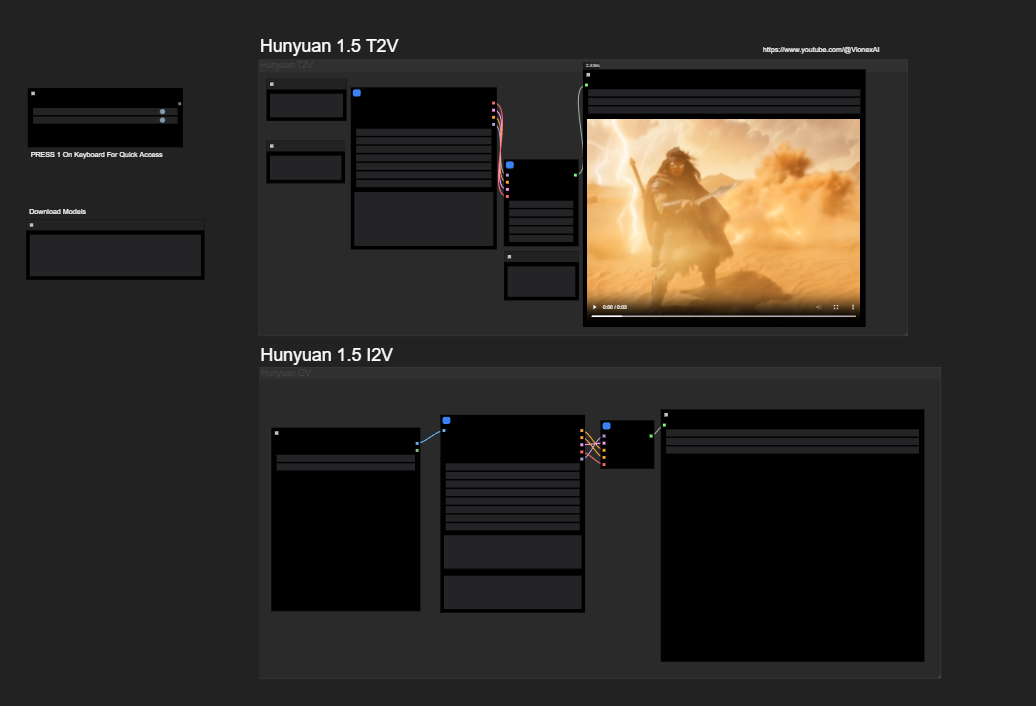
Hi! I introduce HuyuanVideo 1.5 workflows (T2V and I2V)U need download these models:HunyuanVideo 1.5 Models: https://huggingface.co/Comfy-Org/HunyuanVideo_1.5_repackaged/tree/main/split_files/diffusion_modelsText Encoders: https://huggingface.co/Comfy-Org/HunyuanVideo_1.5_repackaged/tree/main/split_files/text_encodersVAE: https://huggingface.co/Comfy-Org/HunyuanVideo_1.5_repackaged/tree/main/split_files/text_encodersdownload my ComfyUI Build https://huggingface.co/datasets/StefanFalkok/ComfyUI_portable_torch_2.9.1_cu130_cp313_sageattention_triton, also u need download and install CUDA 13.0 (https://developer.nvidia.com/cuda-13-0-0-download-archive) and VS Code (https://visualstudio.microsoft.com/downloads/)Use just for fun!
HunyuanVideo 1.5 Ultimate T2V & I2V Packaged
This is combination of Hunyuan 1.5 T2V & I2V Workflow.📥 Download Workflow:https://civitai.com/models/2147481?modelVersionId=2428912📦 Download Hunyuan 1.5 Models:https://huggingface.co/Comfy-Org/HunyuanVideo_1.5_repackaged/tree/main/split_files☕ Support (optional):https://buymeacoffee.com/xshreyashIf you want a Wan version or an upscale edition, tell me!
Hunyuan Video Foley + Wan 2.2 AIO + Wan 2.2 8 STEP Lora
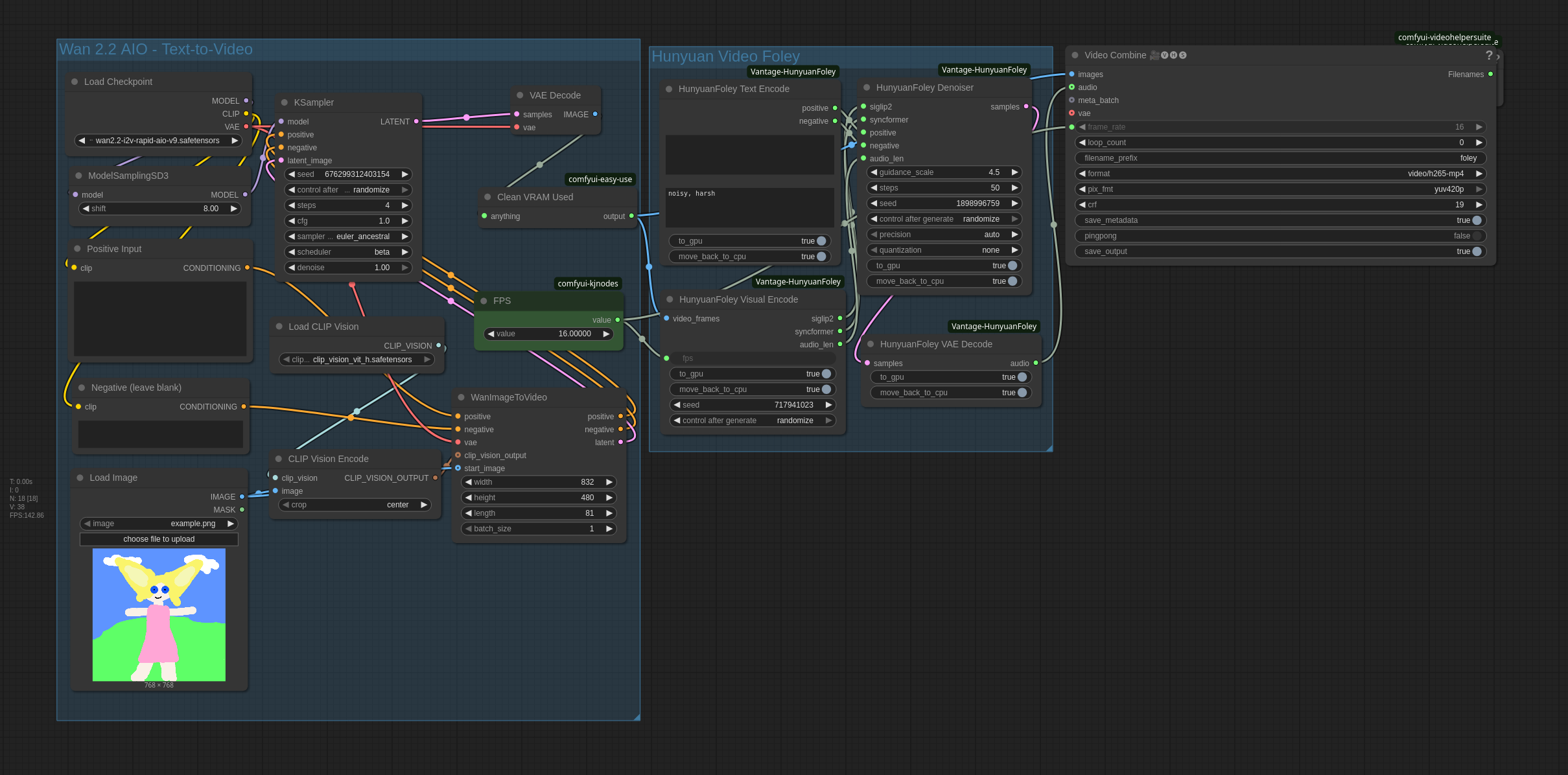
Fast Low VRAM Wan 2.2 + Hunyuan Video Foley | Generate videos with cinematic soundtracks.Tencent’s Hunyuan Video Foley, the powerful Video-to-Sound AI model that generates 48kHz Hi-Fi audio perfectly synced with your video scenes. Low VRAM setup using a custom ComfyUI node.
Turn Quiet Footage Into Sound — HunyuanVideo Foley Workflow in ComfyUI
This is an unofficial ComfyUI node that adds sound to silent video using Tencent’s HunyuanVideo Foley model.You drop in a quiet clip, give it a tiny prompt like “ocean sound” or “burning tree”, and it generates audio that syncs to the picture — waves rise and fade with water, fire crackles in rhythm with flames, thunder rolls under storm shots, even light background music when it fits.Credit: https://aistudynow.com/hunyuanvideo-foley-comfyui-workflow-turn-quiet-video-into-sound/https://github.com/aistudynow/Comfyui-HunyuanFoley
[Framepack] Intuitive left to right framepack workflow | 프레임팩 워크플로우
이 워크플로우는 Framepack 기반의 기본 작업을 보다 쉽게 구성할 수 있도록 설계되었습니다.왼쪽에서 오른쪽으로 자연스럽게 흐르는 구조로, 전체 흐름을 한눈에 파악할 수 있으며초보자도 빠르게 적응할 수 있도록 심플하게 구성되어 있습니다.==================================================This workflow is designed to simplify core tasks based on Framepack.Its clear left-to-right structure allows for quick understanding of the entire flow.Optimized for simplicity and ease of use, even for beginners.===================================================[ Setting Tip ]LOAD FRAMPACKMODEL은 아래와 같이 (SAGEATTN이 안 될경우 SDPA로 진행하세요)Load FRAMPACKMODEL as below (if SAGEATTN fails, proceed with SDPA instead).Attention_mode = sdpa or sageattnTORCH_LOGS="+dynamo" 때문에 에러가 발생한다면, 해당 변수를 비우거나 해제해서 비활성화하세요. (If TORCH_LOGS="+dynamo" causes this error, disable it by unsetting the variable or setting it to empty.)[모델 & File Link]Diffusion - FramePackI2V_HY_fp8_e4m3fnhttps://huggingface.co/Kijai/HunyuanVideo_comfy/blob/main/FramePackI2V_HY_fp8_e4m3fn.safetensors-> ComfyUI\models\diffusion_modelsCLIP Vision - sigclip_vision_patch14_384https://huggingface.co/Comfy-Org/sigclip_vision_384/tree/main-> ComfyUI\models\clip_visionVAE - hunyuan_video_vae_bf16https://huggingface.co/Comfy-Org/HunyuanVideo_repackaged/tree/main/split_files/vae-> ComfyUI\models\vaeText_encoder - llava_llama3_fp16 or fp8 scaled(option)https://huggingface.co/Comfy-Org/HunyuanVideo_repackaged/blob/main/split_files/text_encoders/llava_llama3_fp16.safetensors(option)https://huggingface.co/Comfy-Org/HunyuanVideo_repackaged/blob/main/split_files/text_encoders/llava_llama3_fp8_scaled.safetensors-> ComfyUI\models\text_encodersText_encoder 2 - clip_lhttps://huggingface.co/Comfy-Org/HunyuanVideo_repackaged/blob/main/split_files/text_encoders/clip_l.safetensors->ComfyUI\models\text_encodersA1 [contact & follow & like & Buzz]Mail : [email protected] : https://civitai.com/user/a01demortYoutube : https://www.youtube.com/@A01demortInstagram : https://www.instagram.com/a01demort/Naver Cafe : https://cafe.naver.com/sdfkoreasdhotline : https://sdhotline.com/
FramePack 💎 img2vid / txt2vid with LoRa Workflow - K3NK
mmaudio will slow down cuda usage on the consequent generations.. i already git pulled the custom node... nodiff1.3 is now 1.3.1, i removed GIMMVIF and swapped the sharpen node for another one since those were causing issues with ramConsider this workflow as a control panel, if you don't like the design, just don't download. Here a screenshot:v1.3.1Updated resize image nodeAdded batch loader for start image inputAdded Video To Extras OptionAdded isolated face refiner stepAdded MMaudio section (it will load the model to vram)Added visual resolution/aspect ratio selector for T2VChanged frame trimming nodesRemoved GIMMVIF interpolationf for film_net_fp32Sharpen image swaped for sharpen MTBv1.2.1added GIMMVIF interpolationn (ds_factor (downscaling) at 0.25 can increase interpolation speed buy with a slightly quality trade-off)added wildcard process nodeAdded v1.2cleaned prompt inputs and model loaders,added CLIP VISION for helping image details in positive prompt (download)added vram purge management nodes,also made external common inputs for length and latent_window_sizeUsed kijai's workflow, customized and addedupscaler with model and rescalerinterpolation with sharpeningswitch from samplers (default or F1)switch for mode (i2v or t2v)remove 5 frames (from the start for the non pingpong VHS, and from the start and from the end in the pingponged VSH) this is default at 40 frames for t2vReactor nodes for face swap/refine but those will slow down subsequent generations due to some kind of bug, feel free to delete reactor nodes if you feel like it...Text to video mode with F1 Sampler:Hover the FramePack Text Encode (Timestamped) (prompt for F1) for seeing more info about the timestamped patterns for prompts:* Please let me know if im missing any other custom nodes links so i can add themAlso, theres a bug with current wrappers, if you incrase CFG avobe 1 (default) inference time will by x2 slower.. the only way to fix the workflow, even restarting comfy, is to add a fresh sampler and move the connections.. sad but it is what it is..Nodes:Latest Kijai Wrapper version: https://github.com/kijai/ComfyUI-FramePackWrapper.gitF1 Sampler https://github.com/kijai/ComfyUI-FramePackWrapper/pull/14/filesYou can also use:https://github.com/ShmuelRonen/ComfyUI-FramePackWrapper_PlusGIMMVF:[https://github.com/kijai/ComfyUI-GIMM-VFI] (model with self download)Model links:https://huggingface.co/Kijai/HunyuanVideo_comfy/blob/main/FramePackI2V_HY_fp8_e4m3fn.safetensorshttps://huggingface.co/Kijai/HunyuanVideo_comfy/blob/main/FramePackI2V_HY_bf16.safetensorssigclip:https://huggingface.co/Comfy-Org/sigclip_vision_384/tree/maintext encoder and VAE:https://huggingface.co/Comfy-Org/HunyuanVideo_repackaged/tree/main/split_files----
Hunyuan High Quality Workflow
Hey everyone!First off, thanks for sharing your workflows—it’s always so cool to see how people mix and match tools to bring their creative ideas to life. I thought I’d share my own process, along with some tips and resources that might help others. Let’s dive in!Topaz Video AI for UpscalingI use Topaz Video AI to upscale my Hunyuan videos before publishing them. It’s a fantastic tool for boosting video quality and keeping everything looking sharp. I’m a bit of a stickler for aesthetics, so upscaling is a must for me before I put anything out there.Inspired by the CommunityJust to be clear, my workflow isn’t something I came up with entirely on my own. It’s a mix of ideas I’ve picked up from the community—I just put them together and tried to make them work for me. If anyone spots their contributions in here, feel free to shout them out! I’m super grateful for all the inspiration and knowledge shared by everyone.LoRAs I Use (Not on CivitAI)Accvid 5 Steps: This LoRA is a lifesaver for speeding up my process—it lets me work with just 5 steps. But I’ve noticed that bumping it up to 30-40 steps after finalizing my prompts makes a huge difference in quality.HYVrewardMPS: This one helps me create better characters and stick closer to my prompts. I’ve found that using it at a strength of 0.5 works best for my workflow.Let’s Keep Improving TogetherI’m sure some of you will find ways to tweak and improve this workflow, and I’d love to see that happen! That’s how we all grow and learn—by building on each other’s ideas.Where to Find the LoRAs:Accvid LoRA: Download hereHYVrewardMPS LoRA: Download hereQuick Note on CivitAI:I heard about the payment system issues at CivitAI and just wanted to say I’m rooting for them to sort it out soon. Hopefully, they’ll add more payment options to make things easier for everyone again.That’s it from me! Happy creating, everyone—can’t wait to see what you all come up with!To receive my workflow just drag the json file of my cute robot into your ComfyUI!
FramePack Ultra-Long Graphic Video Workflow
B-site video: https://www.bilibili.com/video/BV1dWcpeUE4v/Knowledge Planet: https://t.zsxq.com/7F90AGraphic tutorial: https://t.zsxq.com/lNK8vThe workflow is very simple to use, and I have uploaded a tutorial on how to use it on YouTube. You can try it out and follow the tutorial and Civitai's workflow to easily reproduce the results. Thank you. If you have any other questions, please leave a comment in the comment sectionThis tutorial is very important, not watching it will surely lead to a lot of problems! Watch the video tutorial before trying !!!! Very important! Especially a key point at the end!
HunYuan video first and last frames special tuning optimized first and last frames V1
B-site video: https://www.bilibili.com/video/BV1dWcpeUE4v/Knowledge Planet: https://t.zsxq.com/7F90AGraphic tutorial: https://t.zsxq.com/lNK8vThe workflow is very simple to use, and I have uploaded a tutorial on how to use it on YouTube. You can try it out and follow the tutorial and Civitai's workflow to easily reproduce the results. Thank you. If you have any other questions, please leave a comment in the comment sectionThis tutorial is very important, not watching it will surely lead to a lot of problems! Watch the video tutorial before trying !!!! Very important! Especially a key point at the end!

hunYuan video first and last frames double-boosted v1
B-site video: https://www.bilibili.com/video/BV1dWcpeUE4v/Knowledge Planet: https://t.zsxq.com/7F90AGraphic tutorial: https://t.zsxq.com/lNK8vThe workflow is very simple to use, and I have uploaded a tutorial on how to use it on YouTube. You can try it out and follow the tutorial and Civitai's workflow to easily reproduce the results. Thank you. If you have any other questions, please leave a comment in the comment sectionThis tutorial is very important, not watching it will surely lead to a lot of problems! Watch the video tutorial before trying !!!! Very important! Especially a key point at the end!

Super Accelerated AccVideo Consistency Repair HunYuan Chart Raw Video

Wan Comfy Official Version Image Generation Video New TC Accelerated Workflow
B-site video: https://www.bilibili.com/video/BV1dWcpeUE4v/Knowledge Planet: https://t.zsxq.com/7F90AGraphic tutorial: https://t.zsxq.com/lNK8vThe workflow is very simple to use, and I have uploaded a tutorial on how to use it on YouTube. You can try it out and follow the tutorial and Civitai's workflow to easily reproduce the results. Thank you. If you have any other questions, please leave a comment in the comment sectionThis tutorial is very important, not watching it will surely lead to a lot of problems! Watch the video tutorial before trying !!!! Very important! Especially a key point at the end!
Comfy official hybrid new version of Tucson video Replace model accelerated workflow
B-site video: https://www.bilibili.com/video/BV1dWcpeUE4v/Knowledge Planet: https://t.zsxq.com/7F90AGraphic tutorial: https://t.zsxq.com/lNK8vThe workflow is very simple to use, and I have uploaded a tutorial on how to use it on YouTube. You can try it out and follow the tutorial and Civitai's workflow to easily reproduce the results. Thank you. If you have any other questions, please leave a comment in the comment sectionThis tutorial is very important, not watching it will surely lead to a lot of problems! Watch the video tutorial before trying !!!! Very important! Especially a key point at the end!
KJ version of hybrid first and last frames strong consistency Toussaint video color chase workflow
B-site video: https://www.bilibili.com/video/BV1dWcpeUE4v/Knowledge Planet: https://t.zsxq.com/7F90AGraphic tutorial: https://t.zsxq.com/lNK8vThe workflow is very simple to use, and I have uploaded a tutorial on how to use it on YouTube. You can try it out and follow the tutorial and Civitai's workflow to easily reproduce the results. Thank you. If you have any other questions, please leave a comment in the comment sectionThis tutorial is very important, not watching it will surely lead to a lot of problems! Watch the video tutorial before trying !!!! Very important! Especially a key point at the end!

KJ version of the new Hybrid Tousen Video Character Consistency Workflow
B-site video: https://www.bilibili.com/video/BV1dWcpeUE4v/Knowledge Planet: https://t.zsxq.com/7F90AGraphic tutorial: https://t.zsxq.com/lNK8vThe workflow is very simple to use, and I have uploaded a tutorial on how to use it on YouTube. You can try it out and follow the tutorial and Civitai's workflow to easily reproduce the results. Thank you. If you have any other questions, please leave a comment in the comment sectionThis tutorial is very important, not watching it will surely lead to a lot of problems! Watch the video tutorial before trying !!!! Very important! Especially a key point at the end!

KJ Edition HunYuan Official Tusen Video Workflow
B-site video: https://www.bilibili.com/video/BV1dWcpeUE4v/Knowledge Planet: https://t.zsxq.com/7F90AGraphic tutorial: https://t.zsxq.com/lNK8vThe workflow is very simple to use, and I have uploaded a tutorial on how to use it on YouTube. You can try it out and follow the tutorial and Civitai's workflow to easily reproduce the results. Thank you. If you have any other questions, please leave a comment in the comment sectionThis tutorial is very important, not watching it will surely lead to a lot of problems! Watch the video tutorial before trying !!!! Very important! Especially a key point at the end!

First of its kind on the net, the official hybrid I2V Tucson video correct version of the workflow
B-site video: https://www.bilibili.com/video/BV1dWcpeUE4v/Knowledge Planet: https://t.zsxq.com/7F90AGraphic tutorial: https://t.zsxq.com/lNK8vThe workflow is very simple to use, and I have uploaded a tutorial on how to use it on YouTube. You can try it out and follow the tutorial and Civitai's workflow to easily reproduce the results. Thank you. If you have any other questions, please leave a comment in the comment sectionThis tutorial is very important, not watching it will surely lead to a lot of problems! Watch the video tutorial before trying !!!! Very important! Especially a key point at the end!

SkyReels non-KJ version of scheduler sampler test workflow
B-site video: https://www.bilibili.com/video/BV1dWcpeUE4v/Knowledge Planet: https://t.zsxq.com/7F90AGraphic tutorial: https://t.zsxq.com/lNK8vThe workflow is very simple to use, and I have uploaded a tutorial on how to use it on YouTube. You can try it out and follow the tutorial and Civitai's workflow to easily reproduce the results. Thank you. If you have any other questions, please leave a comment in the comment sectionThis tutorial is very important, not watching it will surely lead to a lot of problems! Watch the video tutorial before trying !!!! Very important! Especially a key point at the end!

SkyReels Stabilized KJ Version Lighting Fill Frames Zoom Workflow V2
B-site video: https://www.bilibili.com/video/BV1dWcpeUE4v/Knowledge Planet: https://t.zsxq.com/7F90AGraphic tutorial: https://t.zsxq.com/lNK8vThe workflow is very simple to use, and I have uploaded a tutorial on how to use it on YouTube. You can try it out and follow the tutorial and Civitai's workflow to easily reproduce the results. Thank you. If you have any other questions, please leave a comment in the comment sectionThis tutorial is very important, not watching it will surely lead to a lot of problems! Watch the video tutorial before trying !!!! Very important! Especially a key point at the end!

Light_A_Video Video Lighting Advanced Workflow
B-site video: https://www.bilibili.com/video/BV1dWcpeUE4v/Knowledge Planet: https://t.zsxq.com/7F90AGraphic tutorial: https://t.zsxq.com/lNK8vThe workflow is very simple to use, and I have uploaded a tutorial on how to use it on YouTube. You can try it out and follow the tutorial and Civitai's workflow to easily reproduce the results. Thank you. If you have any other questions, please leave a comment in the comment sectionThis tutorial is very important, not watching it will surely lead to a lot of problems! Watch the video tutorial before trying !!!! Very important! Especially a key point at the end!

InstructP2P non-KJ version of FP8SkyReels Image Generate Video
B-site video: https://www.bilibili.com/video/BV1dWcpeUE4v/Knowledge Planet: https://t.zsxq.com/7F90AGraphic tutorial: https://t.zsxq.com/lNK8vThe workflow is very simple to use, and I have uploaded a tutorial on how to use it on YouTube. You can try it out and follow the tutorial and Civitai's workflow to easily reproduce the results. Thank you. If you have any other questions, please leave a comment in the comment sectionThis tutorial is very important, not watching it will surely lead to a lot of problems! Watch the video tutorial before trying !!!! Very important! Especially a key point at the end!

HunYuan Text Generate Video V2 Community Edition Workflow
B-site video: https://www.bilibili.com/video/BV1dWcpeUE4v/Knowledge Planet: https://t.zsxq.com/7F90AGraphic tutorial: https://t.zsxq.com/lNK8vThe workflow is very simple to use, and I have uploaded a tutorial on how to use it on YouTube. You can try it out and follow the tutorial and Civitai's workflow to easily reproduce the results. Thank you. If you have any other questions, please leave a comment in the comment sectionThis tutorial is very important, not watching it will surely lead to a lot of problems! Watch the video tutorial before trying !!!! Very important! Especially a key point at the end!

SkyReels Image generate Video Compilation Mode Correct Workflow V1
B-site video: https://www.bilibili.com/video/BV1dWcpeUE4v/Knowledge Planet: https://t.zsxq.com/7F90AGraphic tutorial: https://t.zsxq.com/lNK8vThe workflow is very simple to use, and I have uploaded a tutorial on how to use it on YouTube. You can try it out and follow the tutorial and Civitai's workflow to easily reproduce the results. Thank you. If you have any other questions, please leave a comment in the comment sectionThis tutorial is very important, not watching it will surely lead to a lot of problems! Watch the video tutorial before trying !!!! Very important! Especially a key point at the end!
HunYuan Image Generate Video Community Edition Cyclic Color Chase Workflow
B-site video: https://www.bilibili.com/video/BV1dWcpeUE4v/Knowledge Planet: https://t.zsxq.com/7F90AGraphic tutorial: https://t.zsxq.com/lNK8vThe workflow is very simple to use, and I have uploaded a tutorial on how to use it on YouTube. You can try it out and follow the tutorial and Civitai's workflow to easily reproduce the results. Thank you. If you have any other questions, please leave a comment in the comment sectionThis tutorial is very important, not watching it will surely lead to a lot of problems! Watch the video tutorial before trying !!!! Very important! Especially a key point at the end!

DeepSeek Categorization Guidelines HuanYuan Tupling Video Workflow V5
B-site video: https://www.bilibili.com/video/BV1dWcpeUE4v/Knowledge Planet: https://t.zsxq.com/7F90AGraphic tutorial: https://t.zsxq.com/lNK8vThe workflow is very simple to use, and I have uploaded a tutorial on how to use it on YouTube. You can try it out and follow the tutorial and Civitai's workflow to easily reproduce the results. Thank you. If you have any other questions, please leave a comment in the comment sectionThis tutorial is very important, not watching it will surely lead to a lot of problems! Watch the video tutorial before trying !!!! Very important! Especially a key point at the end!

King Bomb! Support for NSFW HunYuan Graph Raw Video Acceleration Amplification Ultra High Consistency Workflow V4
B-site video: https://www.bilibili.com/video/BV1dWcpeUE4v/Knowledge Planet: https://t.zsxq.com/7F90AGraphic tutorial: https://t.zsxq.com/lNK8vThe workflow is very simple to use, and I have uploaded a tutorial on how to use it on YouTube. You can try it out and follow the tutorial and Civitai's workflow to easily reproduce the results. Thank you. If you have any other questions, please leave a comment in the comment sectionThis tutorial is very important, not watching it will surely lead to a lot of problems! Watch the video tutorial before trying !!!! Very important! Especially a key point at the end!

Dual Subject Acceleration HuyuanCustom Strong Consistency and High Stability Video Editing V3
Dual Subject Acceleration HuyuanCustom Strong Consistency and High Stability Video Editing V3The workflow is very simple to use, and I have uploaded a tutorial on how to use it on YouTube. You can try it out and follow the tutorial and Civitai's workflow to easily reproduce the results. Thank you. If you have any other questions, please leave a comment in the comment section

Multi Agent HuyuanCustom Video Editing Consistency Workflow Optimization Version V1
The workflow is very simple to use, and I have uploaded a tutorial on how to use it on YouTube. You can try it out and follow the tutorial and Civitai's workflow to easily reproduce the results. Thank you. If you have any other questions, please leave a comment in the comment section

Single Subject HuyuanCustom Video Editing Consistency Workflow Optimization Version V1
The workflow is very simple to use, and I have uploaded a tutorial on how to use it on YouTube. You can try it out and follow the tutorial and Civitai's workflow to easily reproduce the results. Thank you. If you have any other questions, please leave a comment in the comment section

HunYuan Tucson Video NSFW Support Version V3 (Full Featured)
B-site video: https://www.bilibili.com/video/BV1dWcpeUE4v/Knowledge Planet: https://t.zsxq.com/7F90AGraphic tutorial: https://t.zsxq.com/lNK8vThe workflow is very simple to use, and I have uploaded a tutorial on how to use it on YouTube. You can try it out and follow the tutorial and Civitai's workflow to easily reproduce the results. Thank you. If you have any other questions, please leave a comment in the comment sectionThis tutorial is very important, not watching it will surely lead to a lot of problems! Watch the video tutorial before trying !!!! Very important! Especially a key point at the end!

TangoFlux+ HunYuan Venn Diagram Audio/Video Omnimodal TC Accelerated Workflow
B-site video: https://www.bilibili.com/video/BV1dWcpeUE4v/Knowledge Planet: https://t.zsxq.com/7F90AGraphic tutorial: https://t.zsxq.com/lNK8vThe workflow is very simple to use, and I have uploaded a tutorial on how to use it on YouTube. You can try it out and follow the tutorial and Civitai's workflow to easily reproduce the results. Thank you. If you have any other questions, please leave a comment in the comment sectionThis tutorial is very important, not watching it will surely lead to a lot of problems! Watch the video tutorial before trying !!!! Very important! Especially a key point at the end!
Artifact Combo! HunYuanCombo Accelerated Dolora HD Repair Workflow V3
B-site video: https://www.bilibili.com/video/BV1dWcpeUE4v/Knowledge Planet: https://t.zsxq.com/7F90AGraphic tutorial: https://t.zsxq.com/lNK8vThe workflow is very simple to use, and I have uploaded a tutorial on how to use it on YouTube. You can try it out and follow the tutorial and Civitai's workflow to easily reproduce the results. Thank you. If you have any other questions, please leave a comment in the comment sectionThis tutorial is very important, not watching it will surely lead to a lot of problems! Watch the video tutorial before trying !!!! Very important! Especially a key point at the end!

FramePack-F1 image to video
forward sampling, FramePack F1https://www.runninghub.ai/post/1919141028262252546/aiDetailFramePack is a neural network structure for progressive video generation and next-frame (next-frame portion) prediction.FramePack compresses input context into a constant length so that the workload for generation is not affected by video length.

Hybrid Video 4x Accelerated High Quality WaveSpeed Video Workflow
B-site video: https://www.bilibili.com/video/BV1dWcpeUE4v/Knowledge Planet: https://t.zsxq.com/7F90AGraphic tutorial: https://t.zsxq.com/lNK8vThis tutorial is very important, not watching it will surely lead to a lot of problems! Watch the video tutorial before trying !!!! Very important! Especially a key point at the end!

Hybrid Video Acceleration Mode Pollution-Free Multi-LORA Training Test Workflow V2
The workflow is very simple to use, and I have uploaded a tutorial on how to use it on YouTube. You can try it out and follow the tutorial and Civitai's workflow to easily reproduce the results. Thank you. If you have any other questions, please leave a comment in the comment section

KJ version of Teacache accelerated + EAV + SAE high quality hybrid video
B-site video: https://www.bilibili.com/video/BV1dWcpeUE4v/Knowledge Planet: https://t.zsxq.com/7F90AGraphic tutorial: https://t.zsxq.com/lNK8vThe workflow is very simple to use, and I have uploaded a tutorial on how to use it on YouTube. You can try it out and follow the tutorial and Civitai's workflow to easily reproduce the results. Thank you. If you have any other questions, please leave a comment in the comment sectionThis tutorial is very important, not watching it will surely lead to a lot of problems! Watch the video tutorial before trying !!!! Very important! Especially a key point at the end!

Non-KJ TeaCache Accelerated Hybrid Video Workflow (must watch tutorial video)
B-site video: https://www.bilibili.com/video/BV1dWcpeUE4v/Knowledge Planet: https://t.zsxq.com/7F90AGraphic tutorial: https://t.zsxq.com/lNK8vThe workflow is very simple to use, and I have uploaded a tutorial on how to use it on YouTube. You can try it out and follow the tutorial and Civitai's workflow to easily reproduce the results. Thank you. If you have any other questions, please leave a comment in the comment sectionThis tutorial is very important, not watching it will surely lead to a lot of problems! Watch the video tutorial before trying !!!! Very important! Especially a key point at the end!

Low Memory HunYuan Video Training LORA Test Workflow
B-site video: https://www.bilibili.com/video/BV1dWcpeUE4v/Knowledge Planet: https://t.zsxq.com/7F90AGraphic tutorial: https://t.zsxq.com/lNK8vThe workflow is very simple to use, and I have uploaded a tutorial on how to use it on YouTube. You can try it out and follow the tutorial and Civitai's workflow to easily reproduce the results. Thank you. If you have any other questions, please leave a comment in the comment sectionThis tutorial is very important, not watching it will surely lead to a lot of problems! Watch the video tutorial before trying !!!! Very important! Especially a key point at the end!

ImageMotionGuider Hybrid Graph Generation Video NSFW + Voiceover
B-site video: https://www.bilibili.com/video/BV1dWcpeUE4v/Knowledge Planet: https://t.zsxq.com/7F90AGraphic tutorial: https://t.zsxq.com/lNK8vThe workflow is very simple to use, and I have uploaded a tutorial on how to use it on YouTube. You can try it out and follow the tutorial and Civitai's workflow to easily reproduce the results. Thank you. If you have any other questions, please leave a comment in the comment sectionThis tutorial is very important, not watching it will surely lead to a lot of problems! Watch the video tutorial before trying !!!! Very important! Especially a key point at the end!

HunYuan Video Face Swap Workflow
This is a workflow for a complete reproduction of clothing on a character as a floor plan, without nudity and nsfw elementsB-site video: https://www.bilibili.com/video/BV1dWcpeUE4v/Knowledge Planet: https://t.zsxq.com/7F90AGraphic tutorial: https://t.zsxq.com/lNK8vThe workflow is very simple to use, and I have uploaded a tutorial on how to use it on YouTube. You can try it out and follow the tutorial and Civitai's workflow to easily reproduce the results. Thank you. If you have any other questions, please leave a comment in the comment sectionThis tutorial is very important, not watching it will surely lead to a lot of problems! Watch the video tutorial before trying !!!! Very important! Especially a key point at the end!

8G Video Memory Time Tiling Non-KJ HunYuan Video Workflow
B-site video: https://www.bilibili.com/video/BV1dWcpeUE4v/Knowledge Planet: https://t.zsxq.com/7F90AGraphic tutorial: https://t.zsxq.com/lNK8vThe workflow is very simple to use, and I have uploaded a tutorial on how to use it on YouTube. You can try it out and follow the tutorial and Civitai's workflow to easily reproduce the results. Thank you. If you have any other questions, please leave a comment in the comment sectionThis tutorial is very important, not watching it will surely lead to a lot of problems! Watch the video tutorial before trying !!!! Very important! Especially a key point at the end!

SAE+EAV HunYuan Vincennes Video High Quality Vincennes Video Workflow
B-site video: https://www.bilibili.com/video/BV1dWcpeUE4v/Knowledge Planet: https://t.zsxq.com/7F90AGraphic tutorial: https://t.zsxq.com/lNK8vThe workflow is very simple to use, and I have uploaded a tutorial on how to use it on YouTube. You can try it out and follow the tutorial and Civitai's workflow to easily reproduce the results. Thank you. If you have any other questions, please leave a comment in the comment sectionThis tutorial is very important, not watching it will surely lead to a lot of problems! Watch the video tutorial before trying !!!! Very important! Especially a key point at the end!
8x accelerated non-KJ native HunYuan video Fastvideo workflow
B-site video: https://www.bilibili.com/video/BV1dWcpeUE4v/Knowledge Planet: https://t.zsxq.com/7F90AGraphic tutorial: https://t.zsxq.com/lNK8vThe workflow is very simple to use, and I have uploaded a tutorial on how to use it on YouTube. You can try it out and follow the tutorial and Civitai's workflow to easily reproduce the results. Thank you. If you have any other questions, please leave a comment in the comment sectionThis tutorial is very important, not watching it will surely lead to a lot of problems! Watch the video tutorial before trying !!!! Very important! Especially a key point at the end!

enhance a video video enhancement and official fp8 HunYuan video
B-site video: https://www.bilibili.com/video/BV1dWcpeUE4v/Knowledge Planet: https://t.zsxq.com/7F90AGraphic tutorial: https://t.zsxq.com/lNK8vThe workflow is very simple to use, and I have uploaded a tutorial on how to use it on YouTube. You can try it out and follow the tutorial and Civitai's workflow to easily reproduce the results. Thank you. If you have any other questions, please leave a comment in the comment sectionThis tutorial is very important, not watching it will surely lead to a lot of problems! Watch the video tutorial before trying !!!! Very important! Especially a key point at the end!

HunYuan ip2v Tucson Video Workflow
B-site video: https://www.bilibili.com/video/BV1dWcpeUE4v/Knowledge Planet: https://t.zsxq.com/7F90AGraphic tutorial: https://t.zsxq.com/lNK8vThe workflow is very simple to use, and I have uploaded a tutorial on how to use it on YouTube. You can try it out and follow the tutorial and Civitai's workflow to easily reproduce the results. Thank you. If you have any other questions, please leave a comment in the comment sectionThis tutorial is very important, not watching it will surely lead to a lot of problems! Watch the video tutorial before trying !!!! Very important! Especially a key point at the end!
8X speed up Tencent HunYuan fastvideo and STG workflow
B-site video: https://www.bilibili.com/video/BV1dWcpeUE4v/Knowledge Planet: https://t.zsxq.com/7F90AGraphic tutorial: https://t.zsxq.com/lNK8vThe workflow is very simple to use, and I have uploaded a tutorial on how to use it on YouTube. You can try it out and follow the tutorial and Civitai's workflow to easily reproduce the results. Thank you. If you have any other questions, please leave a comment in the comment sectionThis tutorial is very important, not watching it will surely lead to a lot of problems! Watch the video tutorial before trying !!!! Very important! Especially a key point at the end!

HunYuan non-KJ high quality GGUF quantized Vincennes video workflow
B-site video: https://www.bilibili.com/video/BV1dWcpeUE4v/Knowledge Planet: https://t.zsxq.com/7F90AGraphic tutorial: https://t.zsxq.com/lNK8vThe workflow is very simple to use, and I have uploaded a tutorial on how to use it on YouTube. You can try it out and follow the tutorial and Civitai's workflow to easily reproduce the results. Thank you. If you have any other questions, please leave a comment in the comment sectionThis tutorial is very important, not watching it will surely lead to a lot of problems! Watch the video tutorial before trying !!!! Very important! Especially a key point at the end!

Cross-mixed cue word hybrid video workflow
B-site video: https://www.bilibili.com/video/BV1dWcpeUE4v/Knowledge Planet: https://t.zsxq.com/7F90AGraphic tutorial: https://t.zsxq.com/lNK8vThe workflow is very simple to use, and I have uploaded a tutorial on how to use it on YouTube. You can try it out and follow the tutorial and Civitai's workflow to easily reproduce the results. Thank you. If you have any other questions, please leave a comment in the comment sectionThis tutorial is very important, not watching it will surely lead to a lot of problems! Watch the video tutorial before trying !!!! Very important! Especially a key point at the end!

edit flow hybrid video inversion workflow
B-site video: https://www.bilibili.com/video/BV1dWcpeUE4v/Knowledge Planet: https://t.zsxq.com/7F90AGraphic tutorial: https://t.zsxq.com/lNK8vThe workflow is very simple to use, and I have uploaded a tutorial on how to use it on YouTube. You can try it out and follow the tutorial and Civitai's workflow to easily reproduce the results. Thank you. If you have any other questions, please leave a comment in the comment sectionThis tutorial is very important, not watching it will surely lead to a lot of problems! Watch the video tutorial before trying !!!! Very important! Especially a key point at the end!

Hunyuan 12G playable hybrid video lora control workflow
B-site video: https://www.bilibili.com/video/BV19aBqYcEGn/Youtube tutorial: https://www.youtube.com/watch?v=opQ19I4ff0UModels download: https://pan.quark.cn/s/f44c6a48cc7bKnowledge Planet: https://t.zsxq.com/7F90AGraphic tutorial: https://t.zsxq.com/SlxjR

Hunyuan Video 12-16G video memory playable video workflow
B-site video: https://www.bilibili.com/video/BV1dWcpeUE4v/Knowledge Planet: https://t.zsxq.com/7F90AGraphic tutorial: https://t.zsxq.com/lNK8vThe workflow is very simple to use, and I have uploaded a tutorial on how to use it on YouTube. You can try it out and follow the tutorial and Civitai's workflow to easily reproduce the results. Thank you. If you have any other questions, please leave a comment in the comment sectionThis tutorial is very important, not watching it will surely lead to a lot of problems! Watch the video tutorial before trying !!!! Very important! Especially a key point at the end!

Hunyuan version of the SORA Vincent video frame filling workflow
B-site video: https://www.bilibili.com/video/BV1dWcpeUE4v/Knowledge Planet: https://t.zsxq.com/7F90AGraphic tutorial: https://t.zsxq.com/lNK8vThe workflow is very simple to use, and I have uploaded a tutorial on how to use it on YouTube. You can try it out and follow the tutorial and Civitai's workflow to easily reproduce the results. Thank you. If you have any other questions, please leave a comment in the comment sectionThis tutorial is very important, not watching it will surely lead to a lot of problems! Watch the video tutorial before trying !!!! Very important! Especially a key point at the end!

framepack image 2 video work flow
FramePack generates video from imagesFramePack Video from Image - RunningHub ComfyUI Workflowhttps://www.runninghub.ai/post/1912930457355517954/aiDetail
Unlimited length I2V (Framepack + LoRA support !)
Unlimited Length I2V — ComfyUI WorkflowWelcome to the Unlimited Length I2V workflow for ComfyUI, pushing the boundaries of video generation by leveraging the FramePack system to produce videos of virtually unlimited length (i.e. number of frames are no longer limited to 96 for previous implementations of Hunyuai or even Wan). Just a few weeks ago, this kind of output would have been impossible — now, it's a matter of a few nodes.⚠️ This is a first working draft. Expect massive improvements soon (see below).🚀 What It DoesThis workflow uses FramePack to perform image-to-video (I2V) generation with long, coherent sequences. By combining the original FramePack I2V architecture with the modular flexibility of ComfyUI and support from native models, this setup opens new creative possibilities for animating images far beyond the usual frame count limitations.It currently features :experimental LoRA support!automatically resize input image to nearest supported formatend frame supportany input resolution accepted (will be rounded to the nearest valid one)LLM use for image descriptionteacache useI also tried to explain each setting with a note directly on the workflow. No need to keep this page open when using it !🔧 DependenciesTo run this workflow, you need the following:Nvidia GPU in RTX 30XX, 40XX, 50XX series that supports fp16 and bf16. The GTX 10XX/20XX are not tested.6GB of VRAM (yes, only ! it can work on your laptop !)🧩 Required ComfyUI Custom NodeKijai’s FramePack Wrapper for ComfyUI➜ https://github.com/kijai/ComfyUI-FramePackWrapperAt the time of writing, it was not available with Comfy UI interface. You can install it through Manager > Install via git URL > https://github.com/kijai/ComfyUI-FramePackWrapper.gitFOR LORA SUPPORT : you need "dev" branch and to my knowledge, it cannot be done with the GUI. You need to open PowerShell (or bash on Linux), go to ComfyUI/custom_nodes and do "git switch dev" + "git pull".📦 Model & Resource Downloads1. Native models (text encoders, VAE, sigclip):HunyuanVideo split filessigclip vision model2. Transformer (FramePack) model:🧠 Autodownload (recommended):From HuggingFace: lllyasviel/FramePackI2V_HY➜ Place in: ComfyUI/models/diffusers/lllyasviel/FramePackI2V_HY🧠 Manual download (single safetensor files):Place in: ComfyUI/models/diffusion_models/FramePackI2V_HY_fp8_e4m3fn.safetensors(Optimized for low-memory GPUs, with FP8 and reduced precision for better compatibility.)FramePackI2V_HY_bf16.safetensors(Better suited for high-memory GPUs, offering higher fidelity thanks to BF16 precision.)☕ Optional Feature: TeacacheTeacache is a smart caching system for diffusion models that stores intermediate computation states. This drastically speeds up generation times, especially during iterative tweaking or when generating multiple video segments with similar inputs.The workflow includes a switch to enable or disable Teacache, depending on your memory availability and whether you're prioritizing speed or full fresh runs.Teacache boost: Up to 2x speed improvement on repeat runsUpdate infosIf you come from the v0.1 or v0.2 of my workflow, you need to update kijai/ComfyUI-FramePackWrapper to dev branch.Go to ComfyUI/custom_nodes/ComfyUI-FramePackWrapperon powershell / Bash, type : git switch devgit pullYou would of course need git for this.LoRA support is highly experimental at this point. You can of course only use HunYuan video LoRA, and the effect is quite ... random. The explanation at this point is that all these LoRA were trained on very short videos (due to original limitations), and this impact high frame videos like the one generated with FramePack. I'll try to improve this in the future (not a limitation of the workflow though, but from the original FramePack implementation).⚡ Benchmark ResultsTested on my "old" RTX 3090:Resolution: 704x544Length: 150 framesGeneration time: 11 minutesAnother test :384x448, 600 frames generated on 15 minutes.The original project claims that with an RTX 4090 desktop it generates at a speed of 2.5 seconds/frame (unoptimized) or 1.5 seconds/frame (teacache)🧪 Current StatusThis release is an second draft. It is mostly working and "straight to the point". This is also my VERY FIRST WORKFLOW CONTRIBUTION on Civit.ai ! Please be gentle on your comments.Next steps are :Upscaling (coming very soon too)Other way to improve quality📎 Original Project AttributionFramePack is originally developed by lllyasviel. This workflow wraps it in ComfyUI thanks to Kijai work and additional optimizations and user-friendly features.🧠 Credits@lllyasviel for the original FramePack architecture@Kijai for the ComfyUI node wrapperComfy-Org for the models and pipeline integrationEveryone in the ComfyUI community for testing and feedbackThe default settings were based on my RTX 3090 (24GB of vRAM). If you have less and you have memory usage, first change FramePack model to use fp8 model, then if it's not enough, try lowering VAE batch parameters.Please, post all videos made with my workflow here, I really want to see what you are doing with it !