ComfyUI Workflows
Browse real AI workflows from Flux, SDXL, Pony, ControlNet, video generation and commercial AI creators.

Flux Krea Realism workflow
Note: If you have ANY issues with nodes not downloading, read the notes or reach out. There's nothing that special about any of them that aren't core modules.⛔⚠️🛑✋ Read the notes completly before using. Most common install and node problems are listed in the directions也有中文说明A complete user and troubleshooting guide inclusing a list of common error messages can be found here https://civitai.com/articles/24678/how-to-use-my-workflows-a-comprehensive-breakdownInstagram: https://www.instagram.com/synth.studio.models/Buy me a☕ https://ko-fi.com/lonecatoneThis represents hundreds of hours of work. If you enjoy it, please 👍like, 💬 comment , and feel free to ⚡tip 😉I attempted to find a better way to use Krea as it bugged me how boring of a model it is. It does exceptionally well at realism.Image analysisQwen Prompt enhancmentHi rez fix using Ultimate Upscaler for professional resultsSEEDVR2 UpscalerModified my Post Processing Suite to focus on realism📷 Optical realism nodesInstagram filters也有中文说明

Flux 2 Klein text generation, single/multiple image editing, partial redrawing, and image expansion.
Flux 2 Klei basic workflow, text generation, single/multiple image editing, partial redrawing, image expansion.Online trial address: https://www.runninghub.ai/post/2016444778577141762/?inviteCode=rh-v1479 Register to receive 1000 RH coins, enough to run dozens or hundreds of images. Daily login grants 100 coins, making it almost free.Video tutorial: https://www.bilibili.com/video/BV1eF6FB9EY2/?spm_id_from=333.1387.homepage.video_card.click&vd_source=40273246c265c4ea46769c49fe4beb66

Mossy Krea RES4LYF + Upscale
My every day workflow for everything, paintings. illustration, realism.I switched to RES4LYF sampler and never looked backMain ingridient is Flux Krea - I use the full Dev 22Gb version - so If Low vRam, you would have to swap that out for smaller versions.LINKSRES4LYF :https://github.com/ClownsharkBatwing/RES4LYFCLIPS:FLAN-T5-XLLhttps://civitai.com/models/1356520?modelVersionId=1532672ViT -L -14https://huggingface.co/zer0int/CLIP-GmP-ViT-L-14/resolve/main/ViT-L-14-TEXT-detail-improved-hiT-GmP-HF.safetensors?download=trueFlux1 Krea:https://huggingface.co/black-forest-labs/FLUX.1-Krea-dev/resolve/main/flux1-krea-dev.safetensors?download=trueImpressionism Korovin Lora:https://civitai.com/models/2016031?modelVersionId=2368468

Flux 2 Klein Advanced Workflow
I created this Advanced Workflow to fix the biggest problems with Flux. It includes the new NVFP4 support which cuts VRAM usage by 55%, and a GGUF setup for 8GB cards.What is inside this workflow:The Realism Fix: I optimized the sampler to use the Beta 57 scheduler. This removes that smooth "AI filter" look. (Note: You must install the RES4LYF node for this to appear).Image-to-Edit Mode: A dedicated group to change clothes, transfer lighting, or turn rough drawings into 3D art.How to use it: I made it very simple. I added a "Fast Group Bypasser" switch.Select Main Model for high-end GPUs.Select GGUF for low VRAM (8GB) cards.Enable Image Edit to unlock the editing features.Required Custom Nodes:ComfyUI-GGUFRES4LYF (for Beta 57 scheduler)ControlNet Aux PreprocessorsWatch the Full Video Tutorial: Source: https://aistudynow.com/flux-2-klein-fix-crashes-run-9b-on-6gb-vram-workflow-download/
Blurred image high-definition magnification【4K】
Online workflow experience address:https://www.runninghub.ai/ai-detail/1965273905202085890/?inviteCode=rh-v1058It's recommended to try the workflow online before downloading it, completely free, and ready to use as soon as you open it. It includes detailed instructions on how to use this workflow! New users receive 1000 coins upon registration, and 100 coins daily for logging in. The standard RTX4090 brings faster performance, with a vast number of high-quality workflows already published on the platform that can be run with one click. Fast, no overheating, and reduces the hassle of local deployment!
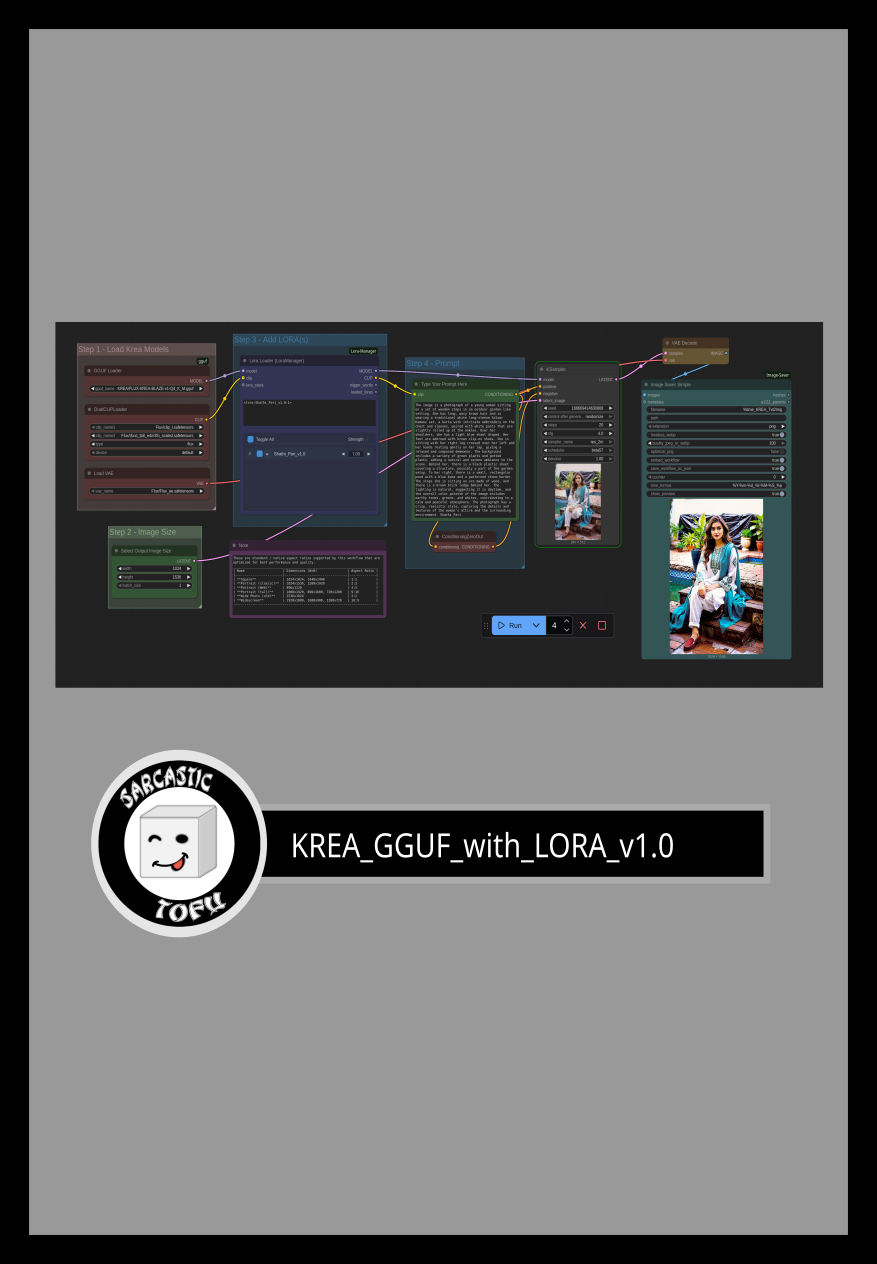
ComfyUI beginner friendly KREA GGUF Text-to-Image Workflow by SarcasticTOFU
This is a very simple ComfyUI beginner friendly Text-to-Image workflow that will work with a single KREA GGUF model with multiple LORAs (This workflow does require ComfyUI's LORA Manager plugin to function. It is a good idea to install both ComfyUI manager and LORA Manager plugin to help you easily download and manage Checkpoints, LORAs and other resources. Not only these two are helpful for this workflow but they will help you a lot in any other cases). You need a Hugging Face account to download your necessary model files (Details are mentioned below). Make sure you install GGUF addon for ComfyUI using ComfyUI manager and place the correct files in correct places. Also check out my other workflows for SD 1.5 + SDXL 1.0, WAN 2.1, QWEN, HiDream, Chroma, KREA and Flux. This is an updated version of my Simple KREA GGUF Workflow and all the examples done using this uses my own trained KREA LORAs you can find in my CivitAI profile or any other KREA LORAs (some Flux and Chroma LORAs also works with KREA, but others may not). This is definately worth trying! How to use this -#1. Just select your desired KREA GGUF model first and then load#2. one or multiple matching LORA(s) from LORA Manager to start#3. then input your positive and negative prompts.#4. select how many images you want (Change the number besides the "Run" button)#5. select image output dimensions, sampling methods, CFG, steps etc. settings and any other optional settings #6. finally press the run button to generate. That's it..*** This workflow will also function if you know how to properly disable the LORA Node and bypass it.Enjoy!### To use this workflow you need to log into huggingface and download necessary files from there (I also included a text file on the archive that has the workflow file, in which you will find even more links for essential downloads for my other workflows) -## Required Models=========================================================================================================================### Download Links for Flux KREA Models (use any one between these two or any other KREA GGUF model) https://huggingface.co/QuantStack/FLUX.1-Krea-dev-GGUF/resolve/main/flux1-krea-dev-Q4_0.gguforhttps://huggingface.co/belisarius/FLUX.1-dev-FLUX-KREA-BLAZE-v1-GGUF/resolve/main/FLUX-KREA-BLAZE-v1-Q4_K_M.gguf### Download Links for Flux Encoderhttps://huggingface.co/comfyanonymous/flux_text_encoders/resolve/main/clip_l.safetensorshttps://huggingface.co/comfyanonymous/flux_text_encoders/resolve/main/t5xxl_fp8_e4m3fn.safetensors### Download Links for Flux VAEhttps://huggingface.co/black-forest-labs/FLUX.1-dev/resolve/main/ae.safetensors

Flux. 1 Krea Text to Image Workflow (2K HD Remove AI texture)
You can click on the link below to try it out directly. If the effect is good, you can deploy it locallyhttps://www.runninghub.ai/post/1970368325295480834/?inviteCode=sdhs0trbFan benefits,register to get 1000 points,daily login 100 points,play 4090!Experience the super power of 48G.https://buymeacoffee.com/a592991299oA Flux Krea text and image workflow that generates 2K pixel images with just one click, while reducing a certain amount of AI texture. It is recommended to use it with Lora. I rarely use high-definition zoom in when using Lora to produce images. If there are creators who need it, I suggest paying attention to two zoom in methods:1.Ultimate SD Upscale2.gigapixelai
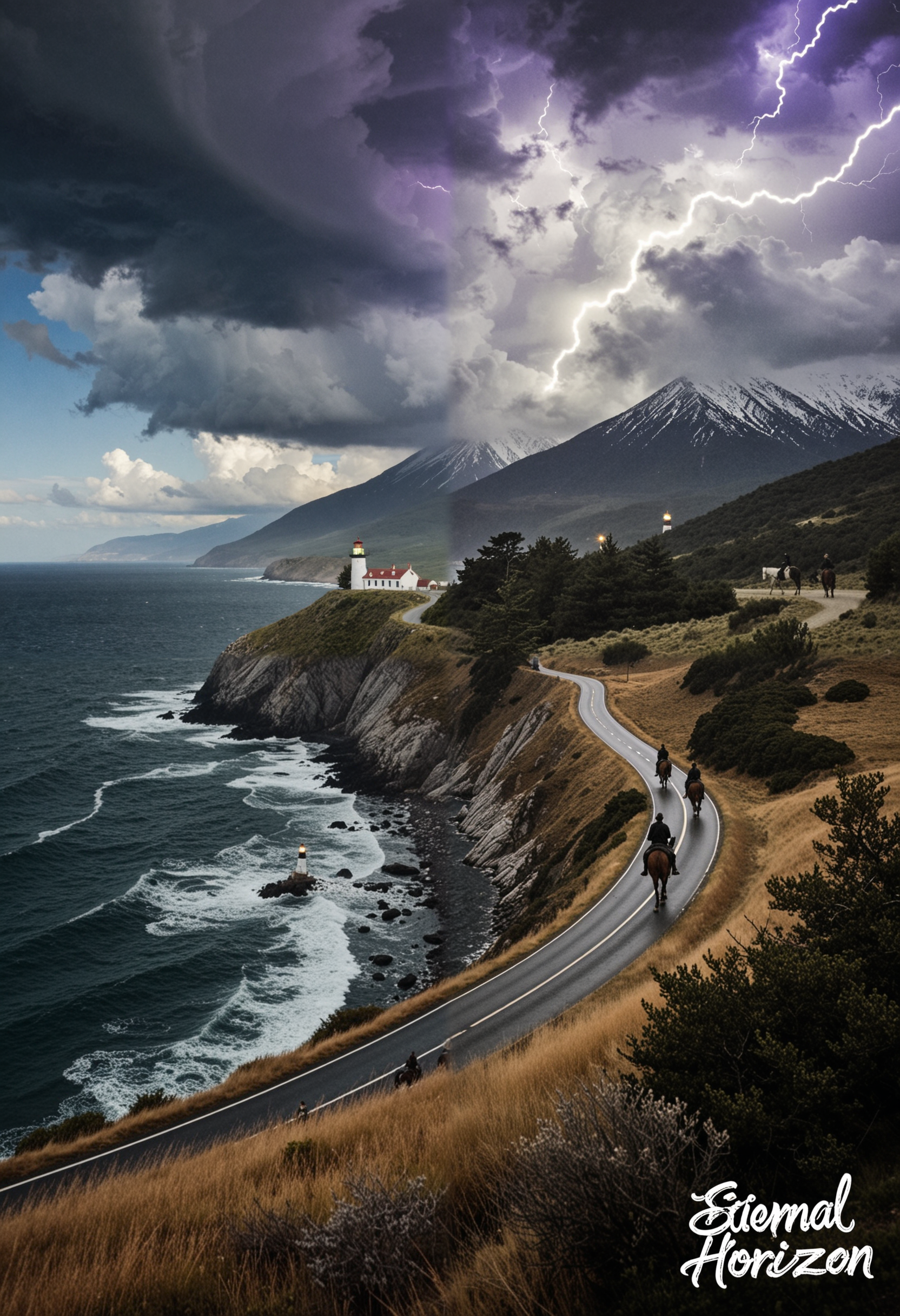
Flux Krea + Redux Ollama Image Prompt Mixer
This workflow is a creative playground that lets you fuse multiple images and their AI-generated captions into entirely new prompts, which are then used to produce hybrid artworks. It combines Florence captioning, style encoding, and an Ollama-powered prompt fusion system to merge visual and textual descriptions into innovative outputs. Thanks to a recent redesign using ComfyUI’s subgraph feature, the workflow has been simplified into modular building blocks—making it easier to experiment with mixing styles, concepts, and ideas. The result is not a rigid production tool, but more of a playful experiment in blending imagery and imagination.

Flux-Redux Enhance Workflow
This workflow is optimized for a 4-bit quantized model using the Nunchaku Node. If you prefer, you can easily use a regular UNET or AIO model with the standard nodes you're used to.Here are a few tips to get the best results:Redux Settings: Feel free to experiment with the Redux settings to find what works best for your image.Turbo LoRA: The Turbo LoRA is included for faster generation, but it's completely optional. If you want more detail in your image, just bypass this LoRA and increase your sampling steps.Adding LoRAs: To add your own LoRAs, simply load them into the LoRA Loader and remember to include their specific trigger words in the LoRA Trigger Word text area.Custom Latent Size: The Image Size node is a helpful starting point, but you have full control! You can disable it and adjust the latent size directly to get the exact dimensions you need.
FLUX-krea and SeedVR2 Image enlargement without distortion
Try it out first to decide whether to install it. in case you are not satisfied.https://www.runninghub.ai/post/1959897520472272897use my invitation code(rh-v1213) , you'll get 1000 pointsIt's very easy to use; just upload your image.This workflow can upscale and resize noisy, blurry images without changing the original image's features, especially those of people.
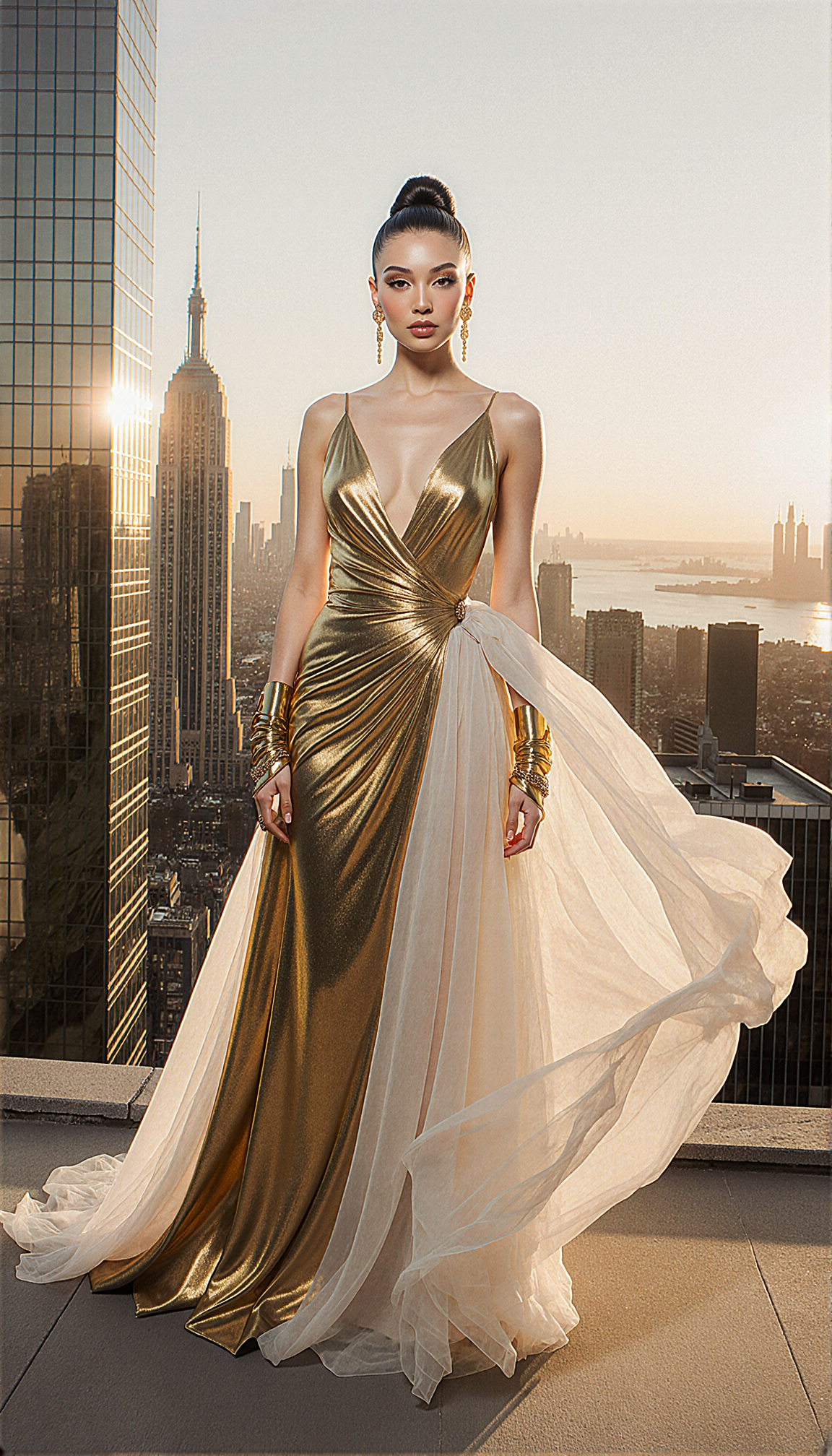
Crazy Krea/Flux Workflow
This Crazy Krea/Flux Workflow is excellent for generating high-quality text-to-image content.You will need to visit the following resources for the models you need:1) Krea GGUF: https://huggingface.co/QuantStack/FLUX.1-Krea-dev-GGUF/tree/main2) TE GGUF: https://huggingface.co/silveroxides/flan-t5-xxl-encoder-only-GGUF/tree/main3) CLIP-L: https://huggingface.co/zer0int/CLIP-GmP-ViT-L-14/tree/main or any other version by: https://huggingface.co/zer0int4) Relatively "new" upscale model: https://huggingface.co/Kim2091/UltraSharpV2/tree/mainAlso, (most importantly!), you absolutely must familiarize yourself with the following project: https://github.com/ClownsharkBatwing/RES4LYF <-- to understand WTF is res_3m / beta57 or res_2s / bong_tangent ;)Feel free to experiment with the sampler/scheduler combinations, as they have a significant impact on the output!P.S.: use it well 😏

Ultra Real Flux Krea 2K
Flux Krea is indeed very promising, I was impressed with it's results and decided to create my first post here on Civit.The workflow is simple and hopefully easy to use.It uses a second pass to add detail and a final upscale to bring it up to 2K with finer details.I took some bits from my current workflow to create this.The used settings seem to work best.The Upscale uses Turbo for a faster upscale and seems to not have noticeable changes to not using it.There's an extra prompt at the upscaler concatenated to the initial prompt to add specific instructions to the upscaler.First pass takes about 60 seconds on a RTX 4060 TI with 16GB VRAMYou can change the weight_dtype to fast for faster generations.The upscale uses a technique I have been using for a long time and produces great results, happy to share ☺️You can use keyboard keys to quickly navigate the workflow!0 - Group control1 - Models2 - Prompt3 - First Pass4 - Second Pass5 - Upscale6 - Save