ComfyUI Workflows
Browse real AI workflows from Flux, SDXL, Pony, ControlNet, video generation and commercial AI creators.

4step 3 Video Looper
I wanted to make an easy workflow dedicated to video looping. This is a 4step workflow using high and low models as well as high and low noise loras. we have toggle buttons for resolution, color match, interpolation, as well as upscaling. each video created is set at 81 frames at 24fps.upload your image, write your prompts, select which features you'd want to use as well as resolution and hit run.I recommend using the color match feature as sometimes it loses color between video A-B-C.if people like this and would want me to make a non 4step or a GGUF style let me know and ill look into making those.I use DaSiWa Boundbite v10 lightspeed safetensors in this, I haven't tested other ones but its what I use and recommend. Use which ever upscale model you prefer I like the 2x anime one for my generations.

Wan 2.2 14B Image to Video (Multiple Lora) Beginner Friendly Workflow Template
Image to Video Workflow for easy setupEdit 4/15/26: Workflow 2.0 release notesNew 2.0 version of this workflow works exactly the same as the last one, I just wanted to clean it up a bit and color code it to be more aesthetically pleasing for myself and figured I might as well upload it! Enjoy!Hello! this workflow is mainly for beginners who just want something easy to setup and go, I've found that for some reason 90% of workflows are just so insanely put together and incredibly hard for new people to understand so I made this myself thanks to the advice from r/comfyui members so if you've been banging your head against the wall to get custom loras (especially NSFW ones) to work you've come to the right place! I've written all the instructions you'll need.This workflow is almost identical to the prepackaged Wan 2.2 I2V template workflow already pre-installed in Comfy UI's base download from their website BUT the only difference is that I've replaced the regular lora loader nodes with the Power lora loader nodes which you can get in the node manager through Comfy UISo first things first, go ahead and download the json file from here, then once you got it you'll unzip and extract it.You're going to want to locate your Comfy UI folder on your computer and place the json file directly within the workflows folderComfyUI>User>default>workflowsOnce you're done with that, load up Comfy UIThe Power Lora loader nodes I used are not preinstalled BUT you can get them super easy through the program itself, just click on the Manager button near the top middle of your screen(if you dont have a manager button you need to find a way to get it, I think it should come prepackaged with the main sites download)You should see this on your screen;Click on Custom Nodes ManagerThis is what you're looking for, type in the search bar; rgthree and this should appearDownload/install rgthree-comfyRestart Comfy UILoad the workflow file named; [Wan 2.2 14B Multiple lora workflow Template.json]You should now see this when searching your workflows;Click on the workflow and it will load this;Everything is already wired and ready to go, all you have to do is just plug in whatever loras you're trying to work with, this is made specifically for high and low loras, if you're using a single file lora I dont know if it'll work, again I am also still new to Comfy so this is basically the extent of my knowledge but these are the nodes you wanna see, Click on +Add Lora, the top node is for high loras and the bottom node is for low lorasMake sure you pair the wan2.2_i2v_lightx2v_4steps_lora_v1_high_noise.safetensors with the custom high noise lora of your choosingLikewise you wanna pair the wan2.2_i2v_lightx2v_4steps_lora_v1_low_noise.safetensors with the custom low noise lora of your choosingJust click +Add Lora on the power lora loaders and find whatever loras you downloaded so you can combine as you wishInstructions for recreating this workflow manually if something goes wrong with this json fileGo to the node manager in Comfy UI and in the search bar type in (rgthree) and you're going to want to install the one labeled "rgthree-comfy" after a restart of the program load the standard Wan 2.2 14B I2V workflow template and when you're in the workflow just look up the nodes in comfyui, remove the regular lora loaders then plug the power lora loaders in as in the image below and put the high loras together then the low loras together and it should work fine!Hope this helps some people!

WAN2.2 14B AIO Basic (T2V,I2V,FLV)
A clean model to generate high quality videos in Wan2.2, using almost all tricks in the book. Install all the missing nodes, add your models and have fun. Sage Attention, NAG and FLV included
WAN 2.2 AIO Rapid — All-in-One T2V + I2V (4–12GB VRAM / GGUF)
Here check out my toturial on running this if youre stuck:📦 Download & Setup1. Main Model (Standard VRAM: 6–12GB)Download from:https://huggingface.co/Phr00t/WAN2.2-14B-Rapid-AllInOneFile:wan2.2-rapid-mega-aio-nsfw-v12.2.safetensorsInstall:ComfyUI/models/checkpoints/2. Low VRAM Option (4GB)If you're running 4GB VRAM, use GGUF instead:Download from:https://huggingface.co/befox/WAN2.2-14B-Rapid-AllInOne-GGUFNotes:Same model, quantized (GGUF) for low VRAMUse with the low VRAM workflowInstall:ComfyUI/models/diffusion_models/3. Required Extra Files (ONLY FOR GGUF)Download from:https://huggingface.co/Comfy-Org/Wan_2.2_ComfyUI_RepackagedYou need:Text Encoder (scaled)WAN 2.1 vae4. Custom Node (I2V / First–Last Frame)Required for image-to-video + first/last frameDownload:https://huggingface.co/The-frizzy1/Custom-Advanced-VACE-Node/tree/mainInstall:Download ZIPExtractPlace folder in:ComfyUI/custom_nodes/Restart ComfyUI⚠️ NotesGGUF ≠ checkpoints → always goes in diffusion_modelsUse GGUF only for low VRAM setupsIf something breaks, you're likely missing the repackaged dependencies

Unlimited-Outpaint- Wan 2.1 Vace Video Outpainting
Models Usedmodel = wan2.1_vace_14B_fp16.safetensors(WAN 2.1 Video Diffusion – core generation model)lora = Wan21_CausVid_14B_T2V_lora_rank32.safetensors(LoRA – improves motion / temporal consistency)clip = umt5_xxl_fp8_e4m3fn_scaled.safetensors(Text encoder – prompt understanding)vae = wan_2.1_vae.safetensors(VAE – latent ↔ image conversion)Workflow SummaryUpload a video + set target aspect ratio / resolutionWAN generates in ~5 second chunks (81 frames @ 16 FPS)Total loops:Supports any length videoInternally loops ~5s segmentsOutputs final video at correct length + aspect ratio

InfiniteTalk: Unlimited-length Sound-driven Video Generation
InfiniteTalk with native support in ComfyUI, the best open-source lip-sync model.Supports image-to-video generation from audio of unlimited length through looping, with customizable action descriptions.YouTube: https://www.youtube.com/@EtherPandaAIExperience link: https://www.runninghub.ai/post/2025797778844164097/?inviteCode=rh-v1493
WAN 2.2 GGUF/start end frame/loop/t2v/i2v 8gb/ advanced
WAN 2.2 GGUF — FLF Loop & Video Workflow (8GB VRAM)This workflow is a complete WAN 2.2 video generation pipeline designed to run on consumer GPUs with 8GB VRAM.It supports seamless looping, normal video generation and image/video reinterpretation inside one graph.The system is based on a start-frame / end-frame method.You can use it in three ways:• Seamless FLF loop (same start & end image)• Normal video (different start & end image)• Animate / restyle / extend existing footageAutomatic prompting using Qwen is included but optional.If you don’t want AI prompts, just bypass the Qwen node and write a prompt manually.The workflow also contains:frame interpolationtemporal color matchingoptional upscalingnegative prompt handling (NAG compatible)The Radial Attention Patch is included ONLY to increase speed. ( 6 minutes for 5 seconds 720p)It is optional and the workflow works without it.MODEL INSTALLATION (VERY IMPORTANT)WAN GGUF models DO NOT go into the normal UNet folder.Place them here:ComfyUI/models/diffusers/WAN 2.2 works using a High-Noise + Low-Noise expert pair system (Mixture-of-Experts video diffusion). (docs.comfy.org)Both models are required or motion generation will break.Recommended model pair used in this workflow:SmoothMix WAN 2.2 I2V GGUFhttps://huggingface.co/Bedovyy/smoothMixWan22-I2V-GGUFAlternative repository:https://huggingface.co/BigDannyPt/WAN-2.2-SmoothMix-GGUFVAE:wan_2.1_vae.safetensorsPlace into:ComfyUI/models/vae/TEXT ENCODER:umt5_xxl_fp8_e4m3fn_scaled.safetensorsor NSFW versionhttps://huggingface.co/zootkitty/nsfw_wan_umt5-xxl_bf16_fixed/resolve/main/nsfw_wan_umt5-xxl_bf16_fixed.safetensors?download=truePlace into:ComfyUI/models/text_encoders/QWEN AUTO PROMPT (OPTIONAL)This workflow can automatically generate prompts using Qwen-VL.Qwen ComfyUI nodes:https://github.com/1038lab/ComfyUI-QwenVL (GitHub)or custom node with wan mode https://github.com/huchukato/ComfyUI-QwenVL-ModDownload a supported Qwen model (example):https://huggingface.co/Qwen/Qwen2.5-VLPlace model into:ComfyUI/models/LLM/Qwen is a vision-language model capable of understanding images and generating descriptive prompts. (GitHub)If not installed:→ simply bypass the Qwen node.PAINTER / INPAINT HELPERThe workflow uses a painter/inpaint helper for temporal consistency between frames.https://github.com/princepainter/ComfyUI-PainterI2VforKJInstall in Comfy/custom nodesThese node packs include mask and enhancement helpers used for automatic detail correction and repainting. (ltdrdata.github.io)REQUIRED NODESInstall with ComfyUI Manager:• VideoHelperSuite• KJNodes• WAS Node Suite• RGThree Nodes• Custom Scripts (pysssss)• ComfyUI GGUF LoaderOPTIONAL SPEED BOOST (RADIAL ATTENTION PATCH)The radial attention patch accelerates video diffusion.It is OPTIONAL.If you do not want additional dependencies:→ disable/bypass the node and the workflow still runs normally.Step 1 — Install Triton for WindowsWAN 2.2 + RadialAttn requires Triton.Download the correct Windows wheel here:https://github.com/woct0rdho/triton-windows/releasesInstall inside your venv.Step 2 — Install SparseSageAttnDownload the Windows wheel from:https://github.com/woct0rdho/SpargeAttn/releasesInstall inside your venv.Step 3 — Install RadialAttn NodeDownload from:https://github.com/woct0rdho/ComfyUI-RadialAttnPlace inside your ComfyUI custom_nodes folder.Step 4 — Restart ComfyUIIf Sparse / Radial Attn loads correctly, startup log will say:“Using sparse_sage_attn as block_sparse_sage2_attn_cuda”Then the patch is active.USAGESampler: Euler simpleCFG: 1Steps: smooth mix 3+3Loop:Use identical start and end frame. Enable frame cut nodes and connect it to the next group input.Video:Use different images. Disable frame cut nodes and connect the output to the group next to framecut.WAN prefers scene descriptions and camera movement prompts.Example for timebased promt:(At 0 seconds: The camera is positioned in the neon-lit city at the base of the massive central tower; the vertical blue energy beam rises straight upward through the frame, surrounded by dense futuristic architecture glowing in purple, blue, and warm orange light. No text, symbols, or logos exist anywhere in the scene.)(At 1 seconds: The camera begins a smooth, continuous upward movement; street-level details slide downward and out of view while the beam remains perfectly centered. Traffic lanes are active, small flying vehicles move calmly, windows flicker, and holographic panels animate softly.)(At 2 seconds: Mid-city levels pass by slowly; illuminated windows, platforms, holographic advertisements and distant air traffic drift beneath the camera as atmospheric haze and particles float through the air. The city clearly feels alive but calm.)(At 3 seconds: The camera ascends above the streets and crowds; the tower now dominates the frame and the energy beam grows brighter. Soft pulses of light travel upward inside the beam and the surrounding buildings subtly react with changing reflections.)(At 4 seconds: Near the upper tower section, the beam intensifies and begins emitting faint geometric light patterns into the sky above the city. The patterns slowly organize and form a large transparent holographic structure suspended in the air.)(At 5 seconds: The holographic projection stabilizes into a bright floating logo created by the energy beam itself. The logo is made of luminous particles and soft light, perfectly centered above the city. The camera gently stops and holds; the city continues subtle motion — drifting mist, distant vehicles and softly flickering lights — forming a seamless looping end frame.)Avoid portrait prompts.NOTESThis workflow is optimized for:temporal stabilitylong sequenceslow VRAM usagereduced flickerconsistent motionYou can freely modify and extend it.
Rebels Wan PainterI2V Advanced
Wan 2.2 PainterI2V Advanced Node Workflow for GGUF LOW VRAM USERS!INSTALL PAINTERI2V ADVANCED NODE IN CUSTOM NODES MANAGER!INSTALL ALL MISSING CUSTOM NODES OR THE WORKFLOW WILL NOT RUN.includes rife node for interpolation as well. (custom node)PainterI2V, an enhanced Wan2.2 graph-generated video node optimized for dual-sampler workflows, providing dynamic enhancement and intelligent color drift correction. Fixed the uncontrolled changing scenes and gray-green bias of PainterI2V graphics, enhancing dynamic color invariance.Functional characteristicsDual output design : Output both high dynamic (high) and low dynamic (low) conditions at the same time, perfectly adapted to the dual sampler architectureSmart Color Protection : Prevent common green and dark issues at high dynamic amplitudesZero dynamic loss : Post-processing correction strategy, fully retaining the original dynamic enhancement effectAdjustable parameters : Fine control of dynamic amplitude and color correction intensityIntuitive naming : The output port is clearly marked to facilitate workflow connectionRecommended settings :Slight movements (such as talking or blinking): 1.0-1.1Moderate movements (e.g., walking, gestures): 1.1-1.3Large movements (such as running and jumping): 1.3-1.6
LongCat-Video-Avatar digital human image-to-video long video
This workflow generates a long-form talking avatar video by combining an input image with an audio track. It uses the LongCat-Avatar model to animate a static character, synchronizing lip movements and expressions to the provided audio. The system processes the video in sequential, overlapping chunks to ensure smooth, continuous animation over extended durations.To use it, you provide a reference image of the character and a source audio file, which is first processed to isolate vocals. The core of the workflow is an iterative loop where each generated segment informs the next, creating a seamless, long-form video. This makes it particularly effective for producing continuous talking-head-style content where maintaining character and motion consistency is key.🎥 YouTube Video TutorialWant to know what this workflow actually does and how to start fast? This video explains what the tool is, how to launch the workflow instantly, and shares my core design logic — no local setup, no complicated environment. Everything starts directly on RunningHub, so you can experience it in action first.👉 YouTube Tutorial: https://youtu.be/nga34VtsZuABefore you begin, I recommend watching the video thoroughly — getting the full context helps you understand the tool faster and avoid common detours.⚙️ RunningHub WorkflowTry the workflow online right now — no installation required.👉 Workflow: https://www.runninghub.ai/post/2003091574424764418/?inviteCode=rh-v1111If the results meet your expectations, you can later deploy it locally for customization.🎁 Fan Benefits: Register to get 1000 points + daily login 100 points — enjoy 4090 performance and 48 GB super power!📺 Bilibili Updates (Mainland China & Asia-Pacific)If you’re in the Asia-Pacific region, you can watch the video below to see the workflow demonstration and creative breakdown.📺 Bilibili Video: https://www.bilibili.com/video/BV1H5BsBeEgx/☕ Support Me on Ko-fiIf you find my content helpful and want to support future creations, you can buy me a coffee ☕. Every bit of support helps me keep creating — just like a spark that can ignite a blazing flame.👉 Ko-fi: https://ko-fi.com/aiksk💼 Business ContactFor collaboration or inquiries, please contact aiksk95 on WeChat.🎥 YouTube 视频教程想了解这个工作流到底是怎样的工具,以及如何快速启动?视频主要介绍工具定位、快速启动方法和我的构筑思路。我们会直接在 RunningHub 上进行演示,让你第一时间看到实际效果。👉 YouTube 教程: https://youtu.be/nga34VtsZuA开始前建议尽量完整地观看视频 —— 把握整体思路会更快上手,也能少走常见弯路。⚙️ 在线体验工作流现在就可以在线体验,无需安装。👉 工作流: https://www.runninghub.ai/post/2003091574424764418/?inviteCode=rh-v1111打开上方链接即可直接运行该工作流,实时查看生成效果。如果觉得效果理想,你也可以在本地进行自定义部署。🎁 粉丝福利:注册即送 1000 积分,每日登录 100 积分,畅玩 4090 体验 48 G 超级性能!📺 Bilibili 更新(中国大陆及南亚太地区)如果你在中国大陆或南亚太地区,可以通过下方视频查看该工作流的实测效果与构思讲解。📺 B站视频: https://www.bilibili.com/video/BV1H5BsBeEgx/我会在 夸克网盘 持续更新模型资源:👉 https://pan.quark.cn/s/20c6f6f8d87b这些资源主要面向本地用户,方便进行创作与学习。
LongCat-Video-Avatar digital human text-to-video long video
This workflow is built to generate long, audio-driven videos of a digital avatar using the LongCat-Avatar model. Its core function is to synchronize a character's lip movements and facial expressions with a provided audio track. The system processes the video in sequential, overlapping chunks, allowing it to maintain consistency and create extended, seamless animations from a single reference image.In practice, the workflow takes a reference image and an audio file as input. It uses an audio processing pipeline to create motion embeddings that drive the avatar's performance. The "long video" capability is handled by an iterative process where the end of one generated segment is used as the starting point for the next, ensuring smooth transitions and making it effective for producing continuous, long-form talking avatar content.🎥 YouTube Video TutorialWant to know what this workflow actually does and how to start fast? This video explains what the tool is, how to launch the workflow instantly, and shares my core design logic — no local setup, no complicated environment. Everything starts directly on RunningHub, so you can experience it in action first.👉 YouTube Tutorial: https://youtu.be/nga34VtsZuABefore you begin, I recommend watching the video thoroughly — getting the full context helps you understand the tool faster and avoid common detours.⚙️ RunningHub WorkflowTry the workflow online right now — no installation required.👉 Workflow: https://www.runninghub.ai/post/2003091459949699074/?inviteCode=rh-v1111If the results meet your expectations, you can later deploy it locally for customization.🎁 Fan Benefits: Register to get 1000 points + daily login 100 points — enjoy 4090 performance and 48 GB super power!📺 Bilibili Updates (Mainland China & Asia-Pacific)If you’re in the Asia-Pacific region, you can watch the video below to see the workflow demonstration and creative breakdown.📺 Bilibili Video: https://www.bilibili.com/video/BV1H5BsBeEgx/☕ Support Me on Ko-fiIf you find my content helpful and want to support future creations, you can buy me a coffee ☕. Every bit of support helps me keep creating — just like a spark that can ignite a blazing flame.👉 Ko-fi: https://ko-fi.com/aiksk💼 Business ContactFor collaboration or inquiries, please contact aiksk95 on WeChat.🎥 YouTube 视频教程想了解这个工作流到底是怎样的工具,以及如何快速启动?视频主要介绍工具定位、快速启动方法和我的构筑思路。我们会直接在 RunningHub 上进行演示,让你第一时间看到实际效果。👉 YouTube 教程: https://youtu.be/nga34VtsZuA开始前建议尽量完整地观看视频 —— 把握整体思路会更快上手,也能少走常见弯路。⚙️ 在线体验工作流现在就可以在线体验,无需安装。👉 工作流: https://www.runninghub.ai/post/2003091459949699074/?inviteCode=rh-v1111打开上方链接即可直接运行该工作流,实时查看生成效果。如果觉得效果理想,你也可以在本地进行自定义部署。🎁 粉丝福利:注册即送 1000 积分,每日登录 100 积分,畅玩 4090 体验 48 G 超级性能!📺 Bilibili 更新(中国大陆及南亚太地区)如果你在中国大陆或南亚太地区,可以通过下方视频查看该工作流的实测效果与构思讲解。📺 B站视频: https://www.bilibili.com/video/BV1H5BsBeEgx/我会在 夸克网盘 持续更新模型资源:👉 https://pan.quark.cn/s/20c6f6f8d87b这些资源主要面向本地用户,方便进行创作与学习。
Wan-Animate video stylization
This workflow extends Wan-Animate into a reliable video stylization pipeline by combining a style-defining reference image with pose information extracted from the input video. Because the model anchors its appearance to the first frame, any stylized reference—illustration, anime, or textured art—propagates consistently across the entire sequence. The updated pose-alignment module allows the system to match the motion video to the reference image or match the reference to the motion, keeping proportions stable even when the character design is unusual or non-human. This alignment is especially helpful when the reference image is slightly expanded to match the video’s aspect ratio, producing cleaner and more coherent motion guidance.In practical use, the workflow tracks the original pose video faithfully while preserving the visual identity set by the reference. Wan-Animate handles single-person scenes with high stability, and SteadyDancer-style behavior ensures that the model maintains style coherence without drifting. For multi-character or complex scenes, traditional OpenPose detection remains effective, but the updated alignment module improves stability whenever a single subject is involved. The result is a smooth, style-consistent animation that retains the full artistic look of the reference while accurately following the motion of the input video.🎥 YouTube Video TutorialWant to know what this workflow actually does and how to start fast?This video explains what the tool is, how to launch the workflow instantly, and shares my core design logic — no local setup, no complicated environment. Everything starts directly on RunningHub, so you can experience it in action first.👉 YouTube Tutorial:https://youtu.be/Yrq8WiTPnlkBefore you begin, I recommend watching the video thoroughly — getting the full context helps you understand the tool faster and avoid common detours.⚙️ RunningHub WorkflowTry the workflow online right now — no installation required.👉 Workflow:https://www.runninghub.ai/post/1998364370491047938/?inviteCode=rh-v1111If the results meet your expectations, you can later deploy it locally for customization.🎁 Fan Benefits:Register to get 1000 points + daily login 100 points — enjoy 4090 performance and 48 GB super power!📺 Bilibili Updates (Mainland China & Asia-Pacific)If you’re in the Asia-Pacific region, you can watch the video below to see the workflow demonstration and creative breakdown.📺 Bilibili Video:https://www.bilibili.com/video/BV13wmnBbEnu/☕ Support Me on Ko-fiIf you find my content helpful and want to support future creations, you can buy me a coffee ☕。Every bit of support helps me keep creating — just like a spark that can ignite a blazing flame。👉 Ko-fi:https://ko-fi.com/aiksk💼 Business ContactFor collaboration or inquiries, please contact aiksk95 on WeChat。🎥 YouTube 视频教程想了解这个工作流到底是怎样的工具,以及如何快速启动?视频主要介绍 工具定位、快速启动方法 和 我的构筑思路。我们会直接在 RunningHub 上进行演示,让你第一时间看到实际效果。👉 YouTube 教程:https://youtu.be/Yrq8WiTPnlk开始前建议尽量完整地观看视频 —— 把握整体思路会更快上手,也能少走常见弯路。⚙️ 在线体验工作流现在就可以在线体验,无需安装。👉 工作流:https://www.runninghub.ai/post/1998364370491047938/?inviteCode=rh-v1111打开上方链接即可直接运行该工作流,实时查看生成效果。如果觉得效果理想,你也可以在本地进行自定义部署。🎁 粉丝福利:注册即送 1000 积分,每日登录 100 积分,畅玩 4090 体验 48 G 超级性能!📺 Bilibili 更新(中国大陆及南亚太地区)如果你在中国大陆或南亚太地区,可以通过下方视频查看该工作流的实测效果与构思讲解。📺 B站视频:https://www.bilibili.com/video/BV13wmnBbEnu/我会在 夸克网盘 持续更新模型资源:👉 https://pan.quark.cn/s/20c6f6f8d87b这些资源主要面向本地用户,方便进行创作与学习。
kj new Pose Detection + Wan-Animate
This workflow upgrades Wan-Animate by inserting a new pose-detection module that aligns the motion video with the reference image before animation begins. That alignment step eliminates scale mismatches and keeps proportions stable, so stylized or exaggerated characters transfer cleanly into motion. Because Wan-Animate treats the first frame as the style anchor, the visual look from that single reference image is preserved across the entire sequence with much stronger consistency than traditional video style-transfer. The workflow works equally well for unconventional proportions—chibi, monsters, or distorted silhouettes—because it can align the pose to the reference or the reference to the pose depending on the scenario.In practice, expanding the reference image slightly to match the incoming pose video improves stability, and the updated detector produces cleaner skeletons that reduce jitter in the final animation. For multi-person scenes, open-pose detection still performs reliably, but single-subject sequences benefit the most from the new alignment. Combined with Wan-Animate’s ability to propagate the first-frame style throughout the video, the workflow delivers steady identity retention, smooth motion, and visually cohesive stylization, even when the input video has complex or exaggerated movements.🎥 YouTube Video TutorialWant to know what this workflow actually does and how to start fast?This video explains what the tool is, how to launch the workflow instantly, and shares my core design logic — no local setup, no complicated environment. Everything starts directly on RunningHub, so you can experience it in action first.👉 YouTube Tutorial:https://youtu.be/Yrq8WiTPnlkBefore you begin, I recommend watching the video thoroughly — getting the full context helps you understand the tool faster and avoid common detours.⚙️ RunningHub WorkflowTry the workflow online right now — no installation required.👉 Workflow:https://www.runninghub.ai/post/1998289350926458882/?inviteCode=rh-v1111If the results meet your expectations, you can later deploy it locally for customization.🎁 Fan Benefits:Register to get 1000 points + daily login 100 points — enjoy 4090 performance and 48 GB super power!📺 Bilibili Updates (Mainland China & Asia-Pacific)If you’re in the Asia-Pacific region, you can watch the video below to see the workflow demonstration and creative breakdown.📺 Bilibili Video:https://www.bilibili.com/video/BV13wmnBbEnu/☕ Support Me on Ko-fiIf you find my content helpful and want to support future creations, you can buy me a coffee ☕。Every bit of support helps me keep creating — just like a spark that can ignite a blazing flame。👉 Ko-fi:https://ko-fi.com/aiksk💼 Business ContactFor collaboration or inquiries, please contact aiksk95 on WeChat。🎥 YouTube 视频教程想了解这个工作流到底是怎样的工具,以及如何快速启动?视频主要介绍 工具定位、快速启动方法 和 我的构筑思路。我们会直接在 RunningHub 上进行演示,让你第一时间看到实际效果。👉 YouTube 教程:https://youtu.be/Yrq8WiTPnlk开始前建议尽量完整地观看视频 —— 把握整体思路会更快上手,也能少走常见弯路。⚙️ 在线体验工作流现在就可以在线体验,无需安装。👉 工作流:https://www.runninghub.ai/post/1998289350926458882/?inviteCode=rh-v1111打开上方链接即可直接运行该工作流,实时查看生成效果。如果觉得效果理想,你也可以在本地进行自定义部署。🎁 粉丝福利:注册即送 1000 积分,每日登录 100 积分,畅玩 4090 体验 48 G 超级性能!📺 Bilibili 更新(中国大陆及南亚太地区)如果你在中国大陆或南亚太地区,可以通过下方视频查看该工作流的实测效果与构思讲解。📺 B站视频:https://www.bilibili.com/video/BV13wmnBbEnu/我会在 夸克网盘 持续更新模型资源:👉 https://pan.quark.cn/s/20c6f6f8d87b这些资源主要面向本地用户,方便进行创作与学习。
kj new Pose Detection + SteadyDancer
This workflow updates SteadyDancer with a new pose-detection module that aligns the skeleton video directly to the reference image before animation begins. This alignment prevents the usual scale and proportion mismatches that occur when the pose video and the reference have different aspect ratios. Once aligned, SteadyDancer treats the first frame as the visual anchor, preserving identity and stylization through the entire sequence. Because Wan Animate can optionally align the reference to the pose or the pose to the reference, the workflow adapts well to exaggerated designs, chibi proportions, monsters, or any non-standard character shapes.In use, the updated detector produces cleaner, more stable poses, especially when the reference is slightly expanded to match the skeleton’s width and height. This improves downstream motion quality without needing manual fixes. For style-transfer video generation, the model uses only the first frame’s appearance, applying that look across the whole motion clip with strong consistency, even for multi-character or unusual body structures. While open-pose detection remains useful for crowded scenes, SteadyDancer still handles complex or distorted silhouettes gracefully. Overall, this update makes pose-driven animation more predictable, more identity-stable, and more suitable for stylized or unconventional characters.🎥 YouTube Video TutorialWant to know what this workflow actually does and how to start fast?This video explains what the tool is, how to launch the workflow instantly, and shares my core design logic — no local setup, no complicated environment. Everything starts directly on RunningHub, so you can experience it in action first.👉 YouTube Tutorial:https://youtu.be/Yrq8WiTPnlkBefore you begin, I recommend watching the video thoroughly — getting the full context helps you understand the tool faster and avoid common detours.⚙️ RunningHub WorkflowTry the workflow online right now — no installation required.👉 Workflow:https://www.runninghub.ai/post/1998291780594491394/?inviteCode=rh-v1111If the results meet your expectations, you can later deploy it locally for customization.🎁 Fan Benefits:Register to get 1000 points + daily login 100 points — enjoy 4090 performance and 48 GB super power!📺 Bilibili Updates (Mainland China & Asia-Pacific)If you’re in the Asia-Pacific region, you can watch the video below to see the workflow demonstration and creative breakdown.📺 Bilibili Video:https://www.bilibili.com/video/BV13wmnBbEnu/☕ Support Me on Ko-fiIf you find my content helpful and want to support future creations, you can buy me a coffee ☕。Every bit of support helps me keep creating — just like a spark that can ignite a blazing flame。👉 Ko-fi:https://ko-fi.com/aiksk💼 Business ContactFor collaboration or inquiries, please contact aiksk95 on WeChat。🎥 YouTube 视频教程想了解这个工作流到底是怎样的工具,以及如何快速启动?视频主要介绍 工具定位、快速启动方法 和 我的构筑思路。我们会直接在 RunningHub 上进行演示,让你第一时间看到实际效果。👉 YouTube 教程:https://youtu.be/Yrq8WiTPnlk开始前建议尽量完整地观看视频 —— 把握整体思路会更快上手,也能少走常见弯路。⚙️ 在线体验工作流现在就可以在线体验,无需安装。👉 工作流:https://www.runninghub.ai/post/1998291780594491394/?inviteCode=rh-v1111打开上方链接即可直接运行该工作流,实时查看生成效果。如果觉得效果理想,你也可以在本地进行自定义部署。🎁 粉丝福利:注册即送 1000 积分,每日登录 100 积分,畅玩 4090 体验 48 G 超级性能!📺 Bilibili 更新(中国大陆及南亚太地区)如果你在中国大陆或南亚太地区,可以通过下方视频查看该工作流的实测效果与构思讲解。📺 B站视频:https://www.bilibili.com/video/BV13wmnBbEnu/我会在 夸克网盘 持续更新模型资源:👉 https://pan.quark.cn/s/20c6f6f8d87b这些资源主要面向本地用户,方便进行创作与学习。
Simple Video Combiner
This is a simple tool to help editors and creators combine output Wan video files into larger .mp4 clips.It uses the Video Helper Suite Custom Nodes:https://github.com/Kosinkadink/ComfyUI-VideoHelperSuiteIt uses the Kijai Custom Nodes:https://github.com/kijai/ComfyUI-KJNodes
Caveman Easy Wan 2.2 AIO NSFW/SFW - RTX 3060 12GB VRAM GGUF WORKFLOW
The power of goon can't never be stopped by hardware limitations! In an attempt to force Wan to run on my pc having less than 16GB of VRAM and extremely slow AI GPU I present with you with this caveman easy workflow.I M P O R T A N T: I have no idea what I'm doing, if you know how to speed this workflow up and how to improve it, let me know right away! I'm using a fresh portable installation.Requirements:I'm not sure about the requirements, but my setup is using max of 8.1GB of VRAM and 16.2GB of RAM - After the first load, which requires nearly 28GB of RAM.Minimum of 12GB of VRAM - There's no GPU with 10GB or 9GB anyways.Minimum of 28GB of RAM - It will not work with 16GB or less, trust me.Features:Basic LoRa Support for now.Models Needed:Model is Rapid Wan AIO 14B SFW - Q4_K_M / Download LinkModel is Rapid Wan AIO 14B NSFW - Q4_K_M / Download LinkVae is Wan 2.1 Vae - Default / Download LinkText Encoder Clip is umtt5-xxl-encoder - Q5_K_M / Download LinkRead Me:It is better to run 6 steps rather than 4 for more details, or use a detailer lora.Negative chinese prompt is obligatory, otherwise results will be shit, add your own english tags after.I use "No camera movement" instead of long sentences."Detailed movement" and other quality tags seems to work.It is said that NSFW version is worse than SFW at physics and accurate animation despite understanding more concepts. But SFW looks much worse for me.Seed "42" gives better results for static light novel-like animations.You can simply bypass Save Video and LoRa loading if needed.Performance:Average of 3-6 minutes for 4 seconds at 800x400 resolution.Average of 3-6 minutes for 5 seconds at 700x500 resolution.Average of 3 minutes for 5 seconds at 400x400 resolution.Average of 56 seconds for 5 seconds at 200x250 resolution.Average of ~2 minutes at 416x512 resolution at 6 steps, fastest.Performance Tips:If you can set up Sage Attention you will have extremely faster performance.SSD/NVME will be better for RAM file management. Mine is running on HDD, yes.My RAM modules have scrambled frequencies, expect better performance.Issues: For weird reasons, if iterations are above 100it/s, gen takes 8-14 minutes. Interrupt and start it again for normal speed.Best Practices:No advanced prompt needed, straight describe as if using Flux or SDXL.describe first frame, describe next action to perform+details+adjectives, repeat, repeat; quality tags, negative tags[the scene despicts a scared anime girl, she turns to face the camera, she closes her legs and touches her own chest; the camera moves farther away, highres, absurdres, detailed movements][the scene despicts a anime girl wearing a blindfold, she removes the blindfold, holding it close to her chest, her eyes are empty; no camera movement, highres, absurdres, detailed movements][a 3d model of chibi anime girl is holding two guns, she points the gun around while her hair sways with the wind, she looks at the camera]Showcase: https://civitai.com/posts/24529277
lightx2v-720P Image-to-Video rank128 vs rank32 FreeInit Comparison Test
🎥 YouTube Video TutorialWant to know what this workflow actually does and how to start fast?This video explains what the tool is, how to launch the workflow instantly, and shares my core design logic — no local setup, no complicated environment.Everything starts directly on RunningHub, so you can experience it in action first.👉 YouTube Tutorial: https://youtu.be/ZpvlvZvbYbQBefore you begin, I recommend watching the video thoroughly — getting the full context helps you understand the tool faster and avoid common detours.⚙️ RunningHub WorkflowTry the workflow online right now — no installation required.👉 Workflow: https://www.runninghub.ai/post/1945761108445556738/?inviteCode=rh-v1111If the results meet your expectations, you can later deploy it locally for customization.🎁 Fan Benefits:Register to get 1000 points + daily login 100 points — enjoy 4090 performance and 48 GB super power!📺 Bilibili Updates (Mainland China & Asia-Pacific)If you’re in the Asia-Pacific region, you can watch the video below to see the workflow demonstration and creative breakdown.📺 Bilibili Video: https://www.bilibili.com/video/BV18zgPzBEep/☕ Support Me on Ko-fiIf you find my content helpful and want to support future creations, you can buy me a coffee ☕.Every bit of support helps me keep creating — just like a spark that can ignite a blazing flame.👉 Ko-fi: https://ko-fi.com/aiksk💼 Business ContactFor collaboration or inquiries, please contact aiksk95 on WeChat.🎥 YouTube 视频教程想了解这个工作流到底是怎样的工具,以及如何快速启动?视频主要介绍 工具定位、快速启动方法 和 我的构筑思路。我们会直接在 RunningHub 上进行演示,让你第一时间看到实际效果。👉 YouTube 教程: https://youtu.be/ZpvlvZvbYbQ开始前建议尽量完整地观看视频 —— 把握整体思路会更快上手,也能少走常见弯路。⚙️ 在线体验工作流现在就可以在线体验,无需安装。👉 工作流: https://www.runninghub.ai/post/1945761108445556738/?inviteCode=rh-v1111打开上方链接即可直接运行该工作流,实时查看生成效果。如果觉得效果理想,你也可以在本地进行自定义部署。🎁 粉丝福利:注册即送 1000 积分,每日登录 100 积分,畅玩 4090 体验 48 G 超级性能!📺 Bilibili 更新(中国大陆及南亚太地区)如果你在中国大陆或南亚太地区,可以通过下方视频查看该工作流的实测效果与构思讲解。📺 B站视频: https://www.bilibili.com/video/BV18zgPzBEep/我会在 夸克网盘 持续更新模型资源:👉 https://pan.quark.cn/s/20c6f6f8d87b这些资源主要面向本地用户,方便进行创作与学习。
Rebels Wan 2.2 GGUF+Cam LoRA
UPDATED TO VERSION 2!!!!!!the new workflow implements the condensed GGUF i2v workflow with the added NEW Push-In Camera LoRA, providing an extra dynamic motion to the camera in your generations. this is a MUST TRY!my wan 2.2 workflow for gguf models
DaSiWa Wan2.1 I2V Workflows
My ComfyUI Workflow for using Wan 2.1 i2v 14B.Versions👉 Please read the file descriptions "About this version" for more infos.Features🖼️ I2V and FLF2V🧩 Automatic aspect‑ratio calculation and fitting✨ Ultra‑fast, color‑correct upscaling (torchlanc)🤝 Video resolution matching - Fully automatic scaling and resolution calculations🫥 Watermark support🧮 Color match feature👾 MiniMeme feature - Create small gif's🎭 NAG - Negative prompting with CFG1)🪄 Interpolation feature🌀 Seamless loops🃏 Last Frame Extraction🔖 Bookmark-Shortcuts - with number keysVersion 1.2 has no dependencies.YOU are responsible for outputs as always! If you make ToS violating content and I get aware I WILL report this.
Multi-Image Fusion - Phantom-Wan-14B
🎥 YouTube Video TutorialWant to know what this workflow actually does and how to start fast?This video explains what the tool is, how to launch the workflow instantly, and shares my core design logic — no local setup, no complicated environment.Everything starts directly on RunningHub, so you can experience it in action first.👉 YouTube Tutorial: https://www.youtube.com/watch?v=xSLQVHS2GksBefore you begin, I recommend watching the video thoroughly — getting the full context helps you understand the tool faster and avoid common detours.⚙️ RunningHub WorkflowTry the workflow online right now — no installation required.👉 Workflow: https://www.runninghub.ai/post/1927603788339634178/?inviteCode=rh-v1111If the results meet your expectations, you can later deploy it locally for customization.🎁 Fan Benefits: Register to get 1000 points + daily login 100 points — enjoy 4090 performance and 48 GB super power!📺 Bilibili Updates (Mainland China & Asia-Pacific)If you’re in the Asia-Pacific region, you can watch the video below to see the workflow demonstration and creative breakdown.📺 Bilibili Video: https://www.bilibili.com/video/BV1NW7GzTEqi/☕ Support Me on Ko-fiIf you find my content helpful and want to support future creations, you can buy me a coffee ☕.Every bit of support helps me keep creating — just like a spark that can ignite a blazing flame.👉 Ko-fi: https://ko-fi.com/aiksk💼 Business ContactFor collaboration or inquiries, please contact aiksk95 on WeChat.🎥 YouTube 视频教程想了解这个工作流到底是怎样的工具,以及如何快速启动?视频主要介绍 工具定位、快速启动方法 和 我的构筑思路。我们会直接在 RunningHub 上进行演示,让你第一时间看到实际效果。👉 YouTube 教程: https://www.youtube.com/watch?v=xSLQVHS2Gks开始前建议尽量完整地观看视频 —— 把握整体思路会更快上手,也能少走常见弯路。⚙️ 在线体验工作流现在就可以在线体验,无需安装。👉 工作流: https://www.runninghub.ai/post/1927603788339634178/?inviteCode=rh-v1111打开上方链接即可直接运行该工作流,实时查看生成效果。如果觉得效果理想,你也可以在本地进行自定义部署。🎁 粉丝福利: 注册即送 1000 积分,每日登录 100 积分,畅玩 4090 体验 48 G 超级性能!📺 Bilibili 更新(中国大陆及南亚太地区)如果你在中国大陆或南亚太地区,可以通过下方视频查看该工作流的实测效果与构思讲解。📺 B站视频: https://www.bilibili.com/video/BV1NW7GzTEqi/我会在 夸克网盘 持续更新模型资源:👉 https://pan.quark.cn/s/20c6f6f8d87b这些资源主要面向本地用户,方便进行创作与学习。
Realistic Digital Human - Image + Audio Driven - FantasyTalking - Wan2.1
🎥 YouTube Video TutorialWant to know what this workflow actually does and how to start fast?This video explains what the tool is, how to launch the workflow instantly, and shares my core design logic — no local setup, no complicated environment.Everything starts directly on RunningHub, so you can experience it in action first.👉 YouTube Tutorial: https://www.youtube.com/watch?v=6PrZSrkp59sBefore you begin, I recommend watching the video thoroughly — getting the full context helps you understand the tool faster and avoid common detours.⚙️ RunningHub WorkflowTry the workflow online right now — no installation required.👉 Workflow: https://www.runninghub.ai/post/1918301411795472385/?inviteCode=rh-v1111If the results meet your expectations, you can later deploy it locally for customization.🎁 Fan Benefits: Register to get 1000 points + daily login 100 points — enjoy 4090 performance and 48 GB super power!📺 Bilibili Updates (Mainland China & Asia-Pacific)If you’re in the Asia-Pacific region, you can watch the video below to see the workflow demonstration and creative breakdown.📺 Bilibili Video: https://www.bilibili.com/video/BV19gVczrE7Z/☕ Support Me on Ko-fiIf you find my content helpful and want to support future creations, you can buy me a coffee ☕.Every bit of support helps me keep creating — just like a spark that can ignite a blazing flame.👉 Ko-fi: https://ko-fi.com/aiksk💼 Business ContactFor collaboration or inquiries, please contact aiksk95 on WeChat.🎥 YouTube 视频教程想了解这个工作流到底是怎样的工具,以及如何快速启动?视频主要介绍 工具定位、快速启动方法 和 我的构筑思路。我们会直接在 RunningHub 上进行演示,让你第一时间看到实际效果。👉 YouTube 教程: https://www.youtube.com/watch?v=6PrZSrkp59s开始前建议尽量完整地观看视频 —— 把握整体思路会更快上手,也能少走常见弯路。⚙️ 在线体验工作流现在就可以在线体验,无需安装。👉 工作流: https://www.runninghub.ai/post/1918301411795472385/?inviteCode=rh-v1111打开上方链接即可直接运行该工作流,实时查看生成效果。如果觉得效果理想,你也可以在本地进行自定义部署。🎁 粉丝福利: 注册即送 1000 积分,每日登录 100 积分,畅玩 4090 体验 48 G 超级性能!📺 Bilibili 更新(中国大陆及南亚太地区)如果你在中国大陆或南亚太地区,可以通过下方视频查看该工作流的实测效果与构思讲解。📺 B站视频: https://www.bilibili.com/video/BV19gVczrE7Z/我会在 夸克网盘 持续更新模型资源:👉 https://pan.quark.cn/s/20c6f6f8d87b这些资源主要面向本地用户,方便进行创作与学习。
For-Loop Infinite-Length Video Generation - SkyReels-V2
🎥 YouTube Video TutorialWant to know what this workflow actually does and how to start fast?This video explains what the tool is, how to launch the workflow instantly, and shares my core design logic — no local setup, no complicated environment.Everything starts directly on RunningHub, so you can experience it in action first.👉 YouTube Tutorial: https://www.youtube.com/watch?v=9YBDFziJZt8Before you begin, I recommend watching the video thoroughly — getting the full context helps you understand the tool faster and avoid common detours.⚙️ RunningHub WorkflowTry the workflow online right now — no installation required.👉 Workflow: https://www.runninghub.ai/post/1915667745395118081/?inviteCode=rh-v1111If the results meet your expectations, you can later deploy it locally for customization.🎁 Fan Benefits: Register to get 1000 points + daily login 100 points — enjoy 4090 performance and 48 GB super power!📺 Bilibili Updates (Mainland China & Asia-Pacific)If you’re in the Asia-Pacific region, you can watch the video below to see the workflow demonstration and creative breakdown.📺 Bilibili Video: https://www.bilibili.com/video/BV1toLnzfEDH/☕ Support Me on Ko-fiIf you find my content helpful and want to support future creations, you can buy me a coffee ☕.Every bit of support helps me keep creating — just like a spark that can ignite a blazing flame.👉 Ko-fi: https://ko-fi.com/aiksk💼 Business ContactFor collaboration or inquiries, please contact aiksk95 on WeChat.🎥 YouTube 视频教程想了解这个工作流到底是怎样的工具,以及如何快速启动?视频主要介绍 工具定位、快速启动方法 和 我的构筑思路。我们会直接在 RunningHub 上进行演示,让你第一时间看到实际效果。👉 YouTube 教程: https://www.youtube.com/watch?v=9YBDFziJZt8开始前建议尽量完整地观看视频 —— 把握整体思路会更快上手,也能少走常见弯路。⚙️ 在线体验工作流现在就可以在线体验,无需安装。👉 工作流: https://www.runninghub.ai/post/1915667745395118081/?inviteCode=rh-v1111打开上方链接即可直接运行该工作流,实时查看生成效果。如果觉得效果理想,你也可以在本地进行自定义部署。🎁 粉丝福利: 注册即送 1000 积分,每日登录 100 积分,畅玩 4090 体验 48 G 超级性能!📺 Bilibili 更新(中国大陆及南亚太地区)如果你在中国大陆或南亚太地区,可以通过下方视频查看该工作流的实测效果与构思讲解。📺 B站视频: https://www.bilibili.com/video/BV1toLnzfEDH/我会在 夸克网盘 持续更新模型资源:👉 https://pan.quark.cn/s/20c6f6f8d87b这些资源主要面向本地用户,方便进行创作与学习。
Wan2.1 Official First-and-Last-Frame - Native-flf2v - 720p - Optimal Implementation
🎥 YouTube Video TutorialWant to know what this workflow actually does and how to start fast?This video explains what the tool is, how to launch the workflow instantly, and shares my core design logic — no local setup, no complicated environment.Everything starts directly on RunningHub, so you can experience it in action first.👉 YouTube Tutorial: https://www.youtube.com/watch?v=_nxn_UZUEGIBefore you begin, I recommend watching the video thoroughly — getting the full context helps you understand the tool faster and avoid common detours.⚙️ RunningHub WorkflowTry the workflow online right now — no installation required.👉 Workflow: https://www.runninghub.ai/post/1914962819446702082/?inviteCode=rh-v1111If the results meet your expectations, you can later deploy it locally for customization.🎁 Fan Benefits: Register to get 1000 points + daily login 100 points — enjoy 4090 performance and 48 GB super power!📺 Bilibili Updates (Mainland China & Asia-Pacific)If you’re in the Asia-Pacific region, you can watch the video below to see the workflow demonstration and creative breakdown.📺 Bilibili Video: https://www.bilibili.com/video/BV1QyL8zZEU2☕ Support Me on Ko-fiIf you find my content helpful and want to support future creations, you can buy me a coffee ☕.Every bit of support helps me keep creating — just like a spark that can ignite a blazing flame.👉 Ko-fi: https://ko-fi.com/aiksk💼 Business ContactFor collaboration or inquiries, please contact aiksk95 on WeChat.🎥 YouTube 视频教程想了解这个工作流到底是怎样的工具,以及如何快速启动?视频主要介绍 工具定位、快速启动方法 和 我的构筑思路。我们会直接在 RunningHub 上进行演示,让你第一时间看到实际效果。👉 YouTube 教程: https://www.youtube.com/watch?v=_nxn_UZUEGI开始前建议尽量完整地观看视频 —— 把握整体思路会更快上手,也能少走常见弯路。⚙️ 在线体验工作流现在就可以在线体验,无需安装。👉 工作流: https://www.runninghub.ai/post/1914962819446702082/?inviteCode=rh-v1111打开上方链接即可直接运行该工作流,实时查看生成效果。如果觉得效果理想,你也可以在本地进行自定义部署。🎁 粉丝福利: 注册即送 1000 积分,每日登录 100 积分,畅玩 4090 体验 48 G 超级性能!📺 Bilibili 更新(中国大陆及南亚太地区)如果你在中国大陆或南亚太地区,可以通过下方视频查看该工作流的实测效果与构思讲解。📺 B站视频: https://www.bilibili.com/video/BV1QyL8zZEU2我会在 夸克网盘 持续更新模型资源:👉 https://pan.quark.cn/s/20c6f6f8d87b这些资源主要面向本地用户,方便进行创作与学习。
First-and-Last-Frame - Wan2.1-Fun-Native + Reward-LoRA - Optimal Implementation
🎥 YouTube Video TutorialWant to know what this workflow actually does and how to start fast? This video explains what the tool is, how to launch the workflow instantly, and shares my core design logic — no local setup, no complicated environment. Everything starts directly on RunningHub, so you can experience it in action first. 👉 YouTube Tutorial: https://www.youtube.com/watch?v=2ieQy7yZrWEBefore you begin, I recommend watching the video thoroughly — getting the full context helps you understand the tool faster and avoid common detours.⚙️ RunningHub WorkflowTry the workflow online right now — no installation required. 👉 Workflow: https://www.runninghub.ai/post/1912162790059245570/?inviteCode=rh-v1111If the results meet your expectations, you can later deploy it locally for customization. 🎁 Fan Benefits: Register to get 1000 points + daily login 100 points — enjoy 4090 performance and 48 GB super power!📺 Bilibili Updates (Mainland China & Asia-Pacific)If you’re in the Asia-Pacific region, you can watch the video below to see the workflow demonstration and creative breakdown. 📺 Bilibili Video: https://www.bilibili.com/video/BV13VoMYxE2R☕ Support Me on Ko-fiIf you find my content helpful and want to support future creations, you can buy me a coffee ☕. Every bit of support helps me keep creating — just like a spark that can ignite a blazing flame. 👉 Ko-fi: https://ko-fi.com/aiksk💼 Business ContactFor collaboration or inquiries, please contact aiksk95 on WeChat.🎥 YouTube 视频教程想了解这个工作流到底是怎样的工具,以及如何快速启动? 视频主要介绍 工具定位、快速启动方法 和 我的构筑思路。 我们会直接在 RunningHub 上进行演示,让你第一时间看到实际效果。 👉 YouTube 教程: https://www.youtube.com/watch?v=2ieQy7yZrWE开始前建议尽量完整地观看视频 —— 把握整体思路会更快上手,也能少走常见弯路。⚙️ 在线体验工作流现在就可以在线体验,无需安装。 👉 工作流: https://www.runninghub.ai/post/1912162790059245570/?inviteCode=rh-v1111打开上方链接即可直接运行该工作流,实时查看生成效果。 如果觉得效果理想,你也可以在本地进行自定义部署。 🎁 粉丝福利: 注册即送 1000 积分,每日登录 100 积分,畅玩 4090 体验 48 G 超级性能!📺 Bilibili 更新(中国大陆及南亚太地区)如果你在中国大陆或南亚太地区,可以通过下方视频查看该工作流的实测效果与构思讲解。 📺 B站视频: https://www.bilibili.com/video/BV13VoMYxE2R我会在 夸克网盘 持续更新模型资源: 👉 https://pan.quark.cn/s/20c6f6f8d87b 这些资源主要面向本地用户,方便进行创作与学习。
Reference Repainting - Wan2.1-Fun-Native - Optimal Implementation
🎥 YouTube Video TutorialWant to know what this workflow actually does and how to start fast? This video explains what the tool is, how to launch the workflow instantly, and shares my core design logic — no local setup, no complicated environment. Everything starts directly on RunningHub, so you can experience it in action first. 👉 YouTube Tutorial: https://www.youtube.com/watch?v=2ieQy7yZrWEBefore you begin, I recommend watching the video thoroughly — getting the full context helps you understand the tool faster and avoid common detours.⚙️ RunningHub WorkflowTry the workflow online right now — no installation required. 👉 Workflow: https://www.runninghub.ai/post/1912157918815318017/?inviteCode=rh-v1111If the results meet your expectations, you can later deploy it locally for customization. 🎁 Fan Benefits: Register to get 1000 points + daily login 100 points — enjoy 4090 performance and 48 GB super power!📺 Bilibili Updates (Mainland China & Asia-Pacific)If you’re in the Asia-Pacific region, you can watch the video below to see the workflow demonstration and creative breakdown. 📺 Bilibili Video: https://www.bilibili.com/video/BV13VoMYxE2R☕ Support Me on Ko-fiIf you find my content helpful and want to support future creations, you can buy me a coffee ☕. Every bit of support helps me keep creating — just like a spark that can ignite a blazing flame. 👉 Ko-fi: https://ko-fi.com/aiksk💼 Business ContactFor collaboration or inquiries, please contact aiksk95 on WeChat.🎥 YouTube 视频教程想了解这个工作流到底是怎样的工具,以及如何快速启动? 视频主要介绍 工具定位、快速启动方法 和 我的构筑思路。 我们会直接在 RunningHub 上进行演示,让你第一时间看到实际效果。 👉 YouTube 教程: https://www.youtube.com/watch?v=2ieQy7yZrWE开始前建议尽量完整地观看视频 —— 把握整体思路会更快上手,也能少走常见弯路。⚙️ 在线体验工作流现在就可以在线体验,无需安装。 👉 工作流: https://www.runninghub.ai/post/1912157918815318017/?inviteCode=rh-v1111打开上方链接即可直接运行该工作流,实时查看生成效果。 如果觉得效果理想,你也可以在本地进行自定义部署。 🎁 粉丝福利: 注册即送 1000 积分,每日登录 100 积分,畅玩 4090 体验 48 G 超级性能!📺 Bilibili 更新(中国大陆及南亚太地区)如果你在中国大陆或南亚太地区,可以通过下方视频查看该工作流的实测效果与构思讲解。 📺 B站视频: https://www.bilibili.com/video/BV13VoMYxE2R我会在 夸克网盘 持续更新模型资源: 👉 https://pan.quark.cn/s/20c6f6f8d87b 这些资源主要面向本地用户,方便进行创作与学习。
Video Repainting - Wan2.1-Fun-Native - Optimal Implementation
🎥 YouTube Video TutorialWant to know what this workflow actually does and how to start fast? This video explains what the tool is, how to launch the workflow instantly, and shares my core design logic — no local setup, no complicated environment. Everything starts directly on RunningHub, so you can experience it in action first. 👉 YouTube Tutorial: https://www.youtube.com/watch?v=2ieQy7yZrWEBefore you begin, I recommend watching the video thoroughly — getting the full context helps you understand the tool faster and avoid common detours.⚙️ RunningHub WorkflowTry the workflow online right now — no installation required. 👉 Workflow: https://www.runninghub.ai/post/1912115354661810178/?inviteCode=rh-v1111If the results meet your expectations, you can later deploy it locally for customization. 🎁 Fan Benefits: Register to get 1000 points + daily login 100 points — enjoy 4090 performance and 48 GB super power!📺 Bilibili Updates (Mainland China & Asia-Pacific)If you’re in the Asia-Pacific region, you can watch the video below to see the workflow demonstration and creative breakdown. 📺 Bilibili Video: https://www.bilibili.com/video/BV13VoMYxE2R☕ Support Me on Ko-fiIf you find my content helpful and want to support future creations, you can buy me a coffee ☕. Every bit of support helps me keep creating — just like a spark that can ignite a blazing flame. 👉 Ko-fi: https://ko-fi.com/aiksk💼 Business ContactFor collaboration or inquiries, please contact aiksk95 on WeChat.🎥 YouTube 视频教程想了解这个工作流到底是怎样的工具,以及如何快速启动? 视频主要介绍 工具定位、快速启动方法 和 我的构筑思路。 我们会直接在 RunningHub 上进行演示,让你第一时间看到实际效果。 👉 YouTube 教程: https://www.youtube.com/watch?v=2ieQy7yZrWE开始前建议尽量完整地观看视频 —— 把握整体思路会更快上手,也能少走常见弯路。⚙️ 在线体验工作流现在就可以在线体验,无需安装。 👉 工作流: https://www.runninghub.ai/post/1912115354661810178/?inviteCode=rh-v1111打开上方链接即可直接运行该工作流,实时查看生成效果。 如果觉得效果理想,你也可以在本地进行自定义部署。 🎁 粉丝福利: 注册即送 1000 积分,每日登录 100 积分,畅玩 4090 体验 48 G 超级性能!📺 Bilibili 更新(中国大陆及南亚太地区)如果你在中国大陆或南亚太地区,可以通过下方视频查看该工作流的实测效果与构思讲解。 📺 B站视频: https://www.bilibili.com/video/BV13VoMYxE2R我会在 夸克网盘 持续更新模型资源: 👉 https://pan.quark.cn/s/20c6f6f8d87b 这些资源主要面向本地用户,方便进行创作与学习。
Image-to-Video Ultimate Implementation - Wan2.1-Fun-Native + Reward-LoRA
🎥 YouTube Video TutorialWant to know what this workflow actually does and how to start fast?This video explains what the tool is, how to launch the workflow instantly, and shares my core design logic — no local setup, no complicated environment.Everything starts directly on RunningHub, so you can experience it in action first.👉 YouTube Tutorial: https://www.youtube.com/watch?v=2ieQy7yZrWEBefore you begin, I recommend watching the video thoroughly — getting the full context helps you understand the tool faster and avoid common detours.⚙️ RunningHub WorkflowTry the workflow online right now — no installation required.👉 Workflow: https://www.runninghub.ai/post/1912114565579243521/?inviteCode=rh-v1111If the results meet your expectations, you can later deploy it locally for customization.🎁 Fan Benefits: Register to get 1000 points + daily login 100 points — enjoy 4090 performance and 48 GB super power!📺 Bilibili Updates (Mainland China & Asia-Pacific)If you’re in the Asia-Pacific region, you can watch the video below to see the workflow demonstration and creative breakdown.📺 Bilibili Video: https://www.bilibili.com/video/BV13VoMYxE2R☕ Support Me on Ko-fiIf you find my content helpful and want to support future creations, you can buy me a coffee ☕.Every bit of support helps me keep creating — just like a spark that can ignite a blazing flame.👉 Ko-fi: https://ko-fi.com/aiksk💼 Business ContactFor collaboration or inquiries, please contact aiksk95 on WeChat.🎥 YouTube 视频教程想了解这个工作流到底是怎样的工具,以及如何快速启动?视频主要介绍 工具定位、快速启动方法 和 我的构筑思路。我们会直接在 RunningHub 上进行演示,让你第一时间看到实际效果。👉 YouTube 教程: https://www.youtube.com/watch?v=2ieQy7yZrWE开始前建议尽量完整地观看视频 —— 把握整体思路会更快上手,也能少走常见弯路。⚙️ 在线体验工作流现在就可以在线体验,无需安装。👉 工作流: https://www.runninghub.ai/post/1912114565579243521/?inviteCode=rh-v1111打开上方链接即可直接运行该工作流,实时查看生成效果。如果觉得效果理想,你也可以在本地进行自定义部署。🎁 粉丝福利: 注册即送 1000 积分,每日登录 100 积分,畅玩 4090 体验 48 G 超级性能!📺 Bilibili 更新(中国大陆及南亚太地区)如果你在中国大陆或南亚太地区,可以通过下方视频查看该工作流的实测效果与构思讲解。📺 B站视频: https://www.bilibili.com/video/BV13VoMYxE2R
Wan2.1-720P-SLG-Image-to-Video
🎥 YouTube Video TutorialWant to know what this workflow actually does and how to start fast?This video explains what the tool is, how to launch the workflow instantly, and shares my core design logic — no local setup, no complicated environment.Everything starts directly on RunningHub, so you can experience it in action first.👉 YouTube Tutorial: https://www.youtube.com/watch?v=ahSA8HMQylYBefore you begin, I recommend watching the video thoroughly — getting the full context helps you understand the tool faster and avoid common detours.⚙️ RunningHub WorkflowTry the workflow online right now — no installation required.👉 Workflow: https://www.runninghub.ai/post/1902677106516733954/?inviteCode=rh-v1111If the results meet your expectations, you can later deploy it locally for customization.🎁 Fan Benefits: Register to get 1000 points + daily login 100 points — enjoy 4090 performance and 48 GB super power!📺 Bilibili Updates (Mainland China & Asia-Pacific)If you’re in the Asia-Pacific region, you can watch the video below to see the workflow demonstration and creative breakdown.📺 Bilibili Video: https://www.bilibili.com/video/BV1PuXNYoEJr☕ Support Me on Ko-fiIf you find my content helpful and want to support future creations, you can buy me a coffee ☕.Every bit of support helps me keep creating — just like a spark that can ignite a blazing flame.👉 Ko-fi: https://ko-fi.com/aiksk💼 Business ContactFor collaboration or inquiries, please contact aiksk95 on WeChat.🎥 YouTube 视频教程想了解这个工作流到底是怎样的工具,以及如何快速启动?视频主要介绍 工具定位、快速启动方法 和 我的构筑思路。我们会直接在 RunningHub 上进行演示,让你第一时间看到实际效果。👉 YouTube 教程: https://www.youtube.com/watch?v=ahSA8HMQylY开始前建议尽量完整地观看视频 —— 把握整体思路会更快上手,也能少走常见弯路。⚙️ 在线体验工作流现在就可以在线体验,无需安装。👉 工作流: https://www.runninghub.ai/post/1902677106516733954/?inviteCode=rh-v1111打开上方链接即可直接运行该工作流,实时查看生成效果。如果觉得效果理想,你也可以在本地进行自定义部署。🎁 粉丝福利: 注册即送 1000 积分,每日登录 100 积分,畅玩 4090 体验 48 G 超级性能!📺 Bilibili 更新(中国大陆及南亚太地区)如果你在中国大陆或南亚太地区,可以通过下方视频查看该工作流的实测效果与构思讲解。📺 B站视频: https://www.bilibili.com/video/BV1PuXNYoEJr我会在 夸克网盘 持续更新模型资源:👉 https://pan.quark.cn/s/20c6f6f8d87b这些资源主要面向本地用户,方便进行创作与学习。
For-Loop Unlimited-Length Image-to-Video
🎥 YouTube Video TutorialWant to know what this workflow actually does and how to start fast?This video explains what the tool is, how to launch the workflow instantly, and shares my core design logic — no local setup, no complicated environment.Everything starts directly on RunningHub, so you can experience it in action first.👉 YouTube Tutorial: https://www.youtube.com/watch?v=oDAnlXO5L-wBefore you begin, I recommend watching the video thoroughly — getting the full context helps you understand the tool faster and avoid common detours.⚙️ RunningHub WorkflowTry the workflow online right now — no installation required.👉 Workflow: https://www.runninghub.ai/post/1901121776833675266/?inviteCode=rh-v1111If the results meet your expectations, you can later deploy it locally for customization.🎁 Fan Benefits: Register to get 1000 points + daily login 100 points — enjoy 4090 performance and 48 GB super power!📺 Bilibili Updates (Mainland China & Asia-Pacific)If you’re in the Asia-Pacific region, you can watch the video below to see the workflow demonstration and creative breakdown.📺 Bilibili Video: https://www.bilibili.com/video/BV1C9XTYeEdv☕ Support Me on Ko-fiIf you find my content helpful and want to support future creations, you can buy me a coffee ☕.Every bit of support helps me keep creating — just like a spark that can ignite a blazing flame.👉 Ko-fi: https://ko-fi.com/aiksk💼 Business ContactFor collaboration or inquiries, please contact aiksk95 on WeChat.🎥 YouTube 视频教程想了解这个工作流到底是怎样的工具,以及如何快速启动?视频主要介绍 工具定位、快速启动方法 和 我的构筑思路。我们会直接在 RunningHub 上进行演示,让你第一时间看到实际效果。👉 YouTube 教程: https://www.youtube.com/watch?v=oDAnlXO5L-w开始前建议尽量完整地观看视频 —— 把握整体思路会更快上手,也能少走常见弯路。⚙️ 在线体验工作流现在就可以在线体验,无需安装。👉 工作流: https://www.runninghub.ai/post/1901121776833675266/?inviteCode=rh-v1111打开上方链接即可直接运行该工作流,实时查看生成效果。如果觉得效果理想,你也可以在本地进行自定义部署。🎁 粉丝福利: 注册即送 1000 积分,每日登录 100 积分,畅玩 4090 体验 48 G 超级性能!📺 Bilibili 更新(中国大陆及南亚太地区)如果你在中国大陆或南亚太地区,可以通过下方视频查看该工作流的实测效果与构思讲解。📺 B站视频: https://www.bilibili.com/video/BV1C9XTYeEdv我会在 夸克网盘 持续更新模型资源:👉 https://pan.quark.cn/s/20c6f6f8d87b这些资源主要面向本地用户,方便进行创作与学习。
Qwen3-VL Analysis + Wan2.2 Text-to-Video: Ultimate Cost-Performance V5
🎥 YouTube Video TutorialWant to know what this workflow actually does and how to start fast?This video explains what the tool is, how to launch the workflow instantly, and shares my core design logic — no local setup, no complicated environment. Everything starts directly on RunningHub, so you can experience it in action first.👉 YouTube Tutorial:https://youtu.be/xXU8DBBJonsBefore you begin, I recommend watching the video thoroughly — getting the full context helps you understand the tool faster and avoid common detours.⚙️ RunningHub WorkflowTry the workflow online right now — no installation required.👉 Workflow:https://www.runninghub.ai/post/1981321615827001346/?inviteCode=rh-v1111If the results meet your expectations, you can later deploy it locally for customization.🎁 Fan Benefits:Register to get 1000 points + daily login 100 points — enjoy 4090 performance and 48 GB super power!📺 Bilibili Updates (Mainland China & Asia-Pacific)If you’re in the Asia-Pacific region, you can watch the video below to see the workflow demonstration and creative breakdown.📺 Bilibili Video:https://www.bilibili.com/video/BV1PNsVz9E3v/☕ Support Me on Ko-fiIf you find my content helpful and want to support future creations, you can buy me a coffee ☕.Every bit of support helps me keep creating — just like a spark that can ignite a blazing flame.👉 Ko-fi:https://ko-fi.com/aiksk💼 Business ContactFor collaboration or inquiries, please contact aiksk95 on WeChat.🎥 YouTube 视频教程想了解这个工作流到底是怎样的工具,以及如何快速启动?视频主要介绍 工具定位、快速启动方法 和 我的构筑思路。我们会直接在 RunningHub 上进行演示,让你第一时间看到实际效果。👉 YouTube 教程:https://youtu.be/xXU8DBBJons开始前建议尽量完整地观看视频 —— 把握整体思路会更快上手,也能少走常见弯路。⚙️ 在线体验工作流现在就可以在线体验,无需安装。👉 工作流:https://www.runninghub.ai/post/1981321615827001346/?inviteCode=rh-v1111打开上方链接即可直接运行该工作流,实时查看生成效果。如果觉得效果理想,你也可以在本地进行自定义部署。🎁 粉丝福利:注册即送 1000 积分,每日登录 100 积分,畅玩 4090 体验 48 G 超级性能!📺 Bilibili 更新(中国大陆及南亚太地区)如果你在中国大陆或南亚太地区,可以通过下方视频查看该工作流的实测效果与构思讲解。📺 B站视频:https://www.bilibili.com/video/BV1PNsVz9E3v/我会在 夸克网盘 持续更新模型资源:👉 https://pan.quark.cn/s/20c6f6f8d87b这些资源主要面向本地用户,方便进行创作与学习。

Stable Video Infinity ( Svi Shot ) Wan 2.1

(Dual-Participant Edition) Wan2.1 + Mocha + V2V Character Video Replacement V2 (Optimized Acceleration Edition)
You can click on the link below and try it out directly. If the effect is good, you can deploy it locallyhttps://www.runninghub.cn/post/1980845806502760449/?inviteCode=rh-v1121Fan benefits, register to get 1000 points, daily login 100 points, play 4090! Experience the super power of 48G!B-site video: https://www.bilibili.com/video/BV1pNsez5Euq/Knowledge Planet: https://t.zsxq.com/7F90AGraphic tutorial: https://t.zsxq.com/lNK8vThe workflow is very simple to use, and I have uploaded a tutorial on how to use it on YouTube. You can try it out and follow the tutorial and Civitai's workflow to easily reproduce the results. Thank you. If you have any other questions, please leave a comment in the comment sectionThis tutorial is very important, not watching it will surely lead to a lot of problems! Watch the video tutorial before trying !!!! Very important! Especially a key point at the end!
Brie's Wan InfiniteTalk Lazy AI2V
Versions 1.0Take an image of your character, take a clip of dialog, and generate a video of that character talking, with emotions and gestures! Works for a variety of styles. Simple as cheesecake!Inputs:1 image of your character1 clip of dialog, either from an audio or video file1 prompt either simple or complexOutputs:1 animated video of your character talking for the length of your audio clipTutorial:Cheese and have a good one!Brie Wensleydale ~📂 ComfyUI/├── 📂 models/│ ├── 📂 clip_vision/│ │ └── clip_vision_h.safetensors│ ├── 📂 diffusion_models/│ │ └── Wan 2.1 I2V 14B GGUF models│ │ └── Wan 2.1 I2V 14B FP8 models│ ├── 📂 loras/│ │ └── lightx2v_I2V_14B_480p_cfg_step_distill_rank64_bf16.safetensors│ ├── 📂 vae/│ │ └── Wan2_1_VAE_fp32.safetensors
InfiniteTalk - with Single speaker - Simple workflow (subgraphs)
Switched over to InfiniteTalk modelPlease note : this version uses subgraphs, please update your UI if necessary.No spaghetti nightmare -- like some workflows.

Wan 2.2 Unlimited Length Vidoes even on low VRAM
workflow based on custom ComfyUI node set for managing long-running, prompt-driven video projects. Includes VantageProject for project management and two samplers: one for single-model workflows (Wan 2.1/2.2 AIO) and one for dual-model workflows (Wan 2.2 High/Low). Supports resume, extend, and regenerate features.
wan2.1-loop video-wallpaper
使用GGUF版本的wan2.1i2v+vace搭建的”图->视频->循环视频“的工作流默认为24G版本Workflow for "Image -> Video -> Loop Video" built with wan2.1i2v+vace using GGUF version Default is the 24G versionLoRA:https://civitai.com/models/1264662?modelVersionId=1516994模型Models:https://hf-mirror.com/city96/Wan2.1-I2V-14B-720P-gguf/tree/mainhttps://hf-mirror.com/QuantStack/Wan2.1_14B_VACE-GGUF/tree/mainhttps://hf-mirror.com/lightx2v/Wan2.1-I2V-14B-720P-StepDistill-CfgDistill-Lightx2v/tree/main/loras
InfiniteTalk (MultiTalk 2.0) with Wan 2.1 : 5 Steps Video 2 Video with GGUF Support
InfiniteTalk (MultiTalk 2.0) + Wan 2.1: 5-Step Video to Video Workflow | with GGUF
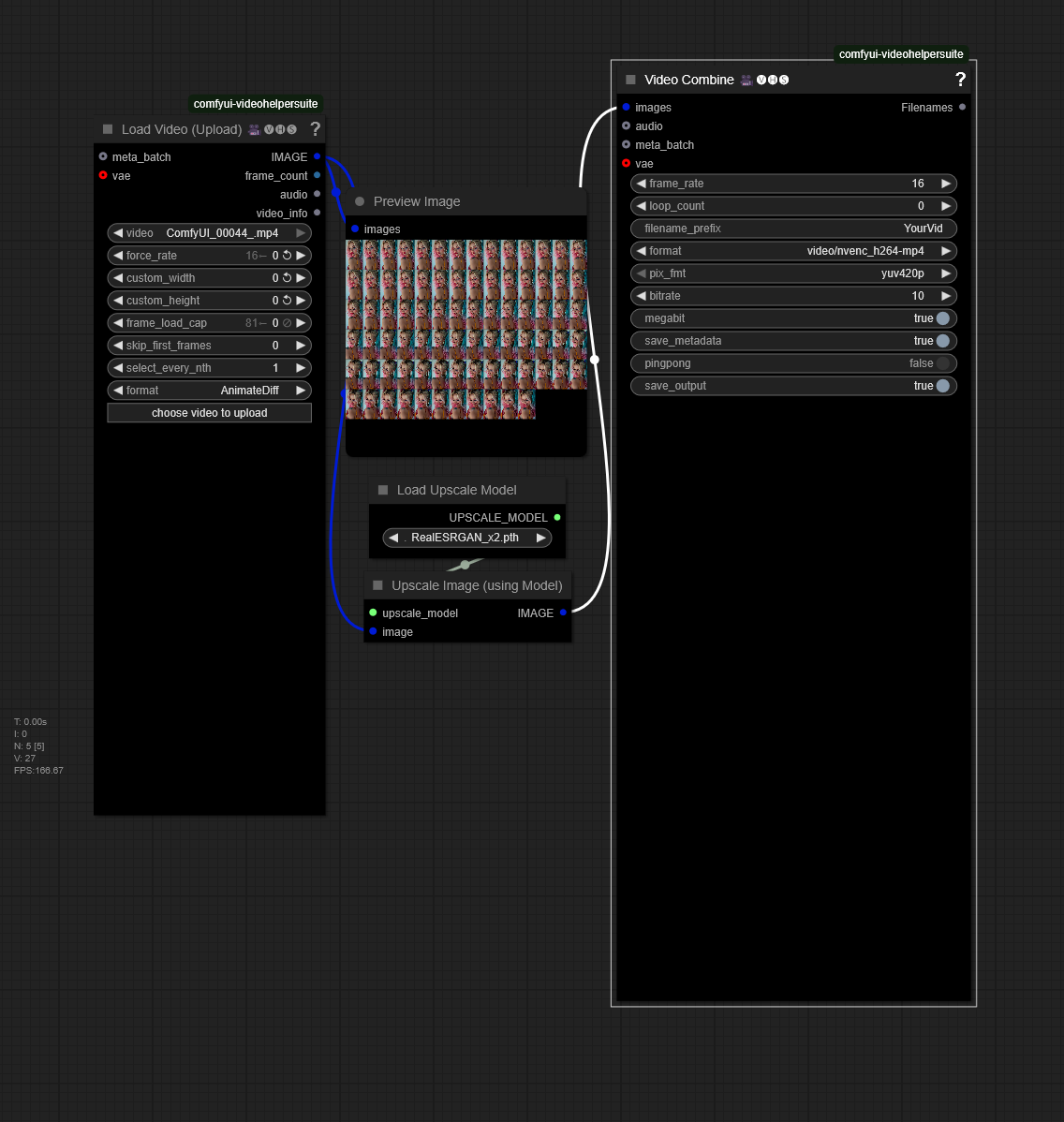
Video Upscale
Does what it says it upscaled any video. Make sure to input the same fps as the video you load or it will goto the default set on the workflow
Wan2.2 Highspeed "FreeLength(Loop Processing)" I2V Workflow for Your Scenario (use Start/End Image for FLF2V)
AboutThis is an I2V workflow created for Wan2.2.I just made something similar. The usage is almost the same.But, Since the video deteriorates with each loop, I reduced the degree of deterioration by setting “end_image.” in this "FLF2V Version"As a result, the prompt will be written as follows.duration (seconds) | character action | camera work | filepath-of-end_image (separate each item with a “|” symbol)When using this feature, the end images of each loop that will serve as keyframes must be prepared in advance.NoteWe have confirmed that the quality of the generated video deteriorates when the frame rates of KSampler's input and output are different.In some cases, there is no problem. Examples are as follows.1 sec 30 fps -> Input: 31 - Output: 29 (Mismatch)2 sec 30 fps -> Input: 61 - Output: 613 sec 30 fps -> Input: 91 - Output: 89 (Mismatch)Therefore, we have implemented a mechanism to adjust the output frame count per loop.
Multi-GPU in ComfyUI (local, remote and cloud GPUs)
ComfyUI Distributed ExtensionI've been working on this extension to solve a problem that's frustrated me for months - having multiple GPUs but only being able to use one at a time in ComfyUI AND being user-friendly.What it does:Local workers: Use multiple GPUs in the same machineRemote workers: Harness GPU power from other computers on your networkCloud Workers: GPUs hosted on a cloud service like Runpod, accessible via secure tunnelsParallel processing: Generate multiple variations simultaneouslyDistributed upscaling: Split large upscale jobs across multiple GPUsUsing Cloud Workers?Join Runpod with this link and unlock a special bonus: https://get.runpod.io/0bw29uf3ug0pReal-world performance:Ultimate SD Upscaler with 4 GPUs: before 23s -> after 7sEasily convert any workflow:Add Distributed Seed node → connect to samplerAdd Distributed Collector → after VAE decodeEnable workers in the panelWatch all your GPUs finally work together!UpscalingJust replace the Ultimate SD Upscaler node with the Ultimate SD Upscaler Distributed node.I've been using it across 2 machines (7 GPUs total) and it's been rock solid.GitHub: https://github.com/robertvoy/ComfyUI-Distributed📚 Resources:🔗 WAN 2.2 Workflow🔗 GitHub📺 Watch "Deploy Cloud Worker on RunPod" Tutorial📺 Watch the most recent update videoHappy to answer questions about setup or share more technical details!
Desaign Wan2.2 Unified
🎬 Desaign WAN2.2 Unified – Version BetaThis is the Beta release of our all-in-one video generation workflow powered by the WAN2.2-Rapid-AllInOne model — now updated with enhanced capabilities, better performance, and simplified usability.🔄 What’s New in the Beta Version:✅ Text-to-Image support added: You can now start from a prompt directly, no base image required.⚡ Simplified setup with Fast Group Bypasser: Activate or skip components instantly for a smoother user experience.🔗 Updated to WAN2.2 v4: The workflow now links to the latest version (v4) of the WAN2.2 model by Phr00t, with improved adherence and visual quality.We strongly recommend switching to these updated models — they perform better across the board.📊 Performance Notes:All preview videos were generated at 640×480, around 40 seconds long, on an NVIDIA 3090 Ti (24 GB VRAM).First and last frame (FLF) is currently not available due to technical constraints in this release — an update will be pushed once this feature is possible with the current setup.🎥 Desaign WAN2.2 Unified ALPHA – Streamlined Power for Video GenAIIntroducing our latest workflow: Desaign WAN2.2 Unified — a one-stop solution built to harness the full capabilities of the WAN2.2-Rapid-AllInOne model by Phr00t.This tool is designed to make image-to-video generation effortless, fast, and visually striking — perfect for creators who want speed without sacrificing quality.🔧 Key Features:All-In-One WAN2.2 Integration: Includes WAN 2.1 VAE, umt5xxl CLIP, and Lightx2v + PUSA LoRAs — already embedded in the workflow for plug-and-play usage.Automatic Image Resizing: The input image is automatically resized vertically to ensure ideal video framing.Simple Duration Control: A single “Duration (s)” slider replaces frame count math. Tested up to 7 seconds with stable results.Built-in Video Upscaling: Videos are upscaled 1.5x (Resize) and then 2x with RealESRGAN, for crisp, high-res results.Optional RIFE Interpolation: Generate smooth in-between frames for fluid motion with a toggle.Final Frame Export: Automatically saves the last frame of your animation as a separate image — ideal for previews or thumbnails.📦 Zero Configuration RequiredEverything’s ready out of the box. No need to download extra models — it's all linked and embedded in the workflow.🧪 Recommended UsagePerfect for stylized and semi-realistic animations. The workflow is stable up to 7 seconds; longer durations may vary based on your system.🧠 Part of the Desaign Tool SuiteFocused on clarity, efficiency, and creative freedom.💬 Need help or want to share your results?Join our community on Discord:👉 https://discord.gg/82W94bqxzPWe’re happy to assist, showcase your work, and collaborate on what's next.
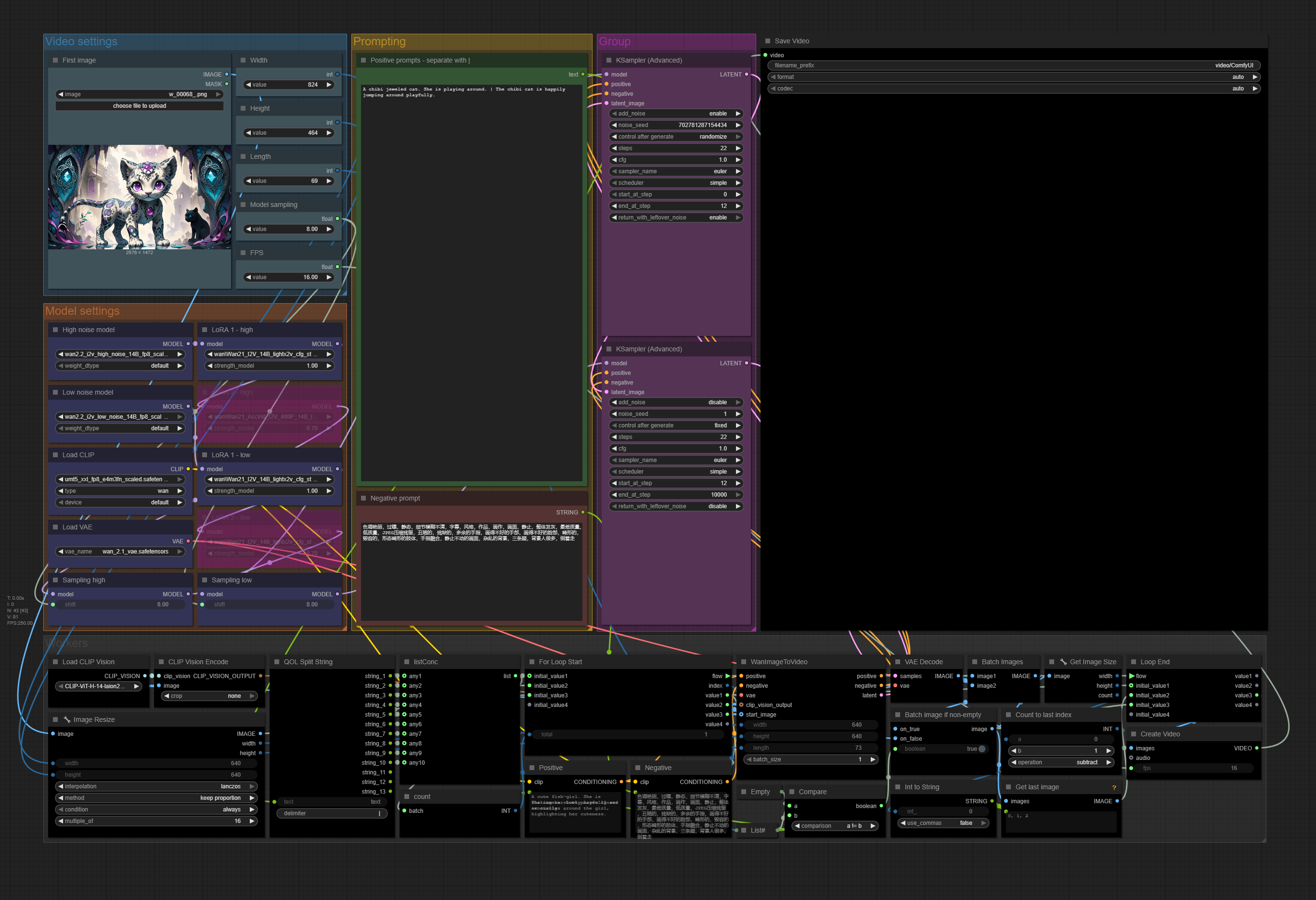
WAN 2.2 I2V - Simple multiple prompt/video loop
A very simple WAN 2.2 workflow, aimed to make as simple as the native one while being able to create any number between 1 and 10 videos to be stitched together.Uses the usual attempt of previous video's last frame to next video's first frame.You manually only need to input it like the native workflow (as in: load models - optionally with LoRAs -, load first frame image, set image size and length).The main difference is the prompting:Input multiple prompts separated by "|" to generate multiple videos using the last frame.Since there's no VACE model of 2.2 available currently you can expect a loss of motion in between, but generally speaking even 30-50 second videos turn out better than with WAN 2.1 according to my (limited) tests.Support me through paypal: [email protected]
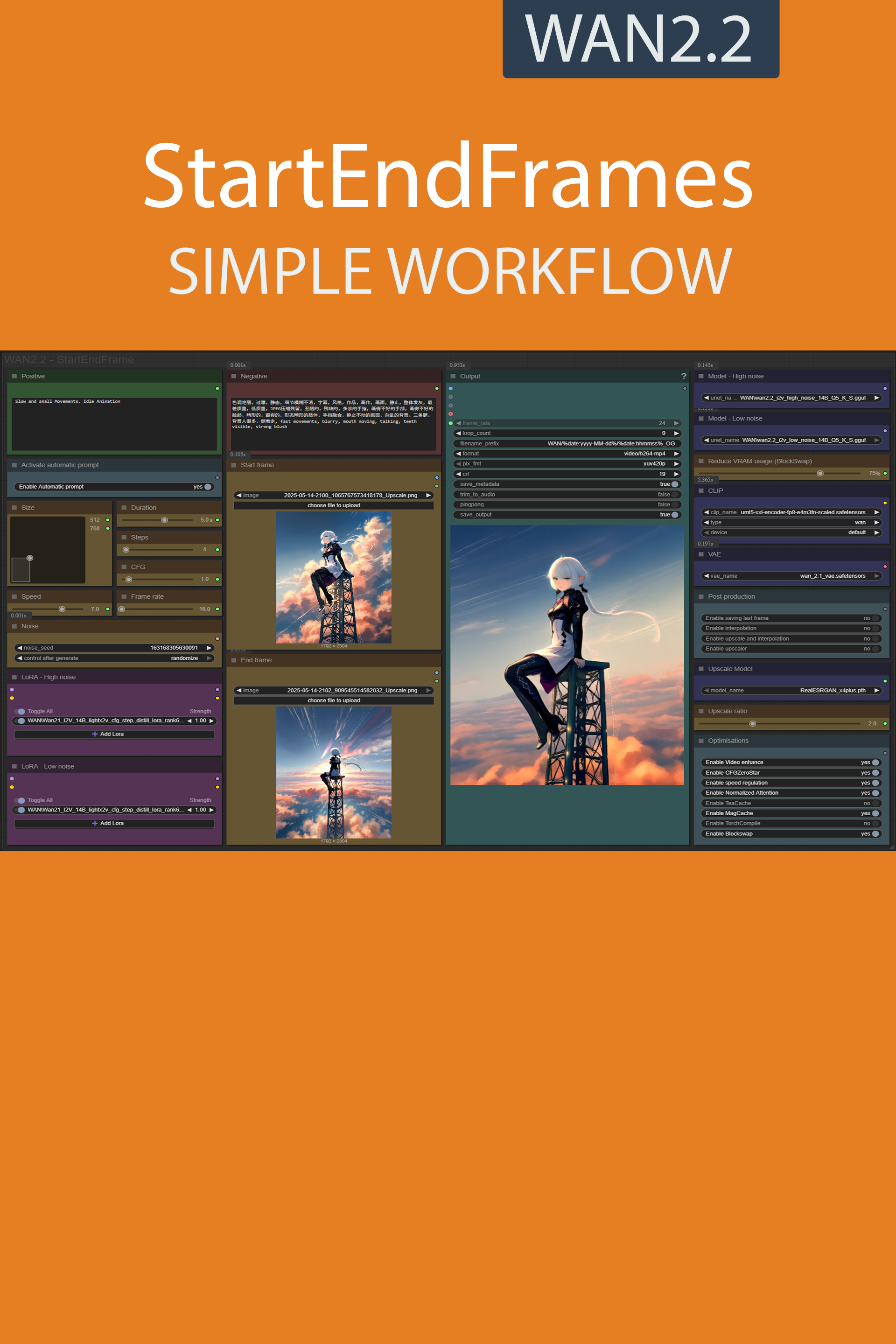
StartEndFrames simple workflow WAN2.2 | GGUF | LoRA | UPSCALE | Fast LoRA
Resources you need:📂Files :For base versionI2V Model : wan2.2_i2v_high_noise_14B_fp8_scaled.safetensors and wan2.2_i2v_low_noise_14B_fp8_scaled.safetensorsIn models/diffusion_modelsCLIP: umt5_xxl_fp8_e4m3fn_scaled.safetensorsin models/clipFor GGUF versionI2V Quant Model : wan2.2_i2v_high_noise_14B_QX.gguf and wan2.2_i2v_low_noise_14B_QX.ggufIn models/unetQuant CLIP: umt5-xxl-encoder-QX.ggufin models/clipFor lightx2V versionlightx2V LoRA : Wan21_I2V_14B_lightx2v_cfg_step_distill_lora_rank64.safetensorsVAE: wan_2.1_vae.safetensorsin models/vaeANY upscale model:Realistic : RealESRGAN_x4plus.pthAnime : RealESRGAN_x4plus_anime_6B.pthin models/upscale_models📦Custom Nodes :ComfyUI-Custom-ScriptsComfyUI-GGUFComfyUI-KJNodesComfyUI-VideoHelperSuiteComfyUI-mxToolkitrgthree-comfyComfyUI-Frame-InterpolationWAS Node SuiteComfyUI-Florence2ComfyUI-Upscaler-TensorrtComfyUI-MultiGPUComfyUI-Lora-ManagerComfyUI-wanBlockswap

Simple I2V WAN2.2
Simple Image to video workflow for wan2.2.

wan2.2_I2V_14B_interpolation_upscale_gguf_4step
Fast and simple. wan2.2 gguf img2vid with interpolation and upscale
H-百变星君-Infinite Variations WF
Some people want a workflow https://civitai.com/models/1811141/h-infinite-variations?modelVersionId=2049587

Wan 2.1 IMAGES T2i Workflow ( Vs Flux)
Watch the video to know more and all the links are in the description for the videoIn the video i compare wan 2.1 IMAGES to Flux
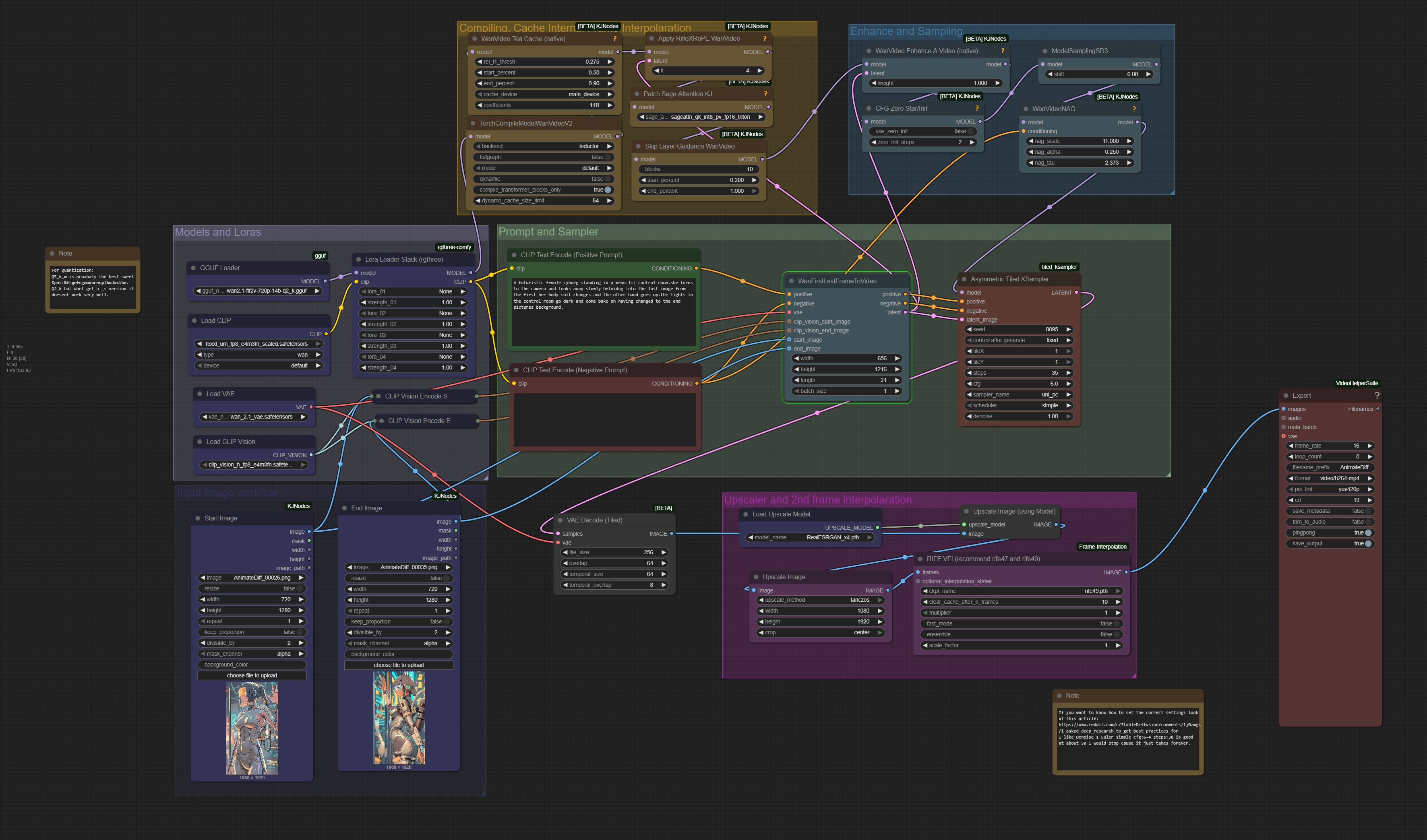
WAN 2.1 FLF2V: Simple ComfyUI Workflow for First-Last Frame Video Generation (Low VRAM Friendly, Laptop)
THIS MODEL PAGE IS OUTDATED CHECK OUT MY ULTIMATE WORKFLOW IT INCLUDES FIRST FRAME LAST FRAME:https://civitai.com/models/1309674?modelVersionId=1496495
Pusa V1 + Wan Workflow ( Smooth Video + Fix Jittery Video )
Watch the video to know more and necessary files are in the description of the video
Wan 2.1 FusionX I2V GGUF workflow (Fusionx 쉬운 워크플로우 공유- AI는 에이원)
🎬 Create videos faster and easier with the fusionx gguf model in wan 2.1This workflow is designed to be as beginner-friendly as possible,so even if you're new to AI video generation, you'll be able to follow along with ease.Using the fusionx gguf model simplifies image creation,and applying caus vid LoRA allows you to produce high-quality videos with fewer steps.============================================================🎬 wan 2.1 - fusionx- gguf 모델로 쉽게 영상 만드는 워크플로우이 워크플로우는 AI 영상 제작이 처음인 분들도 이해하기 쉽게 구성했어요.복잡한 설정 없이 fusionx gguf 모델을 활용하면 이미지 생성이 훨씬 간편해지고,caus vid LoRA까지 적용하면 적은 스텝으로도 자연스럽고 고퀄리티 영상 제작이 가능합니다.처음 도전하는 분들께도 강력 추천!->모델에 필요한 링크 업데이트 예정입니다.A1 [contact & follow & like & Buzz]Mail : [email protected] : https://civitai.com/user/a01demortYoutube : https://www.youtube.com/@A01demortInstagram : https://www.instagram.com/a01demort/Naver Cafe : https://cafe.naver.com/sdfkoreasdhotline : https://sdhotline.com/#스테이블 AI 코리아 #A1 #AI는 에이원 #대한민국 AI 커뮤니티#A01demort
Wan 2.1 Image to Video Loop | Workflow
This workflow references one image as the start and end frame to create a loop video. It has the ability to remove frames from the start and end of the video to enable a smoother loop transition. I recommend at least 12GB of VRAM. Video Generation requires good hardware.-Lowering the CFG will improve generation times but also reduce motion.-Anything over 4 seconds might fail or take forever. 3 seconds is the ideal video length for loop----------This workflow is a combination of IMG to VIDEO simple workflow WAN2.1 and Wan 2.1 seamless loop workflowI recommend this workflow to be used with the Live Wallpaper Fast Fusion model.I don't know anything about licenses so use at your own risk.----------The Automatic Prompt function requires Ollama. The installation process is more than just installing a node in ComfyUII recommend the gemma3 model with visionTo maximize output quality, you can enter this in Ollama to generate motion-aware prompts for your images:You are an expert in motion design for seamless animated loops. Given a single image as input, generate a richly detailed description of how it could be turned into a smooth, seamless animation. Your response must include: ✅ What elements **should move**: – Hair – Eyes – Clothing or fabric elements – Light effects – Floating objects if they are clearly not rigid or fixed 🚫 And **explicitly specify what should remain static**: – Rigid structures (e.g., chairs, weapons, metallic armor) – Body parts not involved in subtle motion (e.g., torso, limbs unless there’s idle shifting) – Background elements that do not visually suggest movement ⚠️ Guidelines: – The animation must be **fluid, consistent, and seamless**, suitable for a loop – Do NOT include sudden movements, teleportation, scene transitions, or pose changes – Do NOT invent objects or effects not present in the image (e.g., leaves, particles, dust) – Do NOT describe static features like colors, names, or environment themes – Return only the description (no lists, no markdown, no instructions, no think)----------📂Files :I recommend this workflow to be used with the Live Wallpaper Fast Fusion model.Put it in models/diffusion_modelsFor regular versionCLIP: umt5_xxl_fp8_e4m3fn_scaled.safetensorsin models/clipFor GGUF version>24 gb Vram: Q8_016 gb Vram: Q5_K_M<12 gb Vram: Q3_K_SQuant CLIP: umt5-xxl-encoder-QX.ggufin models/clipCLIP-VISION: clip_vision_h.safetensorsin models/clip_visionVAE: wan_2.1_vae.safetensorsin models/vaeANY upscale model:Realistic : RealESRGAN_x4plus.pthAnime : RealESRGAN_x4plus_anime_6B.pthin models/upscale_models----------Nodes:ComfyUI-Custom-Scriptsrgthree-comfyComfyUI-Easy-UseComfyUI-KJNodesComfyUI-VideoHelperSuiteComfyUI_essentialsComfyUI-Frame-Interpolationcomfyui-ollamaComfyUI-mxToolkitwas-node-suite-comfyuiComfyUI-WanStartEndFramesNative
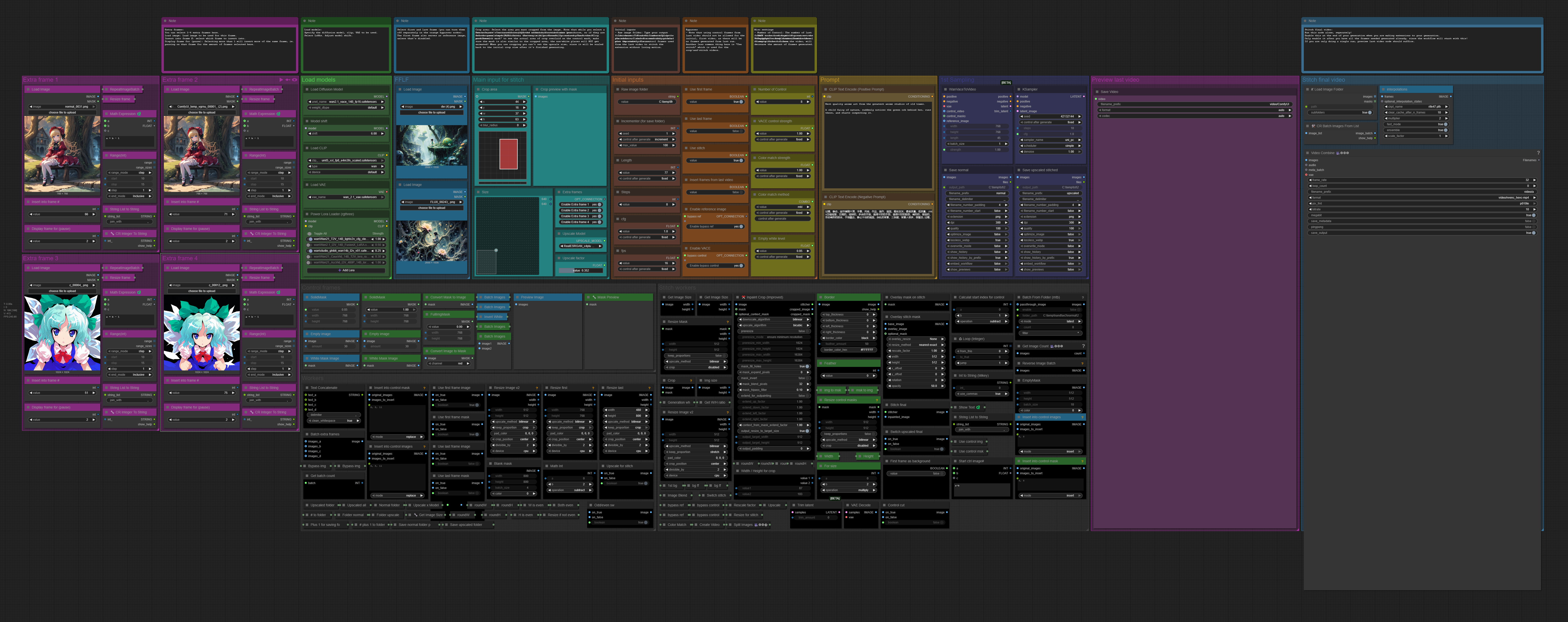
WAN 2.1 VACE - Extend, Crop+Stitch, Extra frame workflow
A workflow that lets you extend a video using any number of frames from the last generation, crop and stitch (automatically resize the cropped image to the given video size then scales it back), and add 1-4 extra frames per run to the generation.Extra framesYou can select 1-4 extra frames here.Load image: Load image to be used for this frame.Insert into frame #: select which frame to insert into.Display frame for (pause): Selecting more than 1 will insert more of the same frame, ie. pausing on that frame for the amount of frames selected here.Load modelsSpecify the diffusion model, clip, VAE to be used.Select LoRAs. Adjust model shift.FFLFSelect first and last frame (you can turn them off separately in the orange bypasser nodes).The first frame also serves as reference image, unless that's disabled.Main input for stitchCrop area: Select the area you want cropped from the image. Note that while you select a box here, it's ratio will be adjusted to match the video size you choose, so if they are not the same shape (W/H ratio), the crop will be forcefully resized. Check the "Crop preview with mask" to see the actual area of crop overlaid on the control mask; make sure the mask is also similar to the cropped area, the non-white places will NOT get animated! When you use cropping you can't set the upscale size, since it will be scaled back to the initial crop size after it's finished generating.Extra frames: You can turn on/off the additional extra frames here.Select upscale model and factor (latter is only relevant for non-crop-and-stitch workflows).Initial inputsRaw image folder: Type your output folder here. The saved frames will be placed here, labeled normal and upscaled plus the number of runs.Incrementer: Used for indentifying the the number of runs for extending video, most importantly the control frames used from the last video to stitch the extension without losing motion.BypassesNote that using control frames from last video should not be allowed for the initial, first video, as there will be no frames generated from last run. Another less common thing here is "Use stitch" which is used for the crop-and-stitch videos.Misc settingsNumber of Control: The number of last frames to be used from the previous run. This helps to keep motion, but as these frames will be cut from the video, will decrease the amount of frames generated.VACE control strength: You can set the strength of contol frames / masks here.Empty white level: set the white level of empty control frames.Stitch final video:Run this node alone, seperately!Enable this at the end of your generation when you are making extensions to your generation.Only enable it after you have all the frames needed generated already, since the workflow will start with this!If you are only doing a single run, preview last video node should suffice.Please consider supporting me on PayPal!
WAN Video FantasyTalking in just 4 Steps⚡with Lightx2v Distill LORA + Upscale
Models Downloadhttps://huggingface.co/Kijai/WanVideo_comfy/tree/mainSettingsWan21_T2V_14B_lightx2v LORA - Strenght must be 1Steps - 4CFG - 1Scheduler - lcmBased on the resolution time will varyIn my RTX 4070 12GB VRAM for 5secs video (480x832) took around 5mins
FusionX_Ingredients_Workflows
📢 7/1/2025 Update!New: FusionX Lightning WorkflowsLooking for faster video generations with WAN2.1? Check out the new FusionX_Lightning_Workflows — optimized with LightX LoRA to render videos in as little as 70 seconds (4 steps, 1024x576)!🧩 Available in:• Native • Native GGUF • Wrapper(VACE & Phantom coming soon)🎞️ Image-to-Video just got a major upgrade!!!!!!Better prompt adherence, more motion, and smoother dynamics.⚖️ FusionX vs Lightning?Original = max realism.Lightning = speed + low VRAM, with similar quality using smart prompts.👉 Check it out here☕ Like what I do? Support me here: Buy Me A Coffee 💜Every coffee helps fuel more free LoRAs & workflows!📢 Did you know you can now use FusionX as a LoRA instead of a full base model?Perfect if you want more control while sticking with your own WAN2.1 + SkyReels setup.🔗 Grab the FusionX LoRAs HERE🔗 Or Check out the Lightning Workflows HERE for a huge speed boost.🍳 FusionX Ingredients – Mix Your Own Magic! 🧪✨Note: Do not use the FusionX model with these workflows. Use the base WAN 2.1 model instead. FusionX already has the lora's build into it so re-stacking them will result in very poor overcooked output. These workflows were made so you can adjust the lora (Fusion) settings as you see fit. - If you REALLY want to use the fusionX model, remove ALL the lora's in the WF first.We just dropped FusionX Ingredients Workflows, fully editable workflows that lets you take the wheel. All the LoRas are exposed like spices on a shelf – dial up, tone down, or bypass them to cook up your own custom "FusionX" blend. 🎛️🔥✨Video walkthroughs have been created to help you understand how they work.🍳 Image to Video walkthrough can be found HERE🍳 Text to Video walkthrough can be found HEREThese workflows are a playground for creators who want to fine-tune their style.🎯 Why Use FusionX Ingredients workflows?Total control over LoRa strength and combinationsQuickly test different combosCraft your own aestheticWorks with WAN 2.1 14B, and SkyReels🧠 What’s Inside?Every LoRa that made FusionX great — now fully adjustable:CausVid – Better scene flow + dramatic speed bootAccVideo – realism + speed boostMoviiGen1.1 – Cinematic details and lighting (T2V only)MPS Reward – sharp motion dynamics and qualityTexture/Clarity LoRas – subtle, clean detailing⚡ How to Use It:Load a workflowToggle LoRa's on/offAdjust strengths and run 💥Go subtle. Go full chaos. Make it yours.🧪 Workflows included:Text to Video (Wrapper and native, gguf coming soon)Image to Video (wrapper and Native + gguf)VACE (coming soon)Phantom (coming soon)📹 Pro Tip:Try batching 2-3 versions with diff LoRa mixes — you’ll find gems you didn’t expect.⚠️ Reminder:These are research-grade components. Experiment smart, follow the usual safety and legal notes. Don’t publish or profit without doing your homework. 😉
Self Forcing First and Last Frames ( 3 Photos)
Self Forcing trains autoregressive video diffusion models by simulating the inference process during training, performing autoregressive rollout with KV caching. It resolves the train-test distribution mismatch and enables real-time, streaming video generation on a single RTX 4090 while matching the quality of state-of-the-art diffusion models.All the links in the description of the video
Movie-level camera movement diagram raw video collection
Movie-level camera movement diagram raw video collection wan 2.1https://www.runninghub.ai/post/1930199609451384834There are 11 movie-level effects, each with a corresponding activation button. After activation, upload an image and input the prompt to generate a video.Each camera movement comes with a video demonstration and annotated prompt. Based on the image you upload, you can modify the prompt to suit your needs. Whether you use manual prompts or automatic prompts, the trigger words corresponding to the camera movement will be automatically loaded. The width and height settings for video generation should be as close as possible to your image dimensions.
T2V Uncensored WAN 2.1 Text Generation Video Workflow
B-site video: https://www.bilibili.com/video/BV1dWcpeUE4v/Knowledge Planet: https://t.zsxq.com/7F90AGraphic tutorial: https://t.zsxq.com/lNK8vThe workflow is very simple to use, and I have uploaded a tutorial on how to use it on YouTube. You can try it out and follow the tutorial and Civitai's workflow to easily reproduce the results. Thank you. If you have any other questions, please leave a comment in the comment sectionThis tutorial is very important, not watching it will surely lead to a lot of problems! Watch the video tutorial before trying !!!! Very important! Especially a key point at the end!
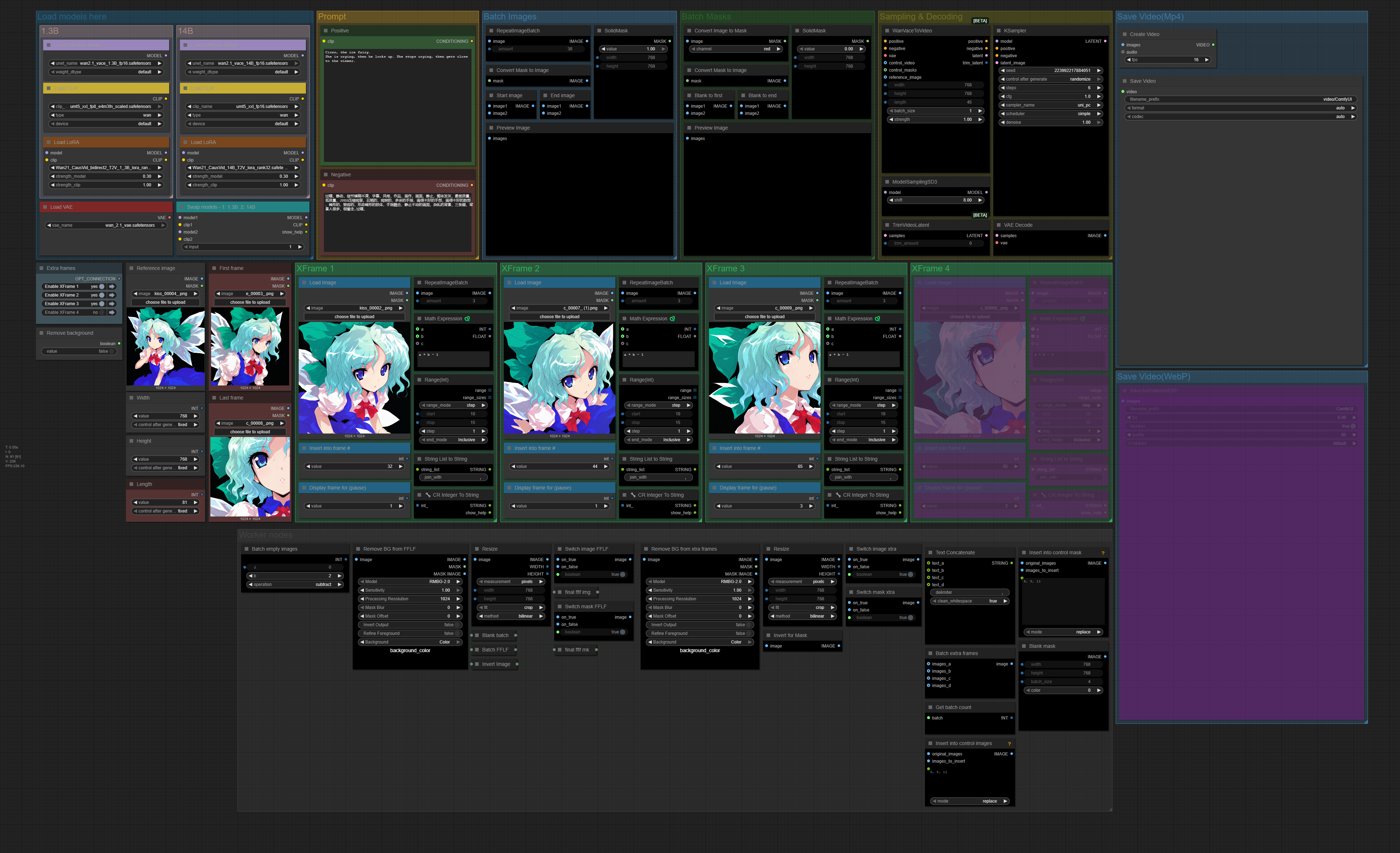
WAN 2.1 VACE - Extra Frame Control
A workflow to control WAN2.1 generation with extra frames.The workflow is build on the template for WAN2.1 VACE fflf (first frame - last frame). It lets you select extra frames, insert them into the frame you want them, and optionally set them to display for more frames.If you'd like to show support, paypal.me!If you want a workflow built, extended contact me here, or via mail: [email protected]!
Non-Diffusion Rapid Video Magnification Repair V2
B-site video: https://www.bilibili.com/video/BV1dWcpeUE4v/Knowledge Planet: https://t.zsxq.com/7F90AGraphic tutorial: https://t.zsxq.com/lNK8vThe workflow is very simple to use, and I have uploaded a tutorial on how to use it on YouTube. You can try it out and follow the tutorial and Civitai's workflow to easily reproduce the results. Thank you. If you have any other questions, please leave a comment in the comment sectionThis tutorial is very important, not watching it will surely lead to a lot of problems! Watch the video tutorial before trying !!!! Very important! Especially a key point at the end!
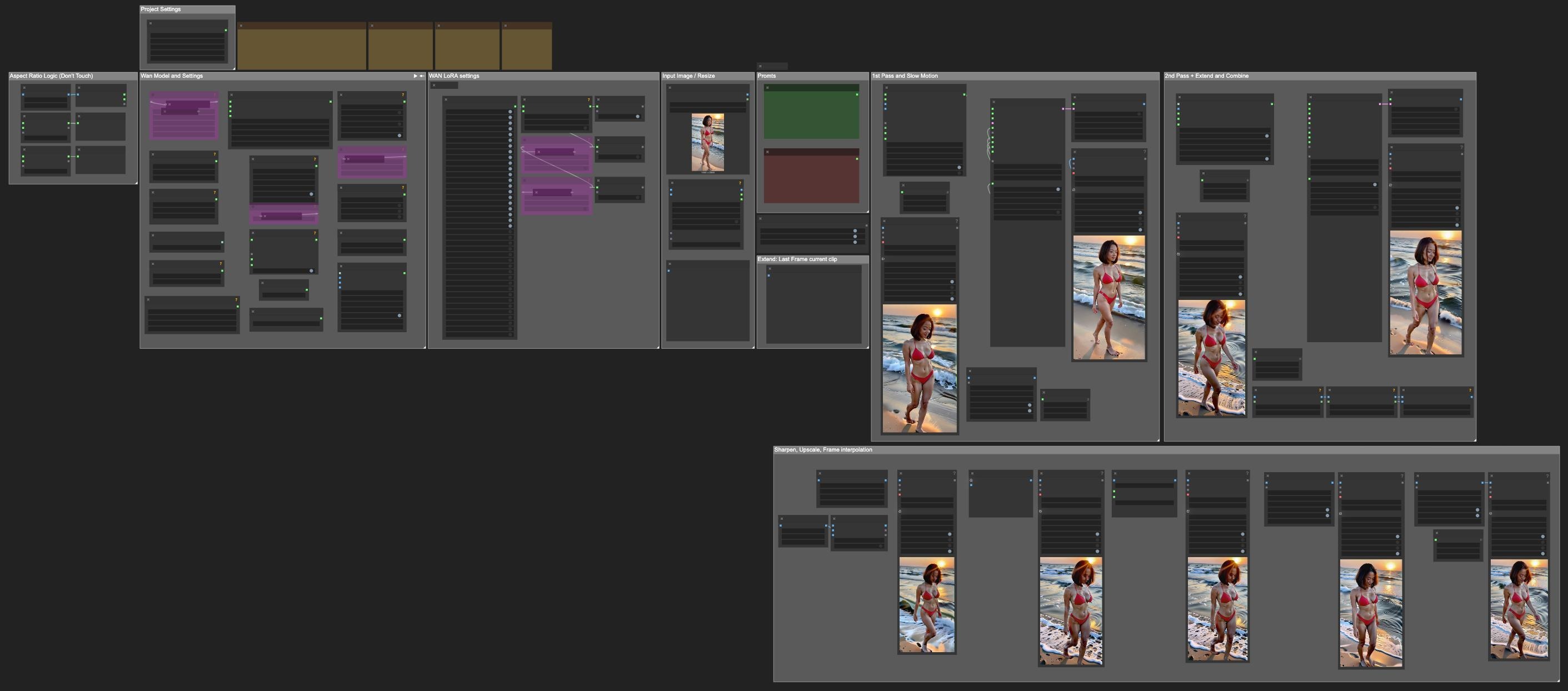
Kiko WanWrapper
🎞️ ComfyUI Image-to-Video Workflow - WAN 2.1 Wrapper (Kiko WAN v3)This is a high-performance, multi-pass Image-to-Video workflow for ComfyUI, powered by the WAN 2.1 Wrapper, with advanced optimizations like torch.compile and Sage Attention for faster and smarter frame generation. I tried to expose all the settings that Kijai exposes that I can understand 😉, This is not the fastest workflow you will find on here, but it is one I use to make 20 secons videos.Crafted with ❤️ on Arch Linux BTW, using an RTX 4090 and 128 GB of RAM—this setup is tuned for heavy-duty inference and silky-smooth video generation.🚀 Features🧠 WAN 2.1 Wrapper for cinematic image-to-video transformations🔂 Two-pass generation: initial + refinement/extension🐌 Optional Slow Motion + Frame Interpolation (RIFE, FILM, etc.)🧽 Sharpening and Upscaling (e.g., RealESRGAN, SwinIR)🛠️ Includes torch.compile for faster inference🌀 Integrates Sage Attention for improved attention efficiency📏 Customizable prompts, seed, duration, and aspect ratio logic🌀 Final loop polish with "Extend Last Frame"⚙️ System SpecsOS: Arch Linux (rolling release)GPU: NVIDIA RTX 4090 (24GB VRAM)RAM: 128 GB DDR5Python: 3.12.9 via pyenvComfyUI: Latest build from GitHubtorch: 2.x with torch.compile enabledSage Attention: Enabled via patched attention mechanism🛠️ Workflow Overview🔹 Input & ResizeDrop an image and optionally resize to fit WAN 2.1's expected input.🔹 WAN 2.1 Wrapper CoreUses torch.compile for speed boostEnhanced with Sage Attention (set via the custom node or environment)🔹 Pass 1: Generate + Optional Slow MotionFrame-by-frame synthesisAdd slow motion via interpolation node (RIFE or FILM)🔹 Pass 2: Extend + MergeExtends the motion, ensures smoother transitionsCombines motion with refined prompt guidance🔹 Final PolishSharpening and UpscalingFinal interpolation if neededLoop-ready output by extending the last frame🧪 Performance TipsTune torch compile for you system, they are all different, my setting might not work for you.For Sage Attention:Use the nodeRunning on lower-end GPUs? Disable upscaling and reduce frame count.🧰 RequirementsComfyUIWAN 2.1 Wrapper NodeOptional:RIFE, FILM, or DAIN for interpolationRealESRGAN / SwinIR for upscalingSage Attention patch or node▶️ How to UseLoad the kiko-wan-v3.json file into ComfyUI.Drop your image into the input node.Customize prompts, duration, and frame count.Click Queue Prompt to generate.Your video will be rendered in the output folder.📁 Fileskiko-wan-v3.json — Exported workflow (coming soon)kiko-wan-v3.png — Workflow diagram🧠 Inspirations & CreditsComfyUIWAN 2.1 WrapperReal-ESRGAN, RIFE, FILM, Sage Attention contributorsArch Linux + NVIDIA ecosystem for elite workstation performance 😉💡 Future PlansAdd batch image-to-video modeAudio?⚙️ Custom Nodes Used in kiko-wan-wrapper-v3.jsonAnything Everywhere: https://github.com/chrisgoringe/cg-use-everywhereDisplay Any (rgthree): https://github.com/rgthree/rgthree-comfyFast Bypasser (rgthree): https://github.com/rgthree/rgthree-comfyFast Groups Bypasser (rgthree): https://github.com/rgthree/rgthree-comfyGetImageRangeFromBatch: https://github.com/kijai/ComfyUI-KJNodesGetImageSize+: https://github.com/cubiq/ComfyUI_essentialsGetNode: https://github.com/kijai/ComfyUI-KJNodesSetNode: https://github.com/kijai/ComfyUI-KJNodesImage Filter: https://github.com/chrisgoringe/cg-image-filterImageBatchMulti: https://github.com/kijai/ComfyUI-KJNodesImageFromBatch+: https://github.com/cubiq/ComfyUI_essentialsImageListToImageBatch: https://github.com/ltdrdata/ComfyUI-Impact-PackImageResizeKJ: https://github.com/kijai/ComfyUI-KJNodesInt: https://github.com/M1kep/ComfyLiteralsLoadWanVideoClipTextEncoder: https://github.com/kijai/ComfyUI-WanVideoWrapper/LoadWanVideoT5TextEncoder: https://github.com/kijai/ComfyUI-WanVideoWrapper/MarkdownNote: NOT FOUNDPlaySound|pysssss: https://github.com/pythongosssss/ComfyUI-Custom-ScriptsProjectFilePathNode: https://github.com/MushroomFleet/DJZ-NodesRIFE VFI: https://github.com/Fannovel16/ComfyUI-Frame-InterpolationReActorRestoreFace: https://github.com/Gourieff/ComfyUI-ReActorSeed Generator: https://github.com/giriss/comfy-image-saverSimpleMath+: https://github.com/cubiq/ComfyUI_essentialsText Input [Dream]: https://github.com/alt-key-project/comfyui-dream-projectVHS_VideoCombine: https://github.com/Kosinkadink/ComfyUI-VideoHelperSuiteWanVideoBlockSwap: https://github.com/kijai/ComfyUI-WanVideoWrapper/WanVideoDecode: https://github.com/kijai/ComfyUI-WanVideoWrapper/WanVideoEnhanceAVideo: https://github.com/kijai/ComfyUI-WanVideoWrapper/WanVideoFlowEdit: https://github.com/kijai/ComfyUI-WanVideoWrapper/WanVideoImageClipEncode: https://github.com/kijai/ComfyUI-WanVideoWrapper/WanVideoLoopArgs: https://github.com/kijai/ComfyUI-WanVideoWrapper/WanVideoLoraBlockEdit: https://github.com/kijai/ComfyUI-WanVideoWrapper/WanVideoLoraSelect: https://github.com/kijai/ComfyUI-WanVideoWrapper/WanVideoModelLoader: https://github.com/kijai/ComfyUI-WanVideoWrapper/WanVideoSLG: https://github.com/kijai/ComfyUI-WanVideoWrapper/WanVideoSampler: https://github.com/kijai/ComfyUI-WanVideoWrapper/WanVideoTeaCache: https://github.com/kijai/ComfyUI-WanVideoWrapper/WanVideoTextEncode: https://github.com/kijai/ComfyUI-WanVideoWrapper/WanVideoTorchCompileSettings: https://github.com/kijai/ComfyUI-WanVideoWrapper/WanVideoVAELoader: https://github.com/kijai/ComfyUI-WanVideoWrapper/WanVideoVRAMManagement: https://github.com/kijai/ComfyUI-WanVideoWrapper/

Nunchaku0.30 Official INT4 T5CLIP Mono Model
B-site video: https://www.bilibili.com/video/BV1dWcpeUE4v/Knowledge Planet: https://t.zsxq.com/7F90AGraphic tutorial: https://t.zsxq.com/lNK8vThe workflow is very simple to use, and I have uploaded a tutorial on how to use it on YouTube. You can try it out and follow the tutorial and Civitai's workflow to easily reproduce the results. Thank you. If you have any other questions, please leave a comment in the comment sectionThis tutorial is very important, not watching it will surely lead to a lot of problems! Watch the video tutorial before trying !!!! Very important! Especially a key point at the end!