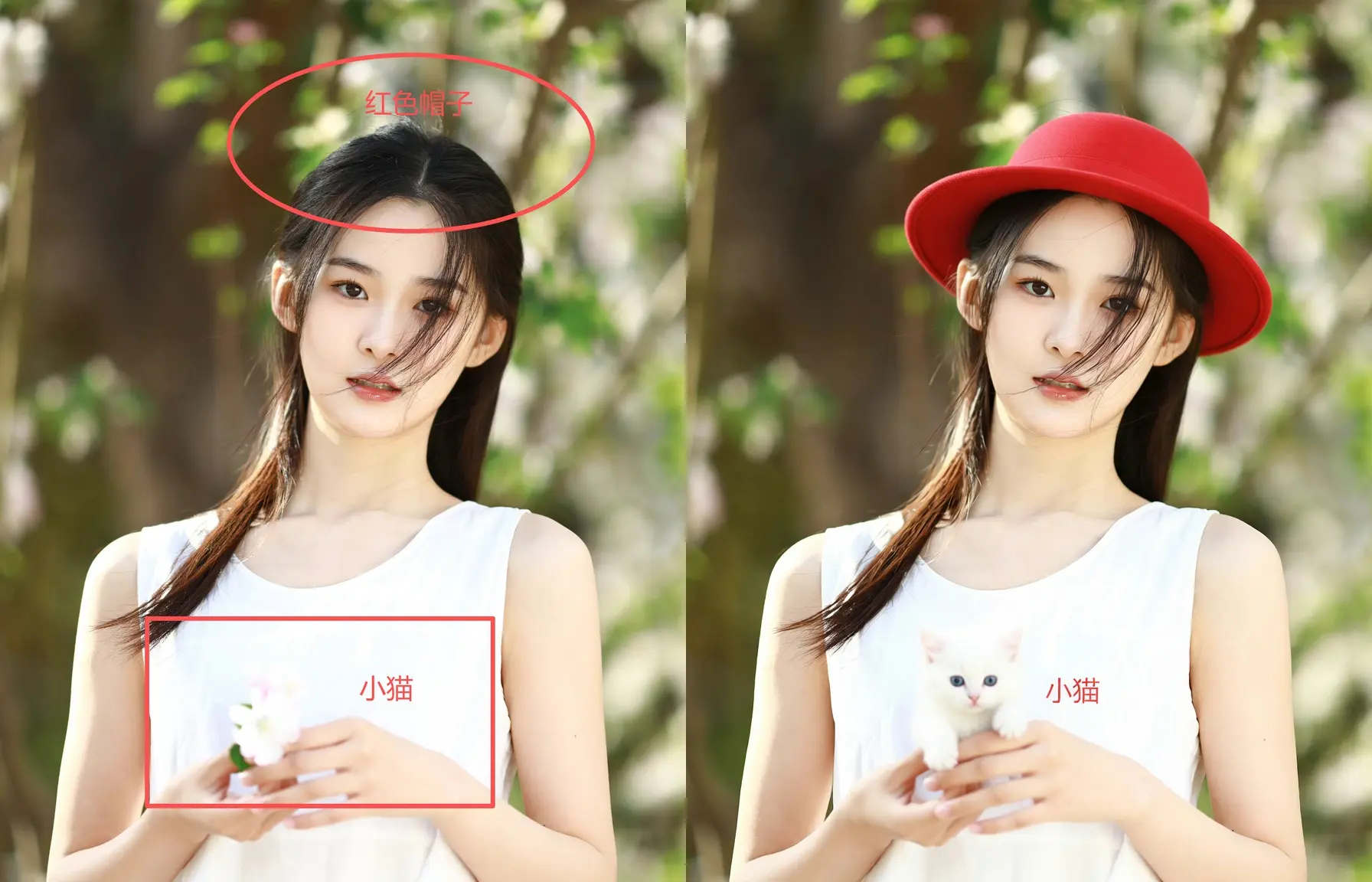
Qwen-edit-plus Hidden Features -- Text Annotation Image Editing

About this model
This workflow introduces a new approach to qwen-edit: simply select the area you want to edit, then annotate the elements to be modified with text to generate the desired result. Combined with the prompt expansion plugin, it unlocks even more creative possibilities.
Prompt Expansion Plugin URL: />
You can click the link below to run this workflow in the cloud, or download it to run locally,
Click the link below to register and instantly receive 1000 points. Enjoy the 4090 graphics card and get 48GB of VRAM as a bonus!
workflow is extremely simple to operate. I've uploaded a tutorial on YouTube demonstrating its use. You can try it yourself and easily replicate the results by following the tutorial and Civitai's workflow. Thank you for your attention. If you have any further questions, please leave a comment below.
This tutorial is absolutely essential—skipping it will inevitably cause numerous problems! You MUST watch the video tutorial before proceeding!!!! This is critically important! Especially the key points at the end!
Related Models
Similar AI models you may like
ON-THE-FLY 实时生成!Wan-AI 万相/ Wan2.1 Video Model (multi-specs) - CausVid&Comfy&Kijai - workflow included

【WAN2.1】IMG to VIDEO

ComfyUI Image Workflows
WAN 2.2 Workflow T2V-I2V-T2I (Kijai Wrapper)
![[Lah] Mysterious | Qwen update](https://image.civitai.com/xG1nkqKTMzGDvpLrqFT7WA/b8311d6a-6426-4b4c-9c2d-92cc150d29bb/original=true/109006828.jpeg)
[Lah] Mysterious | Qwen update

Hunyuan 🌻 AllInOne

Moody Simple Zimage Turbo/Distilled Workflow
