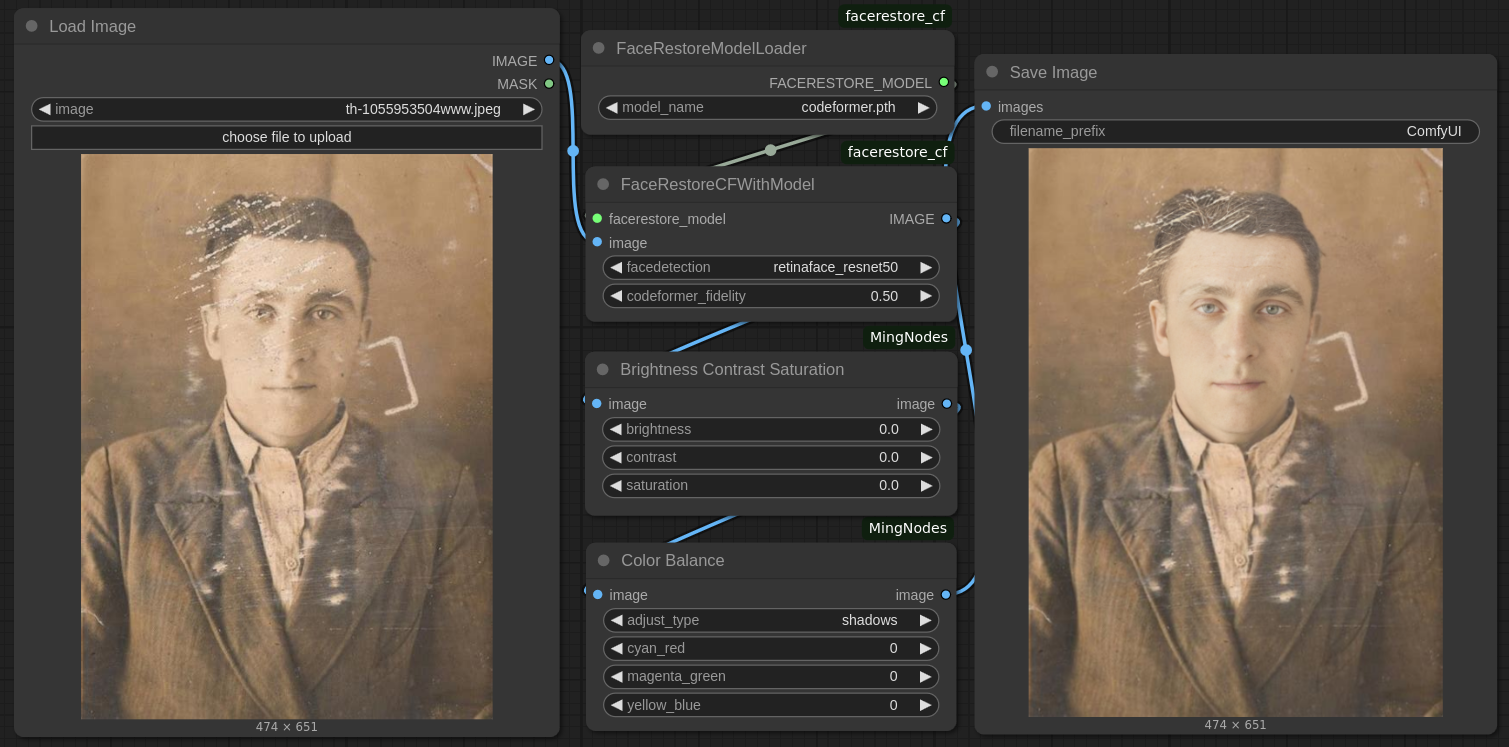
Img2img Face Repair

About this model
ComfyUI image to image face repair with brightness, contrast and color adjustment
This assumes you already have the Comfyui Manager installed. If not, you will need to install it first before using this workflow.
Download and unzip the workflow to the ComfyUI/user/default/workflows folder.
Open the workflow in Comfy. You will get a message stating the missing nodes. Close the message.
Open the ComfyUI Manager and choose “Install Missing Nodes in Workflow” and install both missing nodes on the list. Restart and refresh.
Once the nodes are installed choose “Model Manager” and type “codeformer” in the search box and “codeformer.pth” will come up in the listing. Install it.
Then type “resnet50” in the search box and install “detection_Resnet50_Final.pth” from the list.
Restart and refresh the ComfyUI and you’re set.
Related Models
Similar AI models you may like
ON-THE-FLY 实时生成!Wan-AI 万相/ Wan2.1 Video Model (multi-specs) - CausVid&Comfy&Kijai - workflow included

【WAN2.1】IMG to VIDEO

ComfyUI Image Workflows
WAN 2.2 Workflow T2V-I2V-T2I (Kijai Wrapper)

Hand Detailer/Segmentation - ADetailer

Hunyuan 🌻 AllInOne

Moody Simple Zimage Turbo/Distilled Workflow
