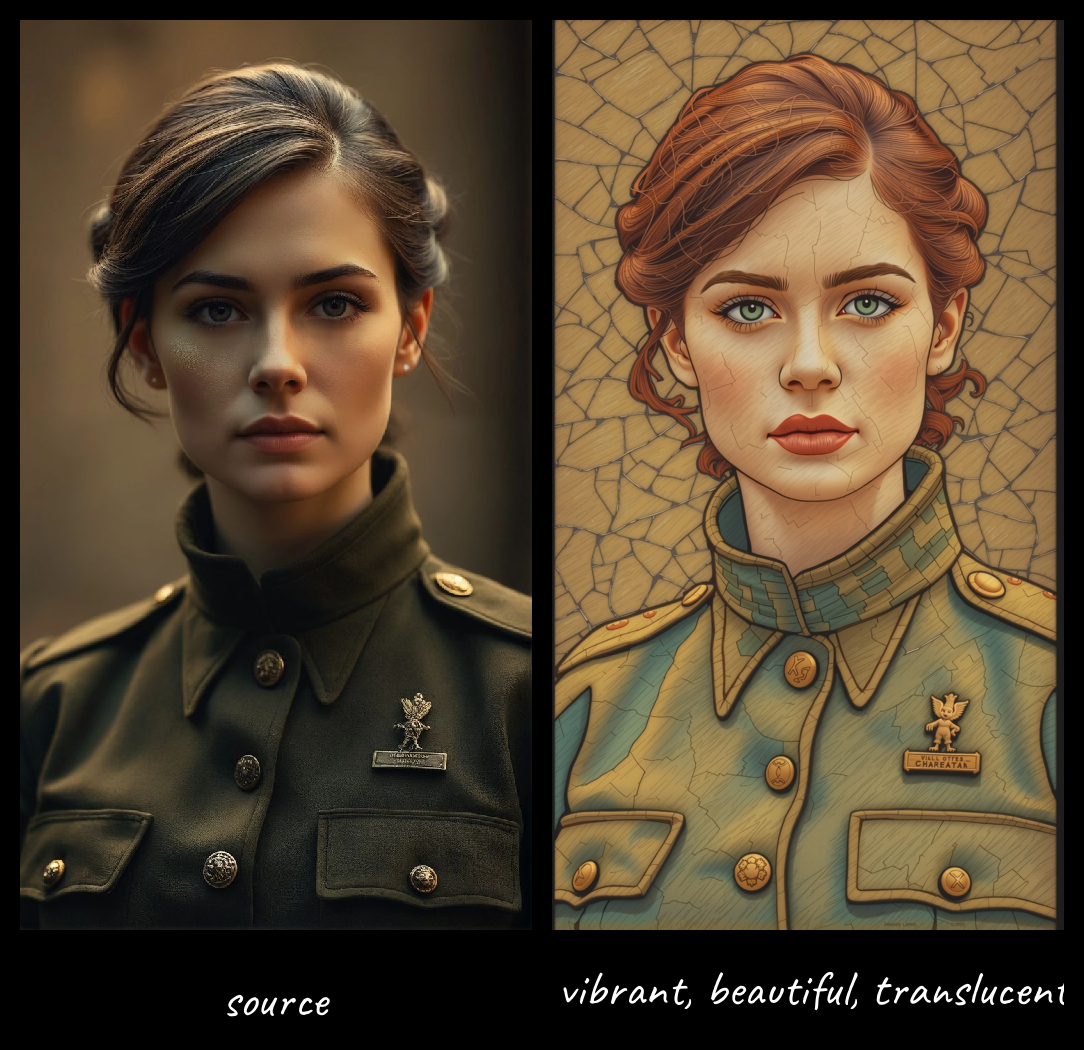
ICEdit-workflow

About this model
🔮 Transform Your Images with Natural Language Instructions
The Perfect Companion for Seamless Editing
This guide outlines a complete workflow using FluxFill-Dev with ICEdit-MoE-LoRA for powerful natural language-based image editing.
📝 Overview: The Future of Image Editing is Here
ICEdit-MoE-LoRA represents a breakthrough in AI image editing - a lightweight Low-Rank Adaptation (LoRA) module that brings professional-grade, instruction-based editing capabilities to large diffusion transformers. By intelligently fine-tuning only 1% of parameters using just 0.5% of the original training data, it achieves extraordinary editing capabilities that match or even surpass premium commercial solutions.
📌 Complete Workflow
This workflow combines FluxFill + ICEdit-MoE-LoRA for editing images with natural language instructions. For enhanced results, diffusion models like LEOPARD , Bernoulli or SPEED_Q8 with the Gemini auto prompt node in 4-8 steps.(i used very light flux model which need less steps)
A diptych with two side-by-side images of the same scene. On the right, the scene is the same as on the left but "your edit"(prostyle included just put ur edit)
🛠️ Complete Installation Guide
📁 Setup Structure
📂 ComfyUI/
├── 📂 models/
│   ├── 📂 diffusion_models/
│   │   ├── (basic)📄 fluxfill-dev.safetensors #
│   │   ├──(option1)📄 LEOPARD.gguf     #
│   │   ├──(option2)📄 Bernoulli.gguf  #
│   │   └──(option3)📄 SPEED_Q8.gguf   #
│   ├── 📂 text_encoders/
│   │   ├── (basic)📄 clip_l.safetensors
│   │   ├── (option1)📄 t5xxl_fp16.safetensors
│   │   ├── (option2)📄 t5xxl_fp8_e4m3fn.safetensors
│   │   └── (option3)📄 t5xxl_fp8_e4m3fn_scaled.safetensors
│   ├── 📂 vae/
│   │   └── 📄 ae.safetensors
│   └── 📂 lora/
│       └── 📄 ICEdit-MoE.safetensors
💎 Essential Components
✨ LoRA Models - The Magic Touch
ICEdit-MoE.safetensors - The star of the show!
🔤 Text Encoders - The Brain Behind Natural Language Understanding
Note: You only need to choose ONE of the T5XXL options below based on your hardware capabilities
clip_l.safetensors - Core understanding model
T5XXL Options (choose only one):
t5xxl_fp16.safetensors - Highest quality, more demanding
t5xxl_fp8_e4m3fn.safetensors - Balanced performance
t5xxl_fp8_e4m3fn_scaled.safetensors - Optimized for speed
🎭 VAE - The Visual Artist
ae.safetensors - Included in the FluxFill package
🖼️ Diffusion Models - The Imaging Engine
fluxfill-dev.safetensors - Core diffusion model for editing
##(You only need to choose ONE of those or use flux-dev itself its up to u)
LEOPARD.safetensors - Advanced diffusion model for refined outputs
Bernoulli.safetensors - Alternative diffusion model for enhanced generation
SPEED_Q8.gguf - Enhanced flux-dev model for improved results
Note: Any of these diffusion models can be used for efficient editing with fewer steps (4-8 steps recommended). Use flux-dev-fill for editing and flux-dev for enhancing results.
🎬 Example Instructions You Can Try
"Add a majestic castle on the mountain in the background"
"Change the color of the car from red to electric blue"
"Remove the person from the image and replace with a flowering tree"
"Transform the style to watercolor painting while maintaining all details"
"Add dramatic sunset lighting to the scene"
👨💻 Developer Information
This workflow guide was created by Abdallah Al-Swaiti:
LinkedIn Profile
GitHub
Hugging Face
For additional tools and updates, check out the OllamaGemini Node: GitHub Repository
🙏 Community Recognition
A special thank you to sanaka87 for revolutionizing open-source image editing by releasing the ICEdit-MoE-LoRA checkpoint and demos. Your contribution empowers creators everywhere and accelerates innovation across the AI art community!
Related Models
Similar AI models you may like
ON-THE-FLY 实时生成!Wan-AI 万相/ Wan2.1 Video Model (multi-specs) - CausVid&Comfy&Kijai - workflow included

【WAN2.1】IMG to VIDEO

ComfyUI Image Workflows
UltraReal Fine-Tune
Hourglass Body Shape SD1.5/SDXL/PONY/FLUX | olaz
WAN 2.2 Workflow T2V-I2V-T2I (Kijai Wrapper)
