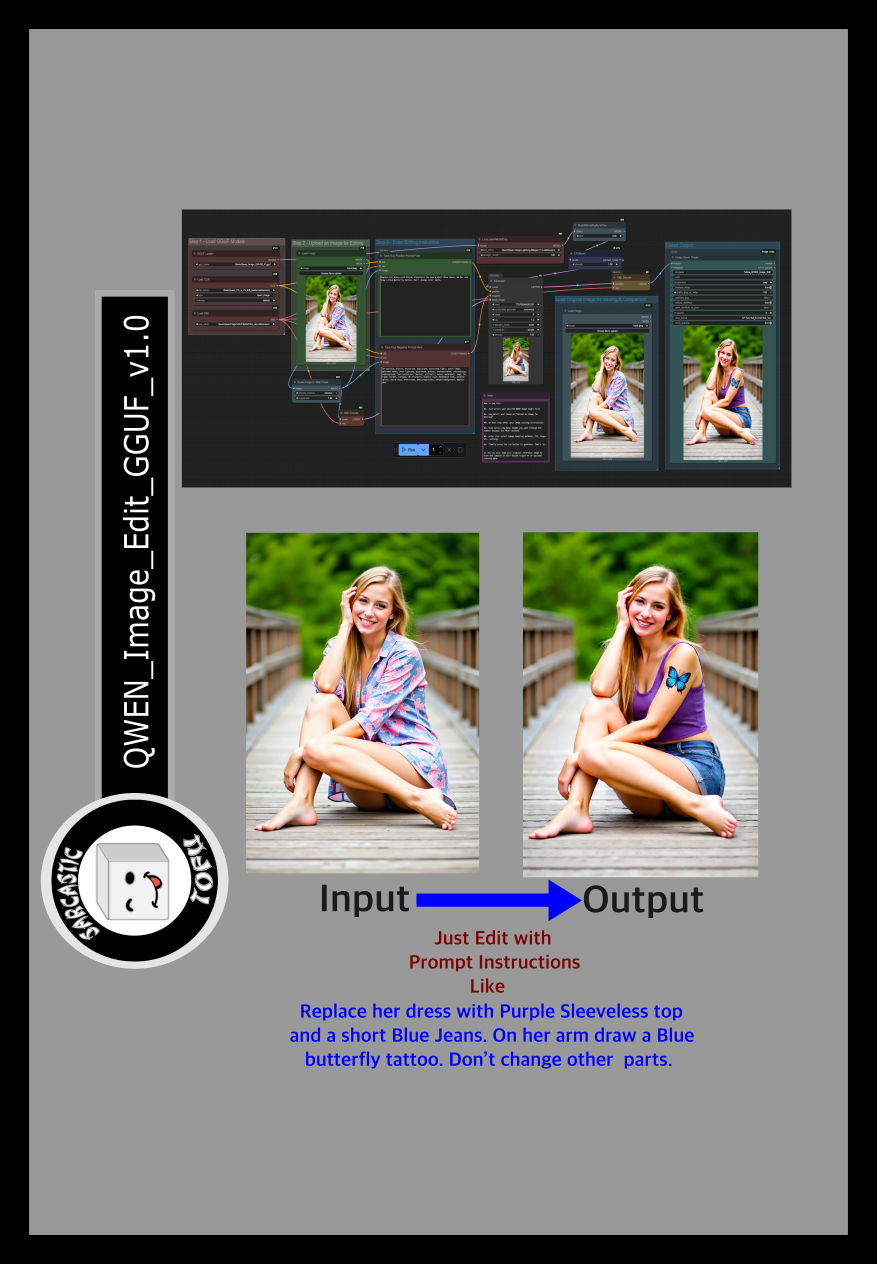
ComfyUI beginner friendly QWEN Image Edit GGUF Workflow by SarcasticTOFU

About this model
This is a very simple ComfyUI beginner friendly QWEN Image Edit workflow that will work with with very simple text editing instructions in natural language to edit your desired image. You need a Hugging Face account to download your necessary QWEN Image files (Details are mentioned below). Make sure you install GGUF addon for ComfyUI using ComfyUI manager and place the correct files in correct places. Also check out my other workflows for SD 1.5 + SDXL 1.0, HiDream, WAN and Flux.
How to use this -
#1. Just select your desired QWEN Image model first
#2. now select your image on "Upload an Image for Editing"
#3. on next step enter your image editing instructions
#4. then select how many images you want (Change the number besides the "Run" button)
#5. after this select image sampling methods, CFG, steps etc. settings
#5. finally press the run button to generate. That's it..
** You can also load your original reference image to view and compare it with edited output on an optional viewing pane.
Enjoy!
## QWEN Image Edit Models
=========================================================================================================================
### Download Links for QWEN Image Edit Checkpoint
Download Links for QWEN Image Encoders
Download Links for QWEN Image VAE
This workflow also uses the following QWEN Image LORA from CivitAI -
Qwen Lightning LoRA
Related Models
Similar AI models you may like
ON-THE-FLY 实时生成!Wan-AI 万相/ Wan2.1 Video Model (multi-specs) - CausVid&Comfy&Kijai - workflow included

【WAN2.1】IMG to VIDEO

ComfyUI Image Workflows
WAN 2.2 Workflow T2V-I2V-T2I (Kijai Wrapper)
![[Lah] Mysterious | Qwen update](https://image.civitai.com/xG1nkqKTMzGDvpLrqFT7WA/b8311d6a-6426-4b4c-9c2d-92cc150d29bb/original=true/109006828.jpeg)
[Lah] Mysterious | Qwen update

Hunyuan 🌻 AllInOne

Moody Simple Zimage Turbo/Distilled Workflow
