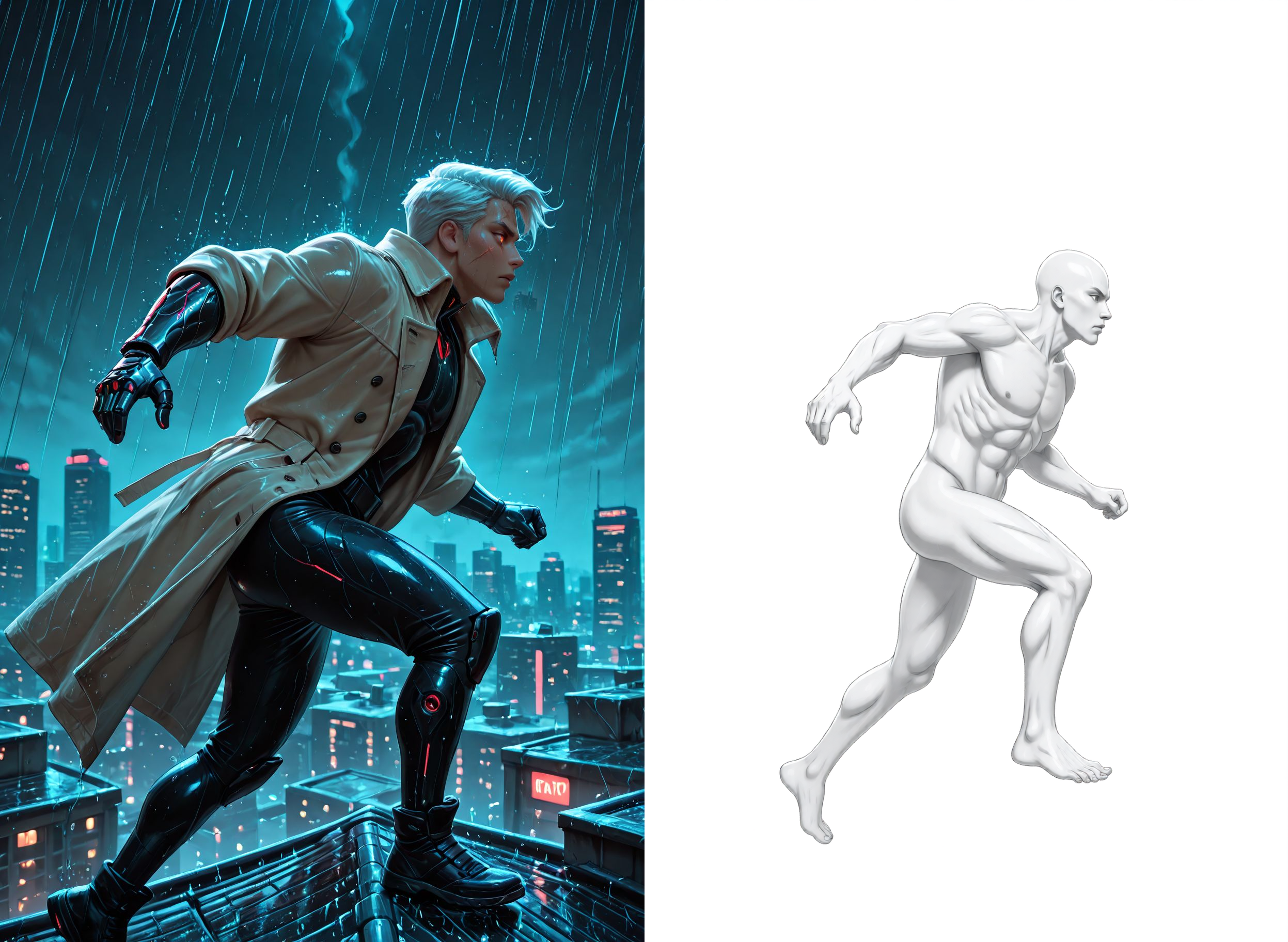
Brie's Qwen Edit Lazy Character Dummy

About this model
Hey y'all!
Take an image of a character and extract the pose, expression, body type and style out as a character dummy!
This workflow is used in conjunction with my Lazy Character Fusion workflow, which also needs my Lazy Character Dummy workflow.
Special thanks to tori29umai (on Twitter) for the image2body lora and @DigitalPastel for workflows, models, and images I've used.
VERSION 1.0
The workflow is based on the normal Qwen Edit 2509 workflow, same models too.
In addition, it uses tori29umai's image2body lora model.
The output format is a character dummy needed for my Lazy Character Fusion workflow, which also needs my Lazy Character Sheet workflow.
Input:
Character Pose image
Prompt (No need to adjust)
Output:
Character Dummy image
Character Dummy + Original info image
Models:
Diffusion Model:
qwen_image_edit_2509_fp8_e4m3fn.safetensors
LoRA;
Qwen-Image-Edit-2509-Lightning-4steps-V1.0-bf16.safetensors
QIE_image2body_V2_dim4_1e-3-000078.safetensors
Text Encoder:
qwen_2.5_vl_7b_fp8_scaled.safetensors
VAE:
qwen_image_vae.safetensors
This workflow is just a cleaned up and slightly modified version of the default ComfyUI Qwen Edit 2507 workflow. Its really quite simple. There's some additional info in the notes within the workflow.
Stay Cheesy Y'all!~
Brie Wensleydale
Related Models
Similar AI models you may like
ON-THE-FLY 实时生成!Wan-AI 万相/ Wan2.1 Video Model (multi-specs) - CausVid&Comfy&Kijai - workflow included

【WAN2.1】IMG to VIDEO

ComfyUI Image Workflows
WAN 2.2 Workflow T2V-I2V-T2I (Kijai Wrapper)
![[Lah] Mysterious | Qwen update](https://image.civitai.com/xG1nkqKTMzGDvpLrqFT7WA/b8311d6a-6426-4b4c-9c2d-92cc150d29bb/original=true/109006828.jpeg)
[Lah] Mysterious | Qwen update

Hunyuan 🌻 AllInOne

Moody Simple Zimage Turbo/Distilled Workflow
